RUNNING SHOE MILEAGE TRACKER

ShoeMile icon

ShoeMile

Track your running shoes

Shoes wear out on a schedule. This one you can see.

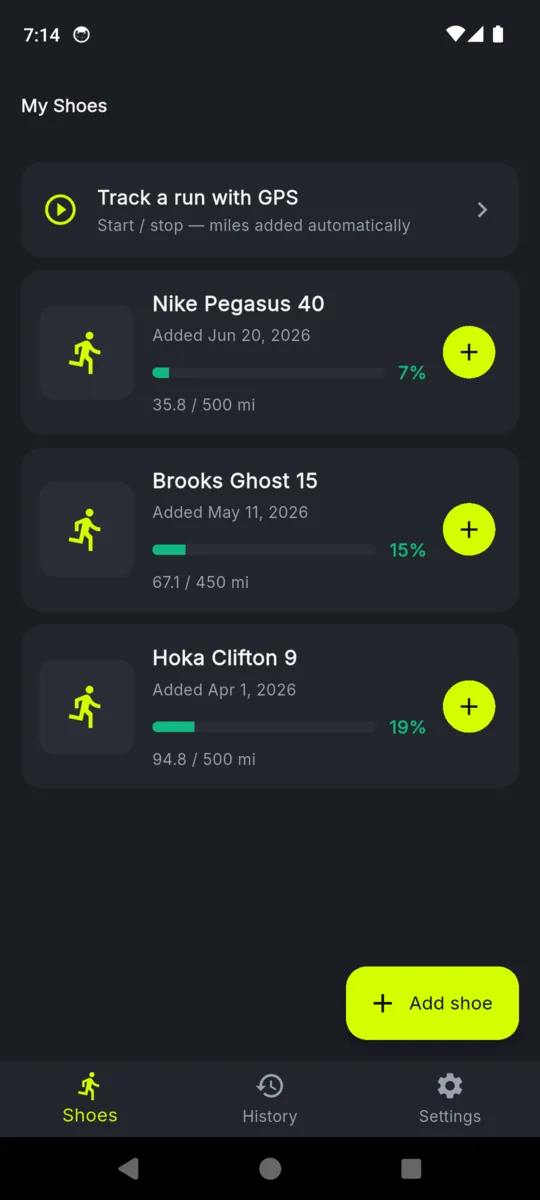
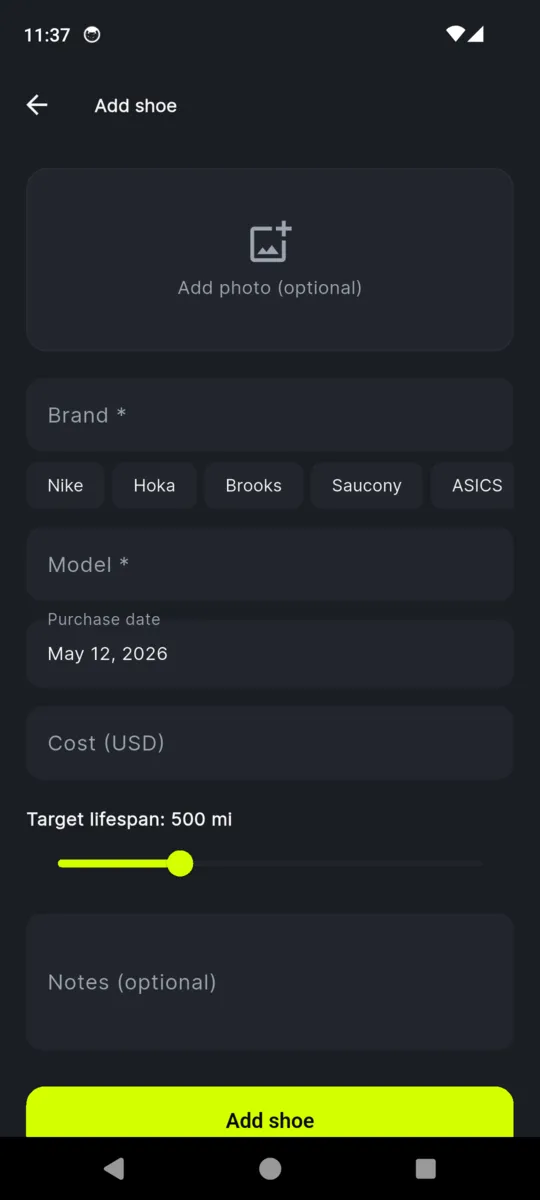
Add a pair, say how many miles you want out of it, then log runs by dragging a slider or letting GPS count the distance. The bar under each pair fills and changes colour as the miles stack up, and at the line you set, ShoeMile asks whether to retire it.

Two pairs free.
$2.99 lifts the limit.

  • Android
  • Works offline
  • No account
  • Miles or kilometres
The ShoeMile launch screen: a lime running shoe above the wordmark and the line Track your running shoes

THE WEAR BAR

One bar, read from across the room

Every pair carries a target. Five hundred miles unless you change it, and you can change it per pair, so road shoes and trail shoes are judged on their own terms. The bar fills as you log, and the colour does the talking.

180 of 500 mi

Green. Anything under half the target sits here and asks nothing of you.

340 of 500 mi

Amber from half way, which is usually when the next pair starts getting thought about.

470 of 500 mi

Red from four fifths of the way through. Close enough that the retire prompt is coming.

The colours turn at 50% and 80% and are not adjustable. The point at which ShoeMile actually interrupts you is a separate setting, anywhere from 50% to 120% of the target.

Two ways to put miles on a pair

BY HAND — THE DEFAULT

Drag it, or type it

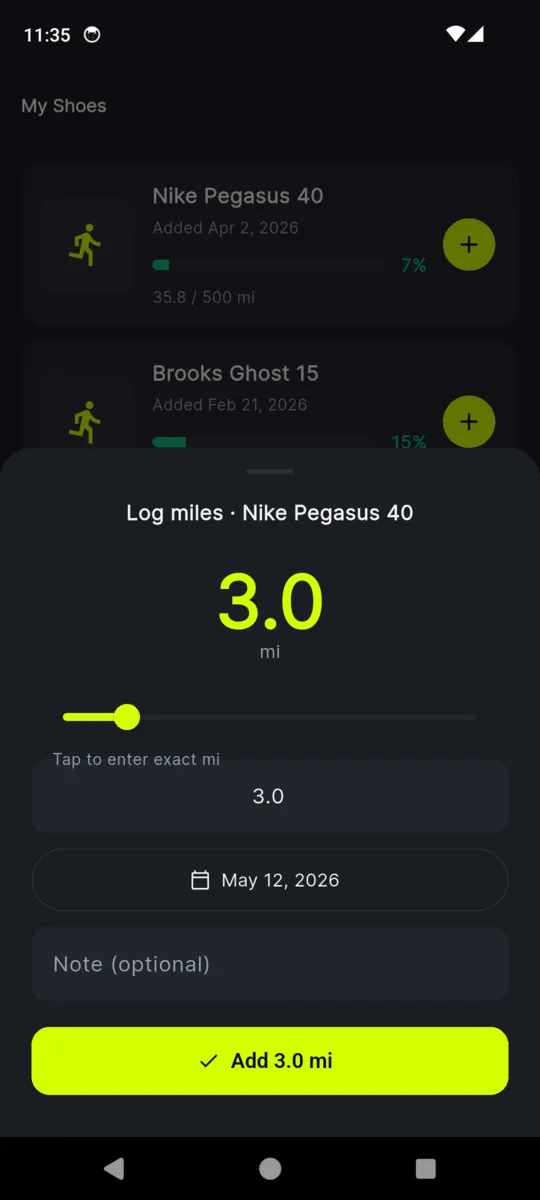
Tap the plus on a pair and a sheet slides up with a distance slider. Drag it, or tap the number and type the exact figure. Change the date if the run was not today, add a note if you want one, and it lands on the pair.

  • No timer, no start button, no permission prompt
  • Backdate anything you forgot to log
  • Notes sit on the entry, so you can record the route yourself if you care to

BY GPS — OPT IN, EVERY TIME

Let it count the distance

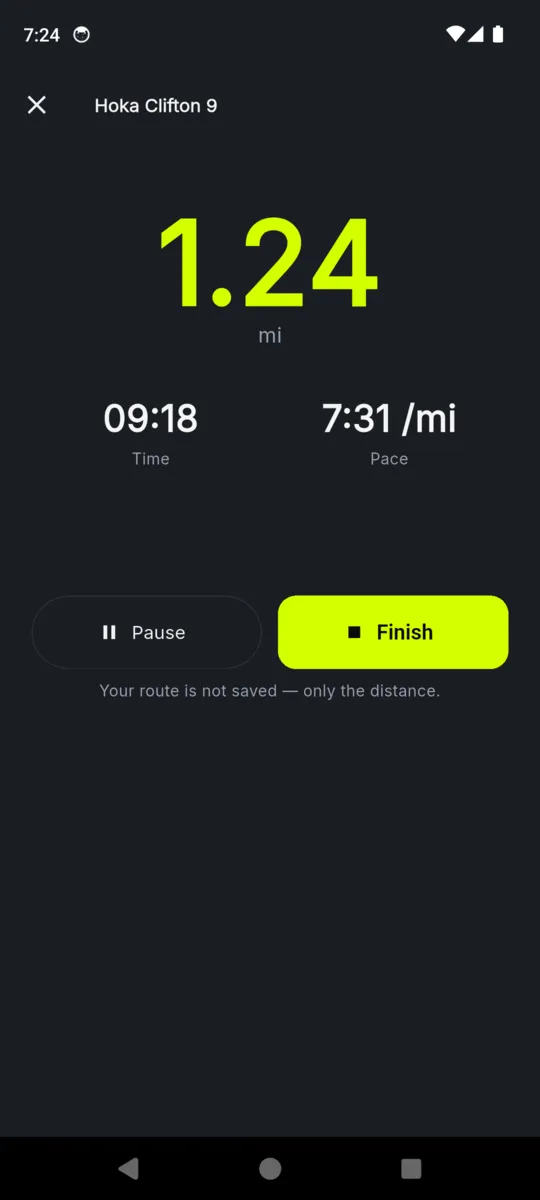
Tap Track a run, pick the pair, and ShoeMile follows the distance while you run. It shows distance, elapsed time and pace, and writes the total to the pair when you tap Finish.

  • Location runs only after you tap Start, and only while in use
  • The route is never stored — the log receives a distance and nothing else
  • Under 100 metres is treated as noise and discarded
  • If the app is killed mid-run, the distance is offered back next launch

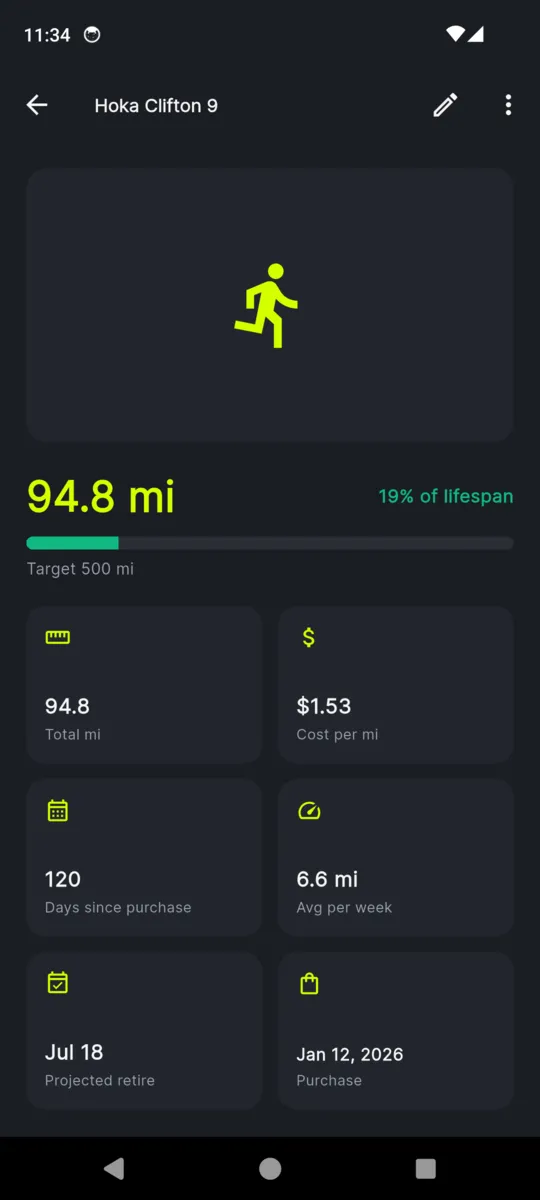
Open a pair and the arithmetic is done

Six numbers under the mileage, all worked out from entries you already made. None of them is a guess about how the shoes feel — it is what you logged, divided up.

Total mi
Everything logged against this pair, in your units.
Cost per mi
What you paid divided by the miles so far. It falls with every run.
Days since purchase
Counted from the purchase date on the pair.
Avg per week
Your logged miles spread over the weeks since the first entry.
Projected retire
When you reach the target at that pace. It moves when your pace does.
Purchase
The date you bought them, so a pair sitting unused is obvious.

None of it leaves the phone. If you want the raw entries in a spreadsheet, the unlock adds a CSV export with a row per run: pair, date, distance, note.

THE END OF A PAIR

Then it asks you to stop

  1. 1

    The miles cross your line

    You log a run, by hand or by GPS, and the total passes the trigger for that pair. It sits at 100% of the target unless you moved the slider.

  2. 2

    It interrupts once

    A prompt names the pair and the mileage it has reached, there and then, at the moment you logged. There are no notifications in this app, so nothing arrives later.

  3. 3

    Extend, or retire

    Extend adds another 50 miles to the target and the pair carries on against the new number. Retire takes it out of the rotation.

  4. 4

    Retired pairs go quiet

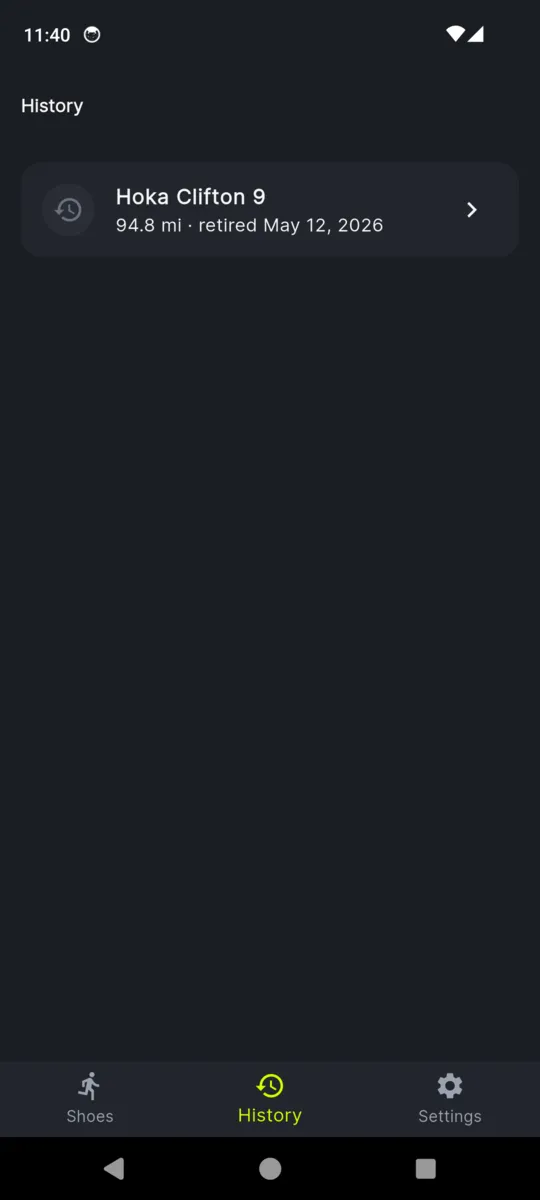
    They keep their final mileage in History, drop off the active list, and hand back the free slot they were using.

ShoeMile is a counter, not a coach. It knows the miles you logged and the number you chose, and nothing at all about how your legs feel. Treat the prompt as a nudge to go and look at the shoes, not as advice.

PRICING

$2.99once

One payment on Google Play. Nothing renews, there is no account, and later updates are included.

Get ShoeMile

Without paying

  • Two active pairs at a time
  • Every stat and every bar
  • GPS run tracking
  • As many retired pairs in History as you like
  • A banner ad at the bottom

After the unlock

  • As many pairs as you own
  • CSV export of every entry
  • No ads anywhere
  • Priority replies on support mail

Questions

How many pairs can I track without paying?

Two at a time. Retiring a pair frees its slot, so you can keep going indefinitely as long as only two are live. The $2.99 unlock lifts the limit.

Does it record where I run?

No. A tracked run adds up distance and throws the positions away. Nothing about your route is written to the phone or sent anywhere, and location only runs after you tap Start.

Can I log runs without GPS?

Yes, and most people do. Open a pair, drag the slider or type the distance, set the date if it was not today. GPS is there if you want it and never starts on its own.

When does it tell me a pair is done?

When the miles you have logged reach the target you set, 500 by default. You can move that trigger anywhere from 50 to 120 percent in settings.

What happens to a pair when I retire it?

It moves to History with its final mileage intact. It leaves the active list, stops appearing in the rotation, and gives its free slot back.

Does it need a signal or an account?

Neither. Everything lives on the phone. There is no sign-up, no sync, and no way for anyone else to see your mileage.

Is $2.99 a subscription?

No. You pay once. Nothing renews, and later updates are included.

Start with the pair you are wearing

Add them, put in the miles they have already done, and let the bar take it from there.