
Custody log
SoloCustody
A record of every handover, kept by you alone.
SoloCustody logs custody handovers and child costs on your own phone. The other parent is never invited, never notified, and never needs to install anything. At the end you export one plain PDF and hand it to your lawyer.
One parent, one phone
It works alone.
There is no shared account, no invitation and no server. The app runs on one phone, belonging to one parent, and nothing about it is visible to anybody else.
- The other parent is never invited or notified.
- They do not need to install anything.
- They are never told the app exists.
At the handover
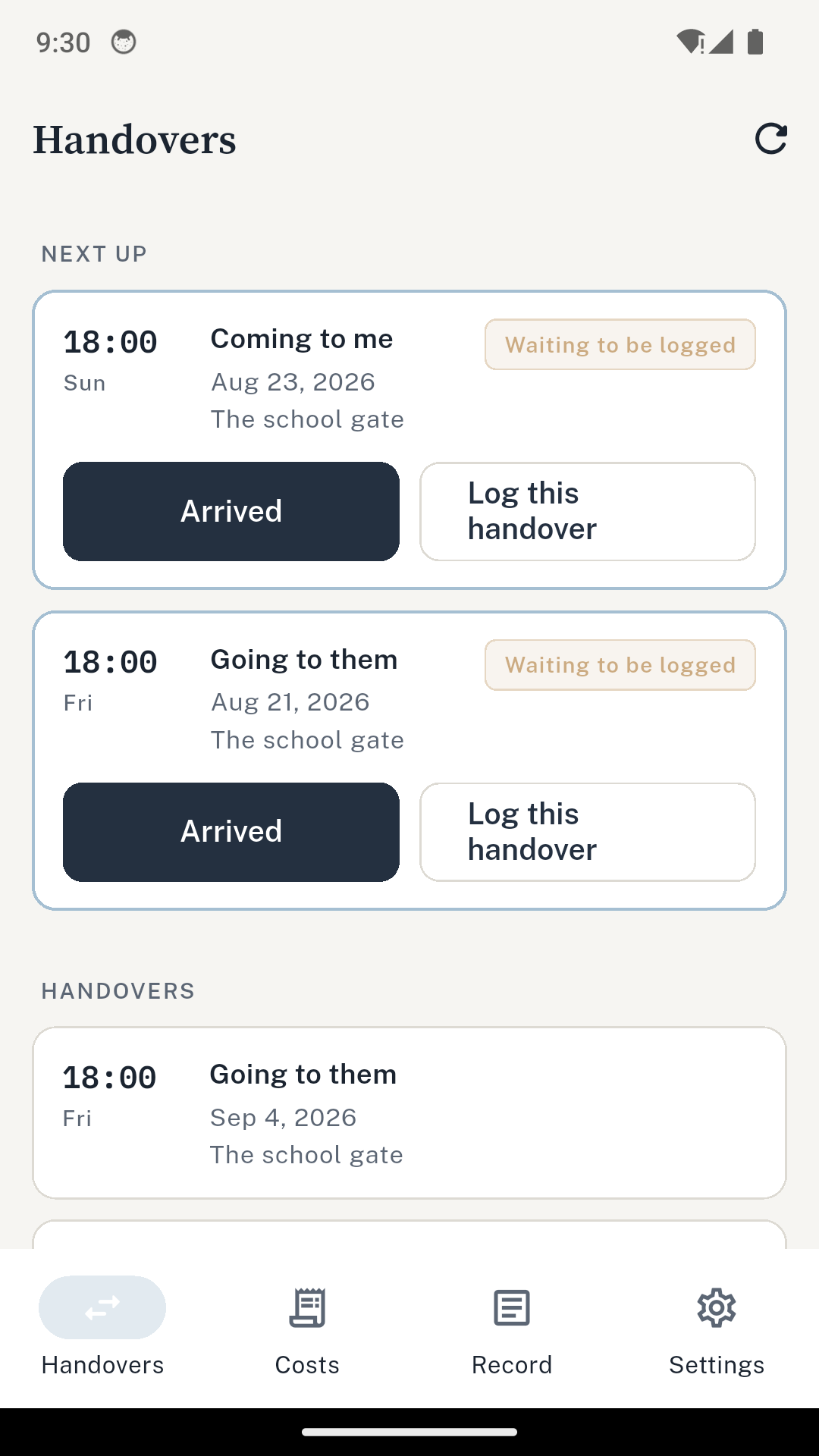
Tap Arrived. Tap Left.
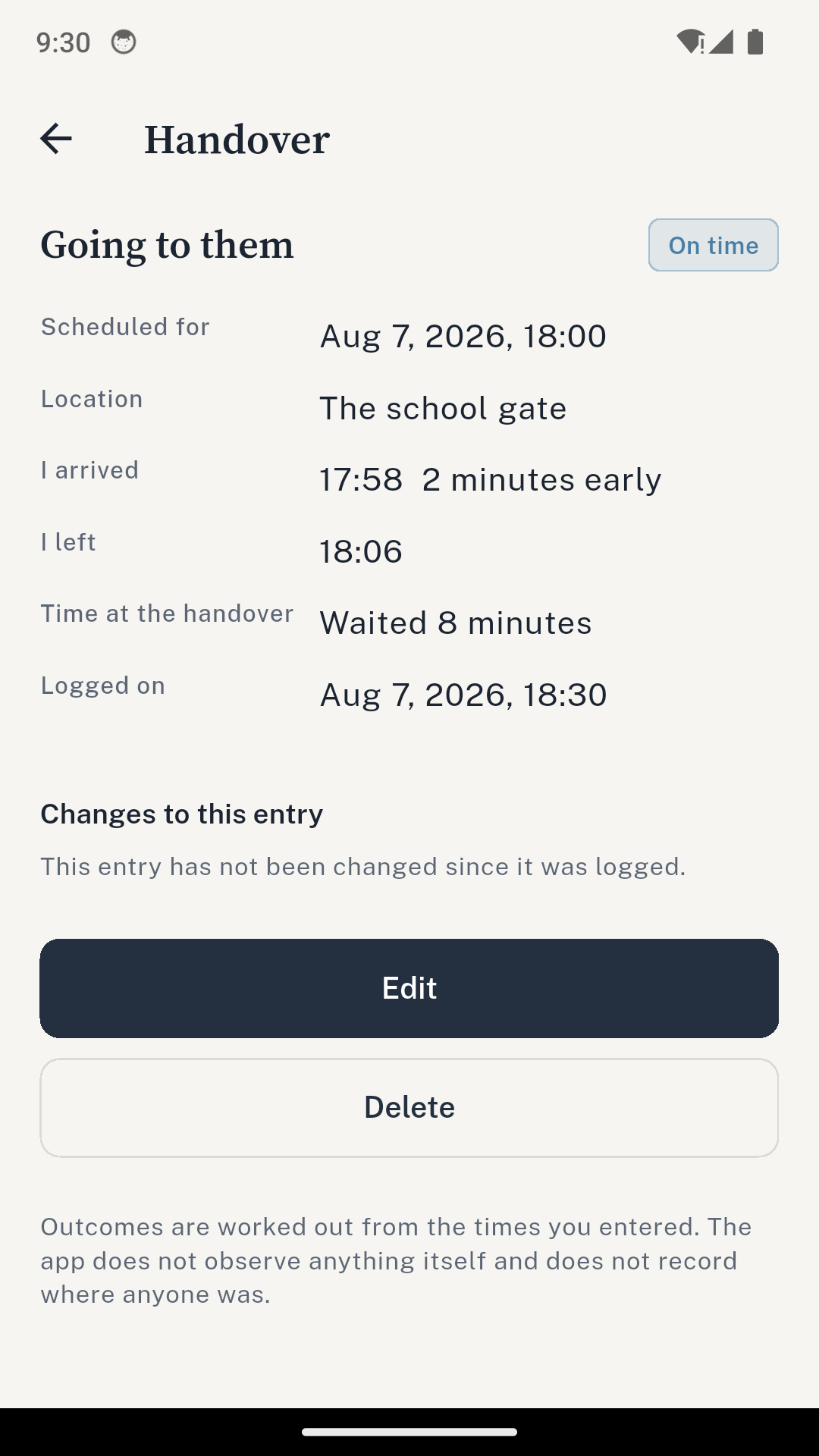
The app works out how long you were there and how late it was. You write the rest in your own words, and add a photo of the place if you want one.
What it will not do is decide anything about the other parent. Three states, and only one of them is the app’s to choose:
Worked out by the app
On time, or late by n minutes
From the arrival time you entered, and nothing else. The default grace period is 15 minutes, and you can change it.
Only ever chosen by you
No-show, cancelled, refused
The app never reaches these on its own. They are recorded because you selected them, and the record says so.
Nobody has decided anything
Waiting for you
A scheduled handover that passed with nothing logged. The app does not know why nobody came, so it does not say.
Your parenting plan, expanded
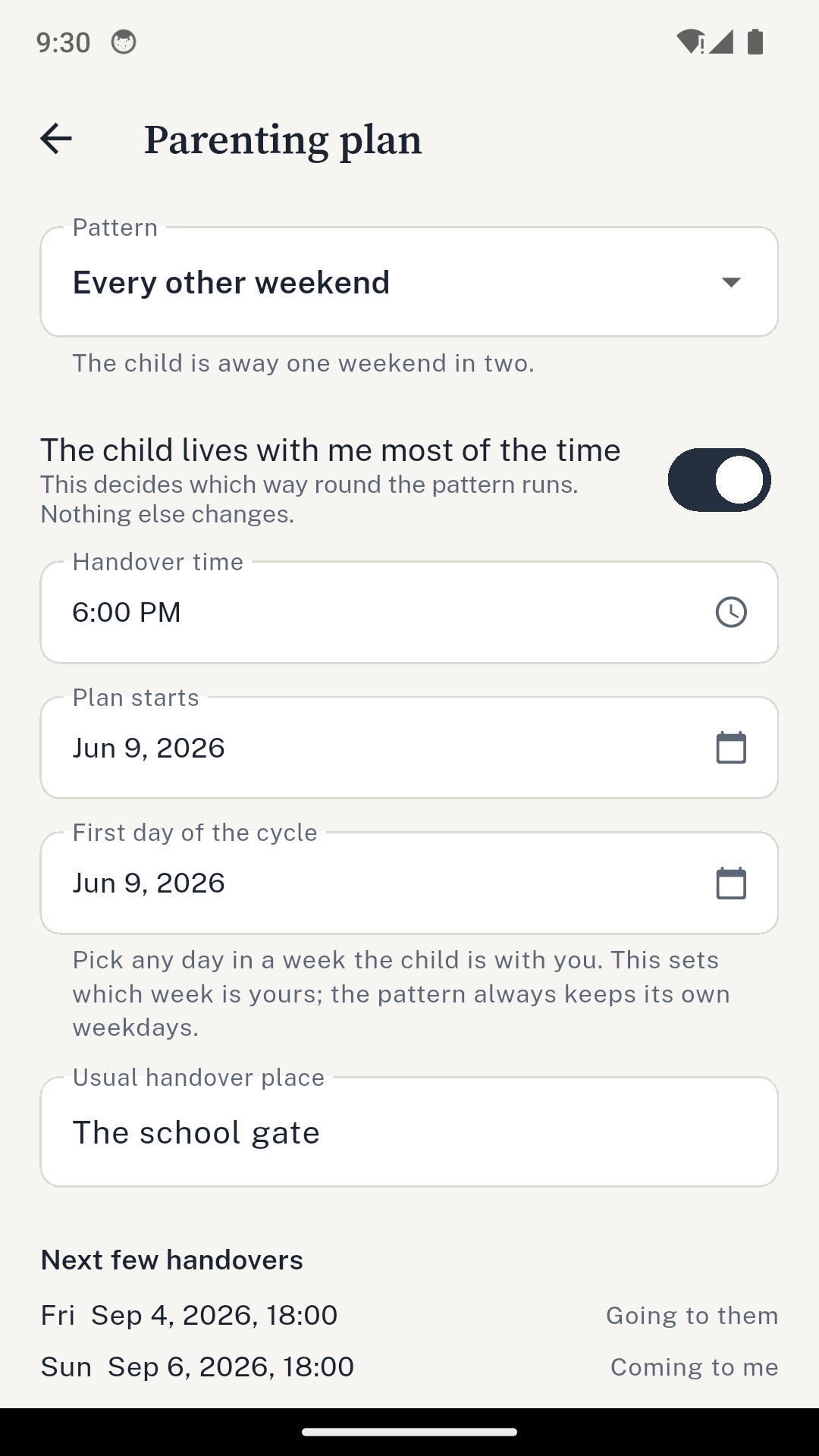
Enter the schedule once.
The app generates the handovers your plan implies, and each one waits on the timeline for you to log it.
- Alternating weeks 14-day cycle
- Every other weekend 14-day cycle
- 2-2-3 14-day cycle
- 2-2-5-5 14-day cycle
- Every weekend 7-day cycle
- Your own weekly pattern Pick the days yourself
Each pattern is defined as who the child is with on each day of the cycle, and a handover is a change in that. Defined the other way round, as a list of handover days, a plan can end up returning a child who was never collected.
A handover set for 6pm stays at 6pm when the clocks change.
Entries that show their own history
Change one later and the original stays.
Same day
Correcting an entry within 24 hours is ordinary, and the app treats it that way. It just changes.
After 24 hours
The edit is recorded as an amendment. The original value stays, the change sits beside it, and the reason you gave is stored with both. All of it prints in the record.
The app asks for that reason at the moment you make the change, while you still remember it.
Child costs and reimbursements
What you sent, and what came back.
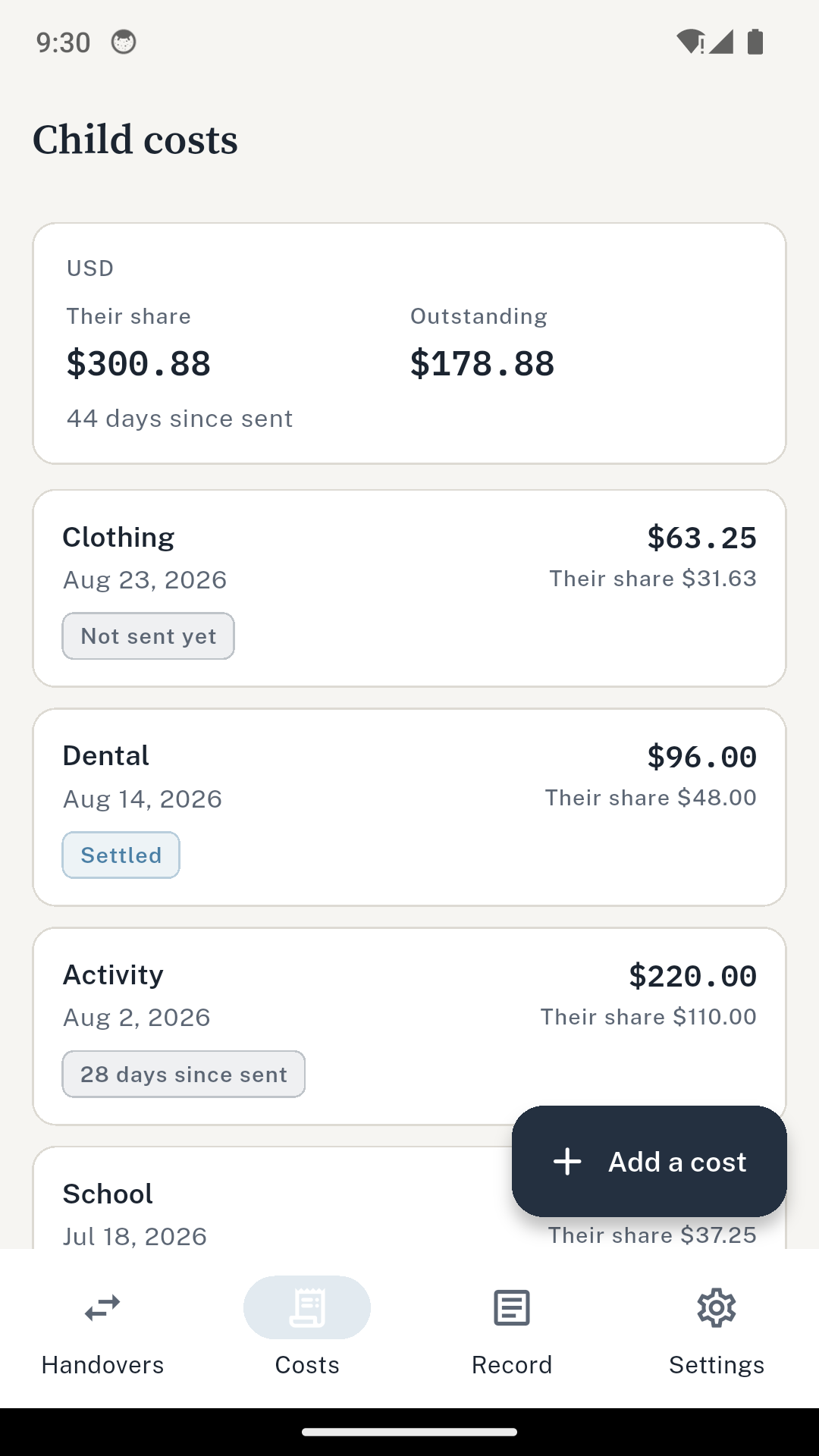
Log a cost with its receipt, the split you enter yourself, the date you sent it on and the date it came back. Categories are medical, dental, school, activity, clothing, childcare, travel and other.
The app counts the days against the reimbursement window you enter, which starts at 30 days. It holds no deadline of its own, because those differ by jurisdiction and by order.
Costs are never added across currencies. Each one is totalled on its own.
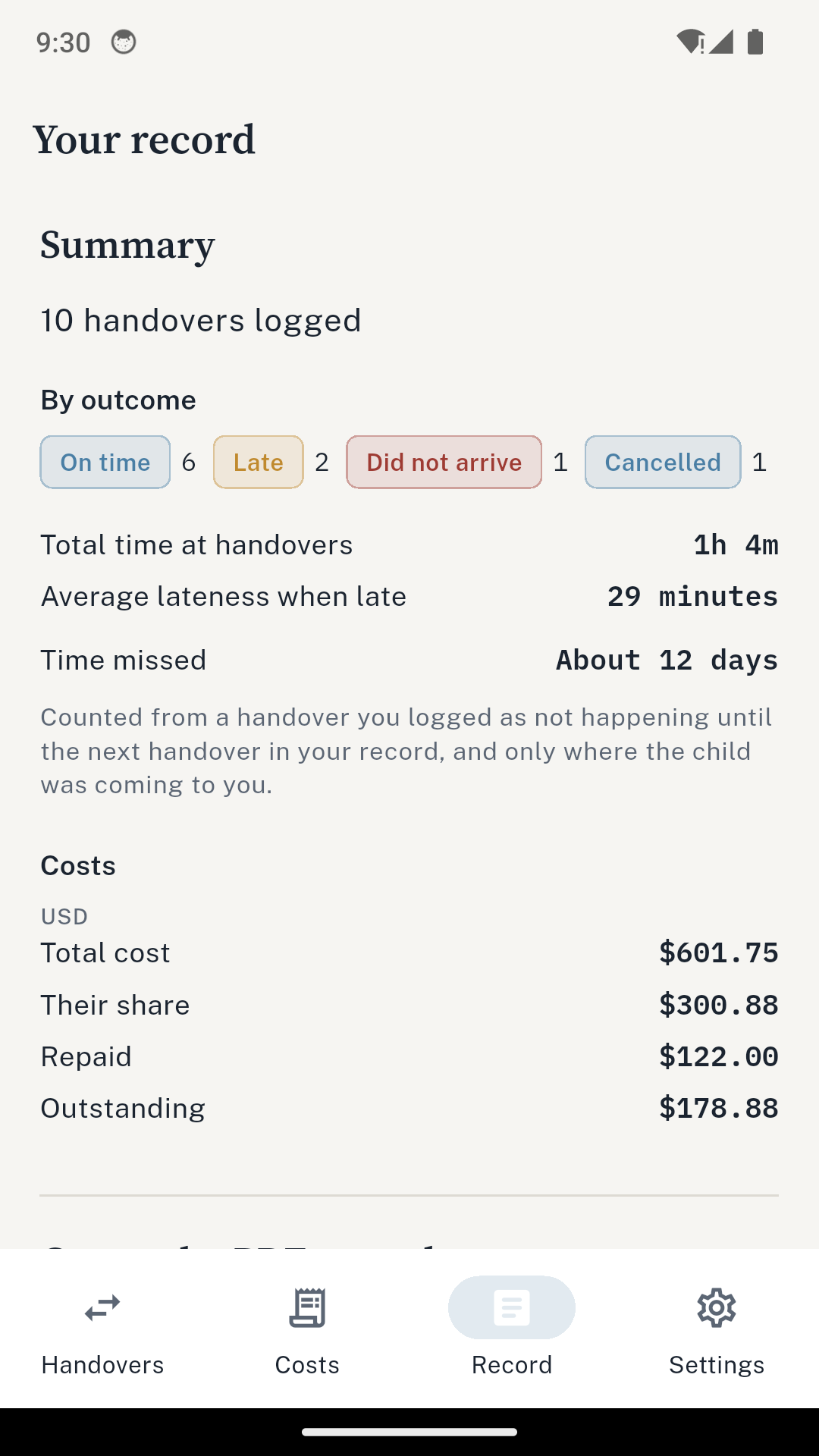
The record
One plain PDF, made to be handed over.
- Every handover with its times and outcome
- Every cost with what was sent and what was repaid
- Your dated notes
- Photographs and receipts at the back
Boring on purpose. There are no charts that editorialise and no score.
The cover carries the disclaimer, in the app’s own words: this is a personal record, not legal advice, and not a determination about anyone. Whether a court accepts it, and what weight it carries, is for your lawyer and the court to decide.
What the app does not do
The things it cannot do are the point.
No location
The app requests no location permission of any kind.
No audio, no video
It never records anybody, and never offers to.
No ads
There is no advertising SDK in the build.
No contact with anyone
The other parent is never contacted, by you or by it.
On your phone, and encrypted there
The record does not leave the device.
AES-256
Every database is encrypted. The key is generated on first launch and held in the Android Keystore. It never leaves the phone.
Optional app lock
Your phone’s own unlock. Biometrics are not required, so a fingerprint that stops being recognised is not a lock-out and your device PIN still gets you in. It is offered rather than forced, because a phone with no biometric and no PIN set cannot use it at all.
Backup you own
One file holds everything, receipts included, and restores onto another Android device. It is not behind a purchase. The file is not encrypted, so store and send it as carefully as you would the PDF.
Price
Twenty entries free, then choose once.
$4.99
per month
$19.99
per year
$29.99
once, forever
The standard tier keeps 20 logged handovers and 20 costs. A 14-day trial of everything is there if you want it, and you start it yourself. Existing entries are never locked or deleted.
Questions
Before you install it.
Does the other parent find out I am using this?
No. There is no invitation, no shared account and no notification. They do not need to install anything and are never told the app exists.
Does it track anybody’s location?
No, and it cannot. The app requests no location permission of any kind. It records no audio and no video either, and never offers to.
Can I use the PDF in court?
It is your own contemporaneous record, not legal advice and not a determination about anyone. Whether a court accepts it, and what weight it carries, is for your lawyer and the court to decide.
What happens if I correct a mistake?
On the day, it is just a correction. After 24 hours the original is kept alongside the change and the reason you gave, and both print in the record.
Does it work without a signal?
Yes. Everything is on the phone. There is no account and no sync.
Can I move it to a new phone?
Yes. One backup file holds everything including receipts and restores onto another Android device. It is not behind a purchase.
Start the record tonight.
The next handover is the first entry. Everything after it builds on its own.
Get it on Google Play