EPUB READER & READING LOG

Storyshelf
Your beautiful private bookshelf
A shelf that fills up as you read.
Storyshelf reads your own EPUB files and keeps the record of what you read entirely on your phone. Every book you finish becomes another spine on a wooden wall you can scroll from floor to ceiling.

Free to track and read.
Pro from $1.99. Android.
THE LIBRARY WALL
Books you have read, standing up
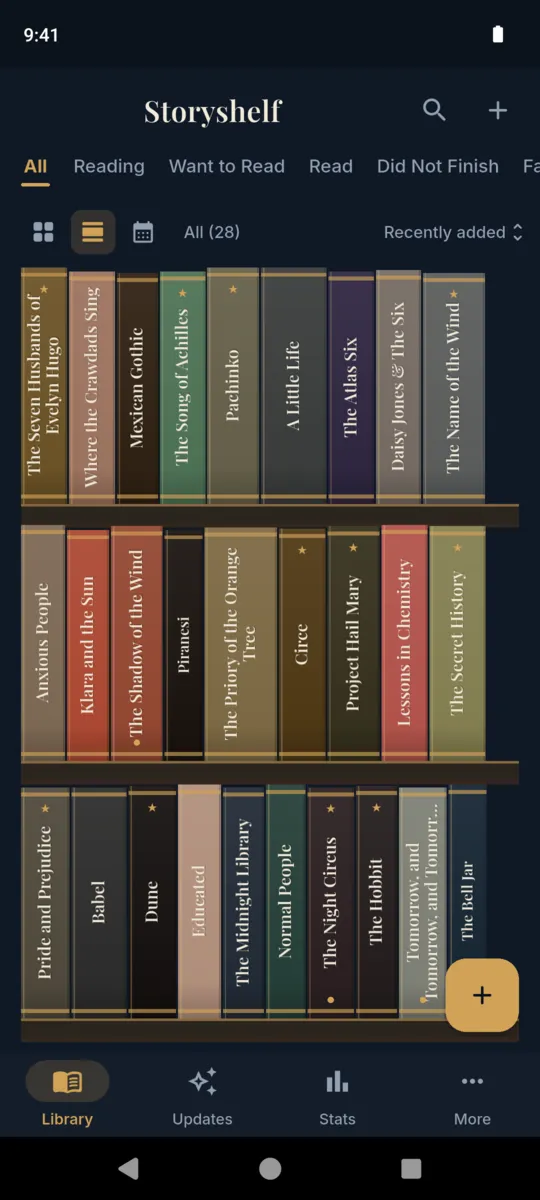
A grid of cover thumbnails tells you nothing at a glance. A bookcase does. The wall stacks your library onto wooden planks and lets it run past the bottom of the screen, which is the point.
- Fat books look fat
- Spine width is drawn from the page count, so a 900-page tome takes its space.
- No blank spines
- A book with no cover art still gets a colour of its own, worked out from the title, and the title printed down the spine.
- Sections, with plaques
- Filter by status and the wall splits into labelled runs, each under a small brass plaque, still one continuous bookcase.
- Four woods, two densities
- Walnut, oak, mahogany or ebony planks, spaced cozy or compact. Set once in the More tab.
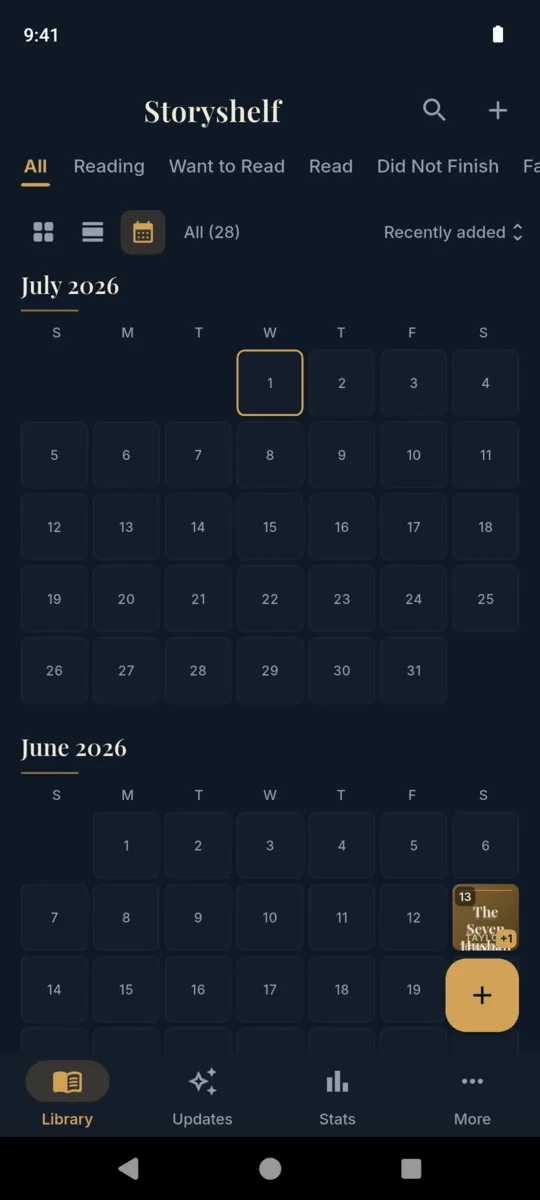
The wall and the cover calendar are Pro views. The grid is free, and every book stays in every view.
THE READER
It reads the books, not just the list of them
Bring in an EPUB you already own and Storyshelf opens it. Because the reader and the log are the same app, the time you spend does not need declaring afterwards.
- 1 Import the file The system file picker hands over one DRM-free EPUB, up to 20 MB. A DRM-locked file gets a clear refusal, not a crash. No storage permission is asked for.
- 2 Read it Chapter list, night mode, adjustable text size, and tap to hide the controls. Select a passage and it saves as a note against the book.
- 3 Come back to the same line The exact position is written down every time you turn a page, so reopening does not mean hunting.
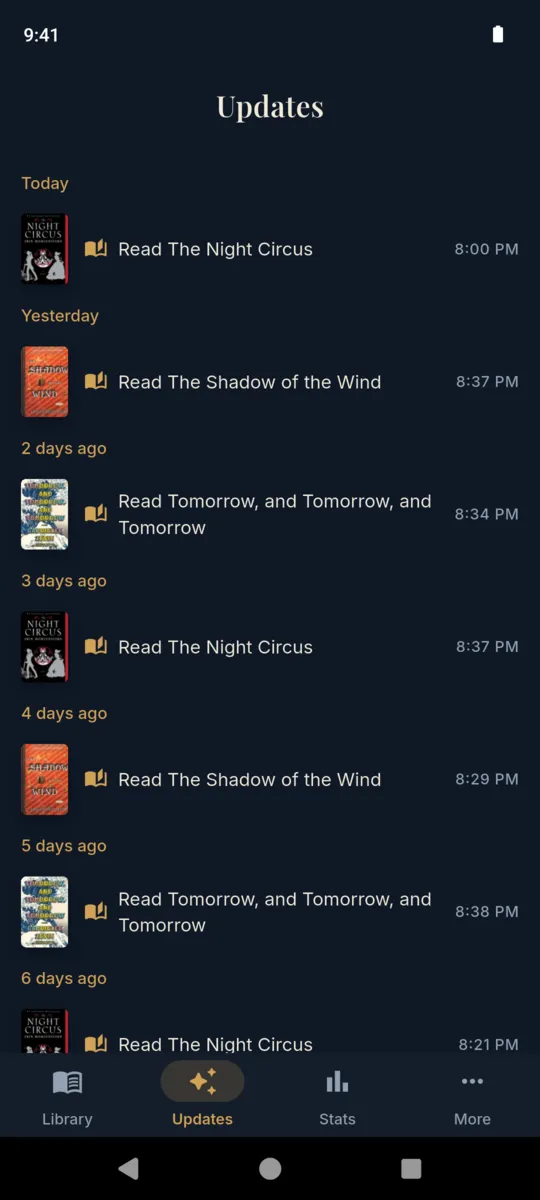
- 4 The session logs itself Anything past three minutes is recorded. Backgrounding the app ends the span, so a phone left face-down on the sofa never invents four hours of reading.
THE RECORD
What Storyshelf keeps about a book
All of it on the device, none of it public, no profile to fill in and nobody to follow.
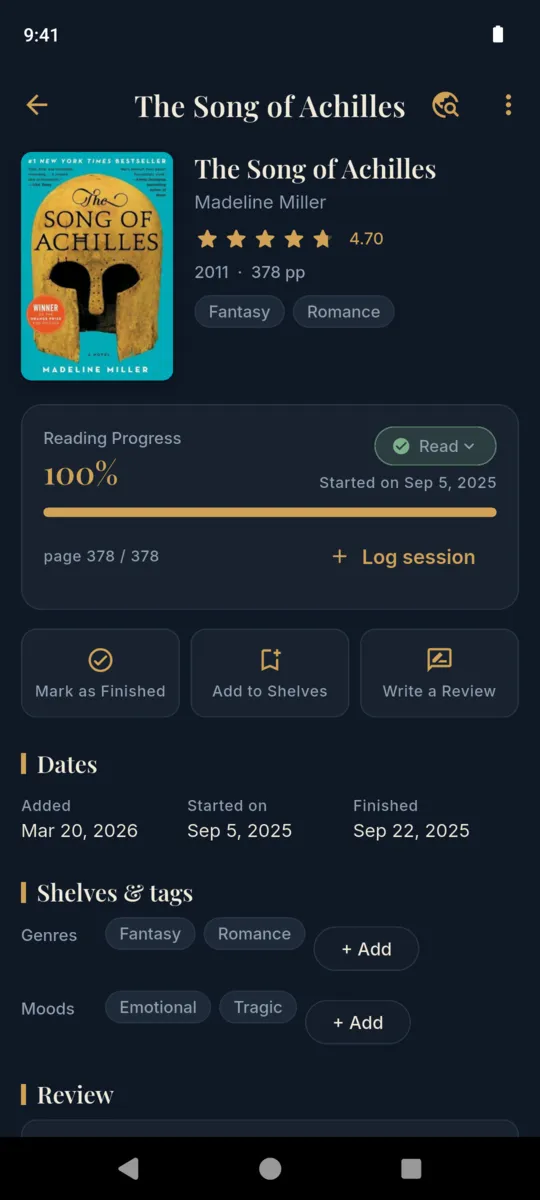
- Status
- Reading, want to read, read, or did not finish
- Progress
- Page reached out of total pages, as a percentage
- Dates
- Added, started, finished
- Rating
- Half stars, 0 to 5
- Review
- Your own write-up, kept on the device
- Genres
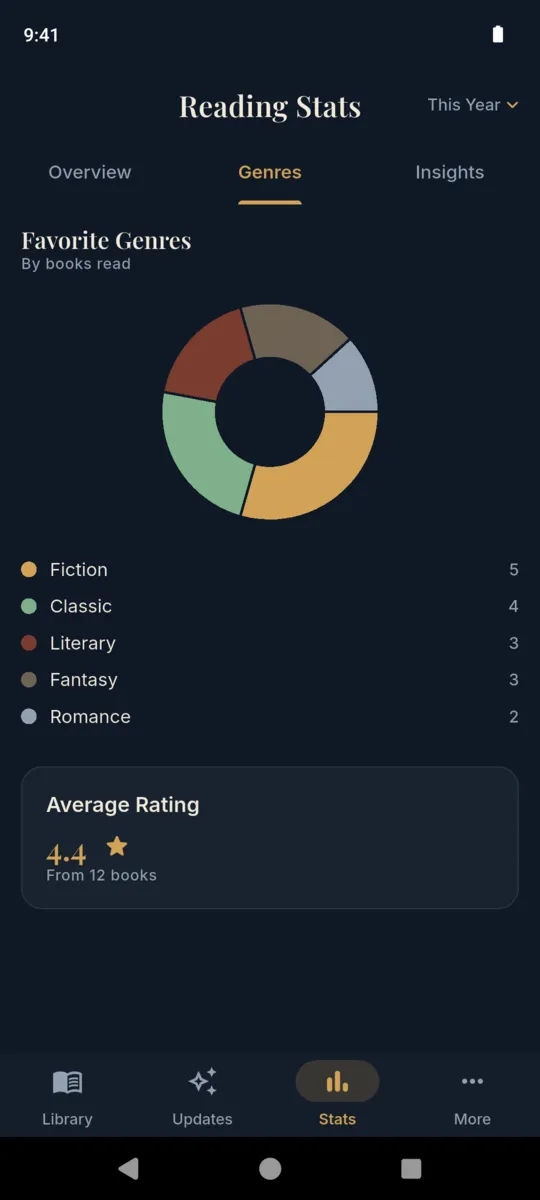
- Any number, and they drive the genre breakdown
- Moods
- Emotional, tragic, and whatever else you add
- Notes
- Typed, or saved from a highlight while reading
- Sessions
- Minutes and pages, logged by hand or by the reader
- Shelves
- Your own, alongside the four built-in ones
THE NUMBERS
A year of reading, counted
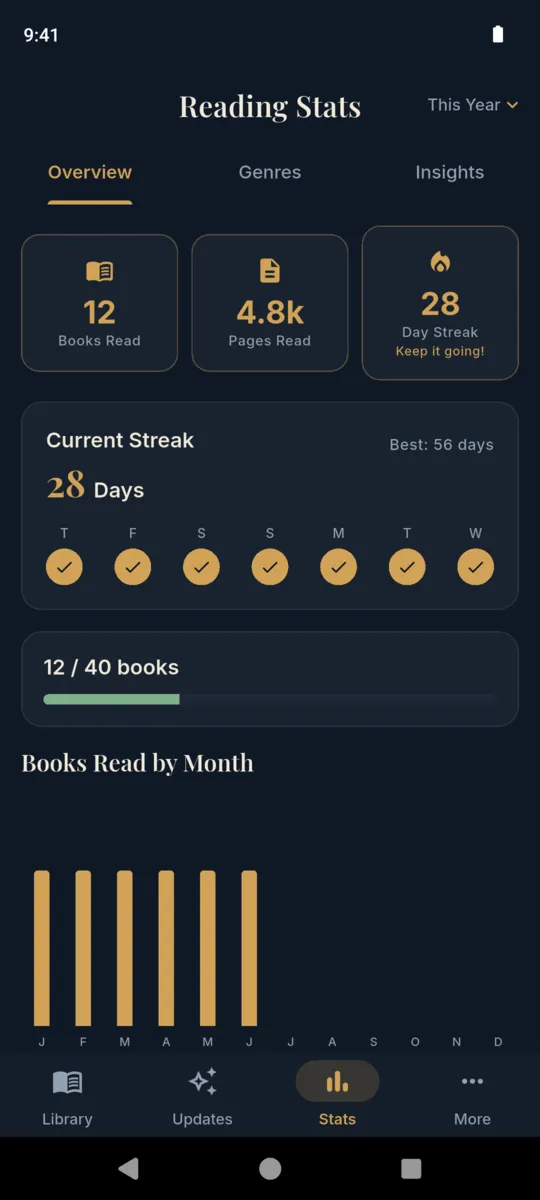
The Stats tab works out the following from your own sessions, for any single year or for everything you have ever logged. Nothing is estimated and nothing is compared to anyone else.
- Books read
- Pages read
- Minutes read
- Current streak
- Longest streak
- Average rating
- Average days to finish
- Pages per day
- Books by month
- Genre breakdown
- Mood breakdown
- Rating spread
The full stats section is a Pro view. The overview, the streak and the yearly goal are free. Finished a good year? A share card renders the recap as an image for wherever you post.
On the phone
Scroll sideways, or use the arrow keys
PRICING
Free where it counts, Pro for the pretty parts
The line is deliberate. Nothing that records your reading is behind the paywall, because a tracker that stops recording is worthless. Every install starts with 14 days of Pro, no card.
Always free
- Unlimited books
- The EPUB reader
- Sessions, notes, ratings, reviews
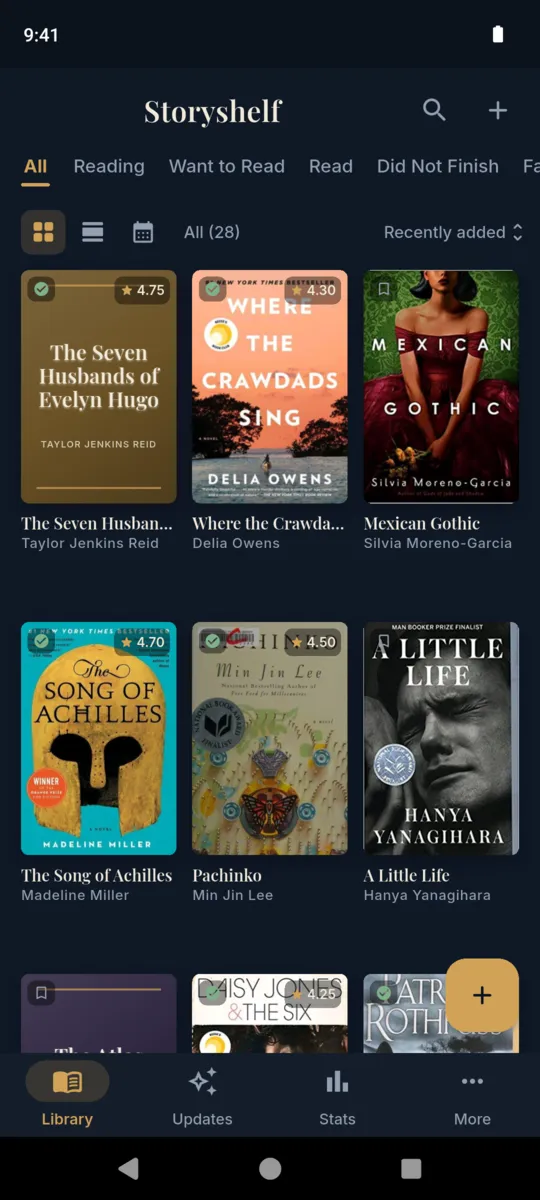
- Grid view and search
- Yearly goal and streak
- Goodreads and StoryGraph import
- Project Gutenberg downloads
Pro adds
$29.99once, or $1.99 a month / $9.99 a year
- The Library Wall of spines
- The cover calendar
- The full stats section
- Custom shelves beyond the first two
- Backup export, covers included
- No ads
Questions
Is Storyshelf a reader or a tracker?
Both, in one app. Import your own DRM-free EPUB files and read them here, and the time you spend is logged against the book without you starting a timer.
Which files can it open?
DRM-free EPUB up to 20 MB. A file with store DRM on it is refused with a plain message rather than a crash, and PDF and MOBI are not supported.
Where do the free books come from?
The Discover screen browses Project Gutenberg. A title you download becomes an ordinary book in your library, readable and loggable like any other.
Can I bring my library across?
Yes. Storyshelf imports a Goodreads or StoryGraph CSV export and matches the columns by name, so a slightly different export still lands.
What is free and what is Pro?
Adding books, logging sessions, notes, ratings, the yearly goal, CSV import and the reader are all free and unlimited. Pro adds the spine wall, the cover calendar, the full stats section, a third custom shelf onwards and backup export, and removes the ads.
What happens to my books if Pro lapses?
Nothing is hidden or deleted. Every book, session and note stays where it is. The Pro views close, and adding books carries on as normal.
Put the first spine on the shelf
Import an EPUB, or type in the book on your bedside table. The wall starts with one.