PATCH & SIGNAL CHAIN LOG

SynthPatch icon

SynthPatch

Patches and signal chains, organized

The knobs are the patch. Photograph them.

A synth with no patch memory forgets everything the moment you move a fader. SynthPatch keeps a photo of the front panel against the sound it made, plus where the patch lives, what it is for, and how the studio was wired at the time.

$4.99 once, no subscription.
Android.

  • Makers & Hobbies
  • Android
  • Works offline
  • No account
  • 10 languages
The SynthPatch launch screen: glowing amber and cyan patch cables on a black panel above the wordmark and the line Patches and signal chains, organized

THE PROBLEM

A photo is the only honest save button

Hand-drawn patch sheets are slow and inaccurate. A phone photo of the panel is instant, and it captures everything at once: every knob angle, every switch, every patch cable actually in the jack.

  • Several photos per patch One for the main panel, one for the modulation section, one for the back if the routing lives there. Each is compressed on the device, never uploaded.
  • Camera or gallery Shoot it now, or pull in a photo you already took while the sound was still up.
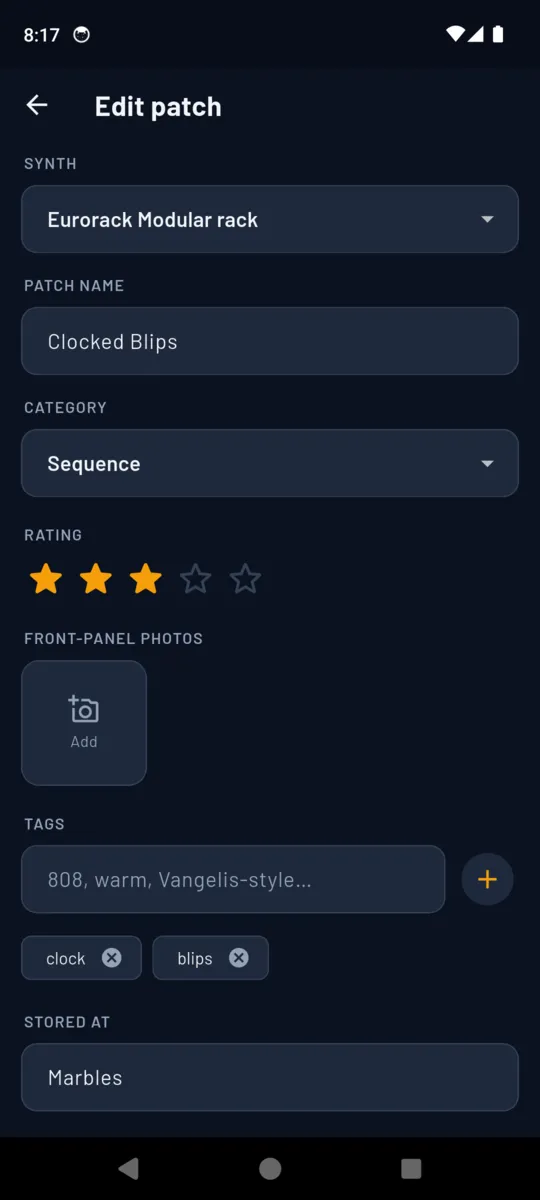
  • And where it lives A free-text Stored at field for bank A12, patch sheet 07, an SD card slot or a module name, so a recallable synth still points at the right slot.
  • An audio note, if you want one Hold the phone up and record what it sounds like, so you can tell four bass patches apart without wiring anything.
The SynthPatch patch editor: synth and category pickers, a star rating, an empty front-panel photo slot, tag chips and a Stored at field reading Marbles

THE RECORD

Two things get logged, and only two

Register the instrument once, then everything else hangs off it. The library is a flat list of patches you can search by name, tag or synth, and filter by category, synth or minimum star rating.

A SYNTH

  • brand
  • model
  • year acquired
  • sound type
  • MIDI channel
  • MIDI notes
  • photo
  • colour tag

Sound type comes from a fixed list — analog mono, analog poly, digital, FM, wavetable, modular system, sampler, drum machine. The colour tag is what makes a mixed library scannable: every patch carries a dot in its synth's colour.

A PATCH

  • name
  • synth
  • category
  • tags
  • stored at
  • notes
  • rating 0–5
  • front-panel photos
  • audio note

Categories are fixed so the filter stays useful: Bass, Lead, Pad, Pluck, Drum, FX, Sequence, Drone, Other. Tags are yours — 808, warm, Vangelis-style, whatever you will actually search for six months from now.

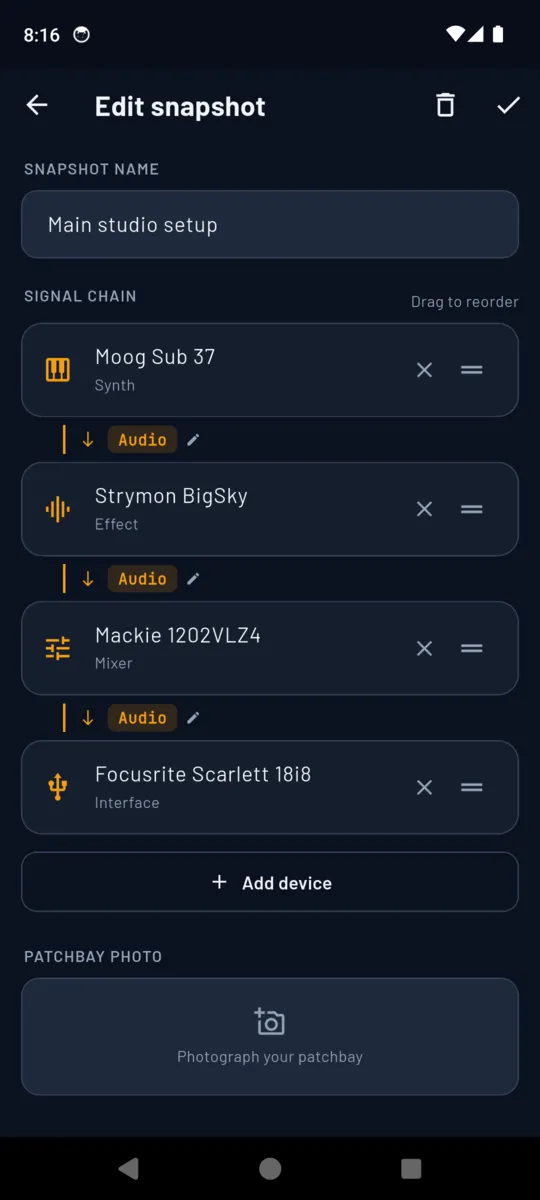
The SynthPatch chain editor: Moog Sub 37, Strymon BigSky, Mackie 1202VLZ4 and Focusrite Scarlett 18i8 in order, each link labelled Audio, above a slot for a patchbay photo

THE SIGNAL CHAIN

So that pulling the studio apart is reversible

Name a setup, drag the devices into the order the sound travels, and label what runs between them. Add a photo of the patchbay and the snapshot is complete. It is dated when you save it, so last month's rig is still there after you rebuild.

Devices in a chain

  • Synth
  • Effect
  • Mixer
  • Interface
  • DAW
  • Controller
  • Other

What runs between them

  • Audio
  • CV
  • Gate
  • MIDI
  • USB
  • Clock

Each connection carries its own type and an optional cable label, and each type has its own colour on screen. A device in the chain can point at a synth you have registered, or be typed in loose for a pedal you have not.

GETTING IT BACK OUT

Three ways out, none of them a lock-in

Full backup

One JSON file with every synth, patch and snapshot, and the photo and audio bytes embedded inside it rather than referenced. It survives a reinstall or a new phone. Goes out through the normal share sheet.

Free

CSV patch grid

Patch, synth, category, rating, tags, stored at, notes — one row each, for a spreadsheet or an insurance list. Photos stay in the app; this is the index.

Free

PDF patch book

One printable book per synth: a cover with the instrument, its type, its year and the patch count, then every patch grouped by category with its front-panel photo. It belongs on the studio wall.

Unlock

On the phone

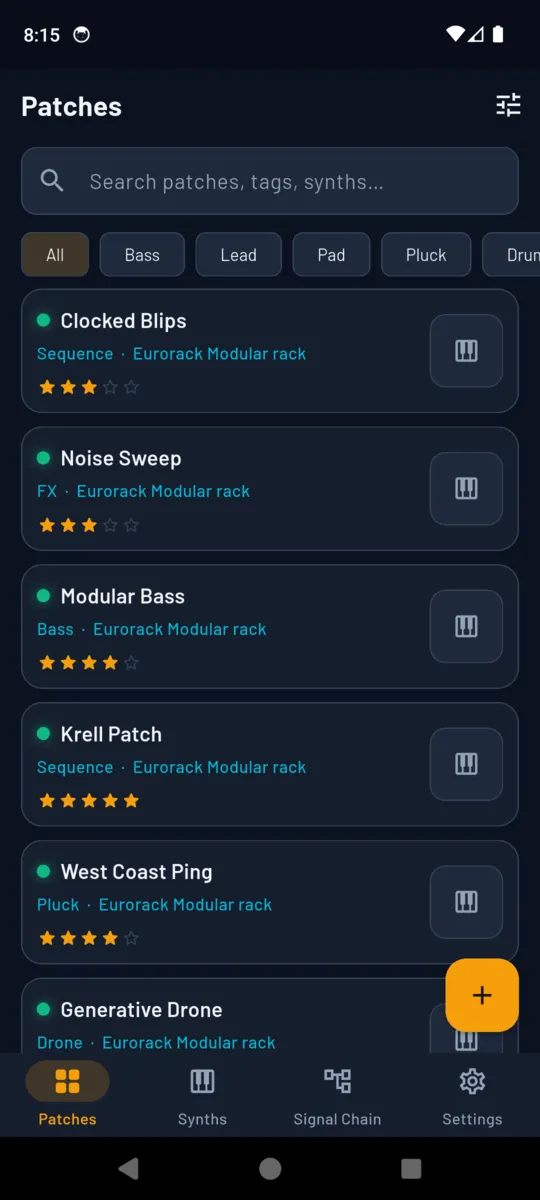
The SynthPatch patch library: Clocked Blips, Noise Sweep, Modular Bass and more, each with its category, synth, star rating and a coloured dot, above category filter chips
The library, filtered by category
A patch page in SynthPatch showing Clocked Blips with a three-star rating, the Sequence tag, its synth, its tags, a Stored at value of Marbles and free-text notes
One patch, and where to find it again
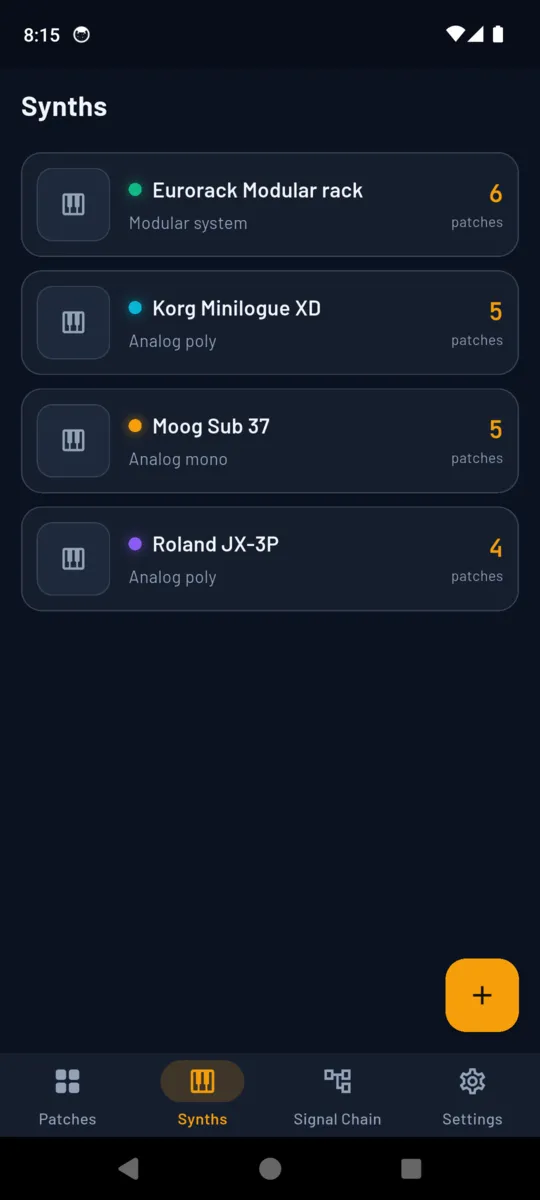
The SynthPatch synth register listing a Eurorack modular rack, Korg Minilogue XD, Moog Sub 37 and Roland JX-3P with sound types and patch counts
The rig, with a patch count each
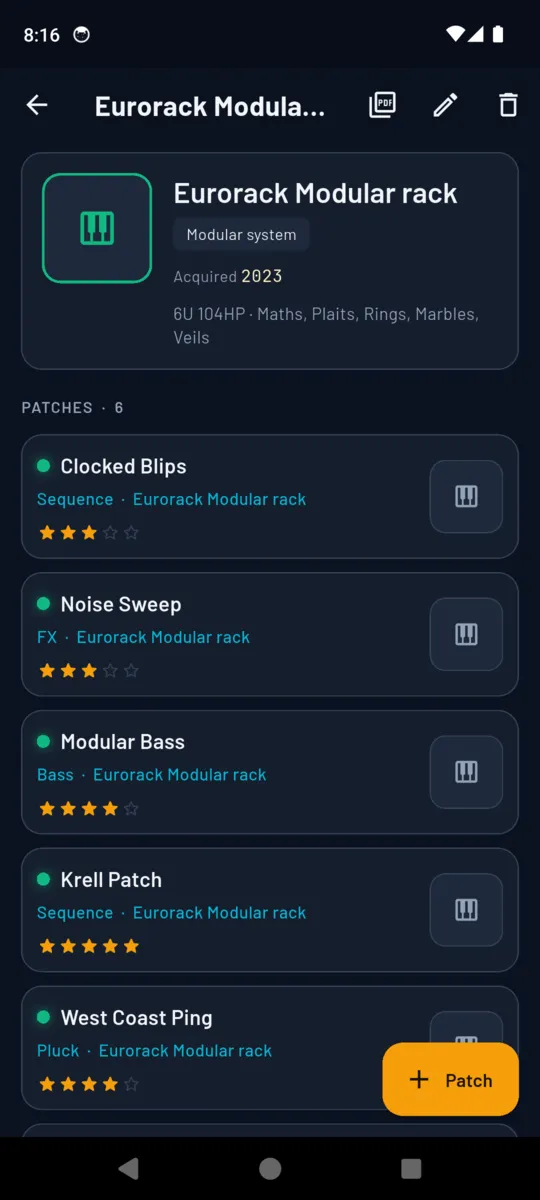
A synth page in SynthPatch: Eurorack modular rack acquired 2023, its module list as free text, and the six patches saved against it
One instrument and everything saved on it

PRICING

One payment, and it is done

Every install opens with fourteen days of the whole app, with no card. After that the free tier keeps working within its caps, and $4.99 removes them for good.

  • 1synth registered
  • 10patches saved
  • 1signal-chain snapshot

The caps only ever stop something new being added. Nothing already logged is hidden, locked or deleted, and you can still edit it, back it up and export the CSV.

Questions

Why photograph the front panel?

Because on most analogue synths the panel is the patch. There is no memory to save to, so a photo of the knobs is the only complete record of a sound you found at two in the morning.

Does it talk to my synth over MIDI?

No. SynthPatch never connects to hardware. It stores the MIDI channel and your own routing notes as text, next to the photos.

Does it work with no connection?

Yes. Synths, patches, photos, audio notes and chain snapshots are all held on the phone. A connection is only used to serve the banner ad before you unlock.

What do I get before paying?

One synth, ten patches and one signal-chain snapshot, plus the whole app free for fourteen days on install. Past the caps, new entries need the unlock, and everything already logged stays editable.

Can I get my library out of the app?

Yes, and without paying. The backup file is JSON with the photo and audio bytes embedded, so it survives a reinstall, and there is a CSV grid of every patch. The printable PDF patch book is the one export behind the unlock.

Is it a subscription?

No. $4.99 once, and nothing renews.
Save the sound you have up right now

Register the synth, take one photo of the panel, give it a name. That is the whole workflow, and it takes about twenty seconds.