
Tile layout planner for Android
See the cuts before you cut.
Type the room or wall size, your tile and the grout joint. TileLay draws every tile to scale, groups the cuts you will make, and works out how many tiles and boxes the layout needs.

Try the edge cuts here
Where the cut tiles land depends on where you start. Enter the room width, tile width and grout joint, and compare starting in a corner with starting from the centre.
This example shows one row. TileLay draws the full floor using your chosen pattern.
What it does
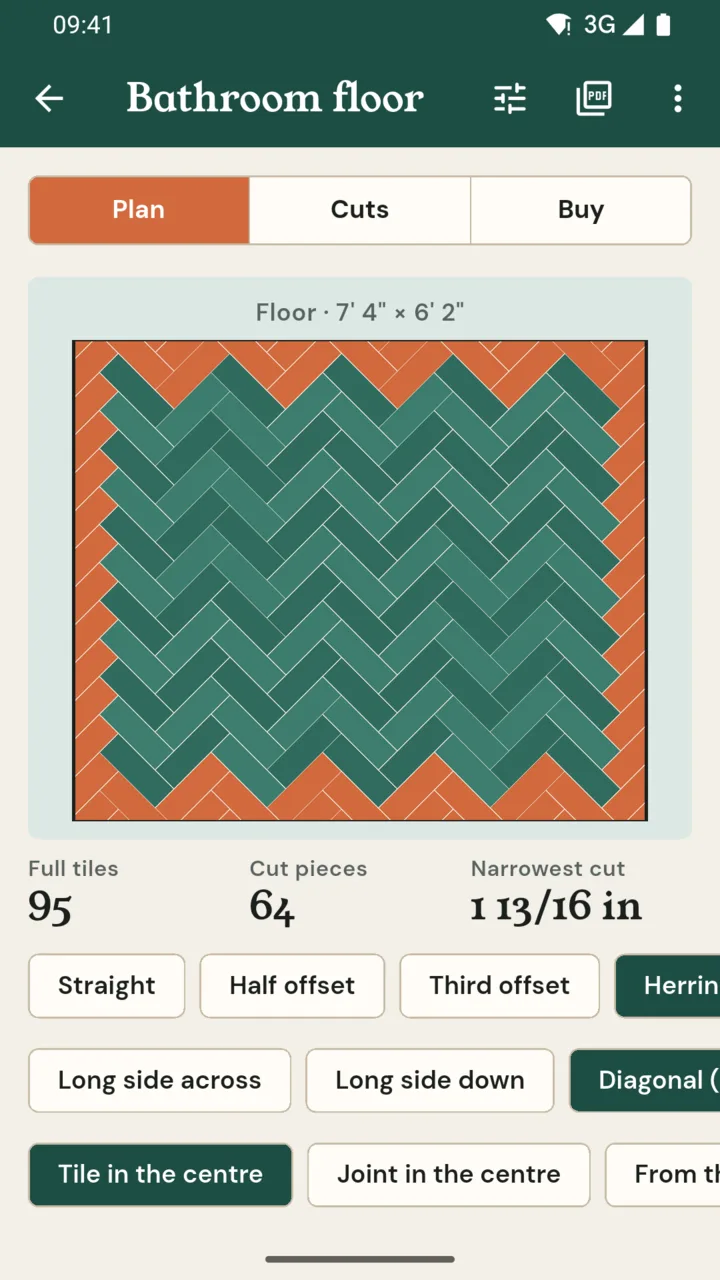
The floor, drawn.
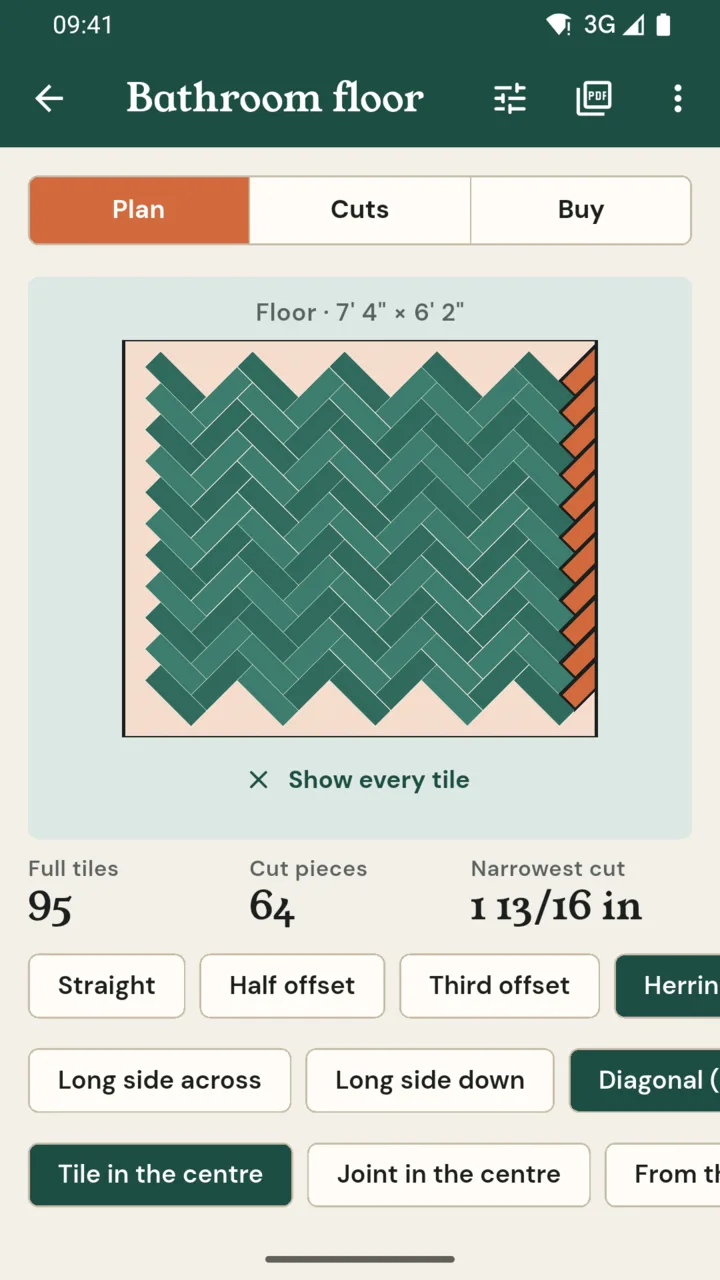
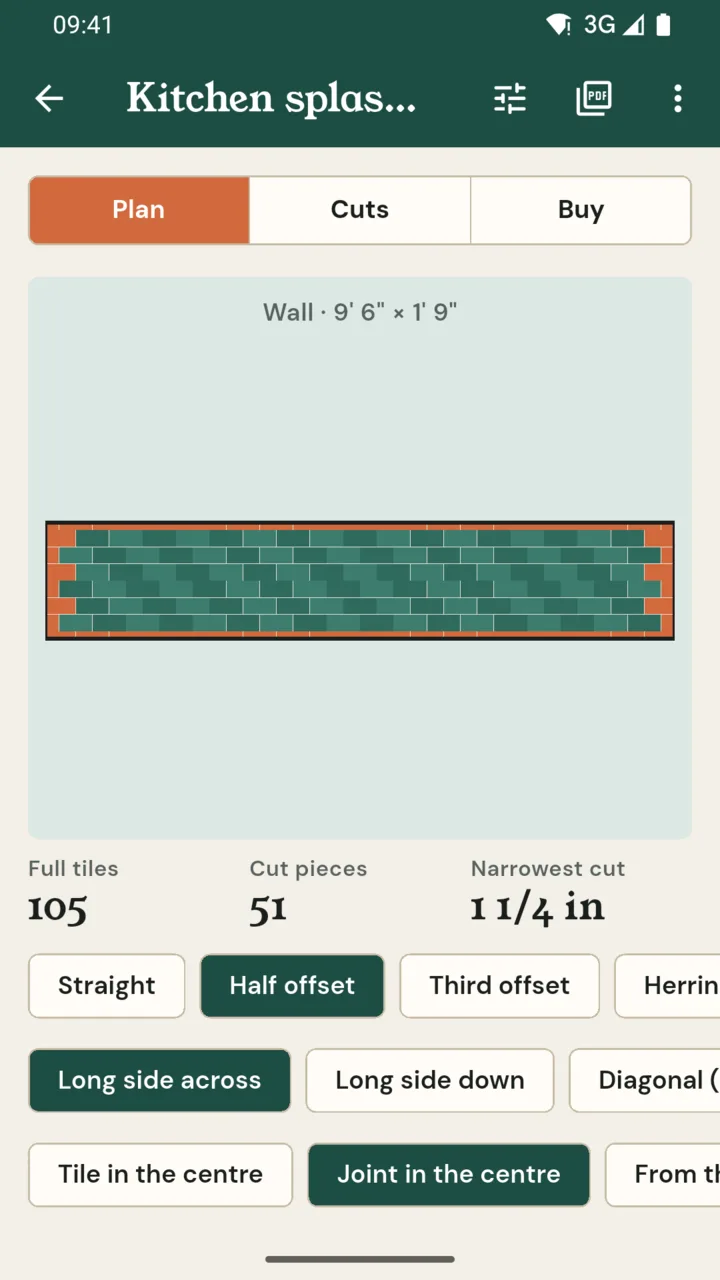
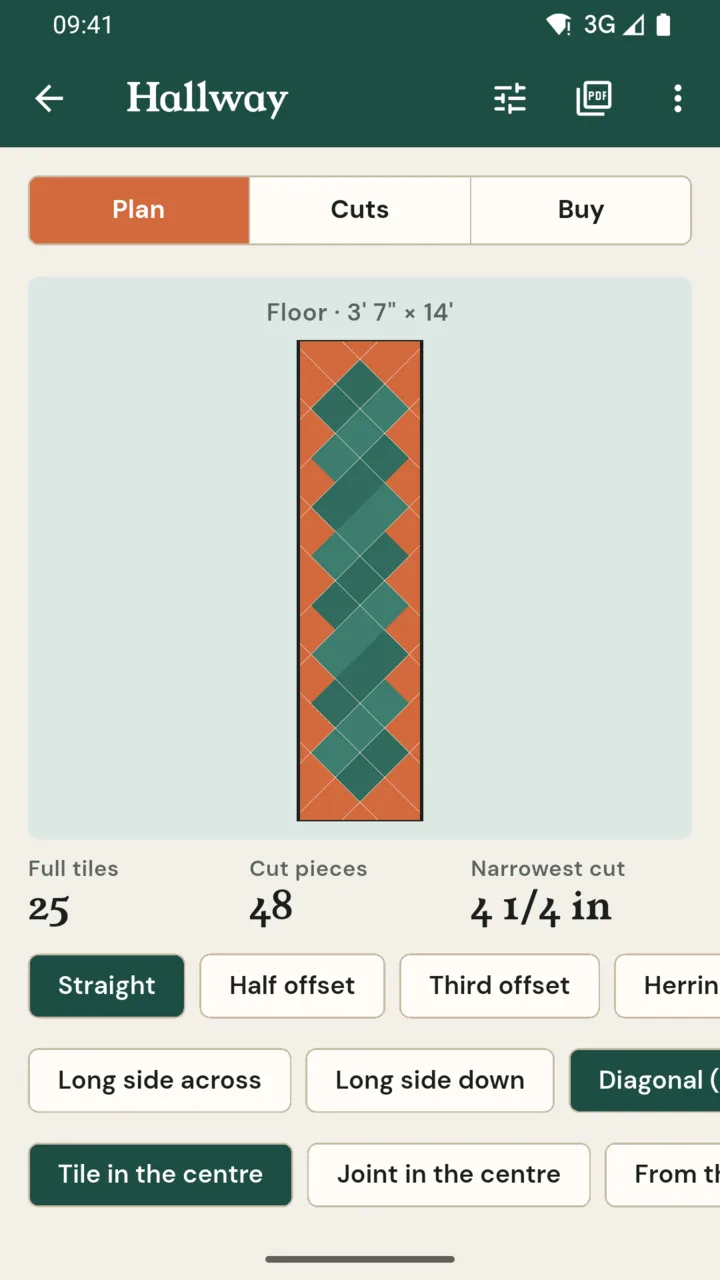
Every tile positioned to scale from the measurements you enter, full tiles in green and cut pieces in terracotta. Pinch to zoom in on a corner.
Five patterns.
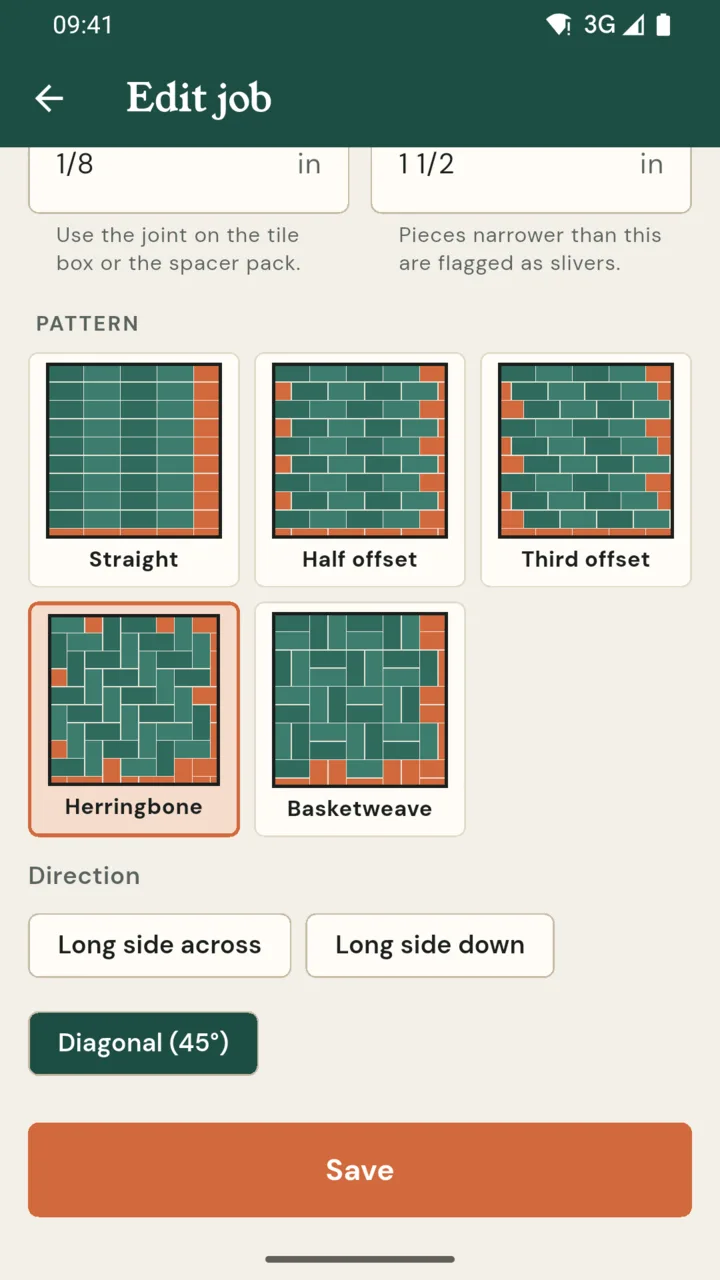
Straight, half offset, third offset, herringbone and basketweave, each laid across, down or on the diagonal. Change the pattern to see how the tile positions and cuts change.
Choose where to start.
A tile in the centre, a grout joint in the centre, or a full tile in the corner. For a straight layout, starting from the centre can give matching cuts at opposite walls.
Slivers flagged.
Pieces narrower than the size you set are counted and drawn in a darker red, so you can try another start before you cut.
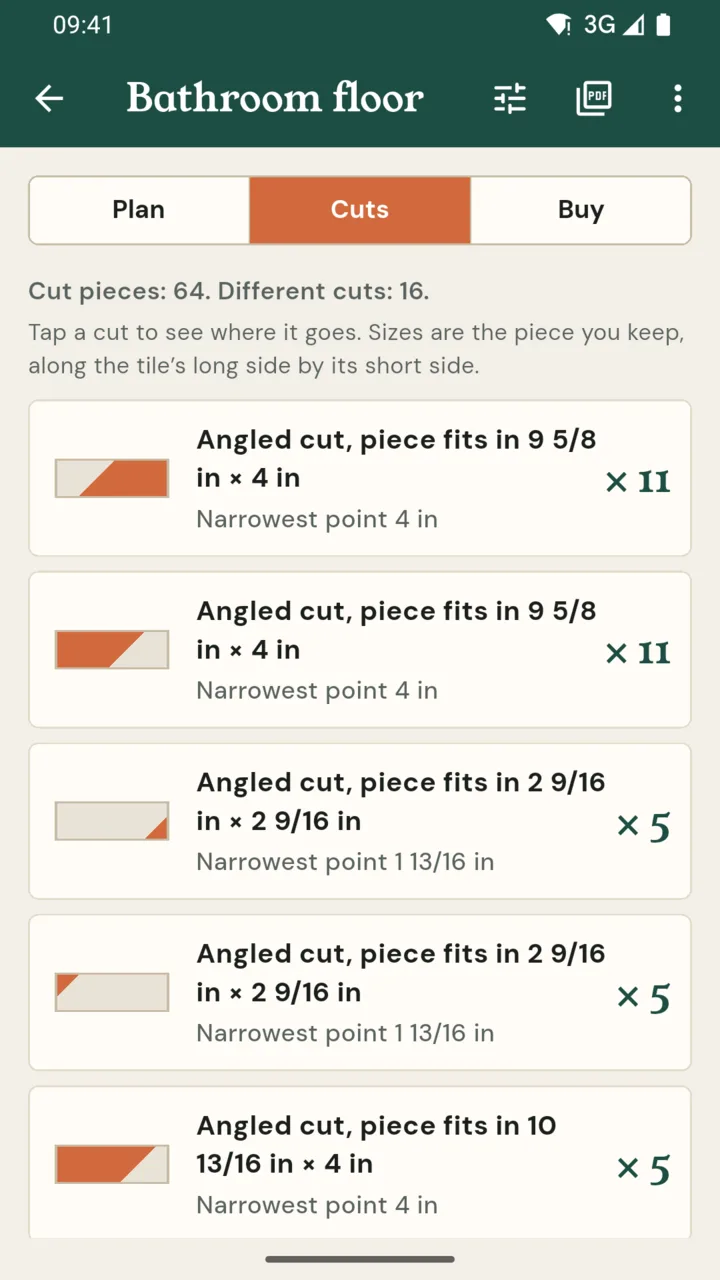
The cut list.
Identical cuts are grouped, with the piece you keep drawn inside a whole tile and its size. Tap a group to see where those pieces go.
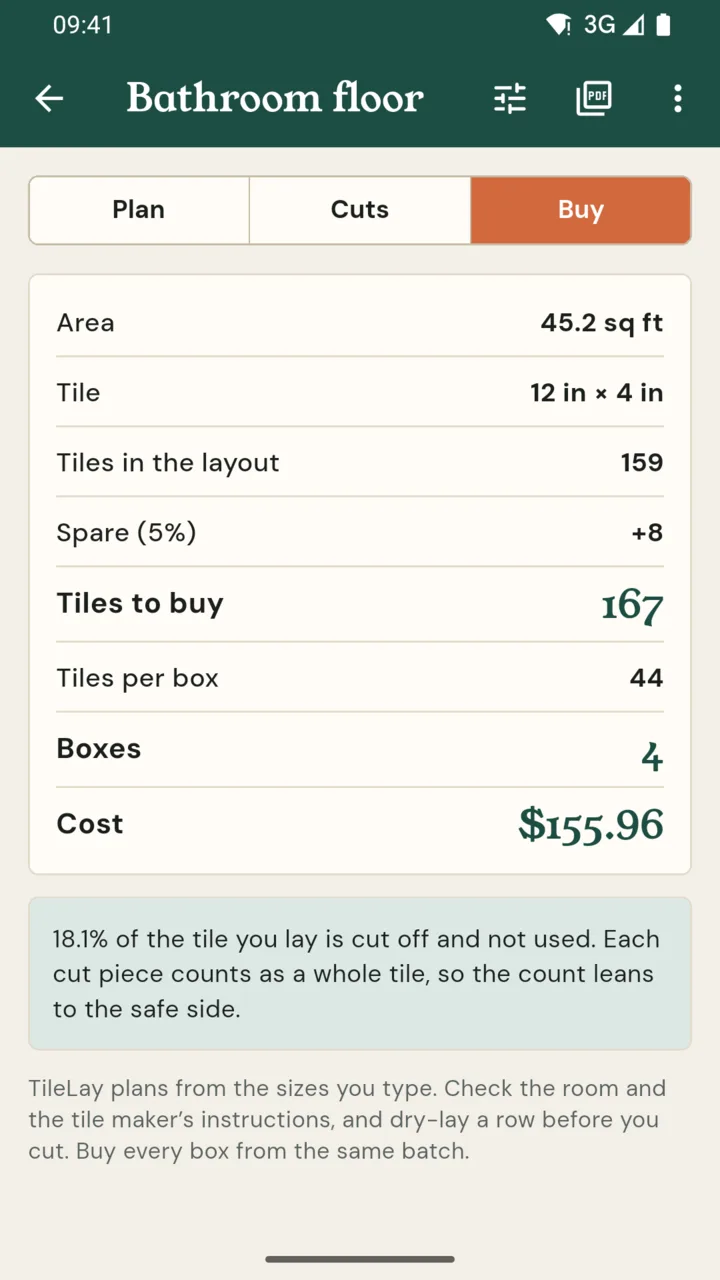
Tiles and boxes.
Full tiles plus one tile for each cut piece, plus the spare you choose. Enter tiles per box or the area on the box, and a box price for an estimated cost.
Floors and walls.
Bathroom floors, splashbacks, shower walls, hallways. Metric or imperial, with inches to the sixteenth.
The plan sheet.
Export a PDF plan sheet with the tile layout, counts and cut list, to share or print. Part of the one-time unlock.
What it does not do
It does not work out grout or adhesive quantities, it does not plan L-shaped rooms or curved walls, and it does not reuse offcuts in its count: every cut piece is counted as a whole tile, which can make the count higher than a job where offcuts are reused. It does not know tile prices: the cost comes from the box price you type. Every figure comes from your measurements, so check the room and dry-lay a row before you cut.
One price, once
Standard
No charge
- Your first job
- Every pattern and the full drawing
- The cut list
- The tile and box count
Unlock
$3.99 once
- More saved jobs
- Copy a job to try another tile
- The plan sheet PDF
- No subscription, no account
Questions
How does TileLay count the tiles?
TileLay counts each full tile and each cut piece as one tile, adds your spare percentage, then works out the boxes from the tiles per box or the area printed on the box.
Why start from the centre?
From a corner, all the cutting lands at the far walls and one edge can end on a thin strip. Starting from the centre can balance the cuts on opposite sides. TileLay shows both, and flags slivers under the size you set.
Does it do herringbone?
Yes, with rectangular tiles, laid straight or on the diagonal. Basketweave needs a tile whose long side is two or three short sides plus the joints between them.
Can I use inches?
Yes. It follows your phone's region, and you can switch between metric and imperial in Settings. Fractions down to 1/16 inch work.
Does it need an account?
No. Jobs stay on your phone, it works offline, and you can keep a backup file.
Is the cost a quote?
No. It is an estimate of the tile cost from the box price you type. It does not include grout, adhesive or labour.
Is it on iPhone?
No. TileLay is for Android only.
What does the unlock cost?
A one-time $3.99 in the US and £2.99 in the UK, with no subscription. Your first job with every pattern, the drawing, the cut list and the box count does not need it. A saved job is never locked.
Lay it out before you cut
TileLay for Android. No account, and your jobs stay on your phone.