ASME IX
QW-322.1
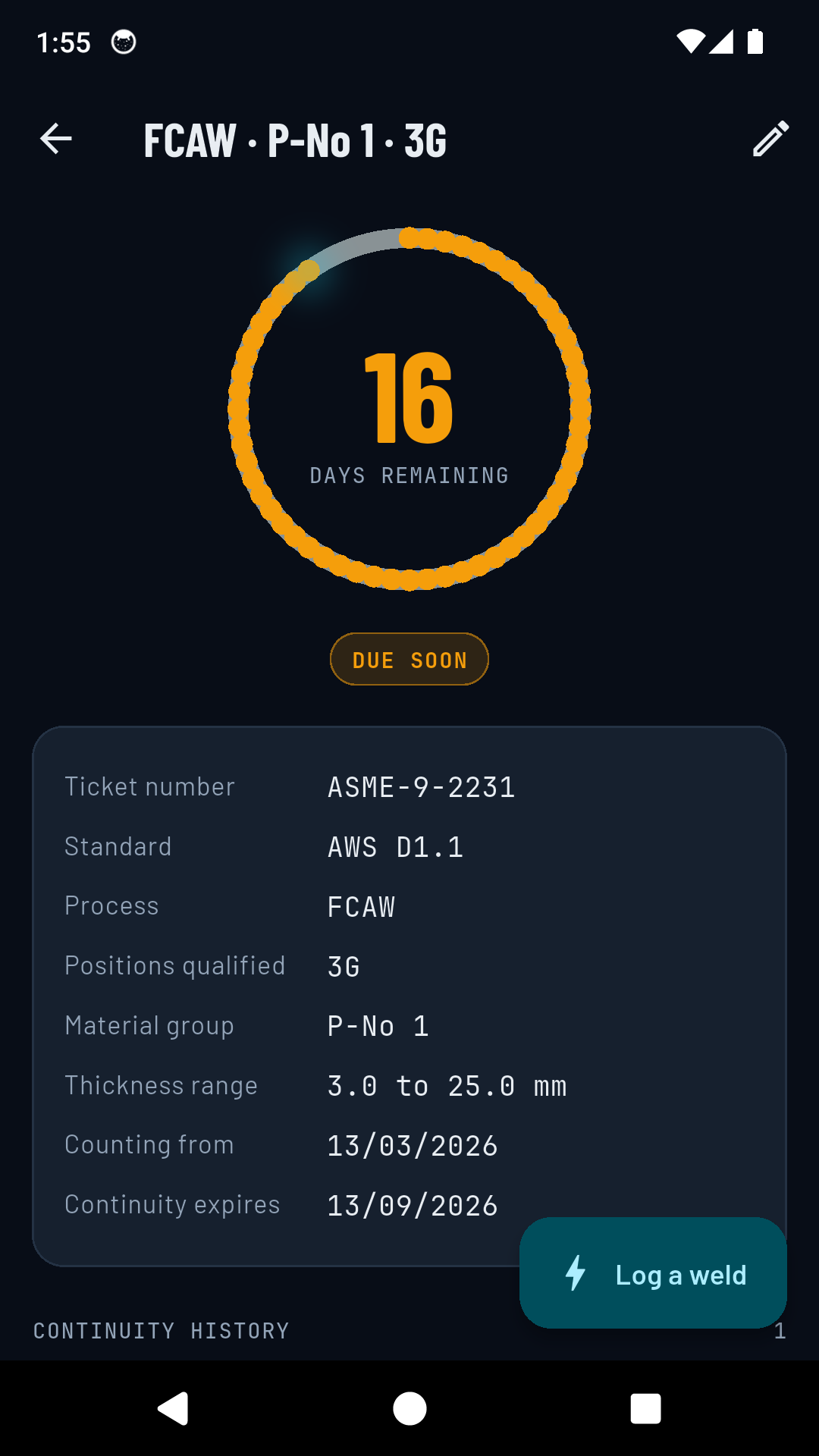
Qualification is removed when the welder has not welded with that process during a period of six months or more. Reaching the six months is enough, so the ticket is gone on the anniversary itself.
Welder continuity log
That is the whole rule, and it is the single most neglected piece of paper in the trade. WeldProof runs the six-month clock for every ticket you hold, checks whether the joint in front of you is actually inside that ticket, and keeps the dated, signed record that proves you used it.
What the standards say
All three set the same six months. They differ in who confirms it and in what the certificate has to carry, which is why the app asks which one a ticket was qualified to and cites it on the record.
ASME IX
QW-322.1
Qualification is removed when the welder has not welded with that process during a period of six months or more. Reaching the six months is enough, so the ticket is gone on the anniversary itself.
AWS D1.1
Continuity
Qualification stays in effect unless the welder is not engaged in a given process for a period exceeding six months. Exceeding is not reaching, so an AWS ticket is still good on the anniversary and lapses the day after.
ISO 9606-1
Confirmation
The certificate is confirmed at six-month intervals by the employer or welding coordinator, on evidence of work within the range. A logged weld does not renew it on its own, and the app does not pretend otherwise.
They do not share a boundary, so neither does the app
One rule for all three would be wrong for two of them. ASME IX expires at the anniversary because it says or more; AWS D1.1 is still valid that day because it says exceeding. WeldProof applies the wording of the standard the ticket was qualified to, so it never reports a lapse a day before the standard does.
One clock per process
ASME IX and AWS D1.1 both tie continuity to the process, not to the individual certificate. One GTAW production weld therefore maintains every GTAW ticket you hold, including the ones it was not logged against. WeldProof counts it that way on purpose: tying the clock to each certificate separately would tell a welder running GTAW every day that one of their GTAW tickets was about to expire.
You can still be current on one process and lapsed on another, which is what the dashboard sorts by. A lapsed ticket outranks an urgent one, because a lapsed ticket is not a warning. It has already happened.
Range of qualification
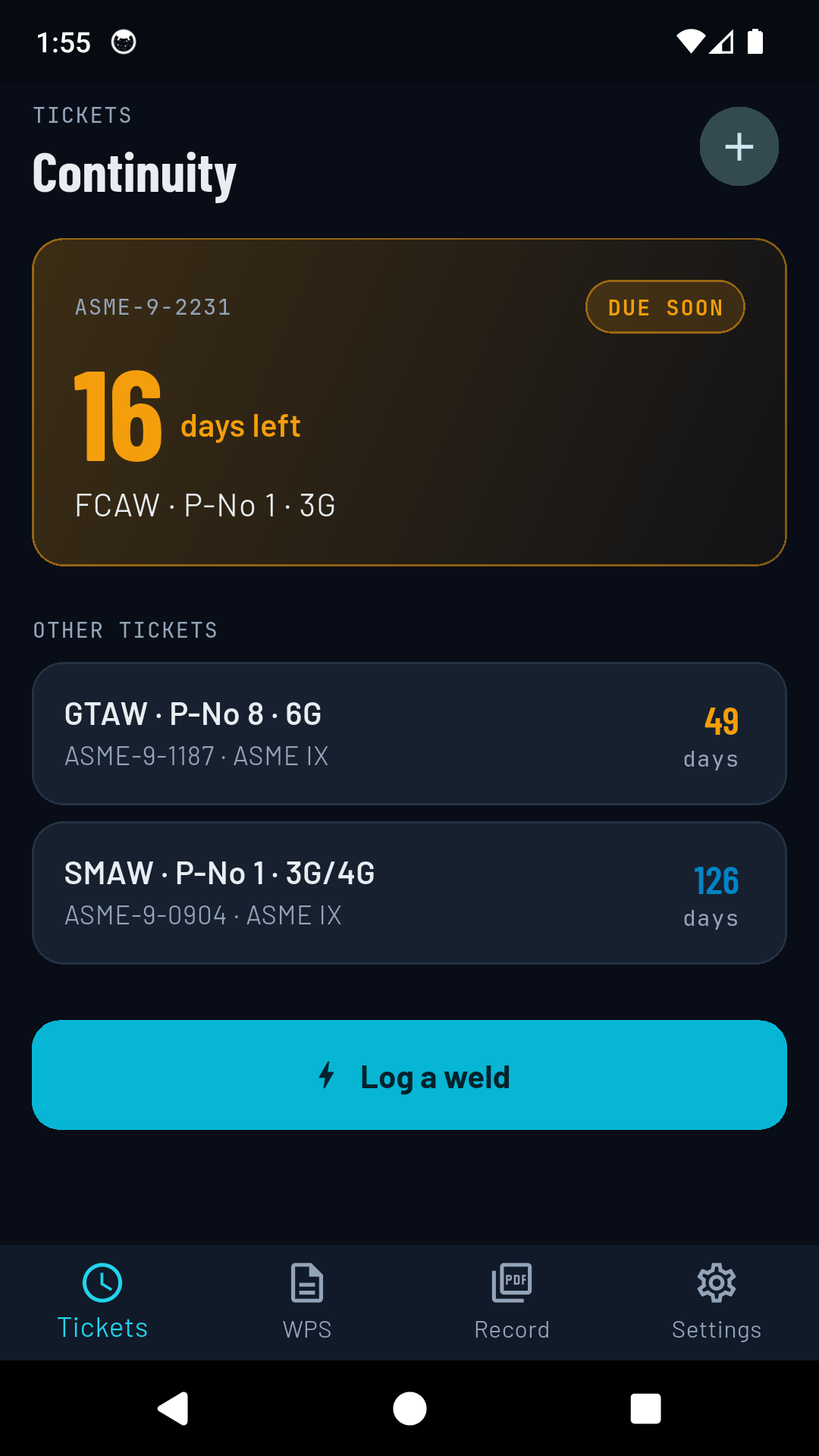
Continuity asks whether you used the process. The range asks whether this particular joint was inside what the certificate covers. They are not the same question, and an app that answers only one of them is hiding the other. Before you log a weld, WeldProof compares the joint against the ranges you entered from the certificate: material group, position, thickness, and on a pipe ticket the minimum diameter.
Inside the ticket
The material group, the position, the thickness and, on a pipe ticket, the diameter are all inside what the certificate covers. The work was permitted under this ticket.
Outside the ticket
Something is outside the ranges, and the app says which one. The weld is saved and marked, because it happened and the record should show it. Using the process still counts toward continuity; it is the work that was not covered.
Not enough data
The ticket does not carry enough of its own range for the question to be answerable, or the joint details were not entered. This never resolves to inside.
It is a prompt, not a ruling. The check covers four variables; a full range of qualification also turns on things like F-number, backing, progression and product form. It is only ever as good as what you entered from the certificate, and your welding coordinator decides what a ticket covers.
Logging a weld
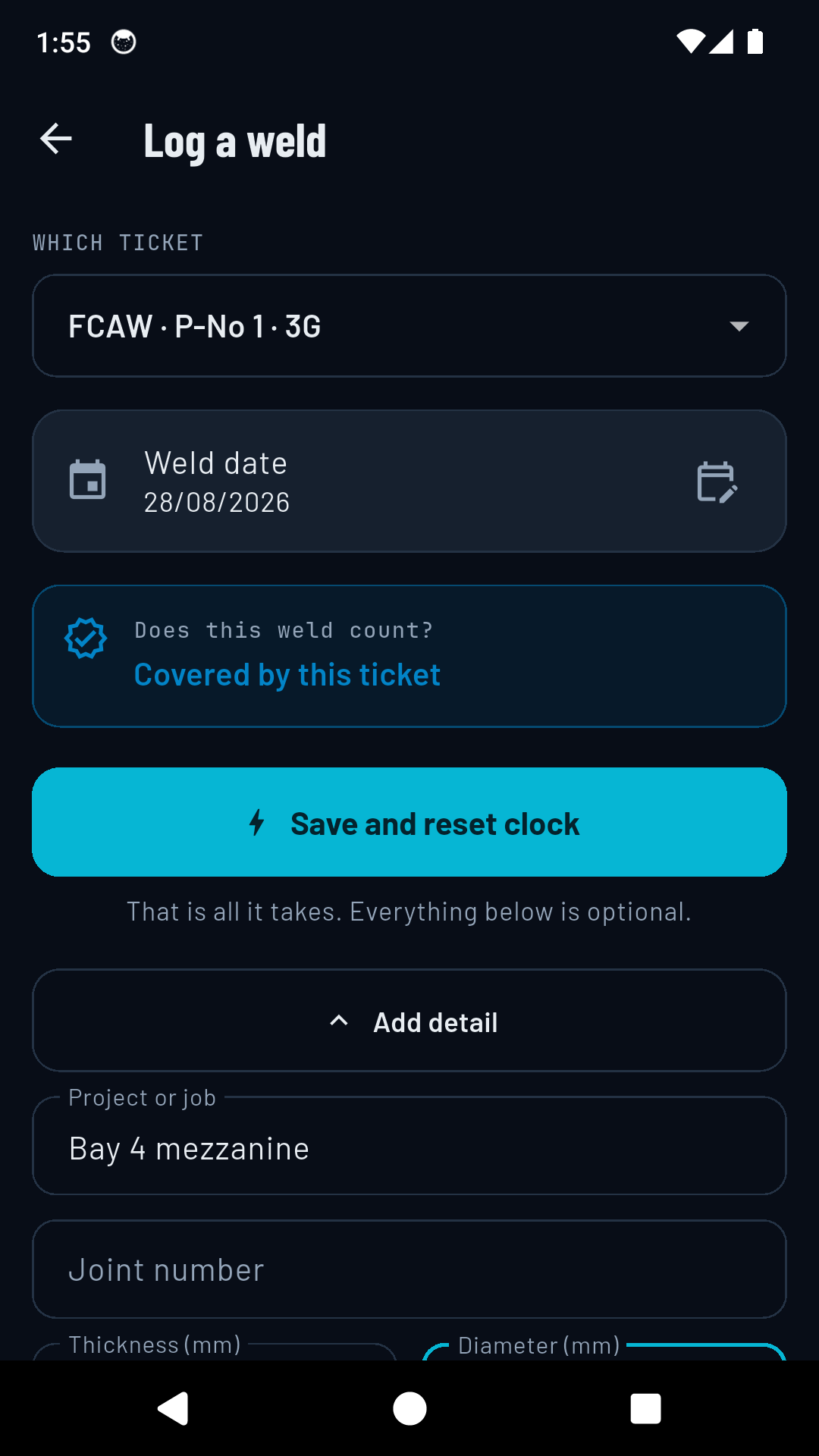
If logging a weld takes a form, it does not get logged. The ticket, today's date and the details the ticket already knows are filled in, so the primary action commits immediately. Project, joint number, procedure, macro photo and visual inspection are all there, and all optional.
The one thing worth the extra ten seconds is the sign-off. A continuity record is only worth something when someone with authority has signed it, so the app captures the QC representative's name and signature at the time, against that weld. An unsigned self-declaration is not a continuity record, and every inspector knows it.
Before it costs you
A welder who is not warned before the six months are up has lost a ticket, and will not forgive the app that promised to warn them. So the reminders are scheduled as exact alarms, they survive a reboot, and when Android refuses exact timing the app falls back to an inexact alarm rather than losing the reminder.
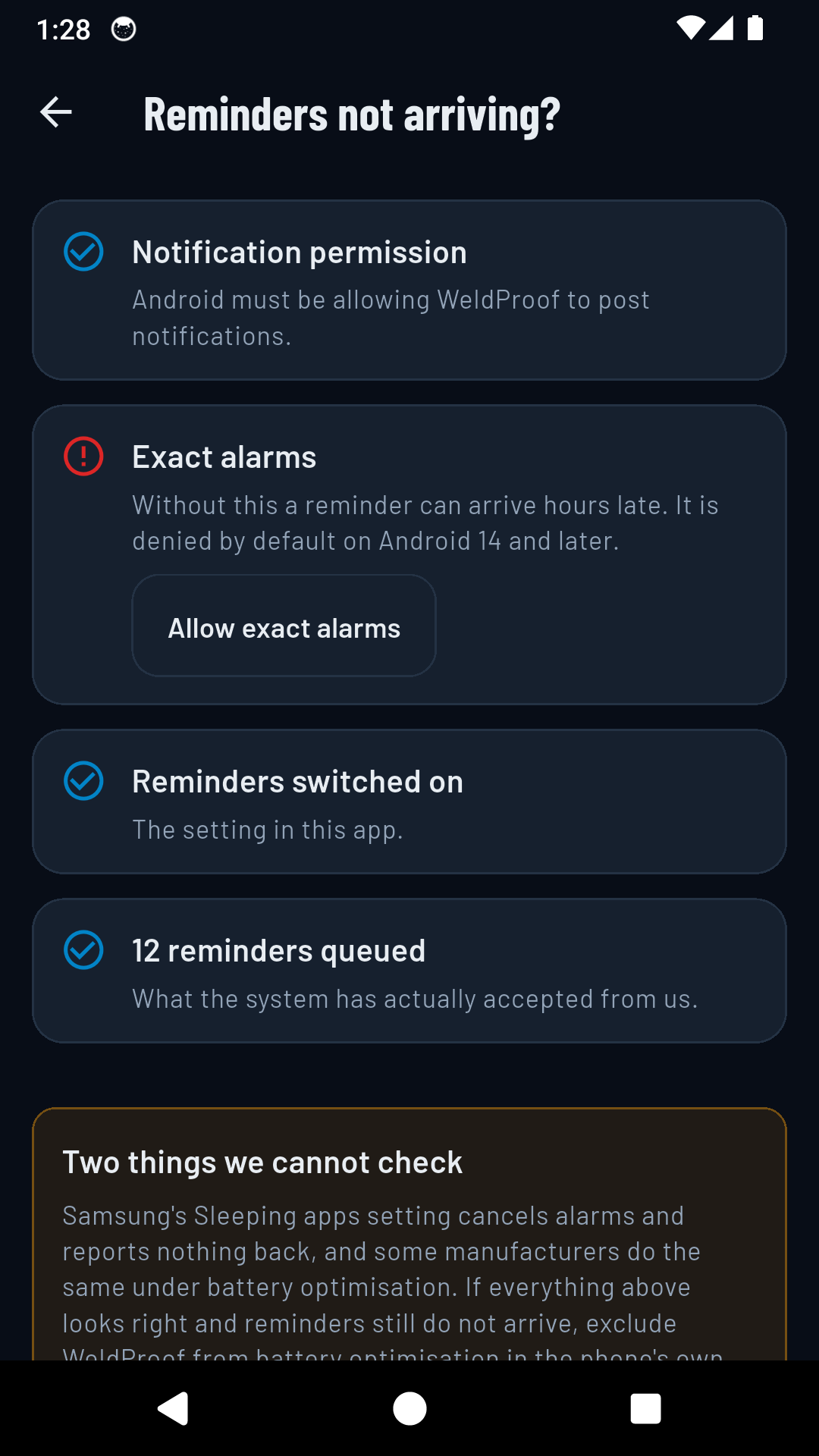
There is also a screen that tells you whether the warnings will actually arrive: notification permission, exact alarms, how many are queued, and the two things no app can check, which are the manufacturer battery settings that cancel alarms and report nothing back.
The real screens
The document
One PDF per export, covering every ticket you hold and every weld logged against it: the date, the project, the joint number, the procedure it was welded to, who signed it off, the visual inspection result, and whether that weld counted toward continuity. The clock's start date and expiry sit at the head of each ticket, so the reader can check the arithmetic rather than take it on trust.
The record is issued in English. It travels between a welder, an employer and an inspector who may not share a language, and the vocabulary on it is written the same way everywhere.
Boundaries
Price
Standard
One ticket
One ticket tracked, twenty welds stored, with a banner ad. If you hold a single ticket, this is the whole product.
Pro
$2.99/mo
$19.99 a year, or $54.99 once
Unlimited tickets, the procedure library, QC sign-off, the continuity record PDF, and no ads. Fourteen-day trial, no card.
Get WeldProofYour welds and your tickets stay readable and editable whatever happens to the subscription. Taking a welder's own continuity history away would be indefensible.
Questions
It depends which standard it was qualified to, and WeldProof applies each one as written. ASME IX expires the qualification after a period of six months or more, so an ASME ticket is gone on the anniversary itself. AWS D1.1 says exceeding six months, so an AWS ticket is still valid that day and lapses the day after. One rule for both would report a lapse a day early on half your tickets.
The clock runs from the qualification test date instead, because the test itself is a weld with that process. The dashboard says so, so you are never left assuming a production weld is behind the number when none is.
Yes. Continuity under ASME IX and AWS D1.1 is about using the process, not about staying inside one certificate, so the clock still moves. The range check tells you something different and also worth knowing: that the work itself was outside what this ticket permits. WeldProof records both.
No. WeldProof is a record-keeping tool. It organises the evidence and reduces the paperwork, but only your employer or an authorised QC representative can sign a continuity record, and the certifying body decides qualification.
Yes. Your tickets and welds are stored on the phone, there is no account, and the app works the same in a bay with no reception. Being straight about the rest: it does send crash and usage diagnostics, and the standard tier serves ads, so those need a connection. Your records never leave the device either way.
It tracks one ticket and stores twenty welds, with a banner ad. If you only hold one ticket that is the whole product. The paywall opens at the second ticket, which is where keeping track in your head stops working.
Add the tickets you hold and WeldProof starts the six-month clock on each one.
Get it on Google Play