AFTER-SCHOOL CLUBS

AfterBell
Registers, groups and parent payments
Who is here, who may collect them, and what was paid.
AfterBell signs children in and out with a time against each name, keeps allergies, medical notes and authorised collectors on the child's record, and turns a weekly fee into a card link the parent pays on a Stripe page.

30 days free, no card.
$29 a month after that.
THE REGISTER
A time in, a time out, and who pressed each one
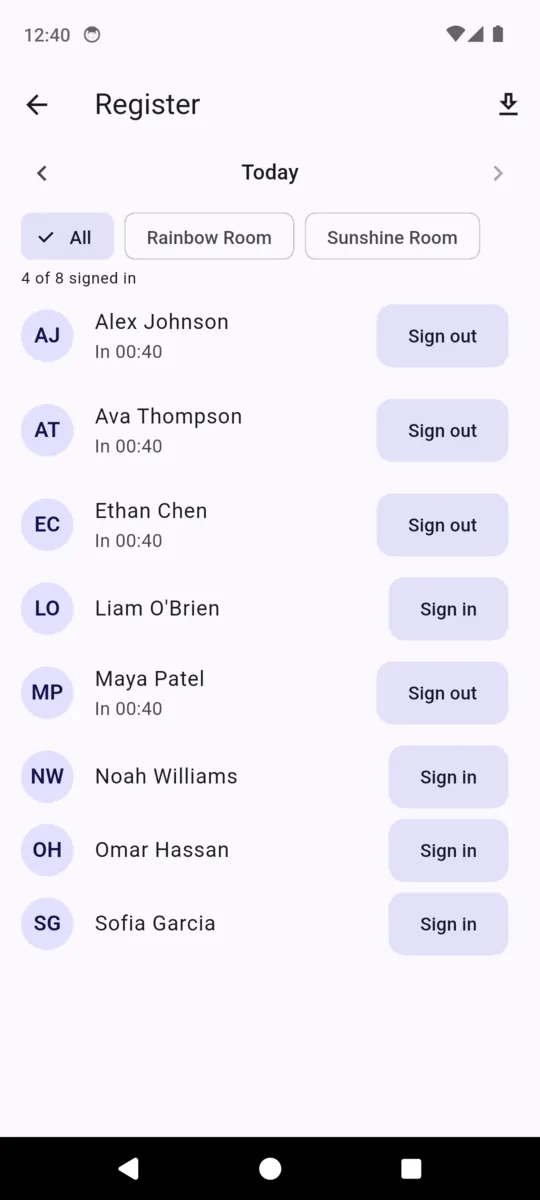
The register opens on today and any day in the past year is a tap away. The header counts how many are signed in, which is the number you need the moment somebody asks.
15:42
recorded against the staff account that pressed it
17:55
recorded against the staff account that pressed it
WHAT THE 90-DAY EXPORT CONTAINS
- Date
- Child
- In
- Out
- Signed in by
- Signed out by
One CSV, shared straight out of the register screen. The two "by" columns hold the staff account, not a set of initials typed in by hand.
Filled in on the day
A row starts as a Sign in button, becomes a time, and closes when somebody signs the child out. Nothing is pre-filled from a pattern, because a register that predicts attendance is not a register.
Narrowed to one group
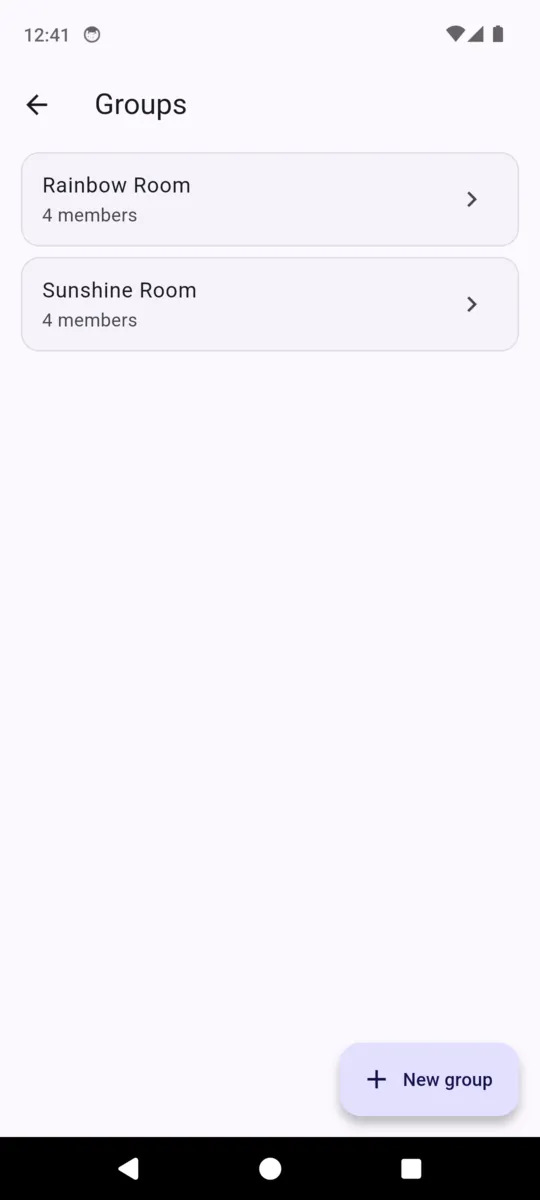
Groups are yours to name — Rainbow Room, Year 3, the minibus lot. Filter the roster or the register to one and the count in the header follows the filter.
Fixable after the fact
Step back to yesterday, or any day in the last year, and put right the afternoon everyone was too busy to press anything. The export takes the corrected version.
THE CHILD'S CARD
The things a new staff member has to be able to read
ONE CHILD, ONE RECORD
- Parent
- Name, email and phone. Required — a child cannot be filed without one.
- School
- Where you collect from, or where they walk over from.
- Grade / year
- Free text, so it fits whatever your country calls it.
- Allergies
- A long field. Write what the parent told you, in their words.
- Medical notes
- Inhalers, medication, anything a new staff member must read.
- Authorised pickup people
- The names a parent has said may collect this child.
- Emergency contact
- The second number, for the day the first one does not answer.
Whose data it is
The club is responsible for the records it enters. You decide what goes in a child's card, who on your team is invited to see it, and how long you keep it. ClearStack runs the software those records sit in and processes them on the club's instructions — which is what our data processing addendum sets out, alongside the privacy policy.
Records live in the cloud rather than on one phone, so a staff member covering a shift sees the same allergy note as the manager who typed it. That is the trade AfterBell makes: shared, current information instead of an offline copy, and no working register without a connection.
Card details never touch the app. Every payment happens on a page Stripe hosts, under the club's own Stripe account. If you close the club down and want the records gone, write to support@clearstackapps.com — it is a request rather than a button in Settings, and it is worth knowing that before you start.
FEES
What parents pay, and what it costs to take it
Save your prices once as plans — a weekly fee, a monthly place, a one-off for a holiday week — then collect against them from any child's record. Pick a plan or type an amount, and AfterBell mints a Stripe link and opens your share sheet.
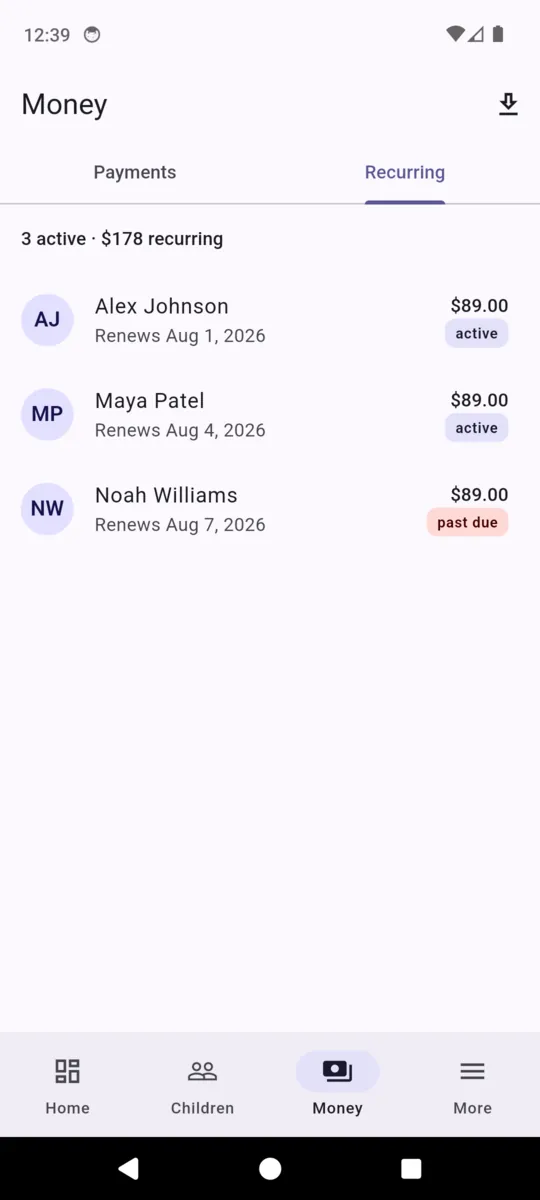
A weekly or monthly plan becomes a Stripe subscription once the parent completes the first payment, and renews until one of you cancels it. A failed renewal appears under Needs attention on the dashboard: AfterBell sends no reminder, retries no card, and emails nobody on your behalf.
THE PLATFORM FEE
1% + $0.30
on every payment collected, whatever the plan
A $45.00 weekly fee carries $0.75. By default that is added to the parent's total as its own service fee line, so they pay $45.75. Turn pass-through off in Settings and the parent pays $45.00 while the fee comes out of the club's share.
Stripe's own card processing fee is separate and sits under the club's agreement with Stripe. Charges are made on the club's Stripe account and Stripe pays out to the club's bank on that account's own schedule. ClearStack never holds, escrows or forwards the club's money.
The app, with a demo club loaded
Scroll sideways, or use the arrow keys
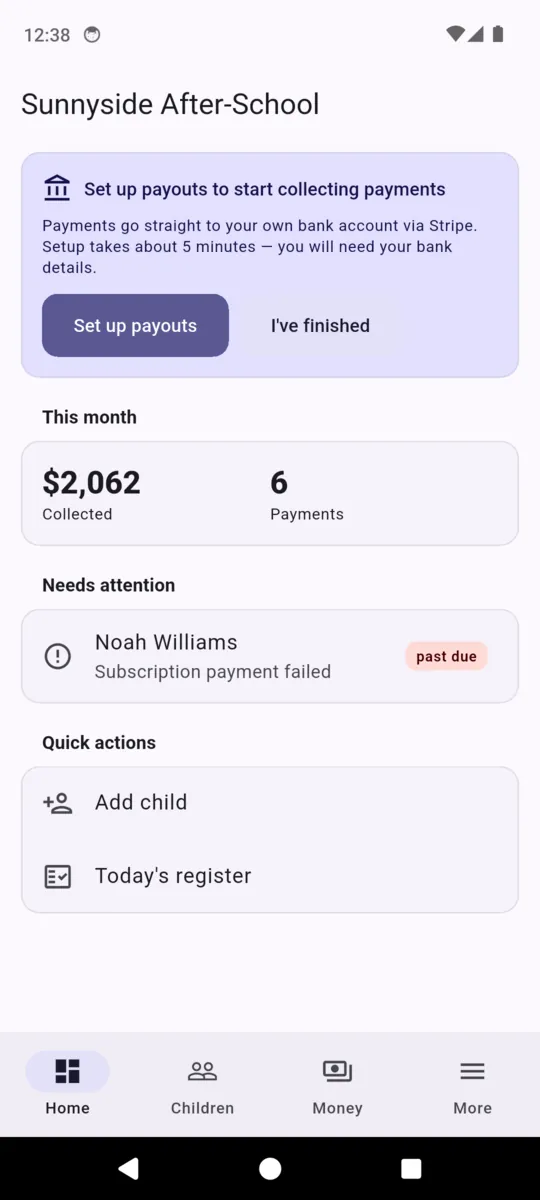
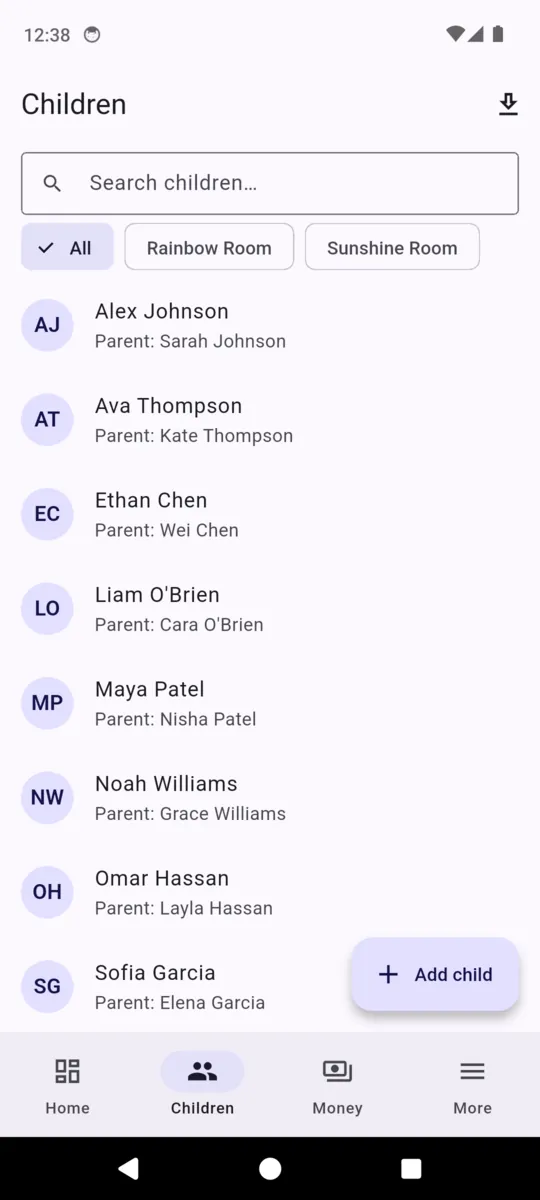
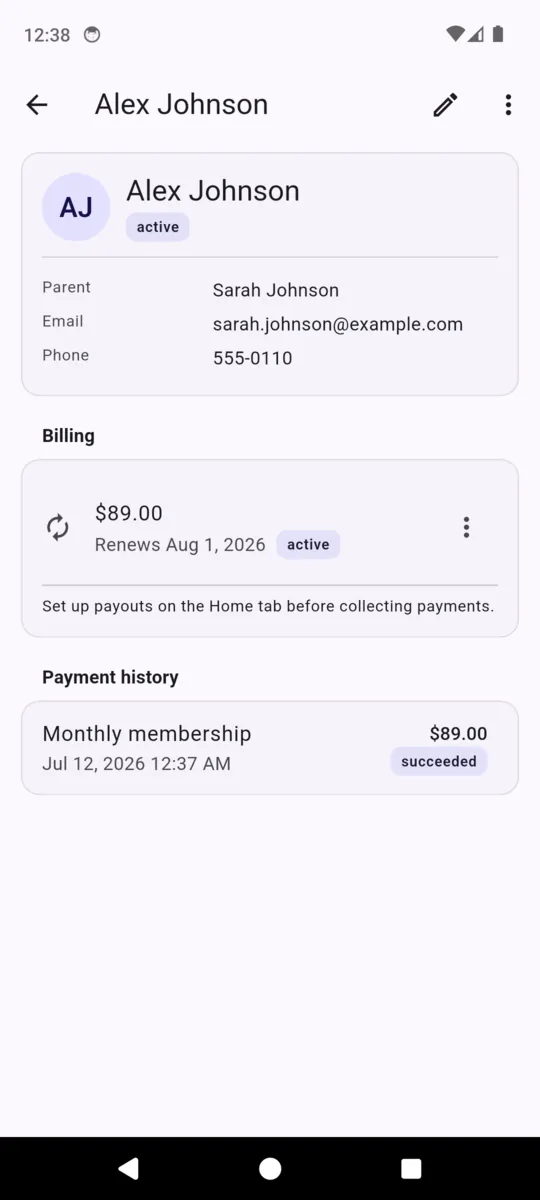
Every child, parent and figure in these captures is demo data loaded for the screenshots. No real child appears anywhere on this page.
PRICING
$29per month, per club
Thirty days free to begin with, and no card asked for during them. One club per subscription, with as many children, groups and staff as you have.
Plus1% + $0.30 on each payment collected, which you can pass to the parent or absorb.
Get AfterBell- Unlimited children and groups
- Unlimited staff on the account
- Sign-in and sign-out register with times
- Allergy, medical and collector fields
- Ninety days of register history as CSV
- No advertising anywhere in the app
- Cancel from Settings; the club's Stripe account stays the club's
Questions
What exactly does the register record?
For each child, a sign-in time, a sign-out time, and the staff account that pressed each button. Ninety days export as a CSV with those four columns beside the date and the name.
Does AfterBell check who is collecting a child?
No. It stores the names a parent has given you as authorised collectors so your staff can read them. Deciding whether the person at the door is one of them is your staff, not the app.
Is AfterBell a safeguarding system?
No. It is a place to write down what you already hold and to sign children in and out. It verifies nothing, checks nothing, and does not discharge any duty under your own policy or local regulation.
How does a parent actually pay?
You open the child, pick one of your fee plans or type an amount, and AfterBell hands you a link through the share sheet. It opens a Stripe card page in their browser. No parent ever logs in.
Whose Stripe account is the money charged on?
The club's. AfterBell creates a Stripe account in the club's name and every charge is made on it, so the money is the club's from the moment the card clears. ClearStack never holds a balance.
What does it cost?
$29 a month for the club after a 30-day trial with no card, plus 1% and 30 cents on each payment collected. A $45 weekly fee carries 75 cents.
Can I set which days each child attends?
Not in this version. A weekly fee is a recurring price, not a timetable, and the register is filled in on the day rather than predicted from a pattern.
Who can see a child’s allergies and contacts?
The staff accounts you invite to your club, and nobody else. Records live in the cloud so the whole team sees the same thing; parents have no login and no view.
Try it on one afternoon
Add one group, take a register, and send a single parent a link. Thirty days, no card, and the club's Stripe account stays the club's either way.