SIGN-IN REGISTER

AfterBell
Sign-in register
A sign-in sheet that stamps the time and remembers who pressed it.
A clipboard by the door works right up until somebody needs to know what time a child left on a Tuesday in March. AfterBell keeps the same two facts your paper sheet keeps — in and out — and adds the two it cannot: the exact minute, and the member of staff behind each one.

$29 a month per club, after a 30-day trial.
Android.
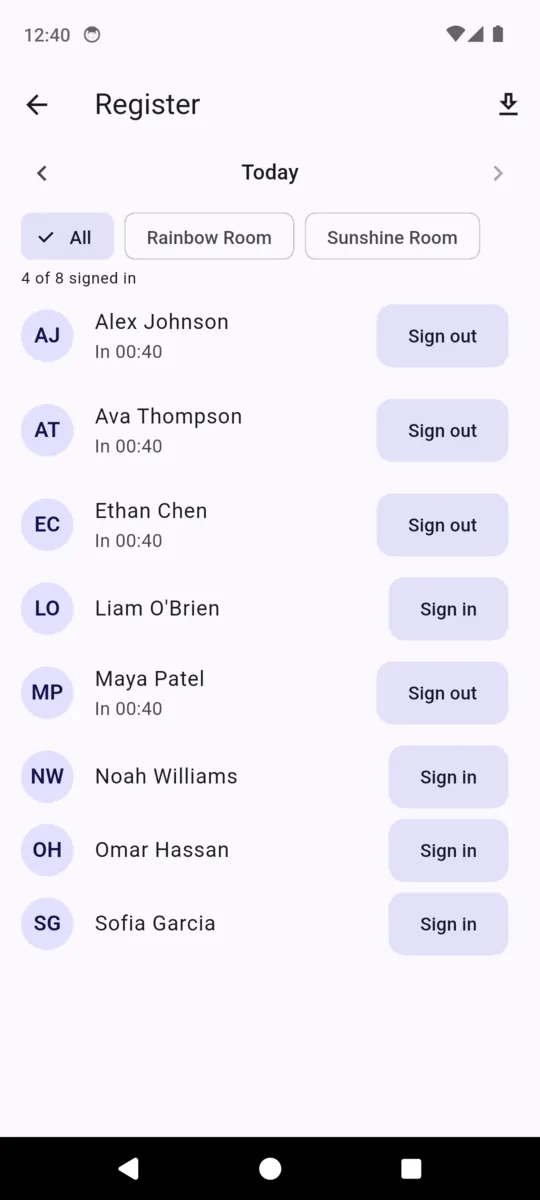
One row, stamped twice
- 1
The register opens on today
Every child on your roster, in one list, each with a Sign in button. A line at the top counts what is done — four of eight signed in — and it recounts as you go, so the number at the top is the number of children in the room.
- 2
Sign in stamps the minute
Press it and the row changes: the button is replaced by the time, and the staff account that pressed it is saved alongside. The button then reads Sign out, so there is exactly one thing to press next and no way to do it in the wrong order.
- 3
Sign out closes it
The row reads In 15:42, Out 17:58 and the buttons disappear. A finished row cannot be pressed again by mistake at the end of a long session, which matters when the same phone is being passed between three people at the door.
- 4
Narrow it, or go back
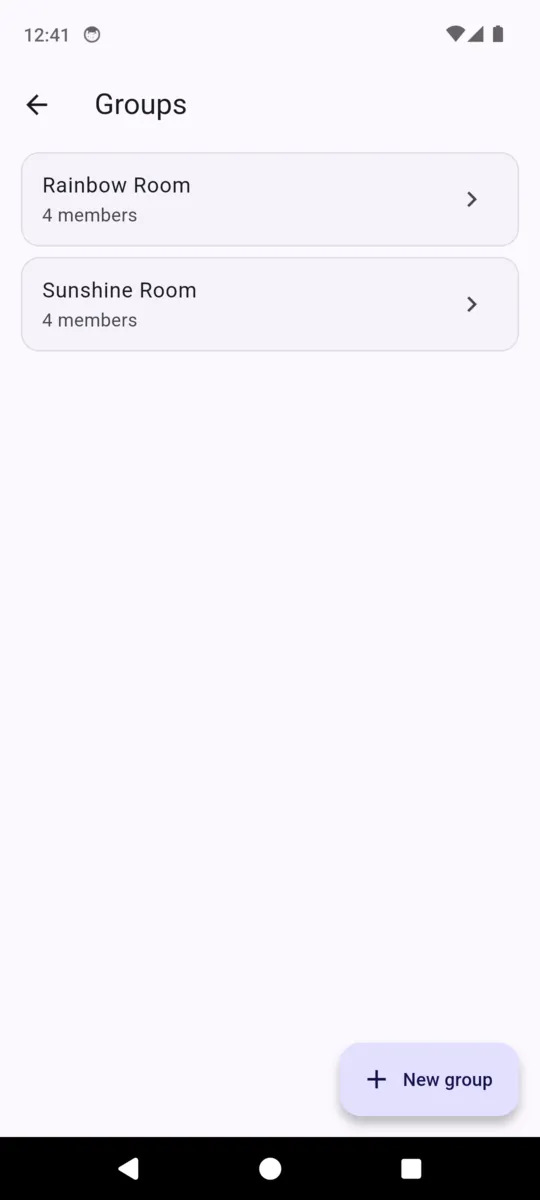
Group chips filter the list to one room or one age band, and the count follows the filter. The arrows and the date button move you back through any day in the last year. You cannot move forward past today, because a register for next Thursday is not a thing that exists yet.
What the times actually mean
The stamp is the clock at the moment the button is pressed. That is exactly what you want at the door, and it is worth understanding before you rely on it for anything else: if you sit down tonight and fill in yesterday's register, the times saved against yesterday are tonight's times.
So use the day arrows to correct who attended, and treat a backfilled row as a record of attendance rather than a record of the hour. If the hour matters — a late collection you may need to refer to — it has to be pressed on the day.
Who pressed the button
Each stamp saves the staff account signed in on that phone. It is an account, not typed initials, so nobody can put somebody else's name against a sign-out, and it is not shown on the row — a register in a corridor should not display who did what to a passing parent.
It comes out in the export instead, which is where you would go if anybody ever asked. Staff accounts are the ones you invite to your club; there is no parent login and no parent view of the register at all.
Ninety days, as a spreadsheet
The download button on the register exports the last ninety days as a CSV, one row per child per day, with six columns.
| Column | What is in it |
|---|---|
| Date | The day the row belongs to. |
| Child | The name as it appears on the roster. |
| In | The sign-in stamp, or blank if nobody signed them in. |
| Out | The sign-out stamp, or blank if the row was never closed. |
| Signed in by | The staff account that pressed sign in. |
| Signed out by | The staff account that pressed sign out. |
It opens in any spreadsheet, which is usually the fastest route to an invoice query, a funding return, or the one afternoon somebody wants to check.
What the register is not
This is the part clubs should read twice. AfterBell records; it does not verify. It does not check identity at the door, capture a parent signature or a photo, or confirm that the person collecting is the person a parent named. It discharges no duty under your own policy or under whatever regulation applies where you operate.
What it does is put the information your staff already hold where they can read it. A child's record carries the names a parent has said may collect them, alongside allergies, medical notes and a second emergency number. Reading that list and deciding about the person standing in front of you is your staff's job, and the app does not pretend to share it.
- Parent
- Name, email and phone. Required — a child cannot be filed without one.
- School
- Where you collect from, or where they walk over from.
- Grade / year
- Free text, so it fits whatever your country calls it.
- Allergies
- A long field. Write what the parent told you, in their words.
- Medical notes
- Inhalers, medication, anything a new staff member must read.
- Authorised pickup people
- The names a parent has said may collect this child.
- Emergency contact
- The second number, for the day the first one does not answer.
Two limits worth knowing
There is no weekly pattern. AfterBell does not hold a timetable of which days each child normally attends, and does not pre-fill a register from one. A weekly fee in the app is a recurring price on a card, not a schedule.
And the register needs a connection. Records live in the cloud so every phone at the door sees the same list the moment it changes, which is the right trade for a shared register and does mean it will not run offline.
What it costs
$29 a month for the club, after a 30-day trial that asks for no card. The register is not priced per child — thirty children or a hundred and thirty is the same price. If you also collect fees through the app, card payments carry 1% plus 30 cents each, charged on the club's own Stripe account. ClearStack takes that fee from the payment and never holds a balance.
What the register is filled from
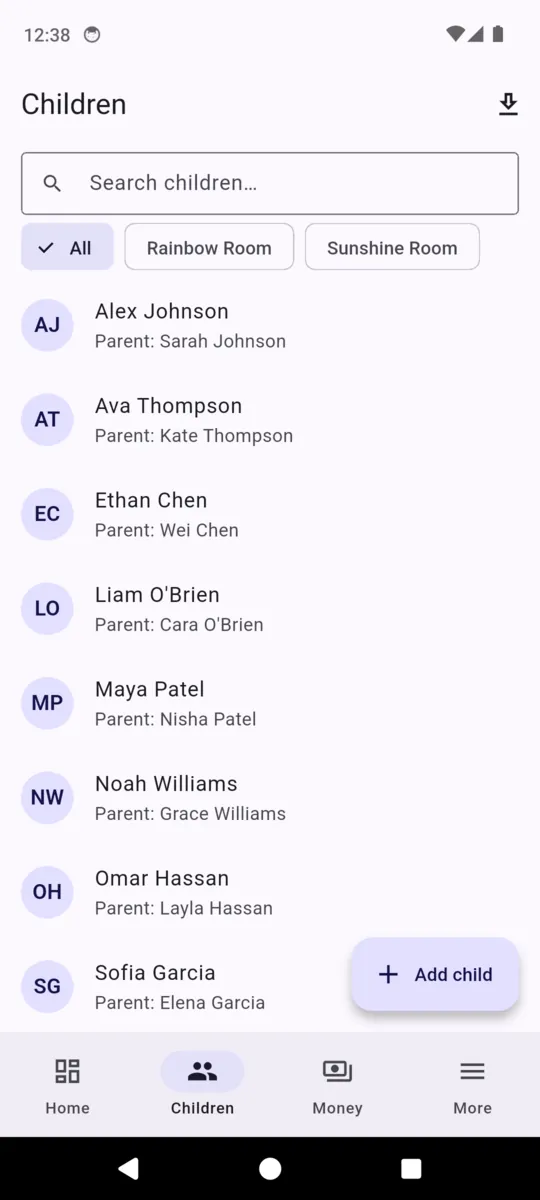
Questions
What does one row on the register actually record?
For one child on one day: a sign-in time, a sign-out time, and the staff account that pressed each of those two buttons. Nothing else is stored against the row.
Can I fill in a register for a day I missed?
Yes, up to a year back. But the stamp is the clock at the moment you press the button, so a row filled in tonight for yesterday carries tonight’s time. Treat backfilled days as a record of attendance rather than of times.
Does it show which member of staff signed a child in?
It stores the staff account behind each button press, but the row itself does not display it. Both come out in the ninety-day CSV export as Signed in by and Signed out by.
Does AfterBell check who is collecting a child?
No. It stores the names a parent has given you as authorised collectors so your staff can read them. Deciding whether the person at the door is one of them is your staff, not the app.
Is this a safeguarding system?
No. It is a place to write down what you already hold and to sign children in and out. It verifies nothing, captures no signature or photo, and does not discharge any duty under your own policy or local regulation.
Can I set which days each child normally attends?
Not in this version. There is no weekly pattern to predict from — the register is filled in on the day. A weekly fee is a recurring price, not a timetable.
Run tomorrow's session off the phone
Add your children with a parent each, put them into groups if you use rooms, and the register is ready to open. The trial runs 30 days and asks for no card.