BACKFLOW TESTER LOGBOOK & REPORTS

BackTest icon

BackTest

Backflow Test Report Log

The gauge readings, in the order your purveyor wants them.

BackTest keeps the customers, the assemblies and every annual test in one place, shows you only the readings the assembly in front of you actually takes, and turns the test into a signed draft report you can hand over before you leave the site.

14-day trial, no card.
$1.99/mo, $9.99/yr or $24.99 once. Android.

  • Certified backflow testers
  • Android
  • Works offline
  • 10 languages
  • No account
The BackTest launch screen: two teal backflow prevention valves crossed on a dark teal field, the BackTest wordmark and the line Backflow reports, done right

Six assemblies, six different field sets

This is the part a generic logbook gets wrong. A double check does not have a relief valve; a vacuum breaker does not have a second check. Set the type on the assembly and the test form and the report both change shape to match it.

Readings BackTest captures for each assembly type. The PSID figures are the standard field-test hints the app shows beside each box — advisory only.
Type Check valve #1 Check valve #2 Relief valve Air inlet
RP Reduced Pressure Principle ≥ 5.0 PSID ≥ 1.0 PSID opens ≥ 2.0 PSID
RPDA RP Detector Assembly ≥ 5.0 PSID ≥ 1.0 PSID opens ≥ 2.0 PSID
DC Double Check ≥ 1.0 PSID ≥ 1.0 PSID
DCDA DC Detector Assembly ≥ 1.0 PSID ≥ 1.0 PSID
PVB Pressure Vacuum Breaker ≥ 1.0 PSID opens ≥ 1.0 PSID
SVB Spill-resistant Vacuum Breaker ≥ 1.0 PSID opens ≥ 1.0 PSID

Every type also records

  • Condition of each check — tight, leaked or not applicable
  • Upstream shutoff valve #1 and downstream shutoff valve #2
  • Static line pressure in PSI
  • A PASS or FAIL you set, never one the app calculates
Read up on the six backflow assembly types and what each one takes

The hints follow the usual USC and ABPA field-test convention. They are not your authority. Pass and fail criteria are set by your water purveyor and your state, and only a state-certified tester may sign and file a report.

Site visit to signed report

  1. 01

    The customer and their purveyor

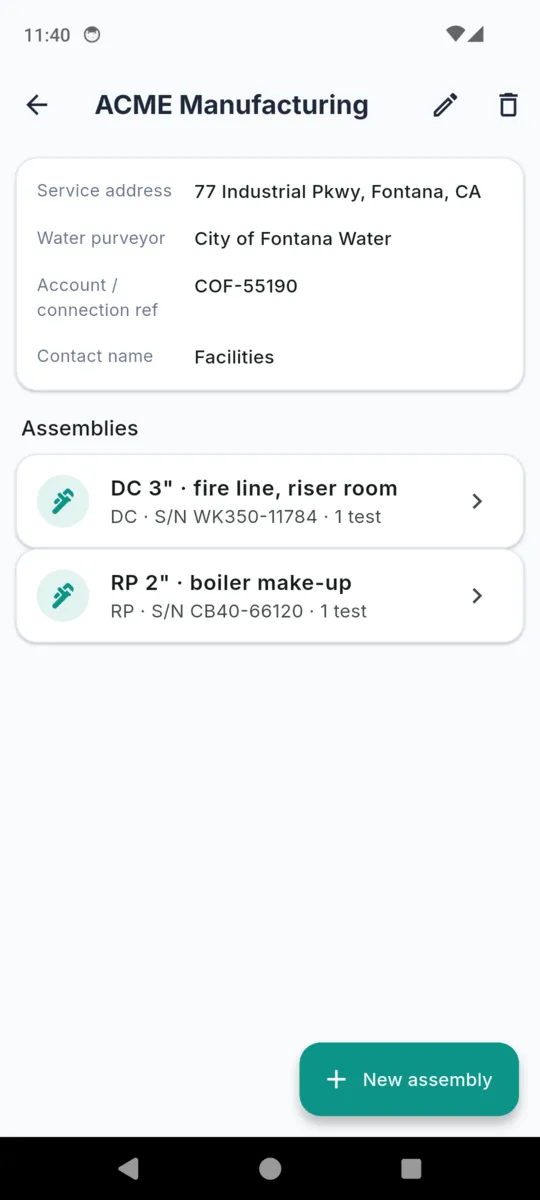
    Name, service address, water purveyor, account or connection number, contact. The purveyor is stored on the customer, which is what decides the report layout used for everything on that site.

  2. 02

    The assembly

    Type, make, model, size, serial number, where it sits on site, what it protects, and the install date. Each assembly keeps its own test history and its own next-due date.

  3. 03

    The test

    Only the fields that type takes, plus the gauge make, serial and calibration date carried over from your profile. Failed it? Tick repaired and retested and record the cause, the repairs, the parts and a second full set of readings.

  4. 04

    The report

    Preview it in the customer’s template, generate, and share the PDF straight from the phone. The file is kept alongside the test, so re-sending it later costs nothing and needs no signal.

What else it does

The due worklist

Twelve months after the last test, an assembly comes due. The Due tab lists anything overdue or falling due within thirty days, with how many days are left and when it was last tested. It is a screen you open, not a notification you wait for.

Purveyor templates

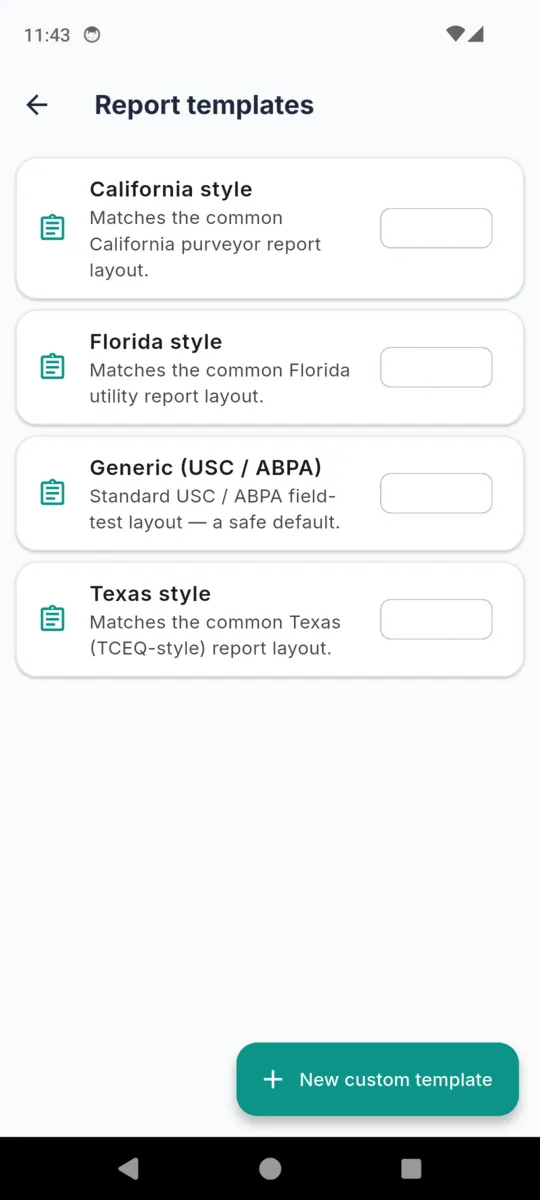
Four ship with the app: a generic USC and ABPA layout, plus California, Florida and Texas styles. A template sets the header line, the footer line, the order the readings print in and what each one is called. Build your own for a purveyor that wants something different.

Your profile, on every report

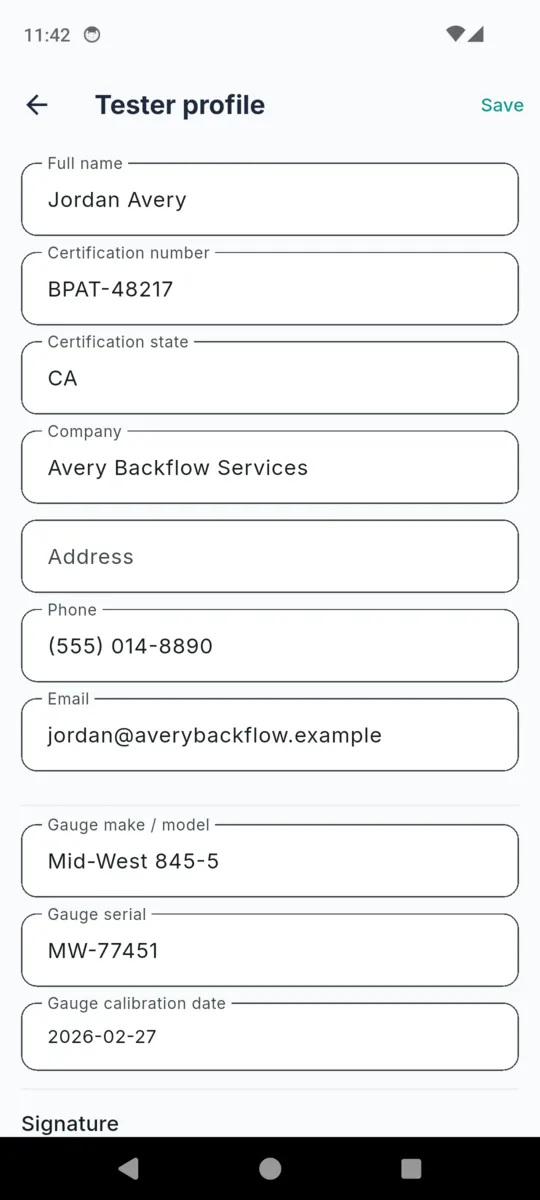
Name, certification number and issuing state, company, address, phone, email, gauge make and serial, last calibration date, and a signature you capture once. It prefills each new test and prints in the tester block.

A report needs a certified signature

Until your profile has a certification number and a captured signature, the Generate report button is replaced by a prompt to go and add them. An unsigned draft is not something the app will hand you.

Photos and fees

Attach photos to a test — the serial tag, the install, whatever the argument later turns out to be about — and they print in the report. An optional fee can be recorded per test in USD, GBP, EUR, AUD, CAD or NZD.

Voiding, not deleting

A test can be voided with a reason and a date rather than removed. The history keeps its shape, which matters when someone is reading three years of tests on one assembly.
The actual screens

Scroll sideways →

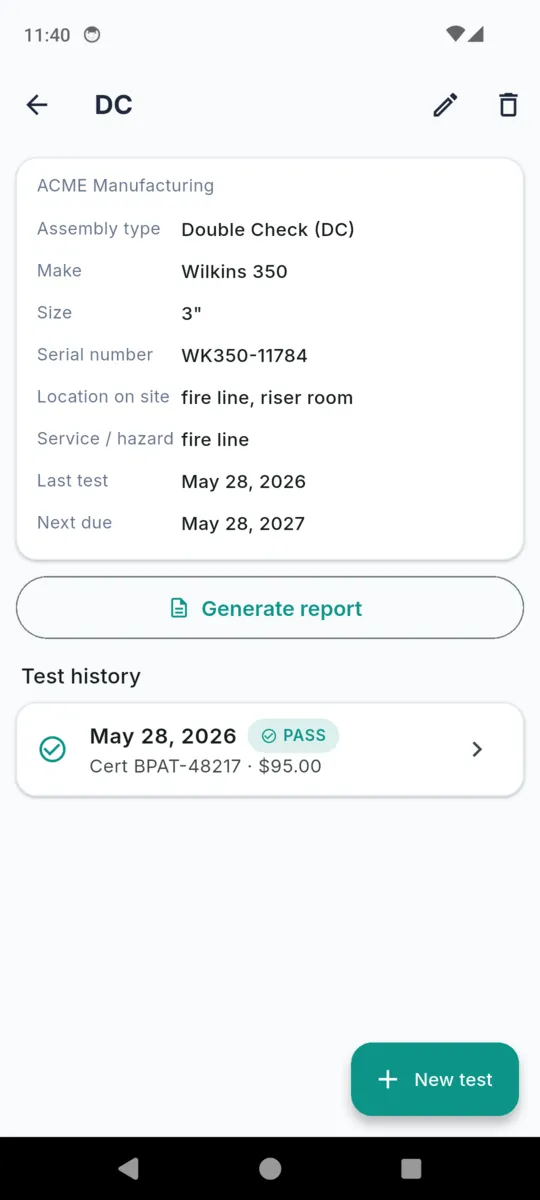
  • A double check assembly in BackTest for ACME Manufacturing: type, make Wilkins 350, size 3 inch, serial number, location on site, service or hazard fire line, last test and next due date, above a Generate report button and the test history
    One assembly: make, size, serial, location, last test, next due
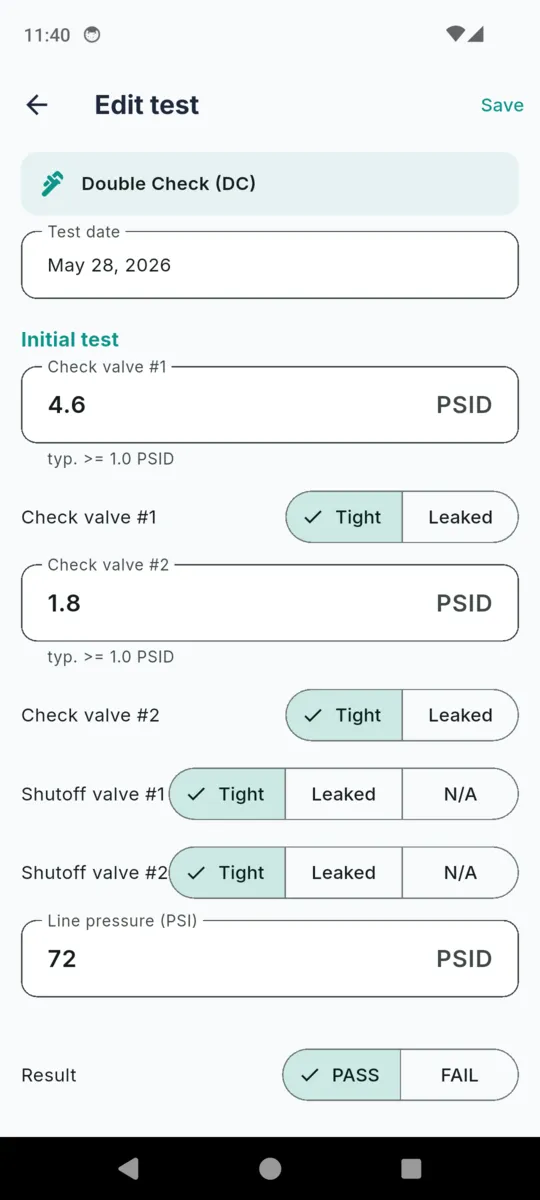
  • The BackTest edit test screen for a Double Check assembly with a test date, check valve number 1 reading 4.6 PSID marked Tight, check valve number 2 reading 1.8 PSID marked Tight, both shutoff valves marked Tight, a line pressure of 72 PSID and a PASS or FAIL result toggle
    The test form, showing only the readings a DC actually takes
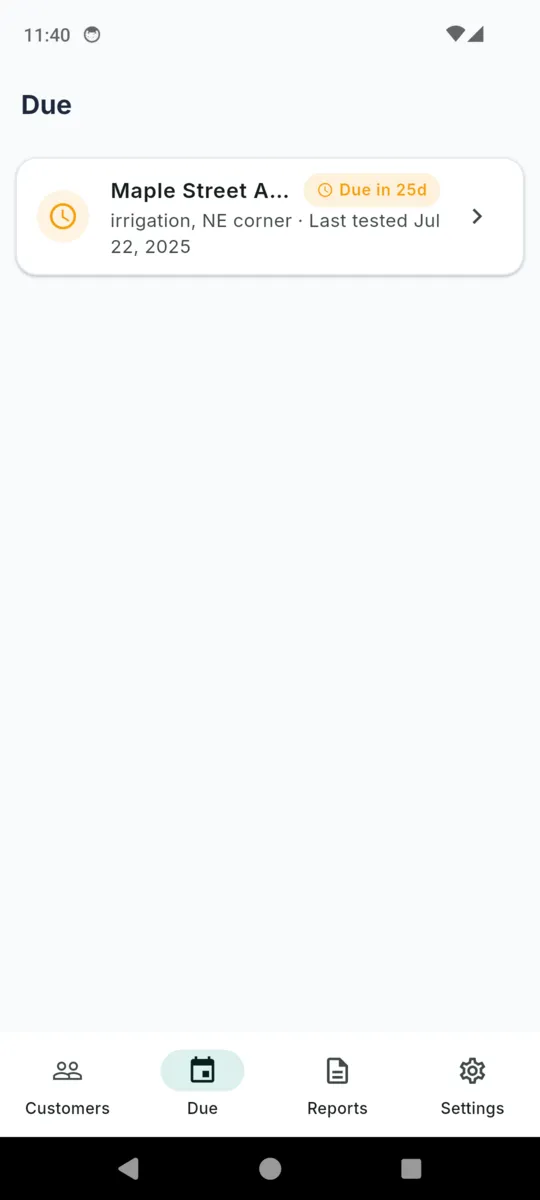
  • The BackTest Due tab showing one assembly flagged Due in 25 days, an irrigation service at the north-east corner last tested in July
    Due: anything overdue or falling due in the next thirty days
  • The BackTest report templates screen listing California style, Florida style, Generic USC and ABPA and Texas style layouts, with a New custom template button
    Four layouts built in, and room for your purveyor’s own
  • A customer record in BackTest for ACME Manufacturing with service address, water purveyor City of Fontana Water, account number and contact name, above two assemblies: a 3 inch DC fire line and a 2 inch RP boiler make-up
    The customer, the purveyor, and every assembly on the site
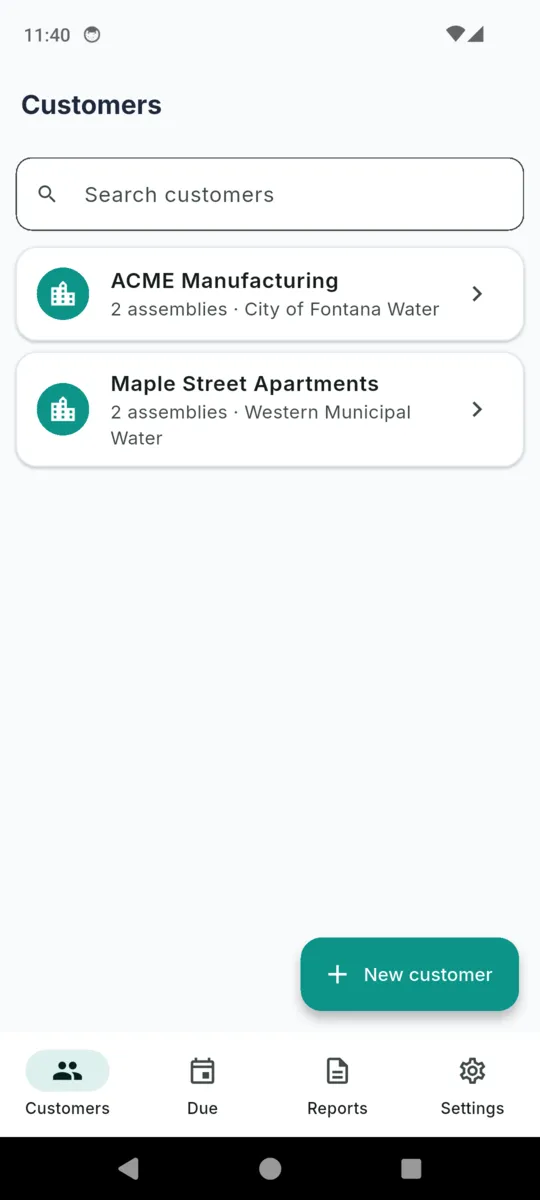
  • The BackTest customer list with a search field, showing ACME Manufacturing with two assemblies under City of Fontana Water and Maple Street Apartments with two assemblies under Western Municipal Water
    The book of work, searchable
  • The BackTest tester profile form with full name, certification number, certification state, company, address, phone, email, gauge make and model, gauge serial and gauge calibration date fields
    Your profile prefills the tester and gauge block on every test

What is on the report

One test, one PDF, laid out in your customer’s template. It carries the disclaimer at the foot of this page on its cover, and the template’s own header and footer lines where you have set them.

  1. 01 Site and purveyor. Water purveyor, customer or site, service address, account or reference, test date.
  2. 02 Assembly. Full type name, make and model, size, serial, location on site, service protected.
  3. 03 Test readings. Each reading with its initial value and, where there was a repair, its final value beside it. Ordered and labelled by the template.
  4. 04 Repairs, when there were any. Cause, repairs made, parts used.
  5. 05 Test gauge. Make and model, serial, calibration date.
  6. 06 Tester and signature. Name, certification number, state, company, the signature image, then any photos.

Why testers keep it in the truck

  • The form matches the assembly. No blank relief-valve box on a double check, no guessing.
  • Works in a plant room. Customers, assemblies, tests and photos are all on the phone.
  • No account. No sign-up, no email, no cloud copy of your customer book.
  • Your judgement, not the app’s. The PSID hints advise. You set the result.
  • Ten languages. English, Spanish, French, German, Portuguese, Hindi, Arabic, Japanese, Korean and Chinese.
  • Ads only on the free tier. During the trial and after you pay, there are none.

PRICING

$24.99once, or from $1.99/mo

Fourteen days of the whole app, no card. After that it is $1.99 a month, $9.99 a year, or $24.99 once and never again.

  • Unlimited assemblies
  • Unlimited report PDFs
  • Custom purveyor templates
  • No ads

Free keeps five assemblies and three generated reports. Customers, tests and photos are never capped, nothing already recorded is locked, and re-exporting a report you already made is always free.

Get BackTest

Questions

Which assemblies does it cover?

Six: RP, RPDA, DC, DCDA, PVB and SVB. Pick the type on the assembly and the test form shows only the readings that type actually takes, so a PVB never asks you for a relief valve.

Does the app decide pass or fail?

No. You do. Each PSID field carries the usual field-test figure as a hint, but they are advisory only. The result is a PASS or FAIL you set yourself, because the criteria are your purveyor’s and your state’s.

Will the PDF match my water purveyor’s form?

Not exactly, and it does not claim to. Four layouts are built in — a generic USC and ABPA style plus California, Florida and Texas styles — and you can build your own with your field order, labels, header and footer. It is a draft report you check against the real form.

What if the assembly fails and I repair it?

Tick Repaired and retested. The test then carries the cause, the repairs made, the parts used, and a second full set of readings, and the report prints as PASS after repair with both sets shown.

How does it know what is due?

It adds twelve months to the last test on each assembly. The Due tab lists anything overdue or falling due in the next thirty days. It shows on screen when you open the app; there are no push notifications.

Can I generate a report without my certification number?

No. The Generate report button is replaced by a prompt to finish your tester profile until you have a certification number and a captured signature on file.

What does the free tier stop me doing?

Five assemblies and three generated report PDFs. Customers, tests and photos are not capped, everything already recorded stays readable, and any report you already generated can be re-exported for nothing.

BackTest helps you record backflow assembly tests and prepare a draft test report. It is not legal or compliance advice and does not guarantee that any report meets your water purveyor’s or state’s requirements. Test report content, accepted layout, pass/fail criteria, and filing deadlines are set by your water authority and state — review and adapt every field to your purveyor’s exact form before filing. Only a state-certified tester may sign and file a test report. You are responsible for the accuracy and sufficiency of your reports and for meeting all filing deadlines.

Start with the next assembly

Add the customer, add the assembly, run the test. The report is ready before you have packed the gauge away.