Students and parents
One record per student with the parent who pays attached: name, email, phone. A waiver toggle, free-text notes, and a searchable list that exports to CSV.
DOJO FEES & BELTS

DojoDues
Students, belts and monthly dues
DojoDues holds the roster with a belt on every name, marks who trained, and turns a grading day into one description, one amount and an invoice for every student testing. Charges are made on a Stripe account in the school's own name.

30 days free, no card.
$19 a month after that.

RANK
A school runs on where people are, not only on who has paid. DojoDues ships with eight ranks and lets you rewrite them, so a BJJ academy and a karate club are not pushed into the same list.
The list a school starts with. Rewrite it in Settings and every student record follows the new one.
An instructor opens the student and taps Promote. The next rung is marked so you are not hunting for it, but nothing stops you skipping it or holding someone back. DojoDues has no eligibility rule and no minimum class count, because software has no business telling an instructor who is ready.
Each promotion is stored as a rank and a date. The student card shows the current belt, when it was awarded, and the last five promotions underneath — enough to answer "how long has she been a blue belt" in the middle of a class.
It is on the student record beside billing and payment history, so the belt and the balance are on one screen. A waiver toggle sits with them, because that is the other thing you get asked about at the door.
GRADING DAY
Six more screens. None of them is clever, and that is the point — they are the things that otherwise live in a notebook by the door.
One record per student with the parent who pays attached: name, email, phone. A waiver toggle, free-text notes, and a searchable list that exports to CSV.
Adults, kids, competition squad. Programs narrow things down: filter the roster to one, take the register for one, and see how many are in each.
A tick per student per day, filtered to a program, and fillable for any day in the past year. The header counts the room. Ninety days exports as CSV.
Your prices, saved once: monthly, weekly, yearly or one-off. The amount and the period are fixed when a plan is created, because Stripe holds the price.
Every payment as it lands, newest first, with a status on each. A recurring tab shows the live memberships and what they come to. Exports to CSV with the platform fee itemised.
Invite another instructor with a code. Owners and admins handle money; an instructor can take the register and promote a student without touching billing.
Scroll sideways, or use the arrow keys
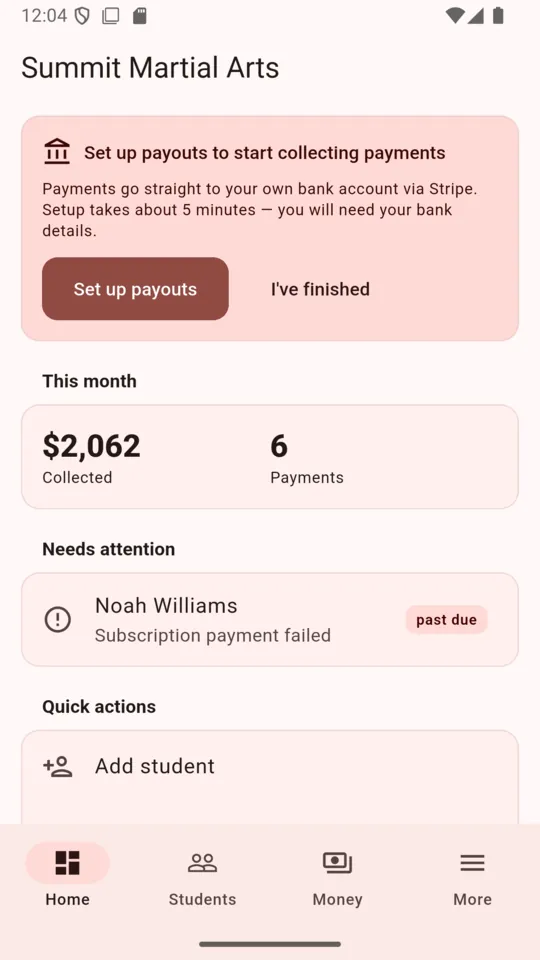
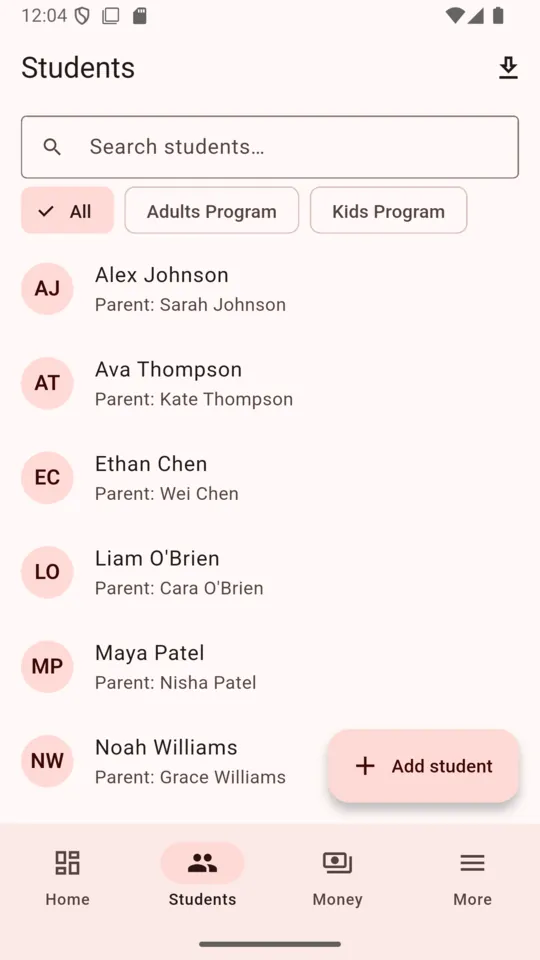
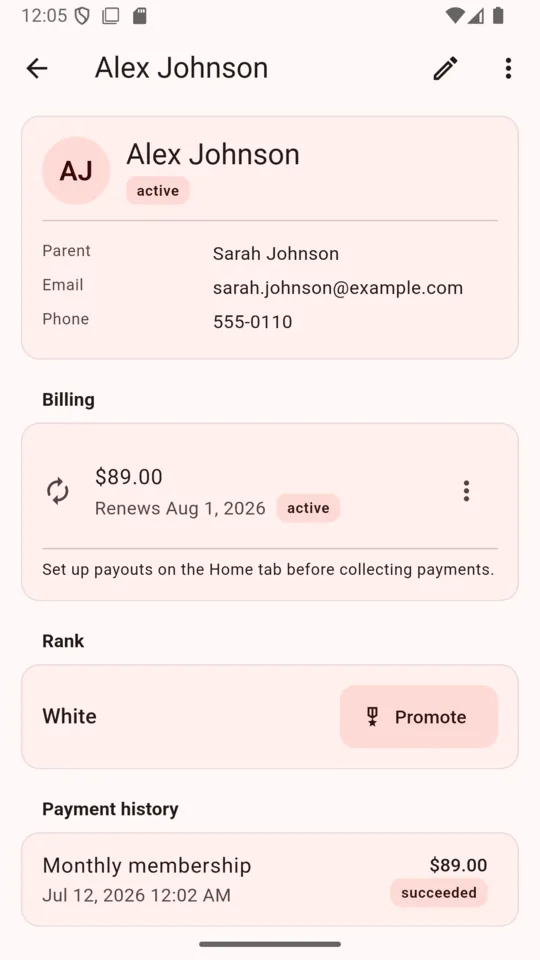
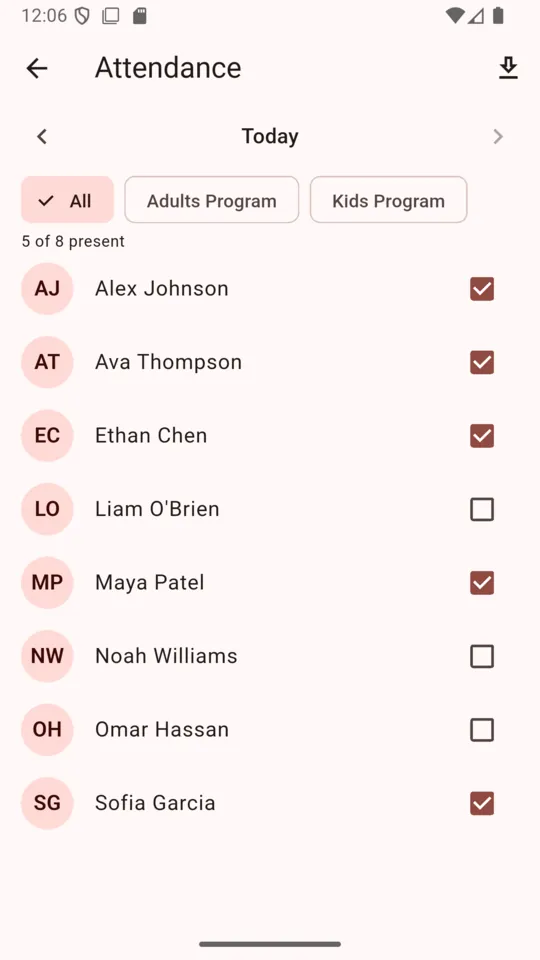
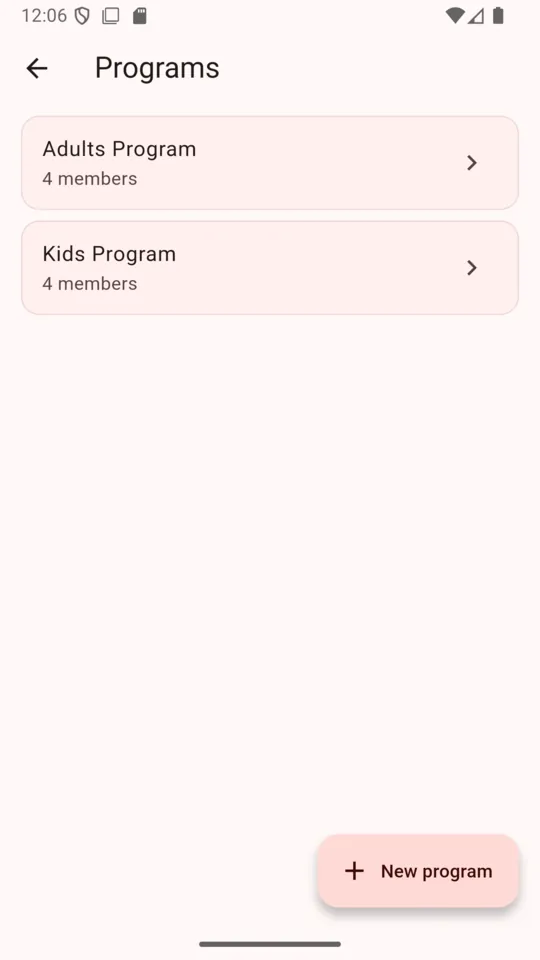
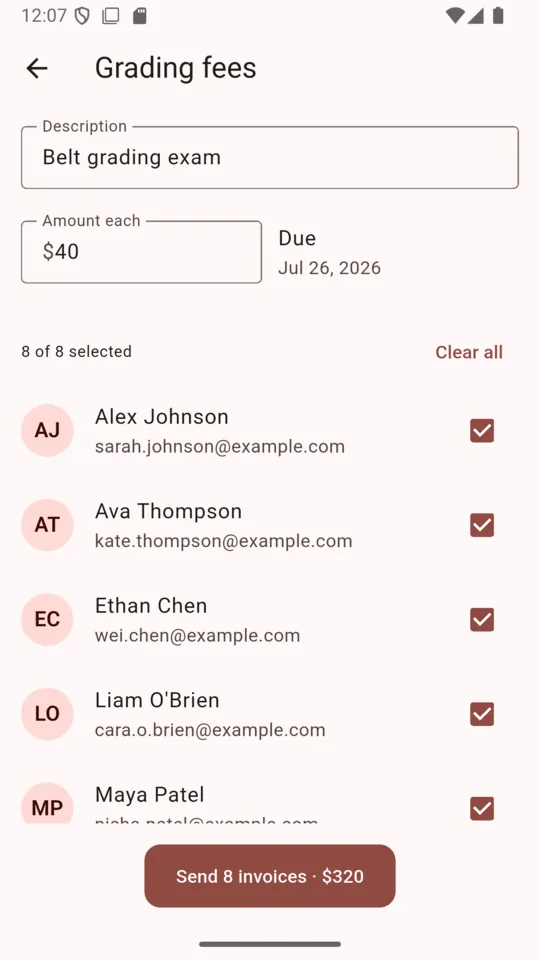
The school, the students and the figures in these captures are demo data loaded for the screenshots. None of it is a real school's takings.
BEFORE YOU SWITCH
The right-hand column is not a roadmap. Those things are absent from the app today, and you are better off knowing it now than in week three.
PRICING
$19per month, per school
Thirty days free to begin with, and no card asked for during them. One school per subscription, with as many students, programs and instructors as you have.
Plus1% + $0.30 on each payment collected, which you can pass to the parent or absorb.
Get DojoDuesYou open the student, pick one of your dues plans or type an amount, and DojoDues hands you a link through the share sheet. Send it however you already message parents. It opens a Stripe card page in their browser.
The school's. DojoDues creates a Stripe account in the school's name and every charge is made on it, so the money is the school's from the moment the card clears. ClearStack never holds a balance.
$19 a month for the school after a 30-day trial with no card, plus 1% and 30 cents on each payment collected. A $40 grading fee carries 70 cents.
Open Grading fees, type what it is for and one amount, tick everyone testing, and send. Each student gets a scheduled invoice. On the due date Stripe emails it as a hosted invoice with seven days to pay.
Yes. It starts as White through Black and is a setting on the school. There is one ladder for the whole school, not a separate ladder per program.
No, and it should not. Promoting is a deliberate action by an instructor on the student record. Attendance is never counted toward a rank.
A failed monthly payment appears under Needs attention and waits for you — no email goes out. Grading invoices are different: Stripe sends those and its own reminders.
The United States, Canada, the United Kingdom, Australia, New Zealand and Ireland — the countries Stripe supports for this kind of account.
Add your kids class, connect Stripe, and send one parent a link. Thirty days, no card, and the school's Stripe account stays the school's either way.