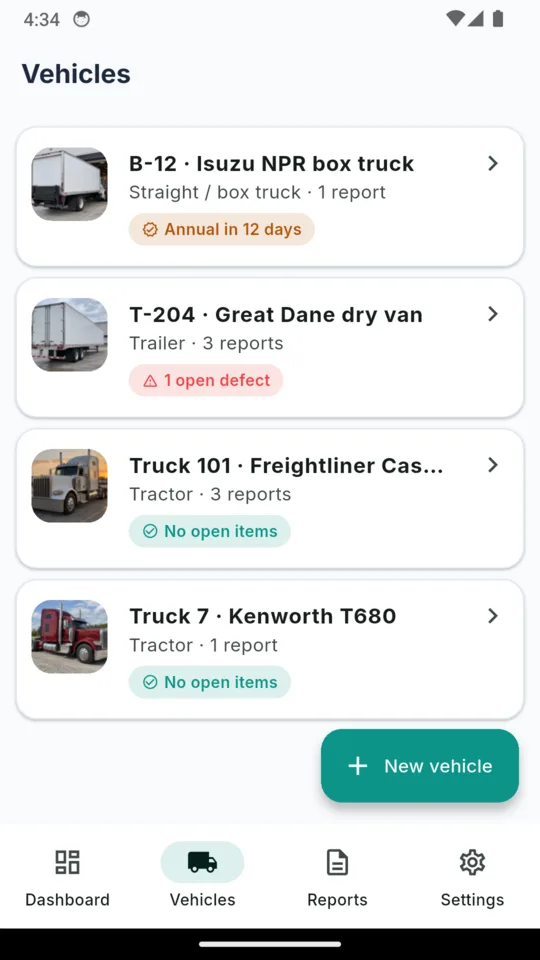
A photo on every unit
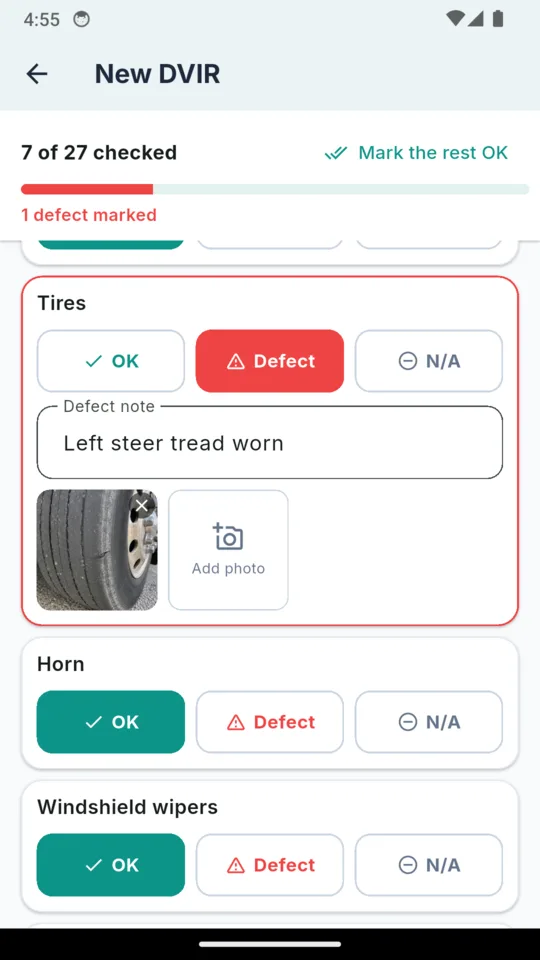
Tractor, trailer or straight truck, each unit carries its own photo, so the right one is obvious in the list. Defects take photos too, and those print inside the report beside the line they belong to.
TRUCK DVIR & INSPECTION LOG
DVIRLog
Truck DVIR & Inspection Log
DVIRLog runs the daily inspection on your phone, keeps a defect open until it is certified as repaired or as not needing repair, and turns a date range into a binder PDF with the maintenance file and the annual inspection attached. Built for the owner-operator who keeps their own records.

Start a 14-day trial in the app, no card.
$1.99/mo, $9.99/yr or $24.99 once.
Android.
READ THIS FIRST
DVIRLog is not an electronic logging device and does not replace one. An ELD reads hours of service off the engine. DVIRLog records what you inspected, what was wrong with it and who signed it off. If you are required to run an ELD, run one, and keep this for the inspection side.
A DVIR is not one document, it is a loop with three signatures in it. The usual failure is not a missing inspection, it is a defect that was fixed but never certified, or a report that reads safe while a defect underneath it is still open. DVIRLog models the whole loop, so it cannot close halfway.
01
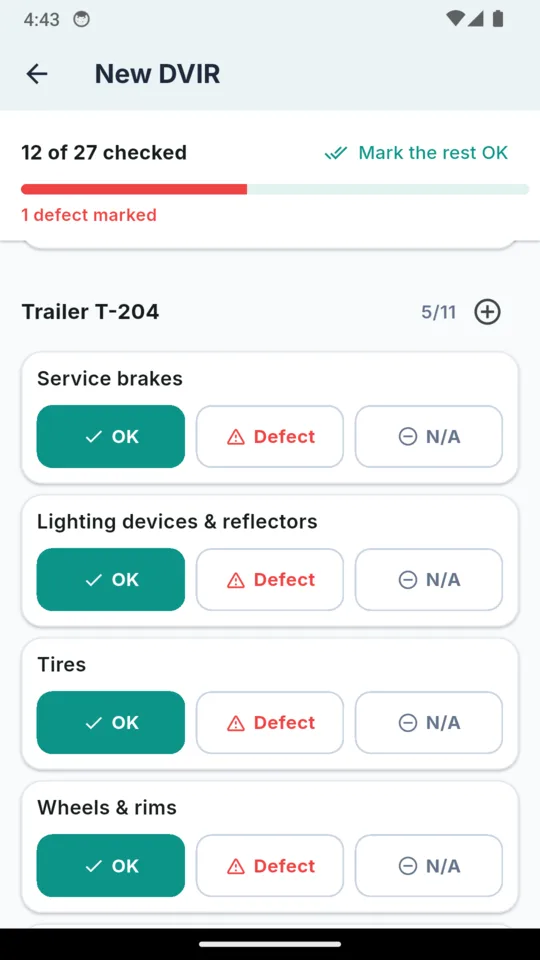
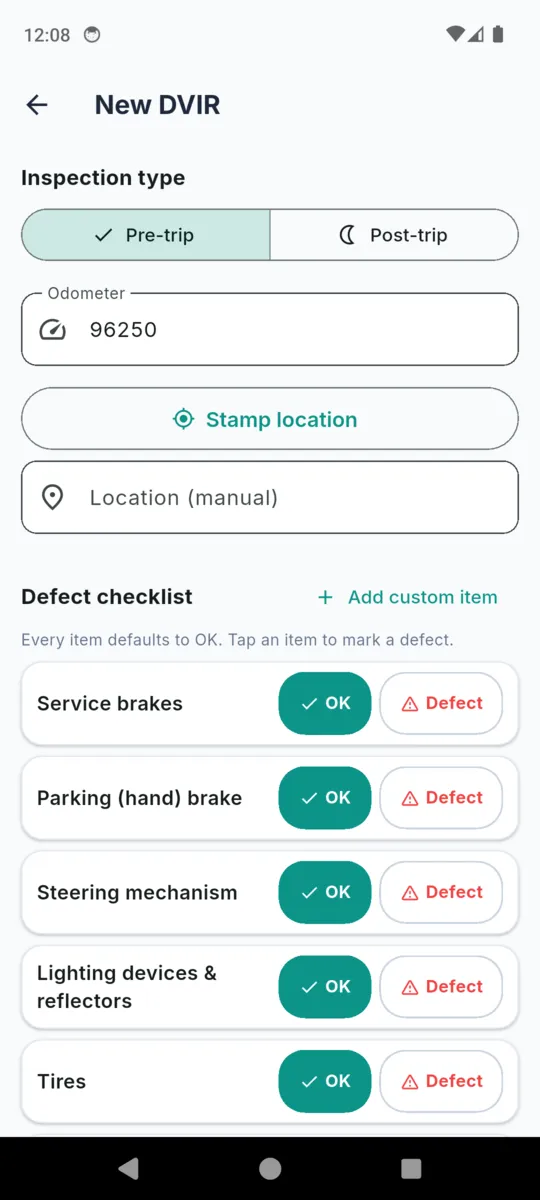
Open a DVIR, pick pre-trip or post-trip and enter the odometer. Every line takes OK, Defect or N/A and a bar counts what is left. Once you have checked the rest, Mark the rest OK records them in one tap. The unit’s extra checks and the trailer come up in the same report.
Driver signature, required to save
02
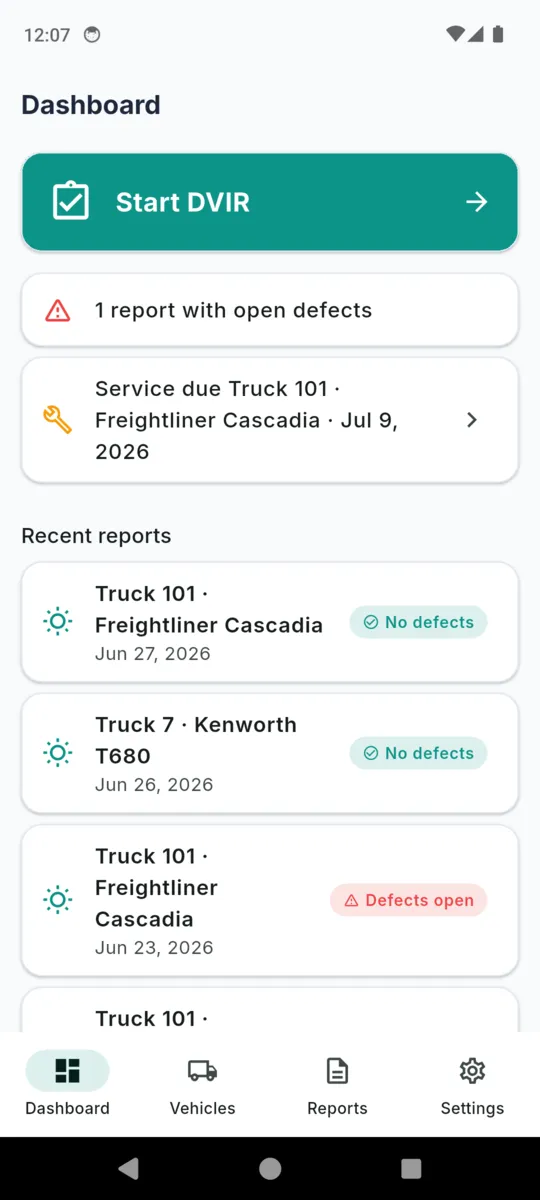
A defect takes a note and photos and opens as Open. The dashboard counts open defects from the defect rows themselves, not from the report’s saved status.
No signature closes this stage
03
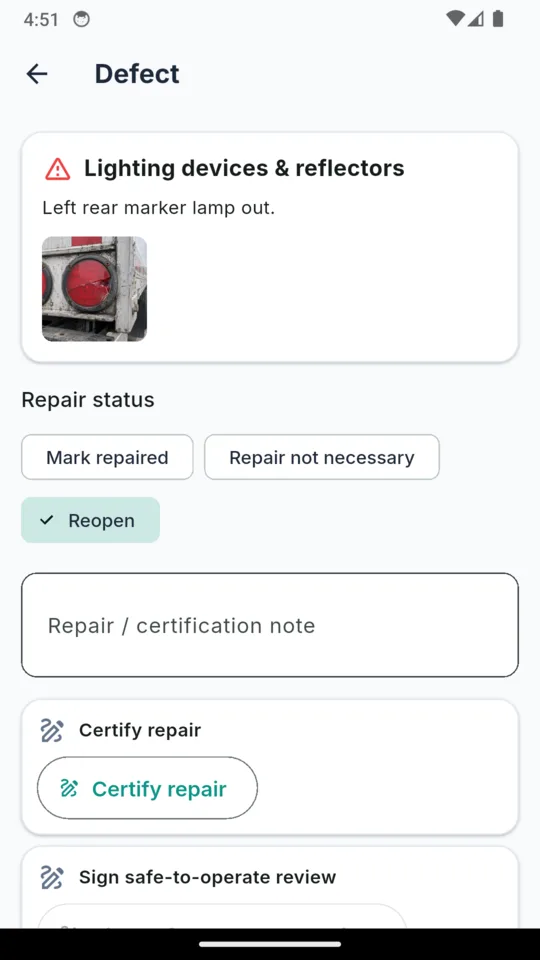
Mark each defect Repaired, or Repair not necessary, with a date and a note. Each defect can carry its own repair signature, and the report carries a certification signature of its own.
Certification of repair
04
The last signature says the driver has reviewed the certification. Only then does the report read Reviewed: safe. A still-open defect returns the report to Defects open.
Driver review: safe to operate
The eleven checklist items come from 49 CFR 396.11, and DVIRLog also records the repair certification and the driver review. What your auditor accepts, and how long you keep it, is between you and them. DVIRLog does not decide either. DVIR Explained walks through what the regulation asks for.
Tractor, trailer or straight truck, each unit carries its own photo, so the right one is obvious in the list. Defects take photos too, and those print inside the report beside the line they belong to.
The eleven items 49 CFR 396.11 lists are on every report and cannot be removed. On top of them, each unit keeps its own extra checks, such as the fifth wheel or the air lines and glad hands, and they appear on every DVIR for that unit.
Pick a saved trailer or type its number. It gets its own section of the checklist with its own count, and the PDF prints it under its own header.
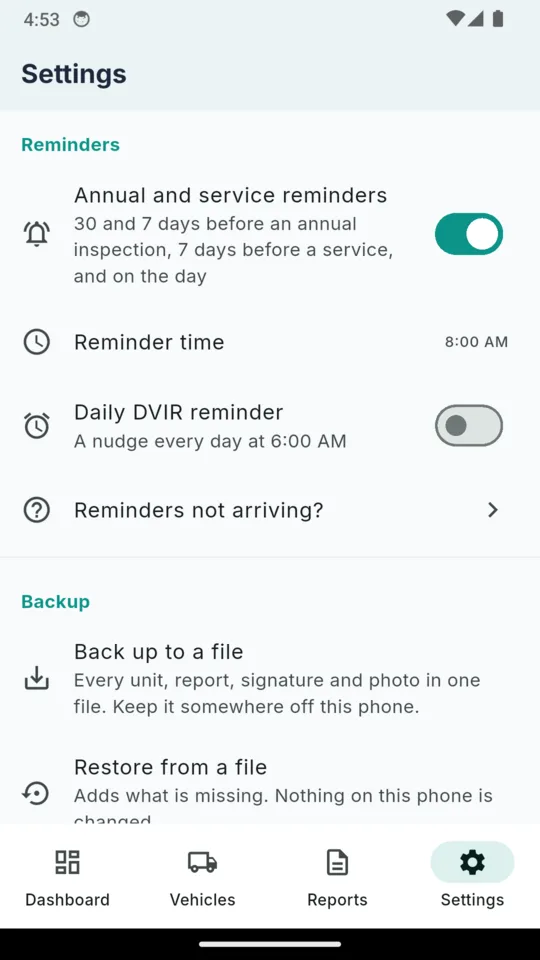
An annual inspection gets a reminder 30 days and 7 days ahead and on the day, and a service 7 days ahead and on the day, at a time you pick. An optional daily reminder nudges you to do the DVIR.
Back up writes every unit, report, signature and photo to one file you keep off the phone. Restore adds whatever is missing and changes nothing already there.
Tap Stamp location on a report and the app takes one fix and writes the coordinates onto that report. It is asked per report, it runs in the foreground only, and there is a plain text field if you would rather type Yard, Houston TX.
Per vehicle, per entry: date, whether it was an inspection, repair, service or test, the odometer, the vendor, the cost in your currency, and notes. It is the file that sits behind the inspections when someone asks why a defect stopped recurring.
Date, pass or fail, inspector name, certificate number and the next due date. The dashboard counts down to it, and the reminders go out ahead of it.
Unit number, make, year, VIN, tire size, plate, the owner if the unit is not carrier-owned, and its USDOT number. Those fields are what fill the header of every PDF the app produces.
Scroll sideways →
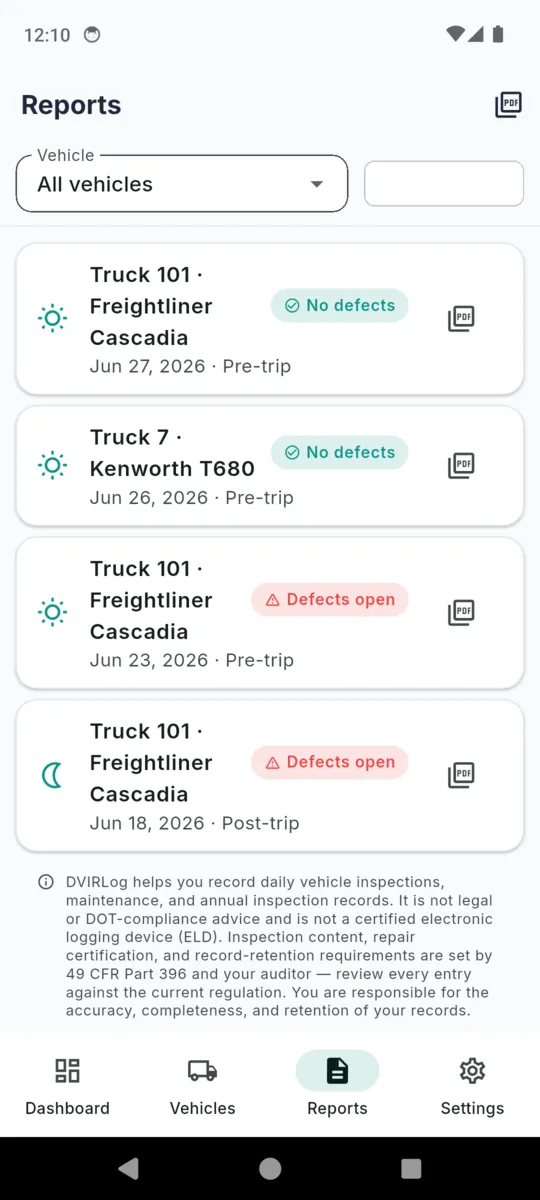
Pick a vehicle, pick a date range, and DVIRLog builds one PDF. The cover carries the carrier name, the USDOT number, the unit and the VIN. Then, in order:
Any single report also exports on its own from the reports list, filterable by vehicle or to defect reports only.
PRICING
$24.99once, or from $1.99/mo
Start a 14-day trial of the whole app from inside it, no card. After that it is $1.99 a month, $9.99 a year, or $24.99 once and never again.
Free keeps one vehicle, edits to the last 30 days of reports, five maintenance entries and two annual records. Recording today’s inspection and re-exporting anything you already filed are always free.
Get DVIRLogNo, and it is not trying to be. An ELD records hours of service from the engine. DVIRLog records inspections, defects and repairs that you type in. If you are required to run an ELD, you still need one.
The eleven items 49 CFR 396.11 lists: service brakes, parking brake, steering mechanism, lighting devices and reflectors, tires, horn, windshield wipers, rear-vision mirrors, coupling devices, wheels and rims, and emergency equipment. Each unit can add its own checks on top, a trailer gets its own section, and any line can be marked N/A.
Not the original fields. Once the driver signature is on, the report locks and you add a dated amendment instead. Amendments print with the report, so the correction is visible rather than silent.
You void it with a reason. The report stays in the binder marked VOIDED with its date and reason, and still prints. Nothing signed is ever quietly removed.
Only if you ask it to, one report at a time. Tapping Stamp location saves a single GPS fix onto that report. There is no background tracking, and you can type a location by hand instead.
Yes. Everything you record is kept on the phone, so inspections, photos and PDF exports work with no signal. The free tier needs a connection to load ads, and the app sends crash reports and usage analytics when it has one.
Recording today’s inspection is never gated, whatever tier you are on. Free keeps one vehicle, edits to reports from the last 30 days, five maintenance entries and two annual records. Everything already recorded stays readable and re-exportable.
Yes, unless you turn reminders off. It notifies you 30 days and 7 days before an annual inspection and 7 days before a service, then on the day, at a time you pick. Android can hold a reminder back to save battery, so the dashboard shows the same dates.
Yes. Back up to a file, in Settings, saves every unit, report, signature and photo in one file. On the new phone, Restore from a file adds whatever is missing and changes nothing already there.
DVIRLog helps you record daily vehicle inspections, maintenance, and annual inspection records. It is not legal or DOT-compliance advice and is not a certified electronic logging device (ELD). Inspection content, repair certification, and record-retention requirements are set by 49 CFR Part 396 and your auditor. Review every entry against the current regulation. You are responsible for the accuracy, completeness, and retention of your records.
Add the unit and its photo once. From then on it is a walkaround, a signature, and records you can export as a binder when somebody asks for them.