
TATTOO, PIERCING & PMU STUDIO LOG

InkProof icon

InkProof

Tattoo & Piercing Studio Log

A studio keeps two records. Both have to hold.

One says what the client told you and what they signed. The other says the autoclave was tested and the batch of tubes on that tray came out of it. InkProof keeps both on your own phone, in one place, so producing either one is a two-minute job rather than a search through a drawer.

$1.99/mo · $9.99/yr · $24.99 once.
14-day trial. Android.

  • Records & Productivity
  • Android
  • No account
  • Nothing uploaded
  • English
InkProof launch screen: clipboard paperwork, a tattoo machine and instrument tubes on a deep teal field, with the line Tattoo, piercing and PMU studio logbook

THE TWO RECORDS

What the client signed · what the autoclave did

They answer different questions and they are kept apart in the app, right down to the export: you can hand over one without the other.

RECORD ONE

The client record

Built per client, added to per visit. A client can be started as a draft and finished when they sit down.

Consent form

Procedure type — tattoo, piercing, permanent makeup, microblading or other — body location, date, your own consent text, and a signature drawn on the phone. If the client is a minor, the form is flagged as signed by a parent or guardian and the PDF says so.

Health history

Six yes/no questions, then three free-text fields.

  • Pregnant or breastfeeding?
  • Diabetic?
  • On blood thinners?
  • Heart condition?
  • Prone to fainting?
  • Skin condition at the site?

Plus allergies, conditions, medications and your own notes.

ID on file

Document type — driver's licence, passport, state ID, military ID or other — its expiry, the last few characters only, and an optional photo. The full number is never asked for, never stored and never printed.

Procedures

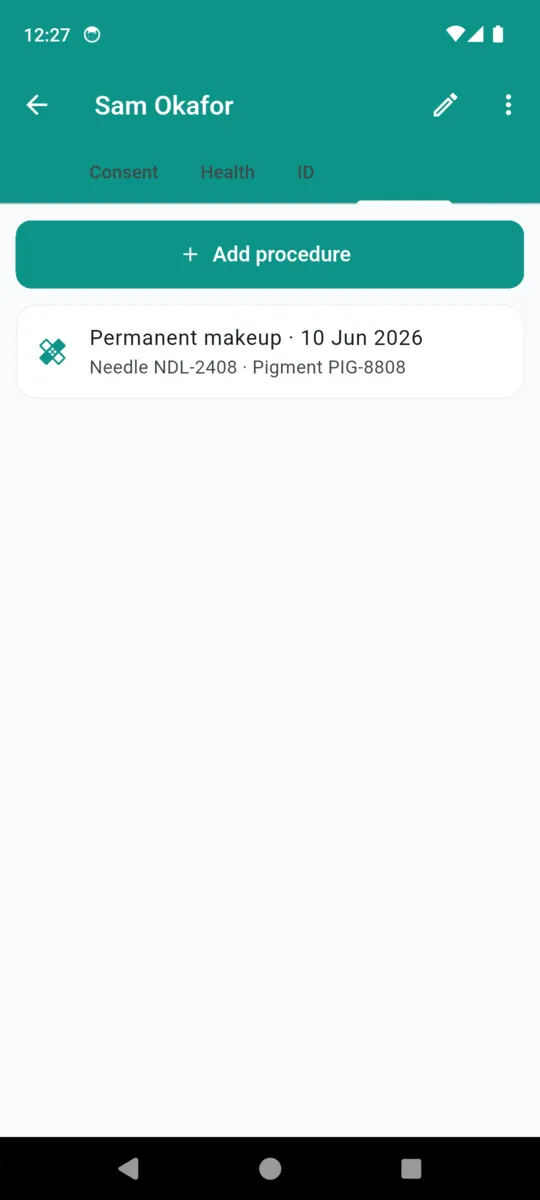
Date, artist, procedure type, body location, needle lot and pigment lot, a photo of the lot sticker, free notes — and a link to the sterilization batch the instruments came from, which is the join between the two records.
RECORD TWO

The sterilization record

Kept by machine, not by client. Register each autoclave with its make, model and serial, and log against it.

Spore tests

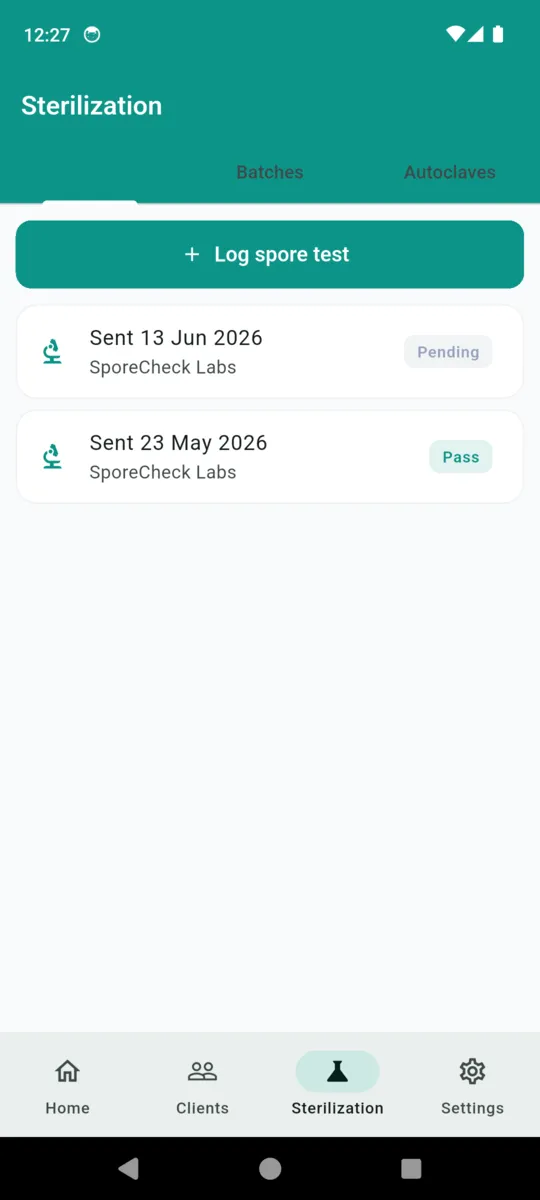
Date sent, which lab, which autoclave, the result — pending, pass or fail — the date the result came back, and a photo of the lab report. Pending is a first-class state, so a test in the post is visible rather than missing.

Instrument batches

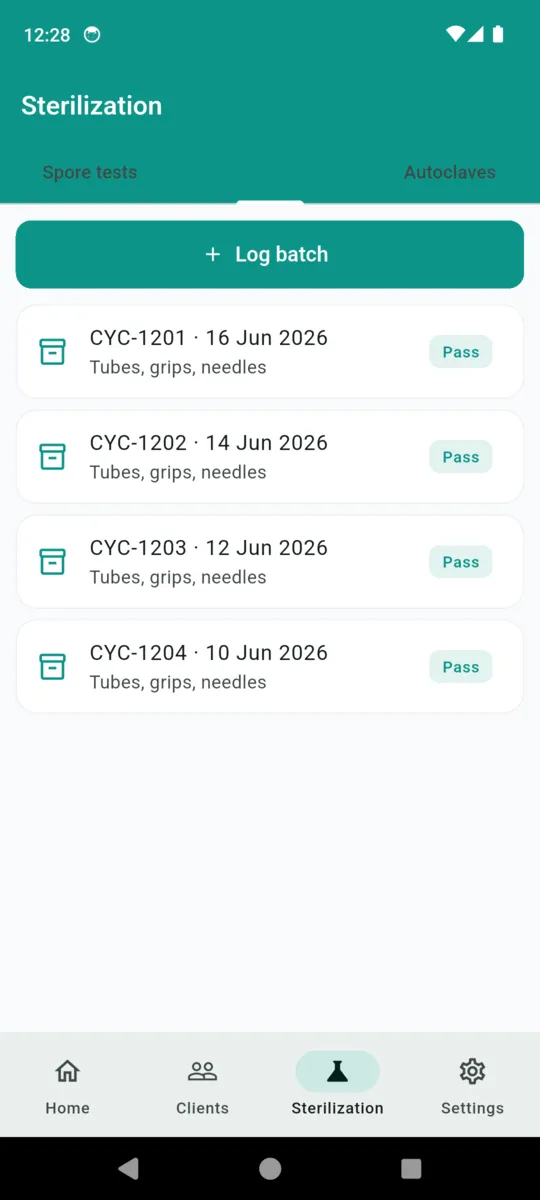
Cycle ID, what was in the load, indicator type — biological, chemical integrator, class chemical or other — temperature, pressure and duration where your machine reports them, pass or fail, and who ran it.

The spore clock

InkProof works the next due date out from the last test you logged, at whatever cadence you set, and shows it on the home screen. One notification fires at about 10am on the day.

  1. 23 MaySent · pass
  2. 13 JunSent · pending
  3. 13 JulNext test due

A pass is shown in the app's ordinary teal, never in a reassuring green. It is a result, not a safety guarantee.

Keeping an autoclave spore test log

Three packs, one button

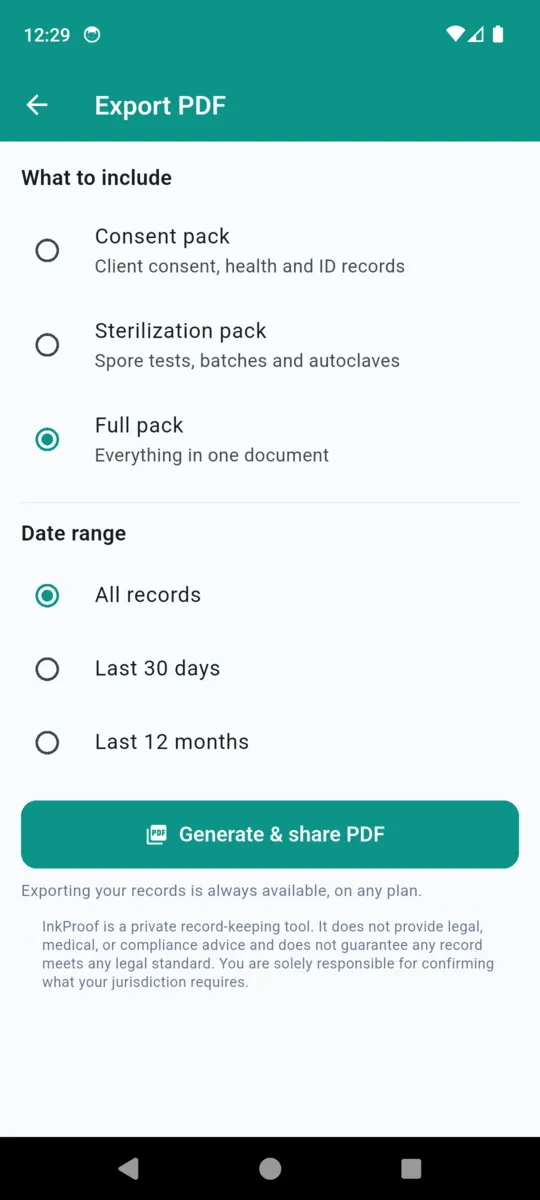
Pick a pack and a date range — all records, the last 30 days, or the last 12 months — and InkProof builds a PDF you can print or share. Exporting is never paywalled, on any plan.

Consent pack

Client by client: name, date of birth, procedure, body location, consent date, guardian flag, allergies, conditions, medications, the masked ID line and the signature image.

Sterilization pack

A spore-test table — sent, lab, result, result date, autoclave — with the lab report photos beneath it, then the batch log by date, cycle, items, indicator, parameters, result and operator, then your registered sterilizers.

Full pack

Both of the above in one document. Every pack carries your studio name, your permit or licence number if you have entered one, the date range, when it was generated, and page numbers.

In the app

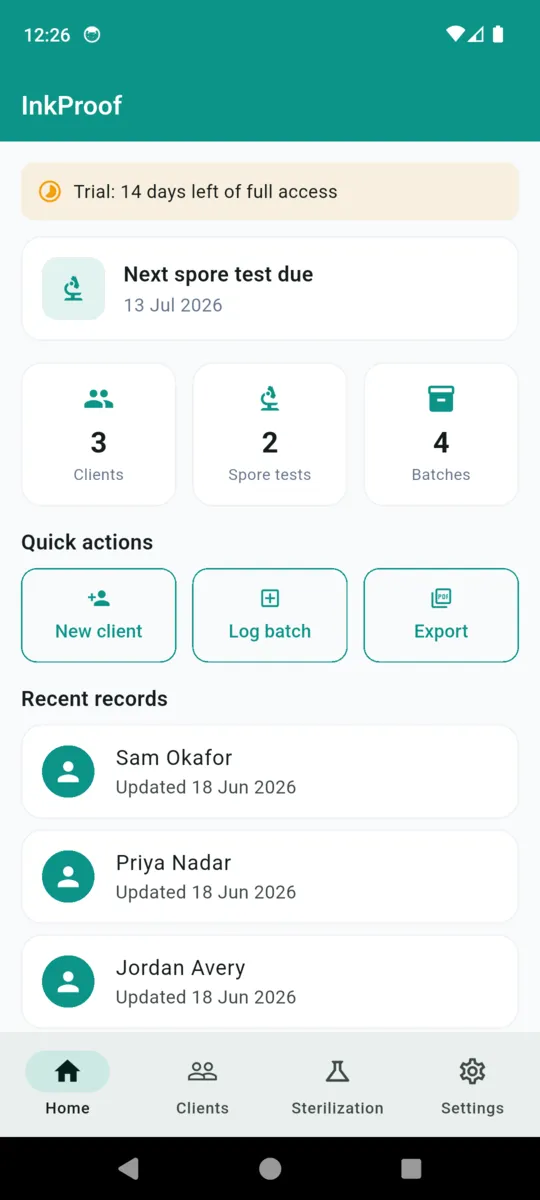
The InkProof home dashboard showing the next spore test due date, counts for clients, spore tests and batches, and quick actions for new client, log batch and export
Home: what is due, and what is on file
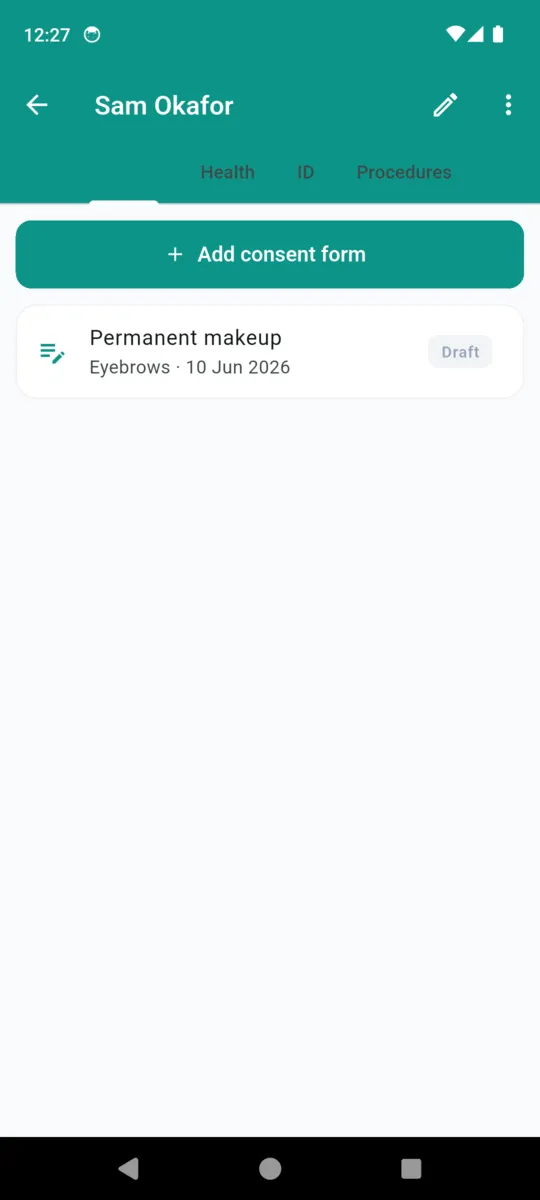
An InkProof client detail screen with tabs for Consent, Health and ID, showing one permanent makeup consent form marked Draft
A client, tabbed into consent, health and ID
The InkProof procedures tab showing a permanent makeup entry with its needle lot and pigment lot numbers
A procedure with its needle and pigment lots
The InkProof spore tests tab listing two tests sent to SporeCheck Labs, one marked Pending and one marked Pass
Spore tests, including the ones still out
The InkProof batches tab listing four autoclave cycles from CYC-1201 to CYC-1204, each holding tubes, grips and needles and each marked Pass
The batch log, one row per cycle
The InkProof export screen offering a consent pack, a sterilization pack or a full pack, with date range options
Choosing a pack and a date range
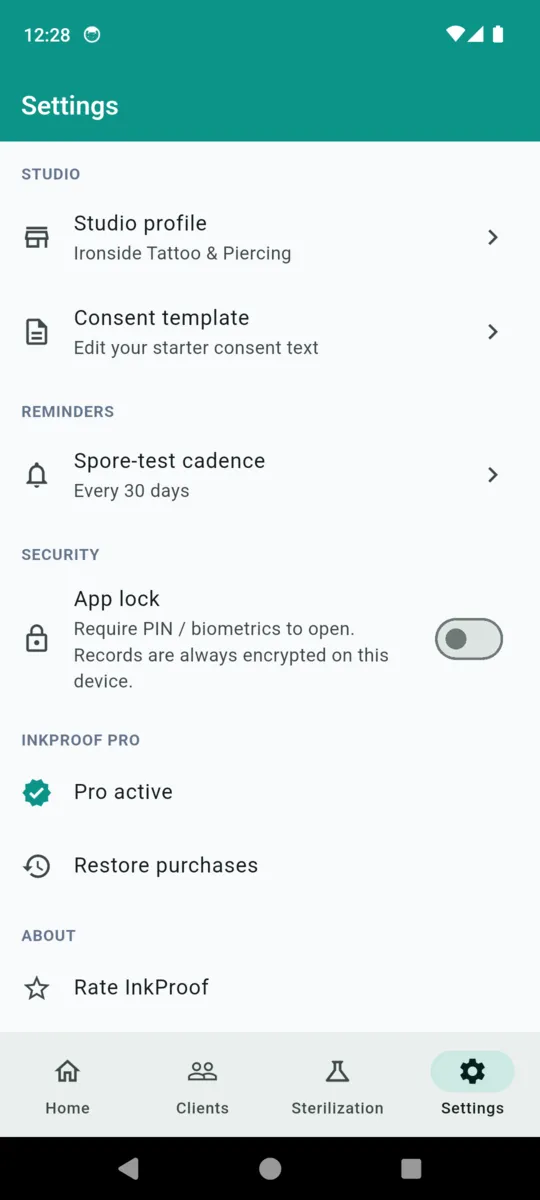
InkProof settings showing the studio profile, consent template, spore-test cadence and the app lock toggle
Studio profile, cadence and the app lock

Where this data actually sits

Health answers and signed consent forms belonging to named people are about as sensitive as a small business handles. It is worth being exact about where InkProof puts them.

  • On that phone, and nowhere else. No account, no sign-in, no server, no sync. Nothing about a client leaves the device unless you export a PDF and send it yourself.
  • Consent, health and ID are held encrypted. Those three record types are stored in encrypted boxes whose 256-bit key is generated on first run and kept in the Android Keystore, never written into the database.
  • A lock in front of the app. Turn on the app lock and InkProof asks for a PIN, or a fingerprint or face if the phone has one enrolled, before any record opens.
  • No cloud means no backup. That is the trade. If the phone is lost or wiped, the records go with it, so keep your exported PDFs somewhere else.

Why artists keep it on the bench

  • The paperwork is done before the machine is on. Consent, health and ID in one pass, on the phone in your hand.
  • Lot numbers stop being a mystery. Needle and pigment lots sit on the procedure, with a photo of the sticker.
  • The batch links to the client. A procedure can point at the exact cycle its instruments came from.
  • Nothing to log into. It opens as fast as a notes app, with no signal needed.
  • Export is always free. Whatever your plan, you can always get your records out as a PDF.
  • Old records never lock. Past clients and past cycles stay readable if you stop paying.

PRICING

$24.99once, or a subscription

  • Monthly$1.99
  • Yearly$9.99
  • Lifetime$24.99

Fourteen days of the whole app on install. After that the free tier holds one client and one month of sterilization logging, and shows a banner ad. Paying removes the ad and both caps.

Get InkProof

Questions

Does InkProof make my studio compliant?

No. It is a private record-keeping tool. It does not know what your health authority, council or licensing board asks for, and it makes no claim that a record it produces satisfies anyone. Check your own rules and keep what they ask for.

Where do the client records live?

On that one phone. Consent forms, health histories and ID documents sit in encrypted storage, with the key held in the Android Keystore. There is no account, no sign-in and nothing uploaded — so there is also no backup if the phone is lost.

Does it store a client ID number?

No. It records the document type, the expiry date, the last few characters, and an optional photo you choose to take. The PDF prints the masked form, never a full number.

What is in the exported PDF?

Three packs. Consent gives you client records with health answers, ID line and signature. Sterilization gives you spore tests, instrument batches and autoclaves. Full is both in one document, over a date range you pick.

Does it remind me about spore tests?

Yes, one reminder. Set a cadence in settings and InkProof notifies you at about 10am on the day the next test falls due, worked out from the last one you logged.

What happens when the trial ends?

Everything you have already recorded stays readable and still exports. The free tier lets you keep one client and one month of sterilization logging; new entries above that need a plan.

Start with the next client through the door

Fourteen days of everything, no card. Set up your consent text once and the rest is filling it in.