The value
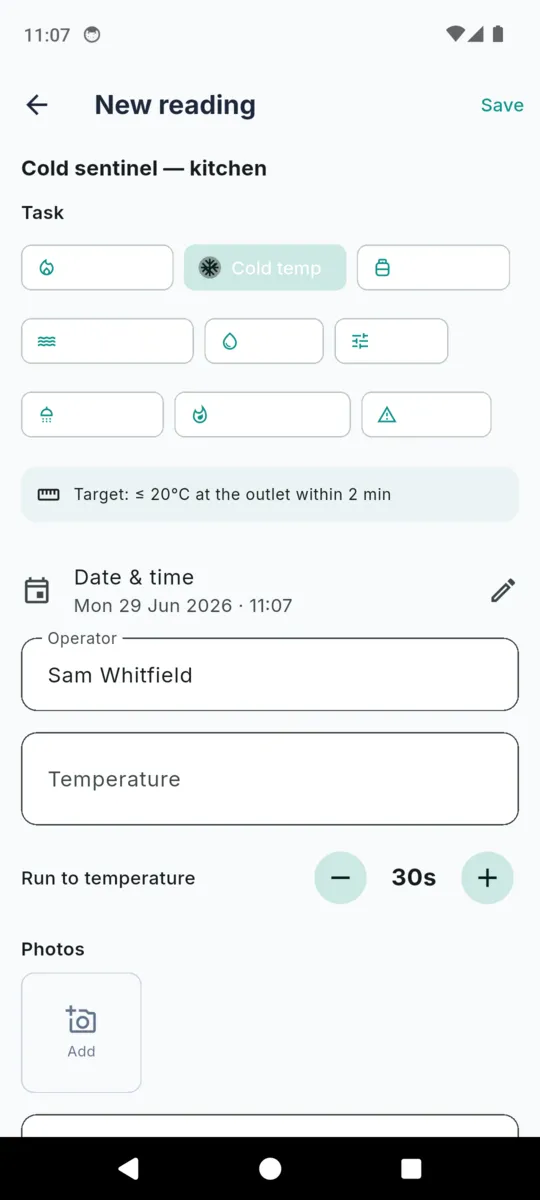
A temperature, a flow and return pair, a tank temperature, a flush duration, or simply that the service was done — whichever the task calls for. Nothing irrelevant is on screen.
LEGIONELLA MONITORING LOG
LegioCheck
Legionella Monitoring Log
Sentinel points, calorifiers, cold-water tanks, TMVs and little-used outlets each run on their own clock. LegioCheck holds that schedule, walks you round the outlets that are due, and takes the temperature entry where you are standing — not back at a spreadsheet three days later, when the figure has become a guess.

14-day full trial, no card.
£1.99/mo · £9.99/yr · £24.99 once.
A property's monitoring is a walk: kitchen, plant cupboard, loft, the shower in room three. LegioCheck turns that walk into one screen at a time, which is the whole difference between a log that gets kept and a clipboard that gets written up from memory on Friday.
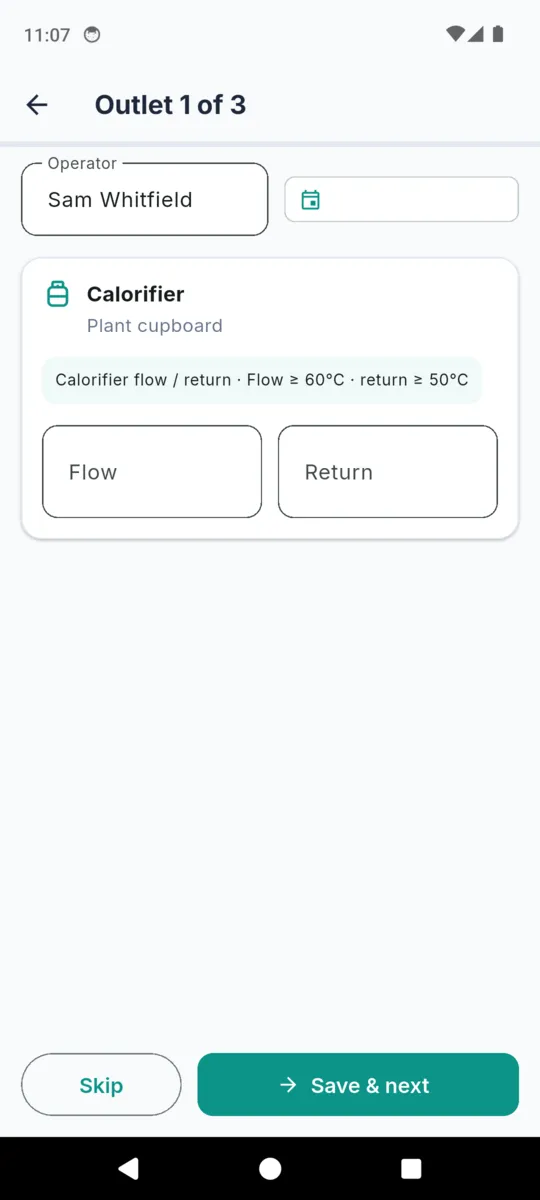
The app gathers the outlets that are actually due at that property and queues them. If nothing is due it offers the full list instead, so an unscheduled walk still works.
The header counts you through — outlet one of three — and the task is pre-selected from the outlet type. A calorifier asks for flow and return. A sentinel asks for a temperature and a run-to-temperature timer. A little-used outlet asks how long you flushed it.
Type your name once. Every reading in the round is stamped with the same operator and the same round time, so the log reads as one visit rather than eleven unrelated entries.
A locked room is a skip, not a fabricated number. Anything wrong becomes a defect with its cause, the remedial action and the dates it was raised and resolved.
Saving a reading rolls that outlet's next due date forward by its own cadence, clamped so a reading taken on the 31st never skips a month. Anything falling inside seven days shows as due this week on the dashboard.
This is the schedule LegioCheck ships with, and the reference line it prints beside the field when you take the reading. Every cadence is editable per outlet, and every reference value here is general guidance, in the app's own words — not a threshold the app enforces and not a requirement for your system.
| Asset | Default cadence | Task recorded | Reference shown |
|---|---|---|---|
| Sentinel (hot) | Monthly | Hot sentinel temperature | ≥ 50°C at the outlet within 1 min |
| Sentinel (cold) | Monthly | Cold sentinel temperature | ≤ 20°C at the outlet within 2 min |
| Calorifier | Monthly | Calorifier flow / return | Flow ≥ 60°C · return ≥ 50°C |
| Cold-water storage tank | Six-monthly | Cold-water tank check | ≤ 20°C throughout |
| Showerhead / spray | Quarterly | Showerhead descale | Descale / disinfect quarterly |
| Little-used outlet | Weekly | Weekly flush | Flush little-used outlets weekly |
| TMV | Annual | TMV service | Service annually |
| Tap / outlet | Annual | Cold sentinel temperature | ≤ 20°C at the outlet within 2 min |
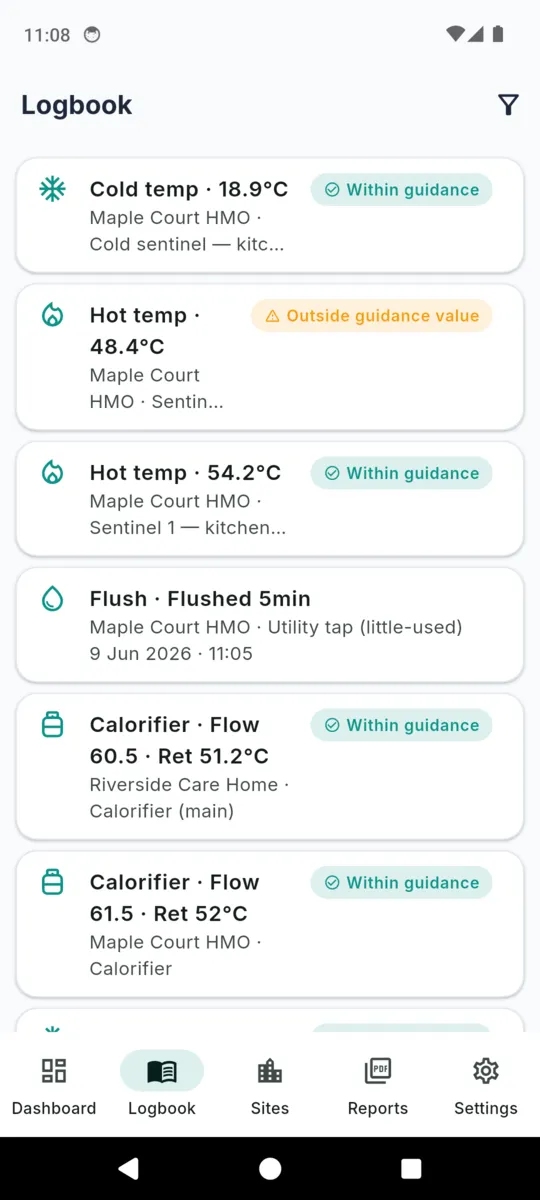
A ninth task, thermal disinfection, records a temperature and the time it was held. Its reference line reads ≥ 60°C held for 5 min. Temperature tasks are marked within guidance or outside guidance value against these figures; flushes, services and descales are recorded as done, with no judgement attached. Nothing is ever discarded for being out of range — an out-of-range reading is exactly the record that matters.
A temperature, a flow and return pair, a tank temperature, a flush duration, or simply that the service was done — whichever the task calls for. Nothing irrelevant is on screen.
Sentinel readings keep how long you ran the outlet before reading it, and thermal disinfection keeps how long the temperature was held. Those numbers are half the reading.
Operator name and a full timestamp on every entry, editable if you are writing up a round you took an hour ago.
Free text plus photos, held on the phone and carried into the audit PDF's appendix at the end.
Captures from the shipped build, filled with sample properties.
Scroll sideways, or use the arrow keys
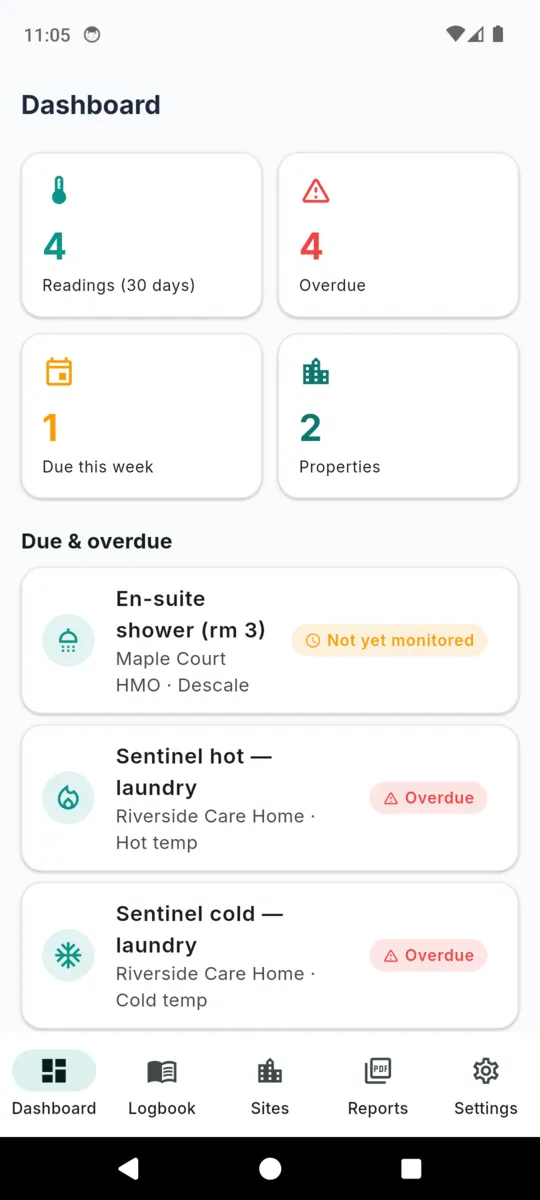
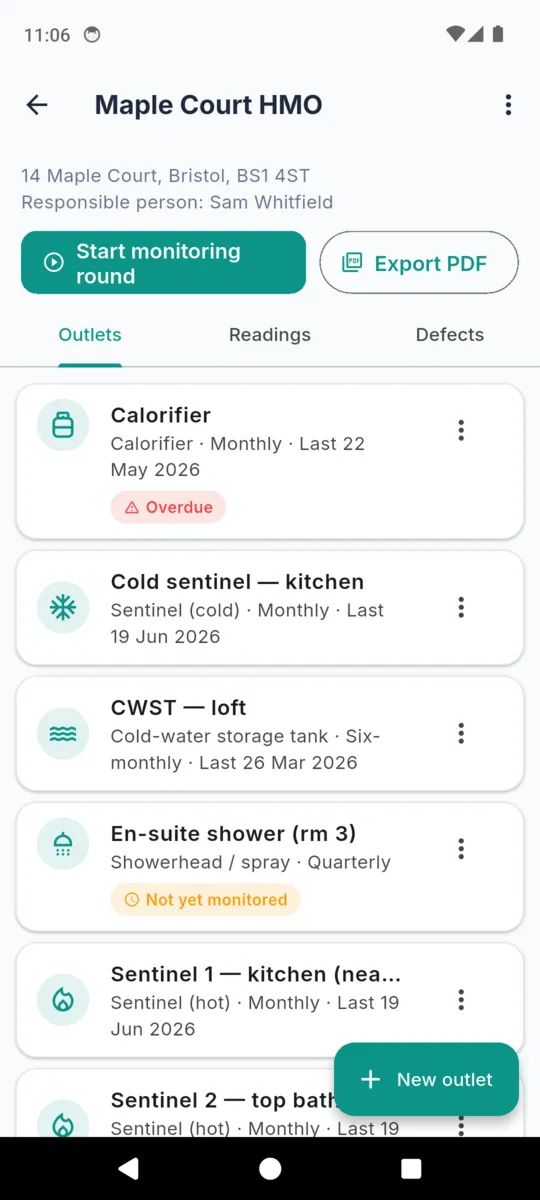
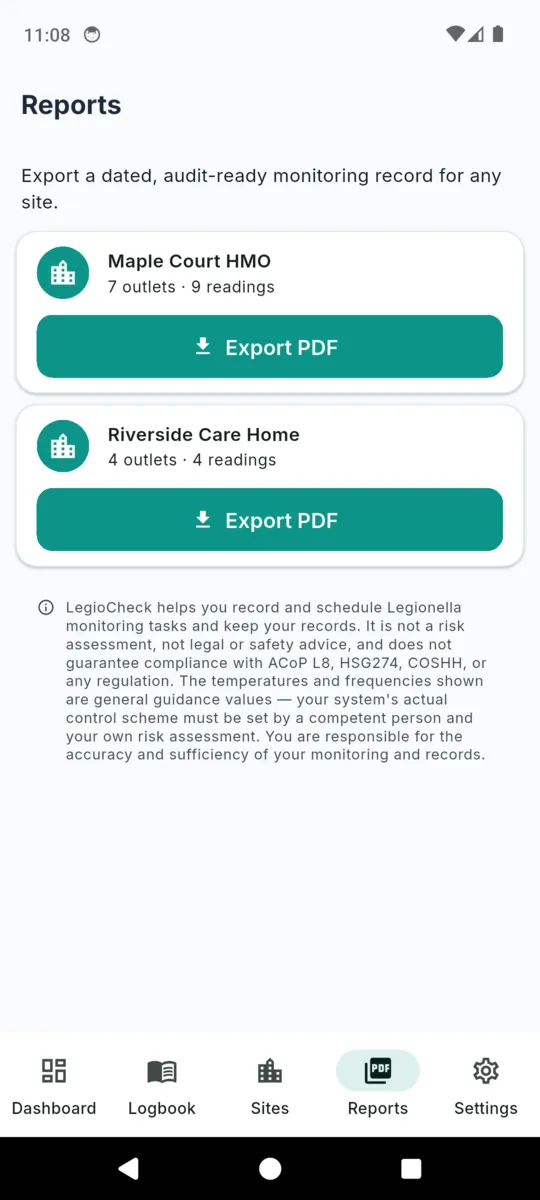
Pick a property and a date range, and LegioCheck builds a single PDF on the phone. It is assembled from the readings you took, in the order an inspection reads them, and it is the reason the log exists.
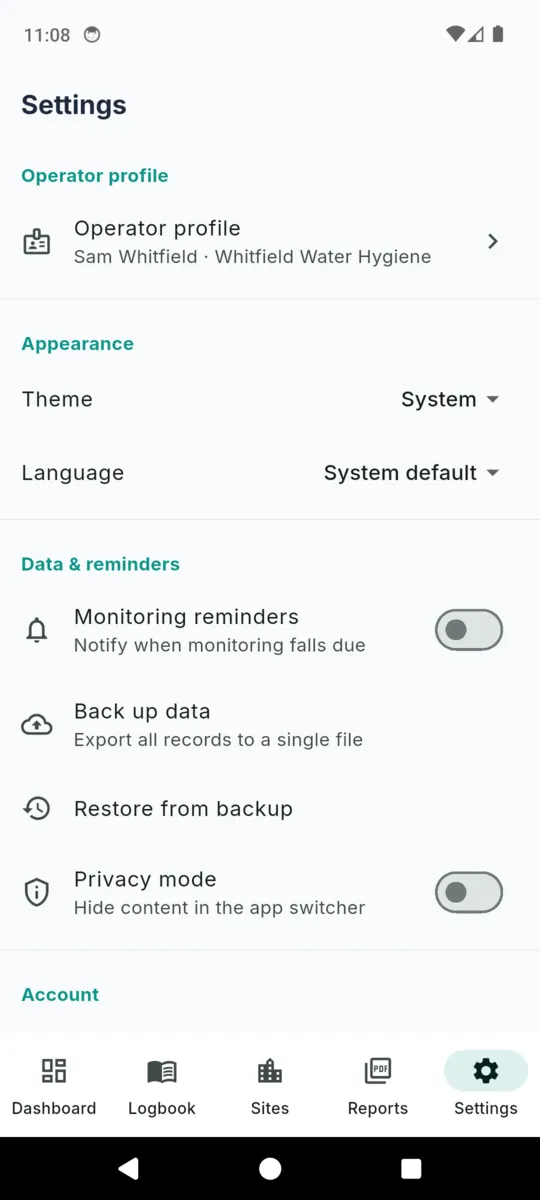
Records like these are kept for years, and the app has no cloud copy of them, so Settings writes one backup file holding every property, outlet, reading, defect and photo. Keep it wherever you keep your other records, and restore it onto a new phone.
Legionella control keeps people alive, and a phone app is a small part of it. This one records and schedules. It does not assess risk, it does not design a control scheme, it does not decide whether your system is safe, and it does not stand in for the judgement of the responsible person.
The same wording sits under every reading, on the PDF cover, in Settings and during onboarding:
LegioCheck helps you record and schedule Legionella monitoring tasks and keep your records. It is not a risk assessment, not legal or safety advice, and does not guarantee compliance with ACoP L8, HSG274, COSHH, or any regulation. The temperatures and frequencies shown are general guidance values — your system’s actual control scheme must be set by a competent person and your own risk assessment. You are responsible for the accuracy and sufficiency of your monitoring and records.
The published guidance, and where to find a competent person, are collected on the LegioCheck resources page.
STANDARD TIER
Free
Everything is open for fourteen days with no card. After that the standard tier keeps running, with limits.
Records already made are never hidden, locked or deleted, and stay exportable. The cap only stops new properties and outlets.
FULL
£24.99once
or £1.99 a month, or £9.99 a year
For anyone monitoring more than one building. The one-off price does not renew.
Monitoring reminders, backup, restore and privacy mode are not behind this. They work on every tier.
Get LegioCheckNo. It records and schedules monitoring, and it prepares the paperwork. It is not a risk assessment and it cannot judge your system. The control scheme is set by a competent person and by your own risk assessment; LegioCheck only holds what you recorded.
They are reference values shown beside the field for context, and the app describes them as general guidance. They never mark a reading pass or fail. A reading is labelled within guidance or outside guidance value against them, and both are recorded either way.
A batch walk of the outlets that are due at one property. The app hands you one card at a time with the task already picked for that outlet type, carries the operator name and timestamp across the whole round, and lets you skip anything you cannot reach.
Property, address, responsible person, client and date range on the cover, then the outlet schedule, then the readings grouped by task with the reference line for each, then the defect log with cause, action and dates, then a photo appendix and your signature.
Yes. Properties, outlets, readings, defects, photos and the PDF are all handled on the phone. There is no account and no cloud copy, so Settings writes a backup file you keep yourself.
Fourteen days of everything, no card. After that the standard tier keeps one property, ten outlets and one audit PDF a month, with a banner ad. £1.99 a month, £9.99 a year or £24.99 once removes the limits.
Add the property, list its sentinel points and its tank, and walk the first round. The schedule builds itself from there.