Morning Unlock
Wake up your neck and shoulders
- 01 Neck Rotation 8 reps · 3s each · both sides
- 02 Chin Tuck 8s hold · 2 sets
- 03 Shoulder Rolls 10 reps · 2s each
- 04 Neck Side Stretch 20s hold · both sides
STRETCH ROUTINES & TIMER

NeckReset
Neck, shoulder & upper-back stretches
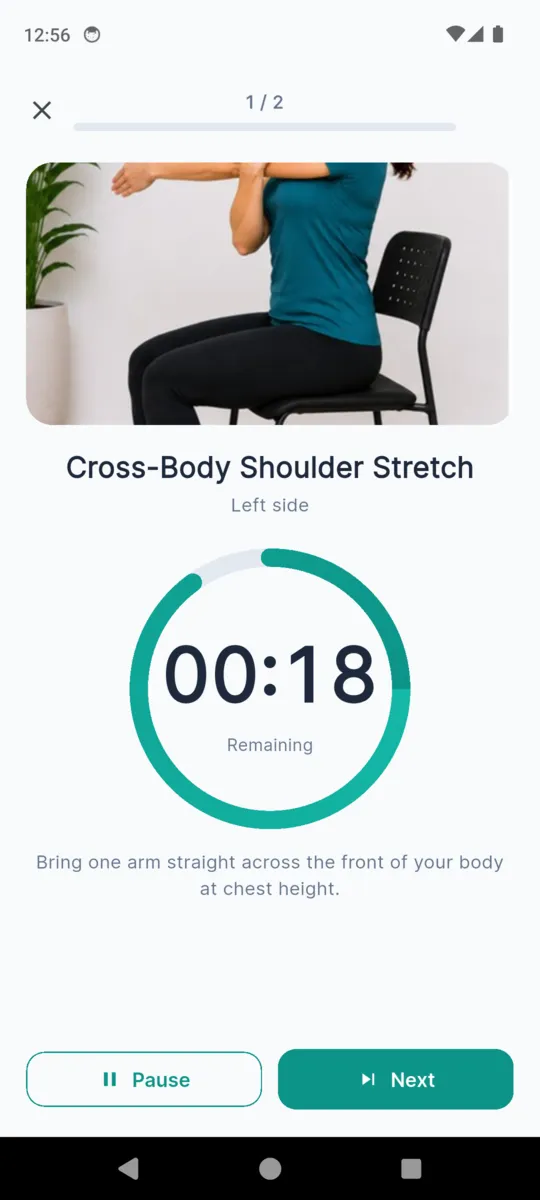
Three routines ship with the app, three to five minutes each. Each one plays its stretches in order, holds the count for you, and tells you when to switch sides. You never have to remember what came next or how long you have been holding it.

$3.99, paid once.
Android. Works offline.
An exercise library, not physical therapy. Stop any exercise that causes pain. Consult a physiotherapist or doctor for persistent pain, recent injury, disc problems, or post-surgical recovery. That is the app's own wording, shown on first run and kept in Settings, where it also links out to professional resources for finding a physiotherapist.
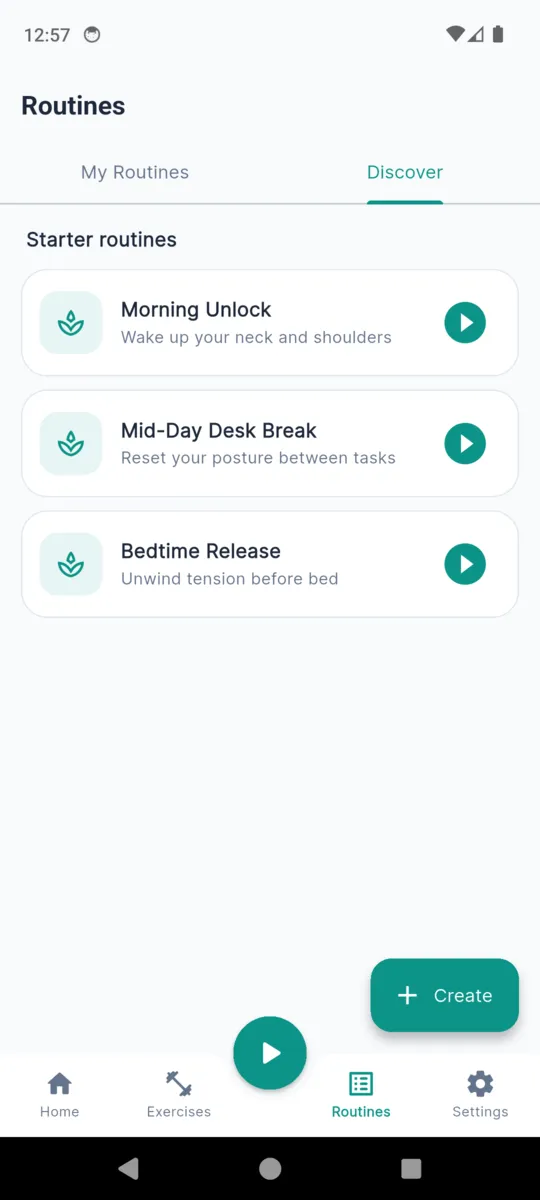
No mystery playlists. This is exactly what is in each built-in routine and how long the app expects it to take, which is holds and reps multiplied out plus five seconds of transition between sets.
Morning Unlock
Wake up your neck and shoulders
Mid-Day Desk Break
Reset your posture between tasks
Bedtime Release
Unwind tension before bed
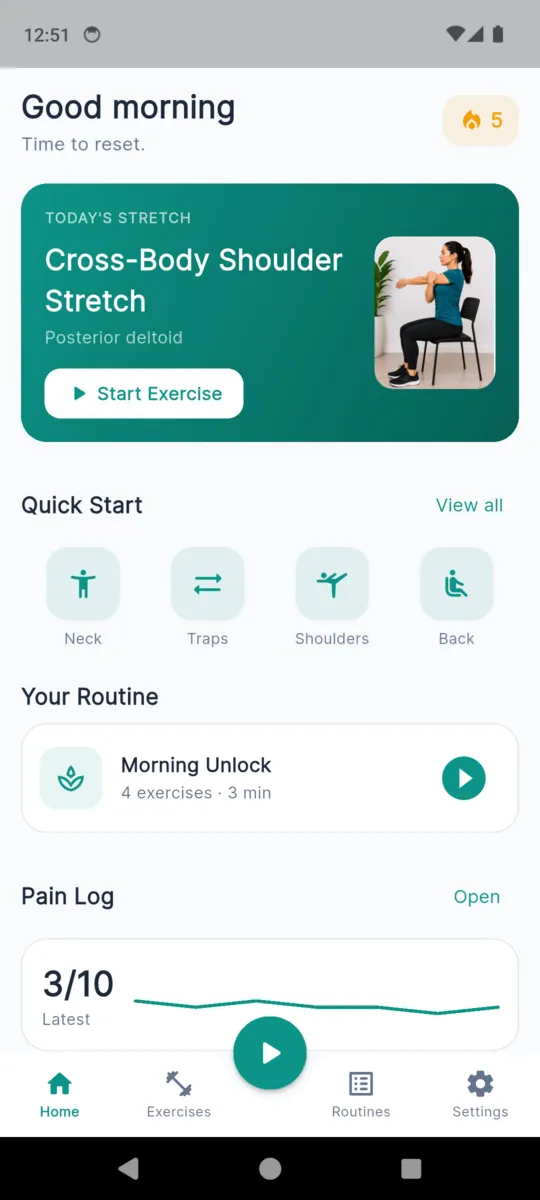
The home screen offers whichever of the three fits the hour: Morning Unlock before noon, Mid-Day Desk Break in the afternoon, Bedtime Release in the evening. With Pro you can build your own, choosing the stretches and setting the hold seconds, reps and sets for each one.
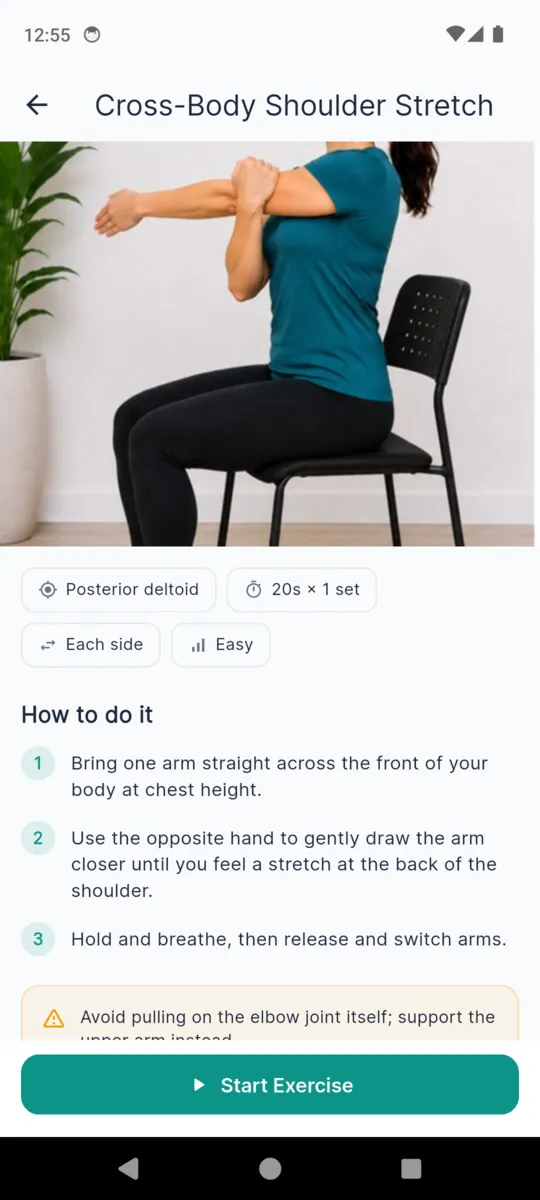
The desk stretch routine, in fullEvery stretch carries a start photo and an end photo, the muscle it targets, its timing, numbered instructions and a caution. Here is the Chin Tuck record in full, copied out of the app's library file.
EXERCISE RECORD
Chin Tuck
Deep neck flexors
8-second hold · 8 reps · 2 sets
How to do it
CautionEase off if you feel sharp pain, dizziness, or pins and needles. Skip after recent neck surgery or acute disc injury without clearance.
Two photos, not a diagram
A start position and an end position, both of a person in an ordinary chair. The guided session shows them full width while the ring counts down.
Holds and reps are different things
A hold counts one long stretch down. Rep mode counts short repetitions. Both double automatically for anything marked per side, and the session tells you when to switch.
Every record has a caution line
Not a generic footer. Each stretch names what would make it the wrong one for you today, and it sits on the exercise screen before you start, not after.
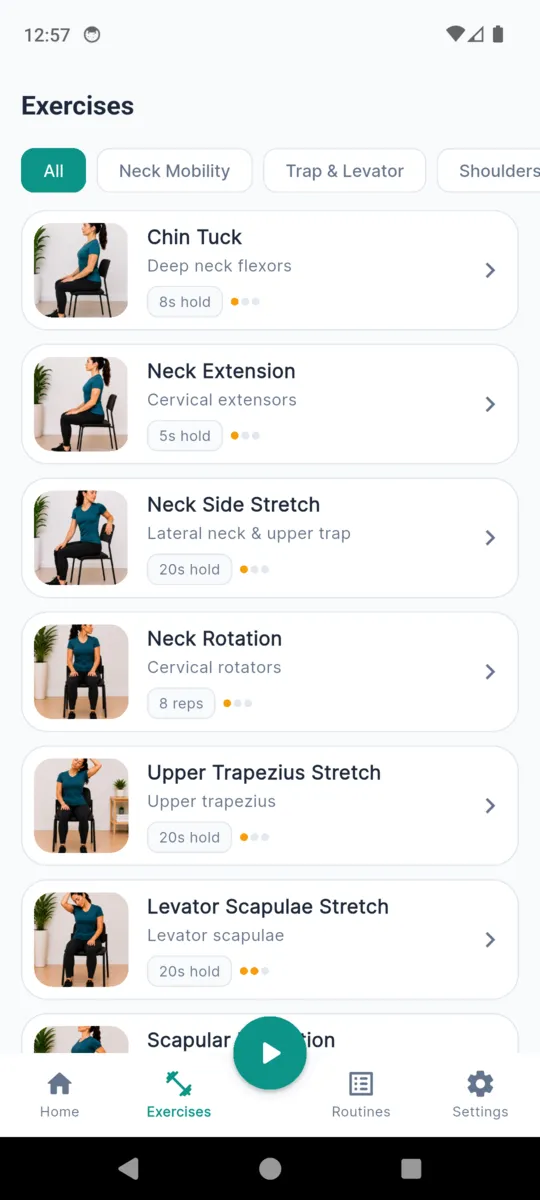
Seven are open from the first launch. The remaining nine come with the unlock, and they are marked in the library rather than hidden, so you can see what sits behind it before you pay for anything.
Neck Mobility
Trap & Levator
Shoulders
Thoracic & Back
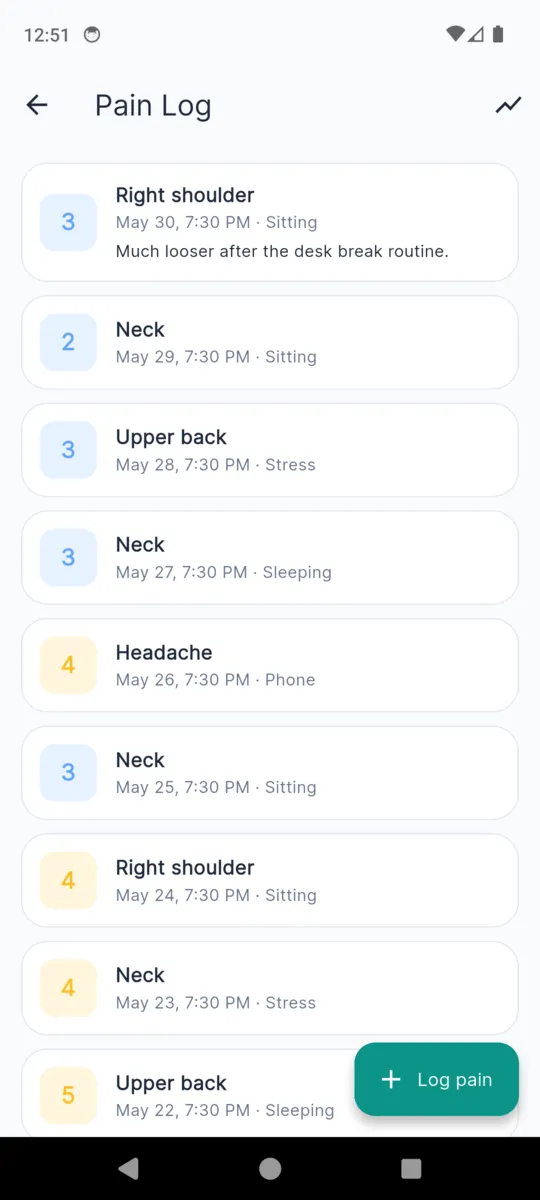
Log how the neck feels when you think of it. An entry is an area, a number from zero to ten, what you think brought it on, a note if you want one, and a photo if a posture is easier shown than written.
Area
What brought it on
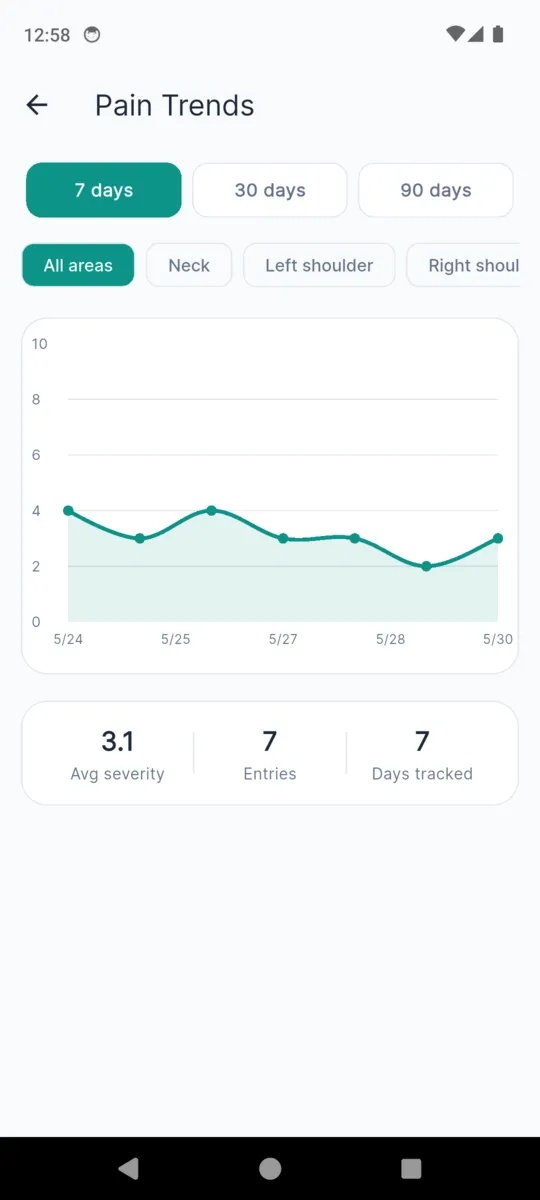
The home screen draws the last seven days as a plain line. The trends screen adds thirty and ninety-day views, an average severity, the number of entries and the days you have tracked. The severity scale runs slate, blue, amber, orange, red — it never turns green, because a quiet week is not a clearance.
The free tier reads the last seven days; Pro reads the lot. Nothing you have logged is ever deleted or hidden from you, whichever tier you are on.
Off is the default. Turn them on and the app schedules a quiet notification at the time you pick, reading "Take a 5-minute break to reset your neck and shoulders."
On Android these are scheduled inexactly on purpose, so the app never has to ask for the alarm-clock permission. A reminder can land a few minutes either side of the time you set.
Scroll sideways, or use the arrow keys
Install it and you have seven stretches, all three routines, the pain log and a seven-day view, with a banner ad on the free tier. The unlock is a single non-consumable purchase: nothing to cancel, nothing that renews.
NeckReset Pro
$3.99once
Bought through Google Play. Local pricing and tax apply in your country.
Get it on Google PlayNo. The app says so itself: it is an exercise library, not physical therapy. It shows you a stretch, times it and records that you did it. For persistent pain, a recent injury, disc problems or post-surgical recovery, see a physiotherapist or doctor first.
The routine plays one step at a time. Each step shows the stretch, counts the hold or the reps down on a ring, and moves on when it is done. You can pause or end it at any point. Ending early discards that session rather than half-saving it.
Sixteen, across neck mobility, trap and levator, shoulders, and thoracic and back. Seven are open from the first launch. The other nine and the routine builder come with the unlock.
Yes, with Pro. Pick the stretches, set the hold seconds, reps and sets for each, and the app works out how long the routine will take before you start it.
A date, an area, a severity from 0 to 10, one of six triggers, a note and an optional photo. It draws the last seven days as a line on the home screen. Nothing in it is interpreted for you and no advice is generated from it.
Neither. The stretches, photos and instructions are bundled in the app, and your entries sit in a database on the phone. There is no login and no sync. The free tier shows a banner ad, which needs a connection to fill; everything else works offline.
One payment, no subscription. It opens the full sixteen-stretch library, the routine builder and your whole pain history rather than the last seven days, and it removes the ads. Nothing you have already logged is ever hidden from you.
Read how the app handles your data in the NeckReset privacy policy.
Open Morning Unlock, press play, and let it count. Stop the moment anything hurts.