DESK STRETCH ROUTINE
NeckReset
Desk stretch routine
Six movements, one chair, about five minutes.
The Mid-Day Desk Break is one of three routines NeckReset ships with, and the only one built for the middle of a working day. It runs the neck, the traps, the shoulder blades and the front of the chest — the four places that go quiet when you spend hours in the same position — and none of it asks you to get on the floor.

Free to run the starter routines.
$3.99 once for everything else. Android.
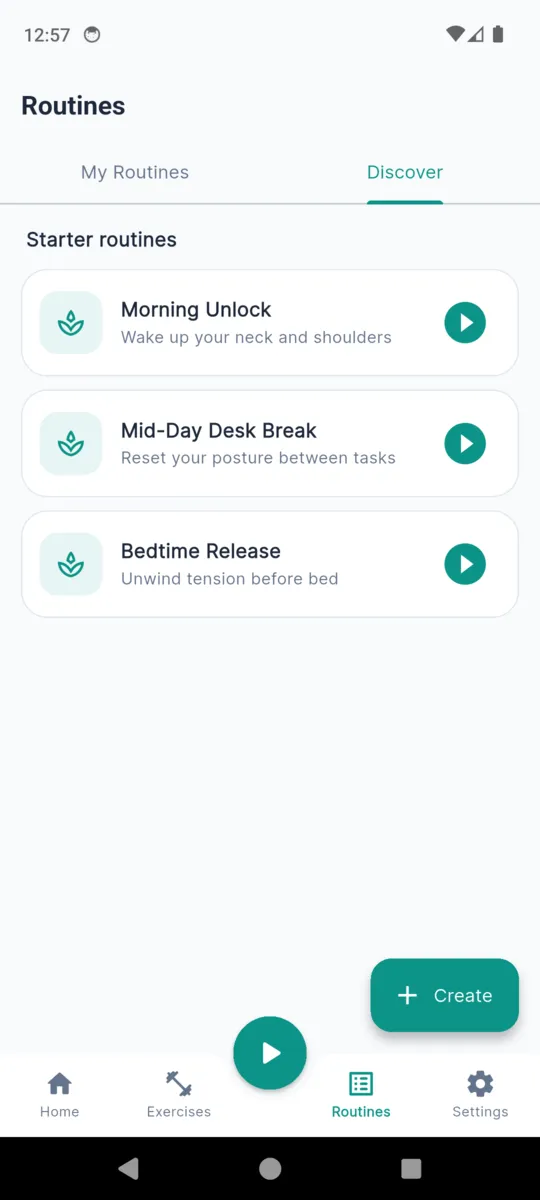
The routine, in order
Six movements, run back to back. Each one is shown with a photo in the app and timed for you; the instructions and the caution below are the ones NeckReset carries on the exercise itself, word for word.
- 1
Chin Tuck
- Sit tall with your shoulders relaxed and eyes looking straight ahead.
- Gently draw your chin straight back, as if making a 'double chin', keeping your head level.
- Hold briefly, then release forward to the start. Avoid tipping the head up or down.
Caution Ease off if you feel sharp pain, dizziness, or pins and needles. Skip after recent neck surgery or acute disc injury without clearance.
- 2
Upper Trapezius Stretch
- Sit tall and anchor one hand under your thigh to gently lower that shoulder.
- Tip your head toward the opposite side, then add a small forward angle until you feel a stretch.
- Hold and breathe, then slowly release and switch sides.
Caution Apply only light over-pressure with the free hand. Ease off if symptoms travel down the arm.
- 3
Levator Scapulae Stretch
- Sit tall and turn your head about 45 degrees toward one side.
- Gently drop your nose down toward your armpit until you feel a stretch at the back of the neck.
- Hold and breathe, then return to centre and repeat on the other side.
Caution Keep pressure light. Skip if you have an acute neck flare-up or radiating arm pain.
- 4
Scapular Retraction
- Sit or stand tall with arms relaxed at your sides.
- Squeeze your shoulder blades back and down, as if pinching a pencil between them.
- Hold the squeeze briefly without shrugging, then relax. Repeat for the set.
Caution Keep shoulders down — avoid shrugging up toward the ears.
- 5
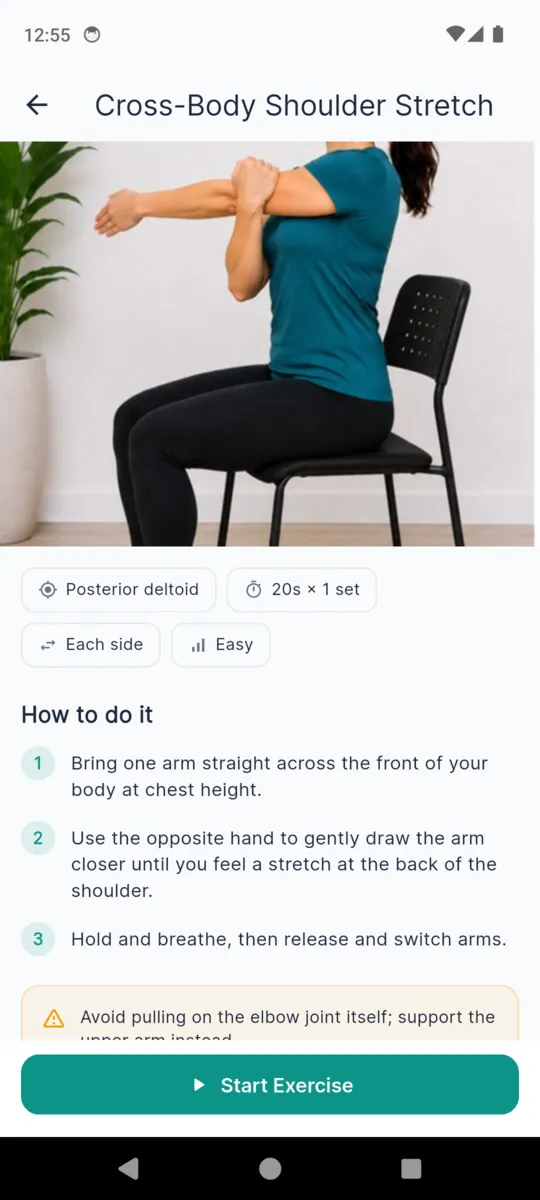
Cross-Body Shoulder Stretch
- Bring one arm straight across the front of your body at chest height.
- Use the opposite hand to gently draw the arm closer until you feel a stretch at the back of the shoulder.
- Hold and breathe, then release and switch arms.
Caution Avoid pulling on the elbow joint itself; support the upper arm instead.
- 6
Seated Chest Opener
- Sit tall toward the front of your chair.
- Clasp your hands behind your back, or hold the chair edges, and draw the shoulder blades together.
- Lift the chest and gently open the front of the shoulders. Hold and breathe.
Caution Ease off if you feel pinching at the front of the shoulder.
How the timer runs it
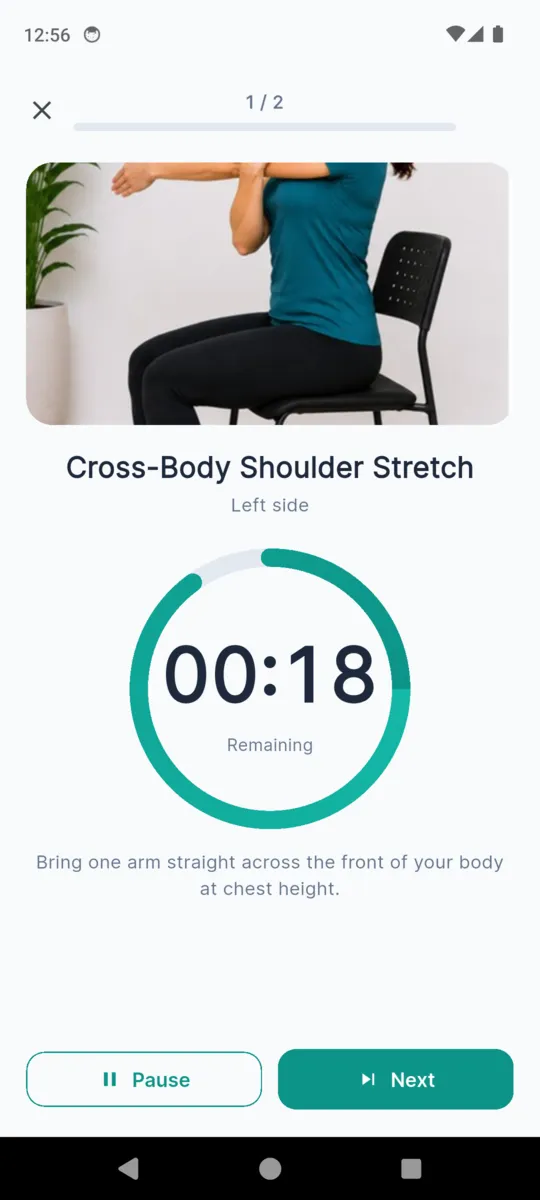
The routine is twelve timed blocks, not six. Anything done on each side is split in two — a left block and a right block — and anything with two sets is split the same way, so you are never counting sides in your head while trying to breathe. A countdown ring shows what is left of the current block, and the phone buzzes as each one ends and the next begins.
Holds count down the hold. Reps run the whole set as one block: the scapular retraction is ten squeezes at three seconds, so its block is thirty seconds long and you work at your own pace inside it. Add five seconds of transition between each block and the whole thing comes to just under five minutes, which is the figure the app puts on the card.
You can pause it, skip a movement that does not suit you today, or end it. Ending early discards the session rather than saving half of it, so your history only ever contains routines you finished.
Nothing in it needs a floor
That is the whole reason this routine exists in the shape it does. The library also carries cat-cow, child's pose, an open-book rotation and a foam-roller thoracic extension, and every one of them is a good movement that you are not going to do in an open-plan office. None of the three starter routines uses them. What is left is six things you can do at your desk, in work clothes, without announcing it to the room.
The two other starter routines
The desk break is the middle one of three. The other two are shorter and are built around different times of day rather than different parts of the body.
| Routine | Length | Movements |
|---|---|---|
| Morning Unlock Wake up your neck and shoulders | about 3 minutes | Neck Rotation · Chin Tuck · Shoulder Rolls · Neck Side Stretch |
| Bedtime Release Unwind tension before bed | about 4 minutes | Neck Side Stretch · Upper Trapezius Stretch · Cross-Body Shoulder Stretch · Shoulder Rolls · Neck Rotation |
Changing it, or building your own
The three starter routines are fixed lists, and they play from a fresh install. If the desk break is not quite yours — you want the levator stretch out, or thirty-second holds instead of twenty — the routine builder lets you pick the stretches, set the hold seconds, reps and sets on each, and reorder them. It works out the length before you start. The builder and nine of the sixteen stretches in the library open with the one-off $3.99 unlock.
Remembering to do it
Reminders are off when you install the app and stay off until you turn them on. There are four settings, and the weekday one exists precisely for this routine.
- Off
- The default. Nothing is scheduled until you choose otherwise.
- Daily
- One nudge, at a time you pick.
- Twice daily
- Two times of day, set separately.
- Weekdays
- Monday to Friday only — the desk-hours option.
What the app is honestly doing
It shows you a movement, times it, and records that you did it. That is the whole mechanism. It does not assess your posture, does not know what is going on in your neck, and makes no claim about what a routine will do for you. If you also log pain in the app, the seven-day line is a record of what you entered — not an interpretation of it, and not advice.
If something hurts, stop. Persistent pain, a recent injury, a disc problem or a post-surgical neck all belong with a physiotherapist or a doctor, not a phone.
What it looks like while it runs
Questions
What is in the desk stretch routine?
Six movements in this order: chin tuck, upper trapezius stretch, levator scapulae stretch, scapular retraction, cross-body shoulder stretch and seated chest opener. The app times it at about five minutes.
Can I do it without leaving my chair?
Yes. Every movement in it is done sitting or standing — no floor, no mat, no foam roller. Nothing in any of the three starter routines needs you to get down on the ground.
How often should I run it?
That is not something an app can answer for you. It is built to be short enough to repeat during a working day, and the reminder can be set to weekdays only. If you have pain or a diagnosed condition, ask a clinician what is appropriate for you.
What happens if I stop halfway?
You can pause or end at any point. Ending early discards that session rather than saving half of it, so your history only ever shows routines you actually finished.
Is this physical therapy?
No. The app says so itself: it is an exercise library, not physical therapy. Stop any exercise that causes pain, and see a physiotherapist or doctor for persistent pain, recent injury, disc problems or post-surgical recovery.
Do I have to pay to use it?
The three starter routines play from a fresh install. The one-off $3.99 unlock opens the rest of the sixteen-stretch library, the routine builder and your full pain history, and removes the ads.
Elsewhere
Try it at your desk this afternoon
Install it, open Routines, tap Mid-Day Desk Break. There is no account, nothing to set up, and the starter routines run straight away.