One tap to copy
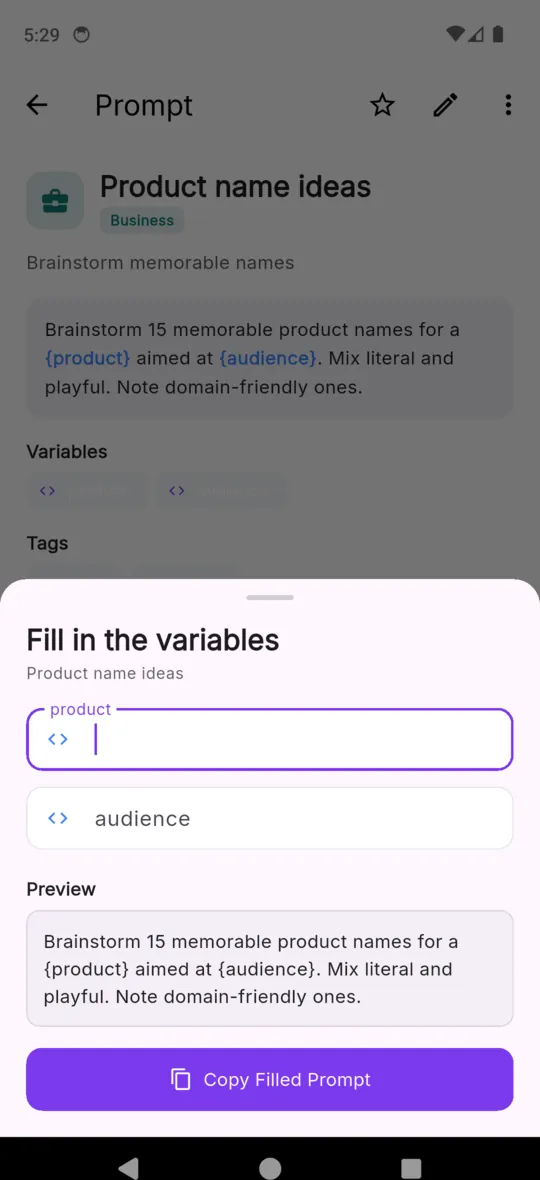
A prompt with no blanks goes straight to the clipboard. One with blanks opens the fill sheet first. Either way it is two taps from opening the app to pasting.
AI PROMPT MANAGER

PromptVault
AI Prompt Manager
You wrote a good prompt once. PromptVault keeps it, holds the blanks open as {variables}, and hands you the filled version on the clipboard. Fifty-five ready-made prompts come with it.

Free to use, ads included.
$4.99 one-time unlock. Android.
HOW A SAVED PROMPT BEHAVES
Anything you wrap in curly braces becomes a blank. This one is Blog Post Outline, straight out of the built-in library: three blanks, one prompt, a different brief every time you use it.
Prompt variables, and how to write themWrite a detailed blog post outline about {topic} for an audience of {audience}. Include an attention-grabbing intro, 5 main H2 sections with 2-3 H3 subsections each, key points to cover under each, and a conclusion with a clear call-to-action. Tone: {tone}.
Write a detailed blog post outline about sourdough starter maintenance for an audience of first-time bakers. Include an attention-grabbing intro, 5 main H2 sections with 2-3 H3 subsections each, key points to cover under each, and a conclusion with a clear call-to-action. Tone: warm and practical.
Paste it wherever you were going to type it. PromptVault does not talk to any AI service, and is not connected to or endorsed by one.
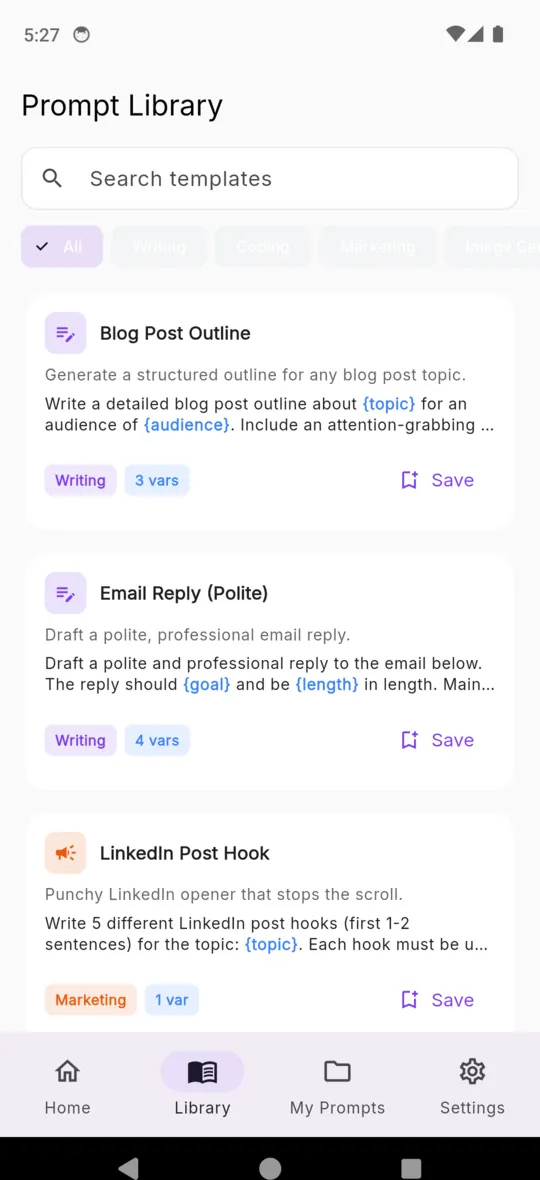
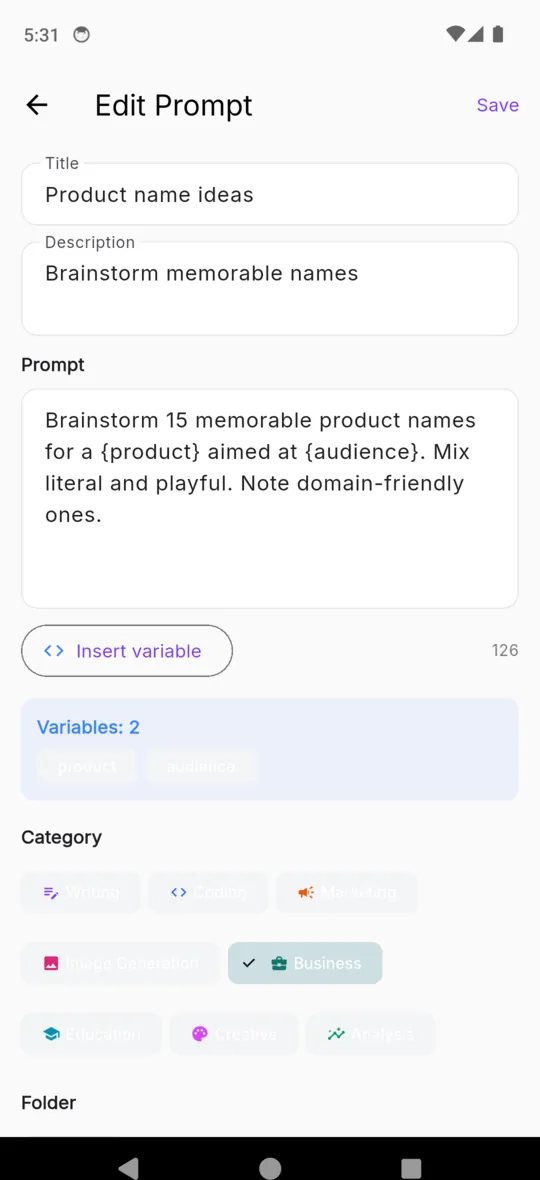
The library ships inside the app, so it opens with no connection. Every one is editable: save it to your collection, change the wording, keep the blanks or add your own.
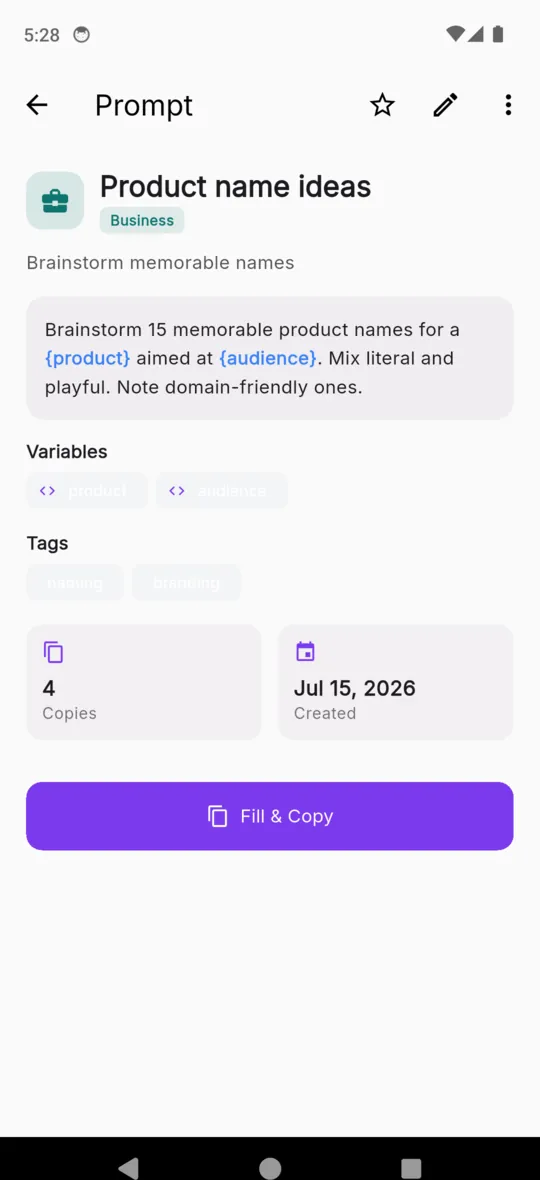
A prompt with no blanks goes straight to the clipboard. One with blanks opens the fill sheet first. Either way it is two taps from opening the app to pasting.
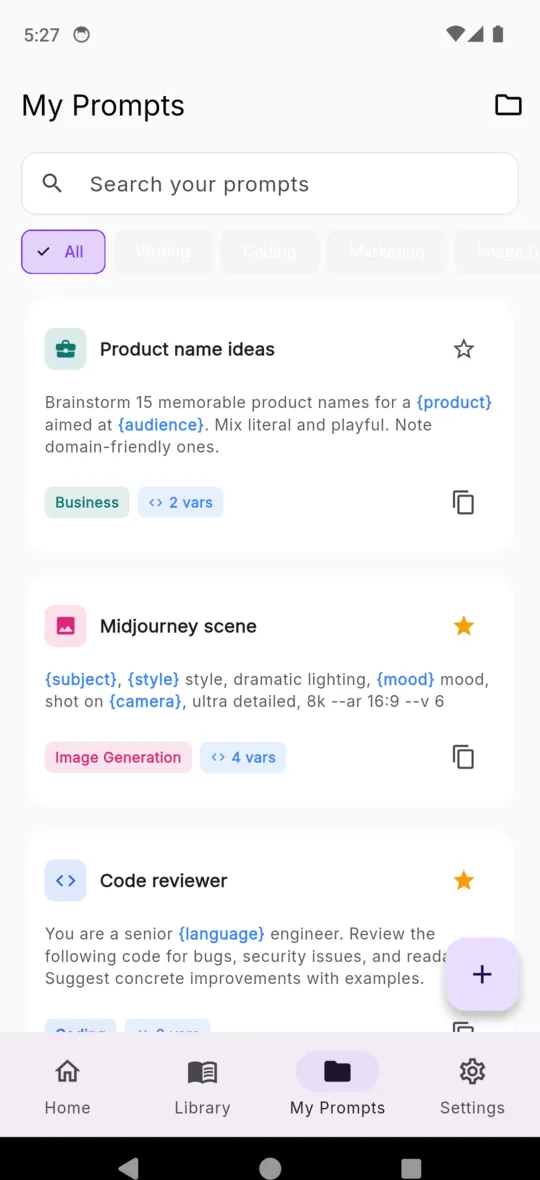
Make your own folders, file each prompt under one of eight categories, and add as many tags as you like. The chips across the top of My Prompts filter by either.
Type and the list narrows as you go, matching the title, the description, the full prompt text and the tags — not just the name you gave it eight months ago.
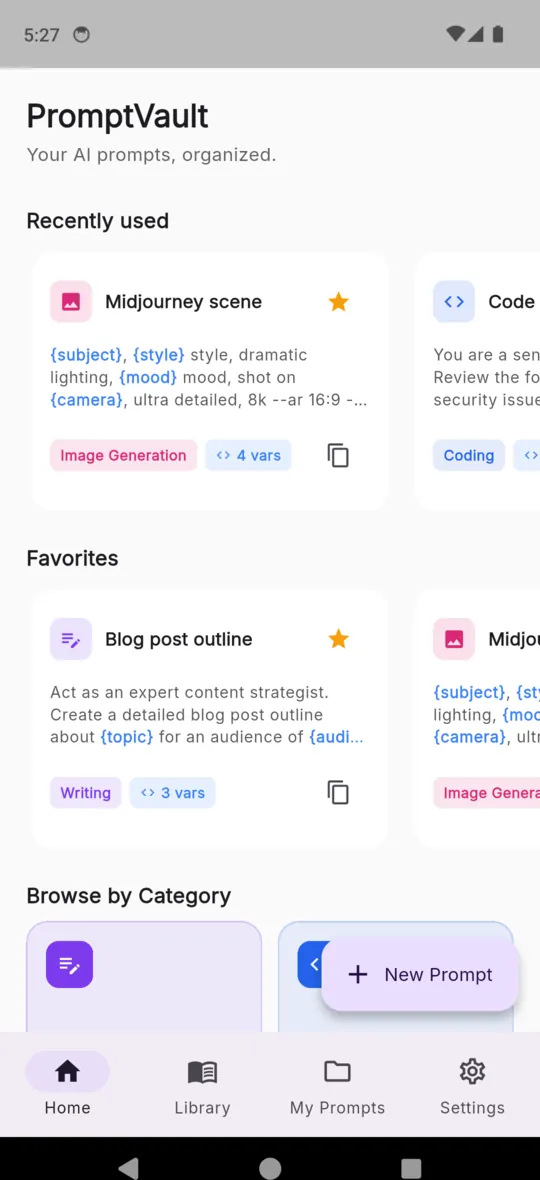
Star the handful you reach for daily and they sit on the home screen. The six most recently copied sit above them, in the order you last used them.
Write the whole collection out as one JSON file you can keep anywhere, and read it back in on a new phone. Part of the $4.99 unlock.
A three-way theme setting. The prompt body renders in a monospaced face in both modes, with the blanks picked out in blue so they are easy to spot.
Scroll sideways, or use the arrow keys
PRICING
$4.99one-time
The app is free to use, with a banner ad and an interstitial on every fifth copy. Fifty of your own prompts are included before the unlock is needed.
No. It is not connected to any AI service and has no affiliation with one. It copies the finished text to your clipboard and you paste it into whichever assistant you use.
Write {topic} or {audience} anywhere in a prompt. When you copy it, PromptVault asks for each one, shows a live preview, and puts the filled version on the clipboard.
Fifty of your own. After that, new prompts need the $4.99 unlock. Prompts you already saved are never locked, hidden or deleted, and the built-in library stays readable.
Fifty-five ready-made prompts across eight categories: Business, Marketing, Coding, Creative, Writing, Analysis, Education and Image Generation. Save any of them and edit the wording.
It works offline and there is no account. Everything sits in a database on the phone. A connection is only used to serve ads before you buy the unlock.
No. $4.99 once, through Google Play. Nothing renews.
Start with the fifty-five that come with it, then add the prompt you keep retyping.