Repeats are asked once
Use {brand} four times and the fill sheet shows one field for it. Your answer goes into all four places.
PROMPT TEMPLATE VARIABLES

PromptVault
Prompt variables
Wrap a word in curly braces and it becomes a slot. PromptVault asks for the slots when you copy, drops your answers in, and hands you the finished text — while the prompt you saved stays exactly as you wrote it.

Free to use, ads included.
$4.99 one-time unlock. Android.
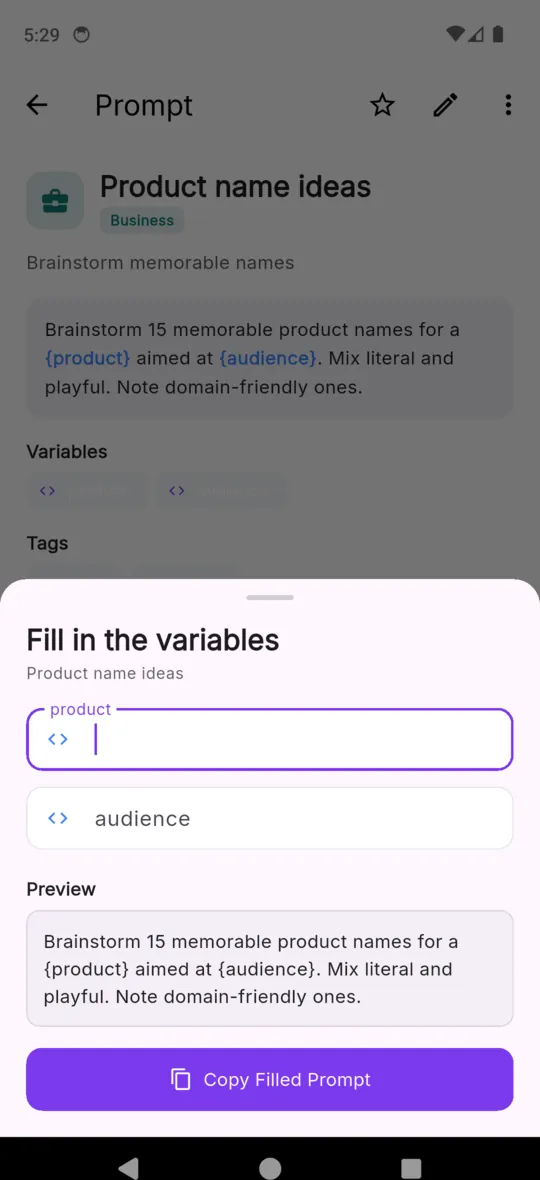
Most of a good prompt does not change. The constraints, the output format, the tone instruction, the bit where you told it not to write an introduction — that is the part that took three attempts to get right, and it is the same every time you use it. What changes is one or two nouns. A variable is simply a way of marking which is which.
The alternative is one of two bad habits. Retyping the prompt from memory loses precisely the structure that made it work, because structure is the part you do not remember. Editing the saved copy in place is worse: last week's brief is gone the moment you overwrite it, and you find out when you need it back. Templating keeps the invariant fixed and lets the variable part be variable.
PromptVault marks a slot with curly braces and a name — {topic}, {audience}, {tone}. It never edits the saved prompt when you use it. Copying is a read; the filled text exists only on your clipboard.
ONE PROMPT, TWO STATES
This one ships inside the app. Three blanks, one prompt, a different brief every time you reach for it.
Write a detailed blog post outline about {topic} for an audience of {audience}. Include an attention-grabbing intro, 5 main H2 sections with 2-3 H3 subsections each, key points to cover under each, and a conclusion with a clear call-to-action. Tone: {tone}.
Write a detailed blog post outline about rescheduling a booking without losing the deposit for an audience of small salon owners. Include an attention-grabbing intro, 5 main H2 sections with 2-3 H3 subsections each, key points to cover under each, and a conclusion with a clear call-to-action. Tone: calm and practical.
Paste it wherever you were going to type it. PromptVault does not talk to any AI service, and is not connected to or endorsed by one.
The parser is deliberately narrow, which is what stops it eating braces you meant literally. A name may contain letters, digits, underscores, hyphens and spaces, and nothing else.
| Written in the prompt | Read as |
|---|---|
| {topic} | A variable named topic |
| {target audience} | A variable named target audience — spaces are fine |
| {tone_of_voice} | A variable named tone_of_voice |
| {step-by-step} | A variable named step-by-step |
| { topic } | A variable named topic — the spaces around it are trimmed |
| {} | Not a variable. Left in the text as written |
| {json.output} | Not a variable — the full stop is not an allowed character |
| {"role": "user"} | Not a variable. JSON in a prompt survives untouched |
Use {brand} four times and the fill sheet shows one field for it. Your answer goes into all four places.
Fields appear in the order the names first show up in the prompt, so filling top to bottom reads the way the prompt reads.
Skip one and the placeholder is copied through unchanged. You paste {tone} and notice, rather than pasting a sentence with a hole in it.
Braces with punctuation inside are not variables, so an example payload in a coding prompt is left alone.
Nothing leaves the phone at any point in that sequence. There is no account, and the app has no connection to any assistant you might paste into.
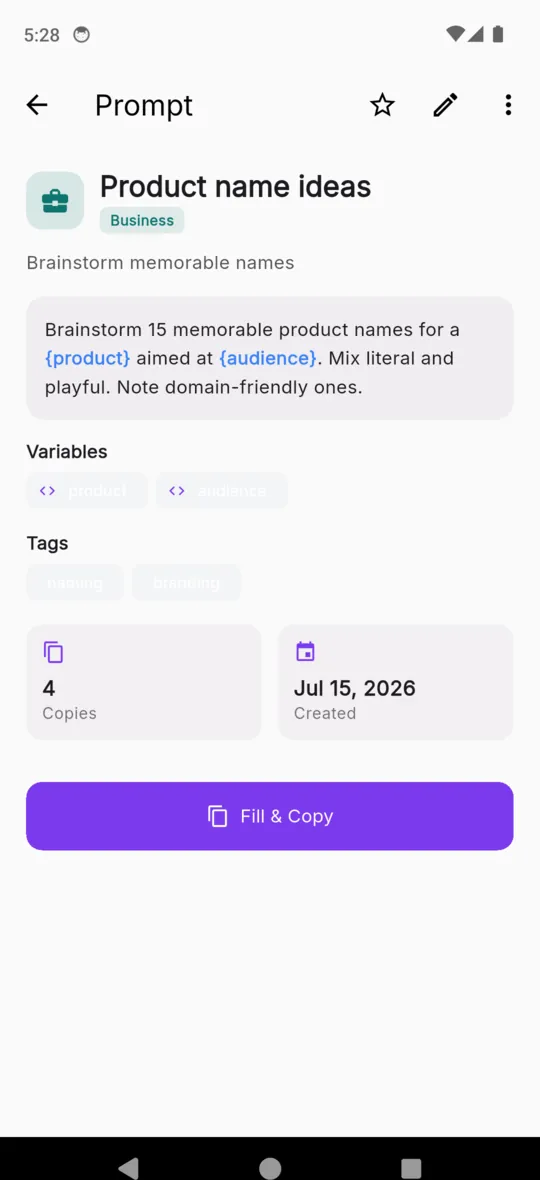
You can type the braces yourself, or use the Insert variable button under the body field in the editor. It asks for a name — the hint offers topic, audience, tone — and drops the braced name in at the cursor. Underneath the field, a panel counts the variables it can see and lists them as chips, which updates as you type, so a mistyped brace shows up immediately as a missing chip rather than a surprise on the fill sheet.
Every one of the 55 prompts that ships with the app has at least one blank — they were written as templates rather than as examples. Counted from the library file itself:
Blanks per prompt
Names that come up most
Number of the 55 bundled prompts that use each name. Language turns up second because the coding and translation prompts all ask which one.
A blank inside a saved prompt. Write a name in curly braces, like {topic}, and PromptVault treats it as something to be filled in later. The prompt itself stays as it was written; each copy is one filling of it.
Letters, digits, underscores, hyphens and spaces. So {topic}, {target audience}, {tone_of_voice} and {step-by-step} all work. Anything containing other punctuation is not read as a variable and is left in the text exactly as you typed it.
You are asked for it once. The fill sheet lists each name a single time, in the order the names first appear, and the value you give is substituted at every occurrence.
The placeholder is left in place. An unfilled {topic} arrives on the clipboard still reading {topic}, so a blank you skipped is visible in the pasted text rather than quietly missing from it.
No. It is not connected to any AI service and has no affiliation with one. The finished text goes to your clipboard and you paste it into whichever assistant you use.
All 55 of them do. Fifteen have one blank, thirteen have two, twenty-one have three, five have four and one has five. Save any of them and you can rename the blanks or add your own.
Fifty-five templated prompts are already in there. Save one, rename its blanks, and see how much of your typing was never the interesting part.