SEPTIC INSPECTION LOG

SepticProof
Septic Inspection Log
Write the system down while the lid is still off.
A septic inspection is one visit to a buried system with a sale waiting on it. There is no going back for the bit you forgot. SepticProof gives you a field for every component you opened, a word for the condition you found it in, and one signed PDF at the end of the driveway.

14-day full trial, no card.
$1.99/mo · $9.99/yr · $24.99 once.

Six things you open, six things you record
The app is not a blank notes field with a septic heading on it. It is the component list itself, in the order you work it, with the option sets already written. You are choosing from words that mean something to the next person to read the file, not typing a paragraph you will regret in two years.
-
01
The tank
Concrete · polyethylene · fibreglass · steel · unknown
Capacity in gallons, and the liquid level written the way you would say it out loud — at outlet invert, above outlet, below inlet. Then scum depth and sludge depth in inches, and a structural condition with room for a sentence about what you saw.
-
02
Inlet and outlet baffles
Intact · deteriorated · missing · not observed
Recorded separately, because they fail separately and a missing outlet baffle is the one that sends solids into the field. Four options, and one of them is an honest admission that you could not see it.
-
03
Distribution box
Satisfactory · marginal · deficient · not observed
Condition plus notes. Whether flow is level across the laterals is the sort of thing you write here, in your own words, while you are still standing over the open lid.
-
04
Drainfield / leach lines
Satisfactory · marginal · deficient · not observed
The component the buyer is really asking about, and the most expensive one to be wrong about. Ponding, soft ground, odour at a lateral — the note field is where it goes, attached to a condition you chose deliberately.
-
05
Pump / lift station
Satisfactory · marginal · deficient · not observed
Present on pressure-distribution, mound and aerobic systems. Same four conditions, same free-text note, kept as its own component so it is never folded into a general remark about the tank.
-
06
Effluent filter
Satisfactory · marginal · deficient · not observed
Small, cheap, and routinely the actual cause of a backup. It gets its own row rather than a footnote, so a clean filter and a clean field are two separate statements in the report.
Systems come in eight types — conventional gravity, pressure distribution, mound, aerobic treatment unit, drip, cesspool, holding tank and other — and you set the type on the inspection, so the file says what you were actually looking at.
Four words, and one of them is “I could not see it”
Every non-tank component takes one of four conditions. There is no pass, no fail and no overall score, because a pass is a claim about the future and this is a record of one afternoon. Nothing is coloured green either — a satisfactory observation is a fact, not a verdict, and the app refuses to dress it up as one.
Satisfactory
Observed, and nothing to report about it. A statement about what you saw on the day.
Marginal
Working, but you would want it looked at. The note field is where the “why” goes.
Deficient
A problem you are naming in writing, with your signature at the bottom of the report.
Not observed
Buried, flooded, no access. The most useful of the four, and the one paper forms usually leave you to fudge with a blank.
BAFFLES USE THEIR OWN WORDS
- IntactIn place and doing its job.
- DeterioratedPresent, degrading, still there.
- MissingGone. Recorded per baffle, inlet and outlet separately.
- Not observedThe tank could not be opened far enough to say.
The refusal you want in writing
A tank that has not been pumped hides its own baffles. When the client says no to a pump-out and the field fails eighteen months later, the argument is about whether you told them and what they said back.
SepticProof keeps that as a record rather than a memory. The Scope tab holds the services you agreed to and the ones you excluded, a decline-to-pump flag, the reason the client gave in their own words, their signature drawn on the phone, and the moment it was signed. All four print inside the report, in their own block, above the findings.
Four states are described in the app’s reference list — Virginia, New Jersey, Arizona and Washington — and the one you set prints on the report. Only New Jersey carries a reporting-window line, and it appears as a note on the inspection. The app files nothing and reminds you of nothing.
Scope of work
- Agreed services
- Tank inspection · Drainfield evaluation · Baffle check
- Exclusions
- No excavation. No dye testing.
Client DECLINED tank pumping for this inspection.
Reason: Buyer declined pump-out; tank serviced 5 months prior.
Client acknowledgment · signed 20 Jun 2026, 09:14
The app itself
Six screens from the shipped build, loaded with sample inspections. Scroll the strip sideways, or tab to it and use the arrow keys.
-
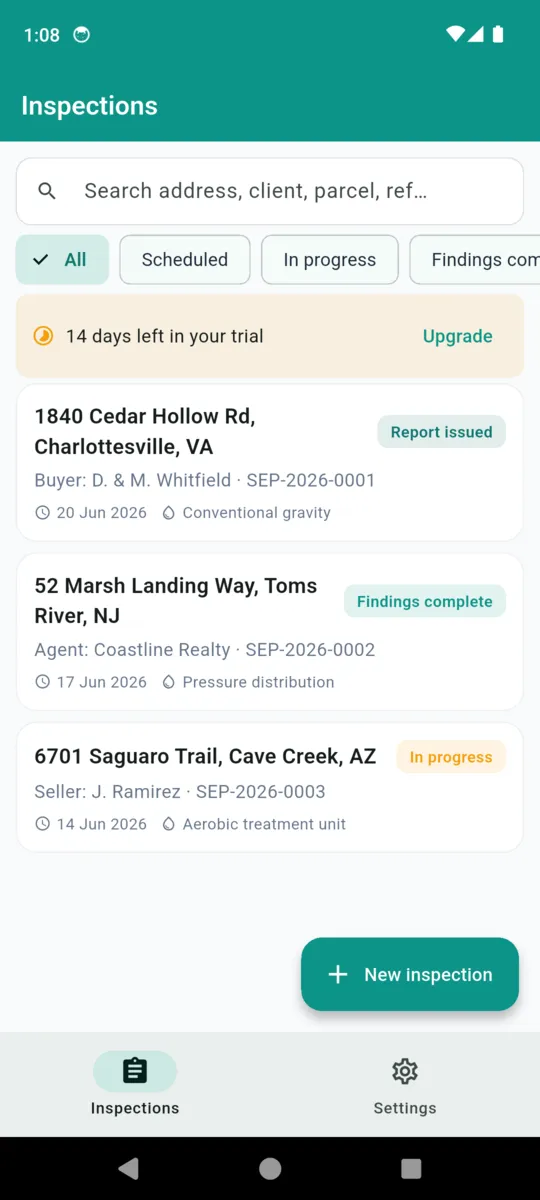
Inspections, filtered by status, searchable by address, client, parcel or reference (sample data) -
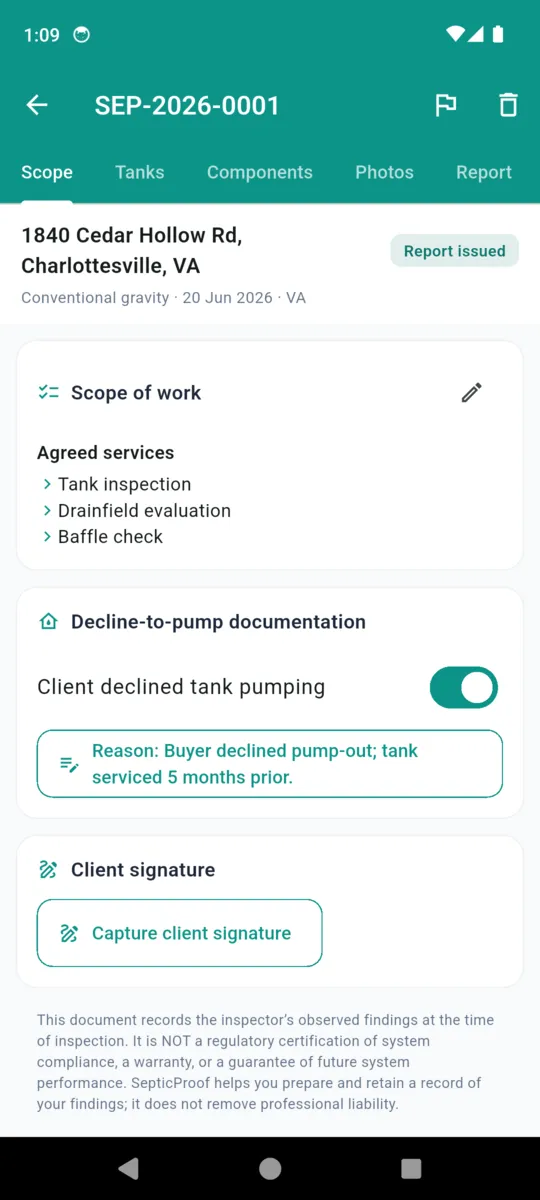
The Scope tab: agreed services, the decline-to-pump record and the client signature (sample data) -
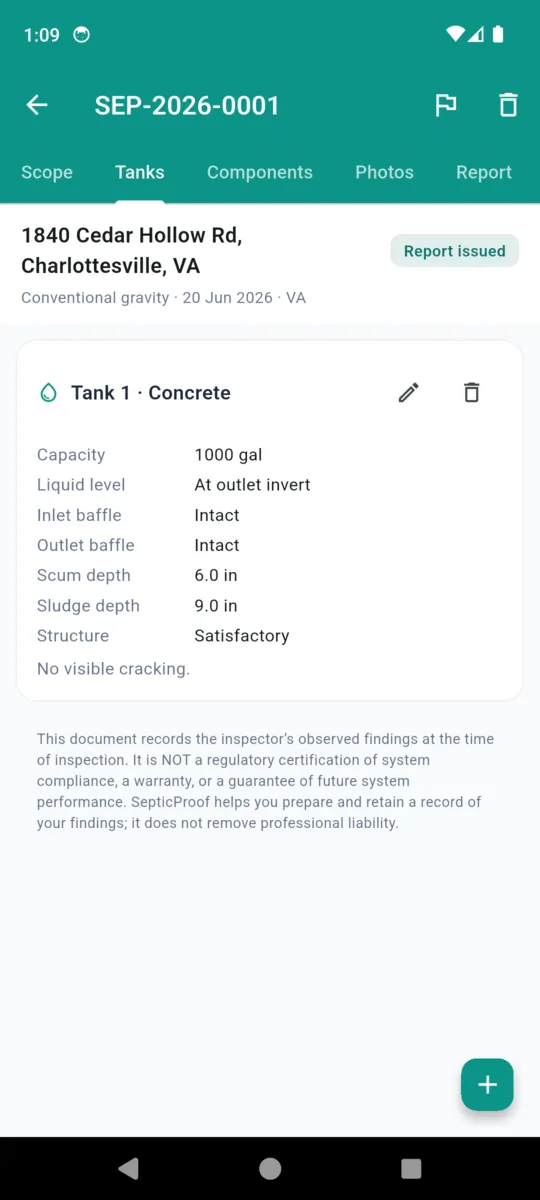
One tank, field by field, down to scum and sludge in inches (sample data) -
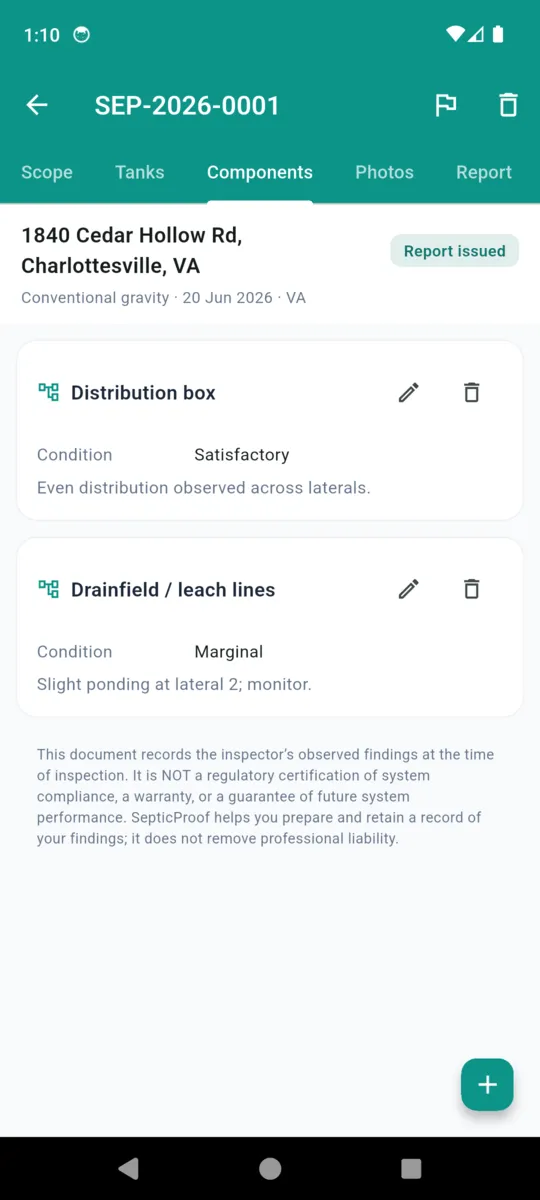
Components, each with its own condition and its own note (sample data) -
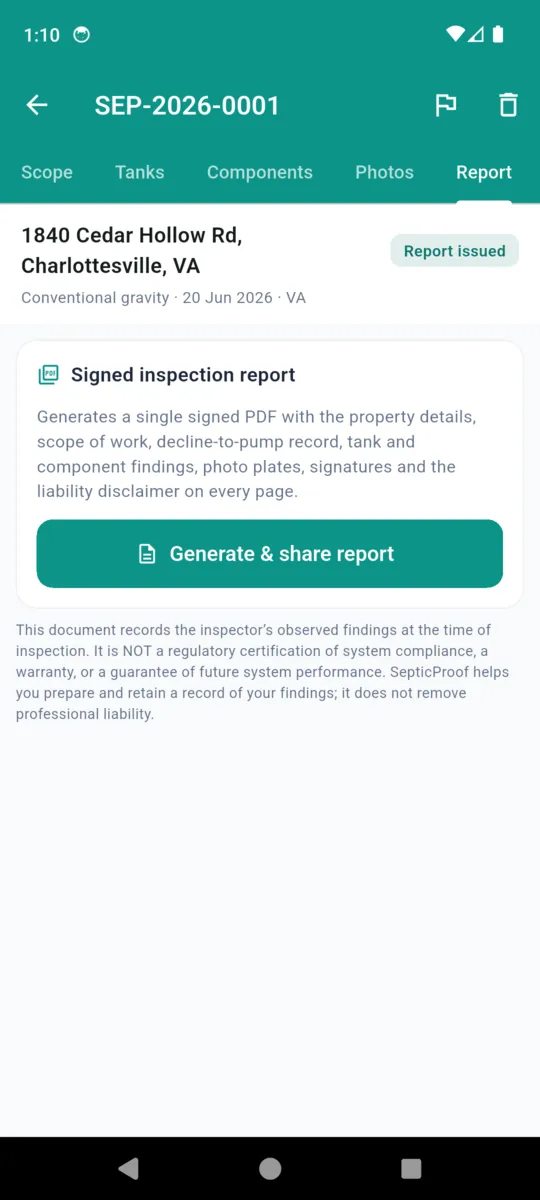
The Report tab. One button, one PDF, straight to the share sheet -
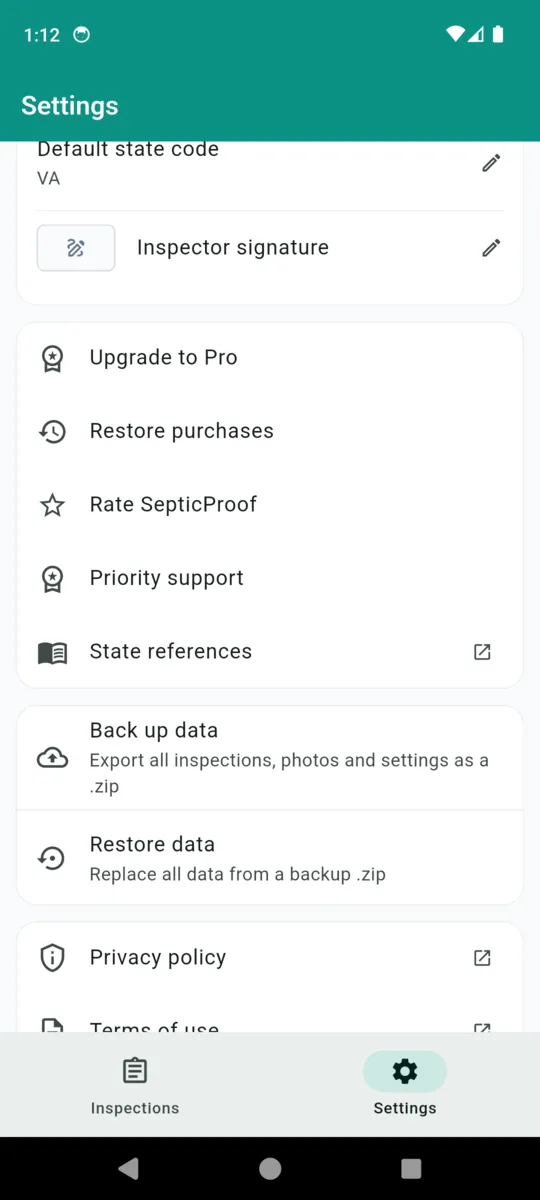
Settings: your signature, the state references, and the backup that is your retention plan
The report, in the order it prints
One button on the Report tab produces one A4 PDF, rendered off the main thread so a long inspection with a dozen photographs does not lock the phone up in someone’s driveway. It leaves through the Android share sheet, and a copy is kept on the device with a version number, so a re-issued report is distinguishable from the first one.
- 1 Cover “Septic / Onsite-Sewage Inspection Report”, the reference number, the date inspected and the status. Then two columns: property address, parcel, system type and state on the left; inspector name, licence number, client or agent and their contact on the right.
- 2 The disclaimer In a bordered box on the cover, before anything else is read. Repeated in small type at the foot of every page thereafter.
- 3 Scope of work Agreed services and exclusions, then the decline-to-pump block, which prints either way — it says the client declined and why, or it says pumping was not declined. Silence is not an option.
- 4 Tank findings One line per tank: type, capacity, liquid level, both baffles, scum, sludge, structure, and your structural note.
- 5 Component findings Distribution box, drainfield, pump and filter, each with its condition and its note, in the order you recorded them.
- 6 Inspector notes and photo plates Your free text, then up to twelve captioned photographs printed as square plates.
- 7 Two signatures Yours with your licence number underneath, and the client’s acknowledgment of the scope with the date they signed it.
Septic / Onsite-Sewage Inspection Report
Transfer-of-title inspection record
SEP-2026-0001
Inspected: 20 Jun 2026, 09:40
Status: Report issued
Property
Address: 1840 Cedar Hollow Rd, Charlottesville, VA
System type: Conventional gravity
State: Virginia (Ch. 24.2)
Inspector / Client
Inspector: R. Calloway
License #: OSE-VA-4821
Client / agent: Buyer: D. & M. Whitfield
Scope of work
Agreed services: Tank inspection; Drainfield evaluation; Baffle check
Client DECLINED tank pumping for this inspection.
Reason: Buyer declined pump-out; tank serviced 5 months prior.
SepticProof - Report v1Generated 20 Jun 2026, 11:02Page 1 of 4
The report, sample data
What SepticProof does not do
Worth knowing before you install it rather than after. None of this is on a roadmap page pretending to be a feature list.
- It does not use GPS. Photographs are taken with the camera, compressed on the device and captioned by you. The app never asks for the location permission and no coordinates are recorded anywhere.
- It does not remind you of anything. There are no notifications and no scheduled alerts. Reporting deadlines and retention periods are yours to keep track of.
- It does not file, certify or check compliance. Nothing is submitted to a state or county, no rule is enforced on a field, and no finding is validated against a code. It records what you wrote.
- There is no cloud and no sync. Everything is on that one phone. The backup .zip in Settings — a JSON manifest plus the real photo and signature bytes — is your retention plan, and it only exists if you make it.
- English only, and on Google Play. No translations. Not all of our apps are on both platforms.
- It does not remove professional liability. That sentence is the app’s own, printed under every record and on every page of every report it makes.
What it costs
Fourteen days of everything when you install, with no card. After that the free tier keeps two inspections and shows a banner ad on the list screen.
What paying changes is the count and the ads. It does not unlock features held back from you: the tank and component findings, the decline-to-pump record, the signature capture, the photographs, the PDF report and the backup are all in the app either way. Inspections you have already written stay readable and every report stays re-exportable, whatever happens to the subscription.
Get SepticProofFULL ACCESS
- Monthly$1.99
- Yearly$9.99
- Lifetime, one payment$24.99
- Unlimited inspections
- No ads
- Nothing renews on the lifetime price
- Existing inspections never lock
Questions
Short answers, and honest ones about the gaps.
Does a SepticProof report satisfy my county or health department?
It does not promise to. The app records what you observed and lays it out as a report. Whether that meets a given jurisdiction is a question for that jurisdiction, and the app does not judge it for you.
What is the decline-to-pump record?
A flag, the client’s stated reason, a signature and the time it was signed. When a client refuses a pump-out before the inspection and the field fails afterwards, it is the part of the file that matters.
Does it work with no signal?
Yes. Everything runs on the phone, including generating the PDF. There is no account, no sign-up and no server, so a rural yard with one bar behaves exactly like your kitchen table.
Are photos location-stamped?
No. Photos are taken with the camera, compressed on the device and captioned by you. SepticProof does not use GPS at all and never asks for the location permission.
What is actually in the PDF?
Cover with the property, system type, inspector and licence, then the disclaimer, then scope of work with the decline-to-pump block, tank findings, component findings, your notes, up to twelve captioned photo plates, and two signature lines.
What happens to my inspections if I stop paying?
Nothing is hidden or deleted. Every inspection you already wrote stays readable and every report stays re-exportable. Only creating a third new inspection is gated.
Can I get my data out?
Yes, from Settings. Back up data writes one .zip holding a JSON manifest of every record plus the actual photo and signature bytes, and Restore reads it back on a new phone.
This document records the inspector’s observed findings at the time of inspection. It is NOT a regulatory certification of system compliance, a warranty, or a guarantee of future system performance. SepticProof helps you prepare and retain a record of your findings; it does not remove professional liability. Background reading for inspectors is collected on the SepticProof resources page, and the ClearStack privacy notice covers what the app stores.
Take it to the next lid
Install it before the morning’s inspection, fill it in over the open tank, and send the report before you have left the property.