SNAG & PUNCH LIST

SiteInspect
Snag it, report it, before you leave site
Anyone can write a snag list. The trick is closing one.
SiteInspect tracks every item through open, fixed and verified, keeps the after photo tied to the before photo that prompted it, and prints the whole thing as a branded PDF while you are still on site.

Fourteen days free from your first project.
Android. No ads, no account.
Three states, because two is where lists go to die
Most snag apps give you a tick box. A tick box cannot tell you whether the plumber said it was done or whether you went back and saw it done. SiteInspect keeps those apart.
- OPEN
You found it
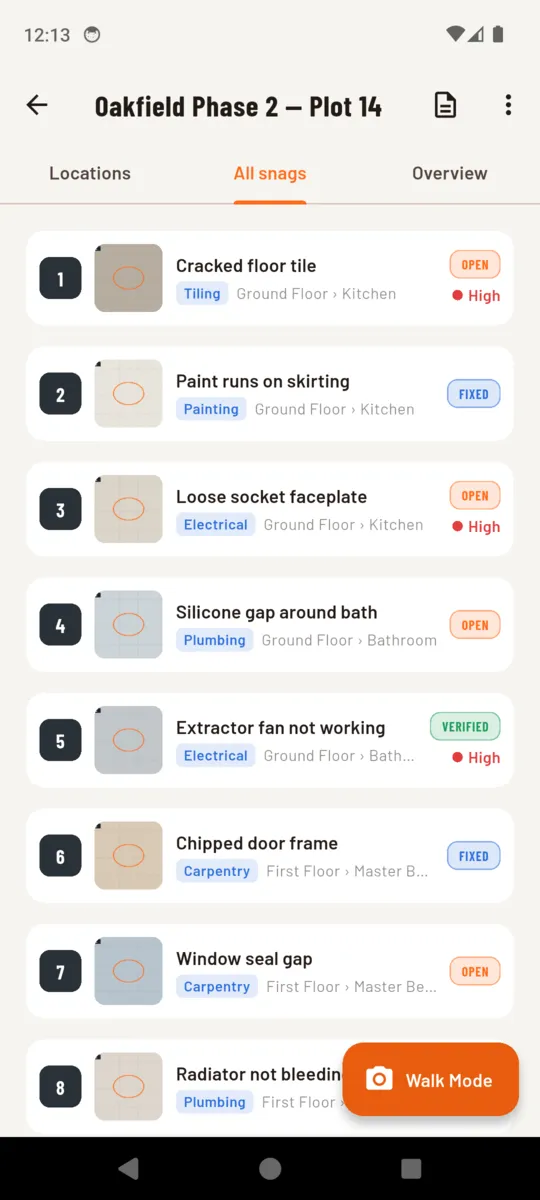
Photo, a line of description, the location it sits in, the trade responsible, a priority and, if it matters, a due date and who it is on.
- FIXED
The trade says it is done
Somebody has been back and marked it. That is a claim, not a fact, and the list keeps it separate from one you have checked.
- VERIFIED
You went back and looked
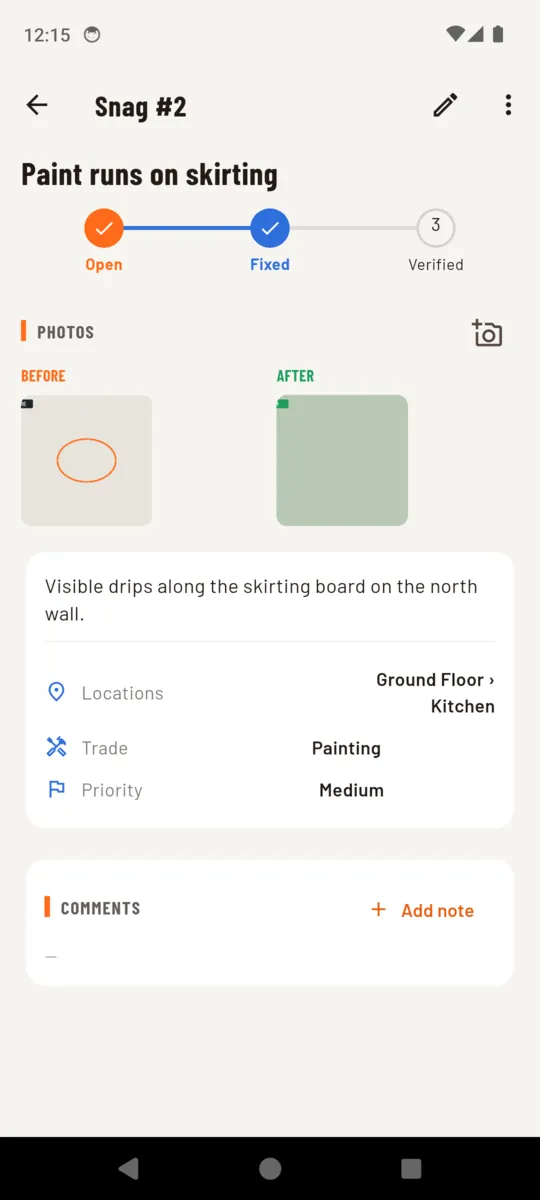
An after photo goes on, paired to the before shot, and the item closes with a date on it. Only now does the ring on the project move.
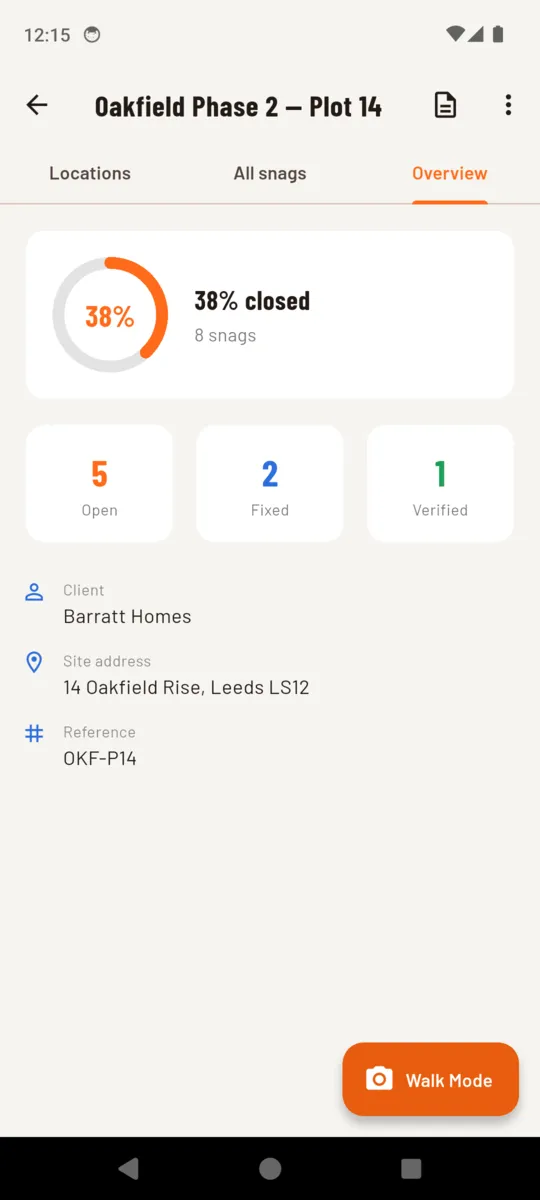
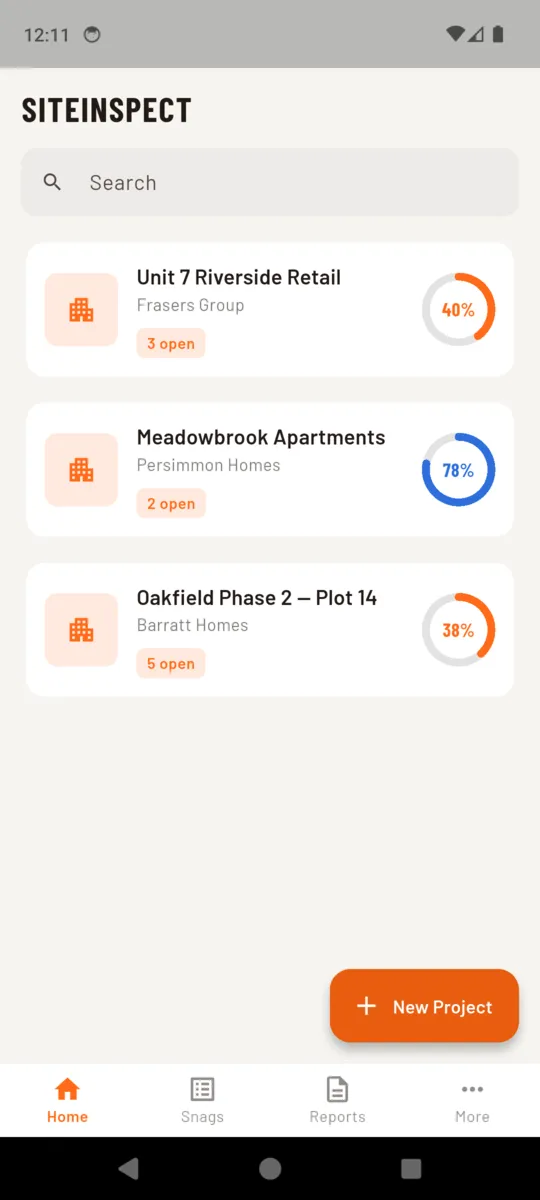
The ring on a project counts only what reached verified, so the number on the home screen is the number you can defend in a handover meeting. Call them punch items if that is your word for it — the term is a setting, and the three states work the same way either side of the Atlantic.
SiteInspect as a punch list appThe after photo knows which before photo it answers
A folder of site photos is not evidence of a fix. It is two hundred images and a memory. When you close an item, the shot you take is linked to the original, so the pair moves together for good.
On the phone they sit side by side under the status stepper. In the report they print in the same frame under BEFORE and AFTER, on the entry for that item, with the location and the trade beside them.
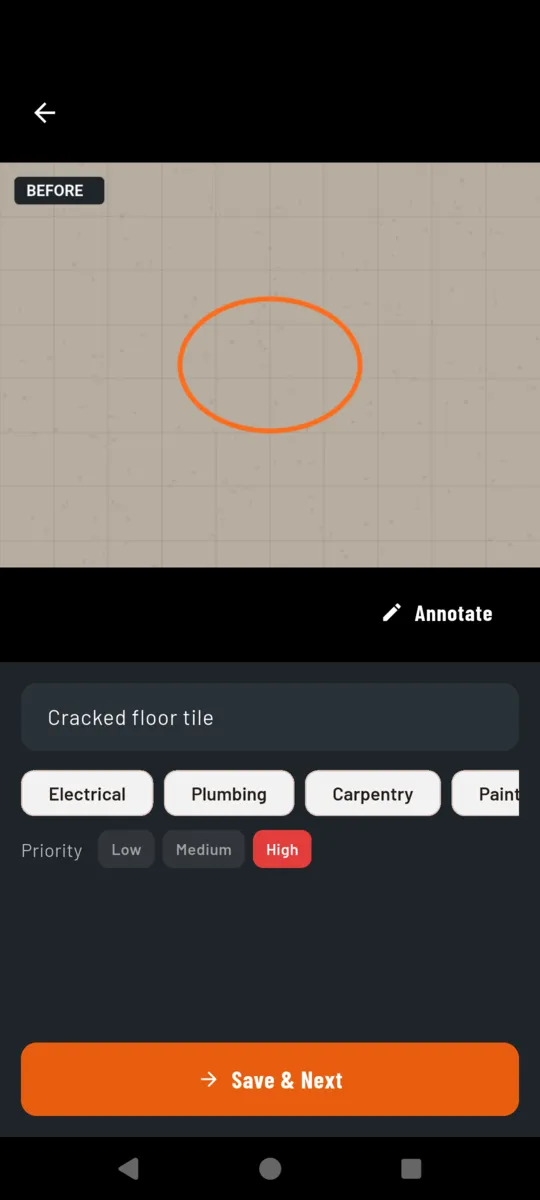
Mark-up happens before saving, while you are still standing at the thing. Circle the crack, save, next.
Walk Mode is one loop you do not leave
Opening a form per snag is what turns a forty-minute walk into an afternoon. Walk Mode keeps the camera live and the location pinned, and cycles.
- 1Shoot the defect
- 2Circle it if it needs circling
- 3Name it, tap the trade, set the priority
- 4Save & Next, camera is already back
The room you are in stays pinned at the top until you change it, so a whole floor goes in without re-picking a location. At the end it tells you how many items you caught and how long the walk took. A walk in progress is never interrupted by anything.
Tagged by trade, so the list can be cut up
Nine trades are there from the first launch, and you can add your own. Tagging is one tap during capture, and it is what lets the report split.
Instead of sending every subcontractor the whole list and hoping they find their eleven items, produce a report per trade, or per person it is assigned to. Each one gets their sheet and nobody else's.
- Electrical
- Plumbing
- Carpentry
- Painting
- Tiling
- Roofing
- Groundworks
- Cleaning
- Other
- + your own
The report, set up in about a minute
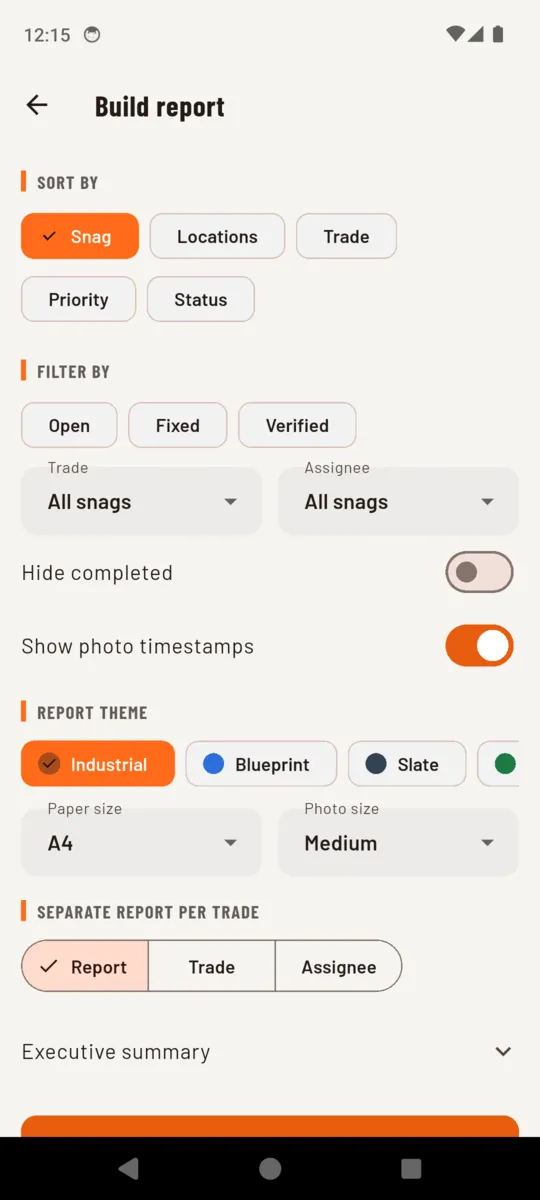
The cover carries the project, the client, the site address, your reference, the date and the item count. Then one entry per item with its location, trade, assignee, priority, status and photos. It ends with a summary, your closing comments and a signature.
The same list also exports to Excel — a row per item with its description, location, trade, assignee, priority, status, photo count and comments — for anyone who wants to pivot it rather than read it.
- Sort by
- item number, location, trade, priority or status
- Filter by
- open, fixed or verified — or hide everything already done
- Split into
- one report, or a separate report per trade or per assignee
- Theme
- Industrial, Blueprint, Slate or Forest
- Paper
- A4 or Letter, with small, medium or large photos
- Photos
- timestamps printed on them, or not
- Ending
- an executive summary, closing comments and a signature block
The app itself
Scroll sideways, or use the arrow keys
Pricing
- The trial starts at your first project. Not at install. Fourteen days that begin when you actually walk a job.
- No ads anywhere in it. There is no advertising code in the app. A banner has no business inside a client walkthrough.
- Your work stays readable. Past the free limits you cannot add more, but nothing already recorded is hidden, and the backup file is yours to take.
- Lifetime is a real option. One payment, permanent, and future versions are included.
MOST PEOPLE PICK
$19.99a year
Or $3.99 a month, or $49.99 once and never again. About one snag list's worth of rework, either way.
- Unlimited projects and items
- All four report themes, no footer
- Per-trade and per-assignee reports
- Excel export
Without paying: two projects, fifteen items in each, and reports in the Industrial theme with a small SiteInspect footer.
Get SiteInspectQuestions
What is the difference between fixed and verified?
Fixed is what the trade says. Verified is what you saw with your own eyes on the re-inspection. Keeping them apart is the point — a list that only has open and closed hides who checked.
How do before and after photos stay together?
An after photo is linked to the before photo it answers, so the pair travels together in the app and prints side by side on the report under BEFORE and AFTER labels.
Does it need a signal on site?
No. Projects, photos and reports all live on the phone and the PDF is built there too. There is no account and nothing to sign into.
Can I call them defects or punch items instead of snags?
Yes. The word is a setting. Type whatever your trade uses and it changes through the app and in the printed report.
What comes out at the end of a walk?
A PDF with a cover carrying the project, client, site address, reference, date and item count, then one entry per item with its location, trade, assignee, priority, status and photos, plus a summary, closing comments and a signature block.
What does the free version do?
Two projects and fifteen items in each, with reports in the Industrial theme carrying a small SiteInspect footer. Everything you have already recorded stays yours to read and export.
When does the trial start?
When you create your first project, not when you install. Site work is lumpy, so an app sitting on the phone for three weeks before the first job does not burn the fourteen days.
Is it in my language?
The app is translated into Arabic, Chinese, English, French, German, Hindi, Japanese, Korean, Portuguese and Spanish.
A SiteInspect report is a documentation aid. It does not constitute a professional survey, a structural assessment or a statutory inspection, and the app prints that line on the report itself.
Send the report from the car park
Walk it, tag it, build the PDF and share it before you have driven off. Fourteen days free, starting the moment you open the first project.