PESTICIDE SPRAY LOG

TurfLog icon

TurfLog

A record per application, and the copy to hand over

The spray is over in ten minutes. The record outlives it by years.

TurfLog holds one record per application: what you put down, at what rate, under what EPA registration number, on which site, in what weather, and who held the licence. It prints the customer copy from the same record.

Fourteen days free, everything unlocked.
Android. Works with no signal.

  • Trades & Job Sites
  • Android
  • Fully offline
  • No account needed
The TurfLog launch screen: a spray nozzle over grass with the words TurfLog, Pesticide Spray Log

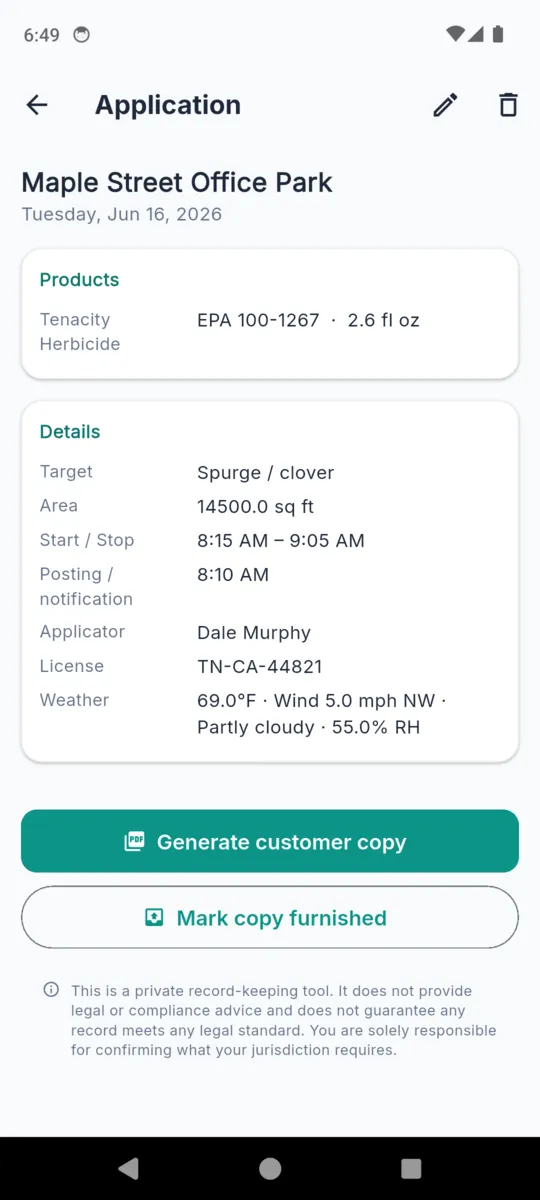
This is the document, field for field

Not a summary of it. These are the exact rows the customer copy prints, in the order it prints them. If a field is blank on the phone, it is blank on the paper — the app never fills one in for you.

Weather is typed in by the applicator on the job. TurfLog has no forecast connection and never guesses a reading.

Application Record Greenline Turf Care
Date
Tue, 16 Jun 2026
Site
Maple Street Office Park
Address
90 Maple St, Nashville, TN
Applicator
Dale Murphy
License
TN-CA-44821
Target
Spurge / clover
Area treated
14,500 sq ft
Start / Stop
8:15 AM – 9:05 AM
Posting / notification
8:10 AM
Weather
69 °F · Wind 5 mph NW · Partly cloudy · 55% RH

Products applied

Product EPA Reg. No. Rate Amount
Tenacity Herbicide EPA 100-1267 0.18 fl oz 2.6 fl oz

Notes and photos print underneath. Add as many product lines as the tank had in it.

The app keeps count of who is still owed a copy

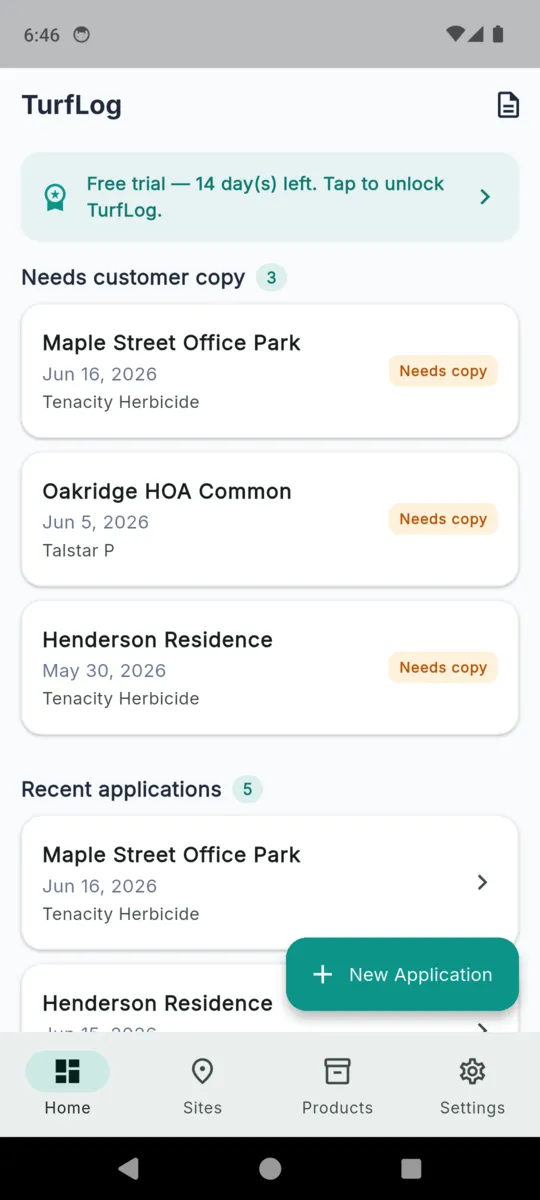
Handing the customer their copy is the part that gets forgotten in the truck between stops. TurfLog opens on a list of the applications that have not had one yet.

Generate the copy and it drops off the list. Or tap Mark copy furnished if you left a printed sheet on the door, and the app logs the date and how it went out. That log sits on the record, so months later you can see the copy went out and when.

Get TurfLog
The TurfLog home screen listing three applications under the heading Needs customer copy, each with an orange Needs copy tag

Two pieces of paper come out of it

FOR THE CUSTOMER

The application copy

One application, printed in full: site and address, times, target, area, applicator and licence, weather, every product line with its EPA number and rate, your notes and your photos. Your business name, address and phone sit at the top.

FOR YOUR FILES

The annual record

Pick a date range and TurfLog builds every application inside it into one PDF, grouped by site with the product table under each. Useful at renewal time, and it stays available on the free tier.

What a pesticide application record has to contain

The rest of it

Products you already use

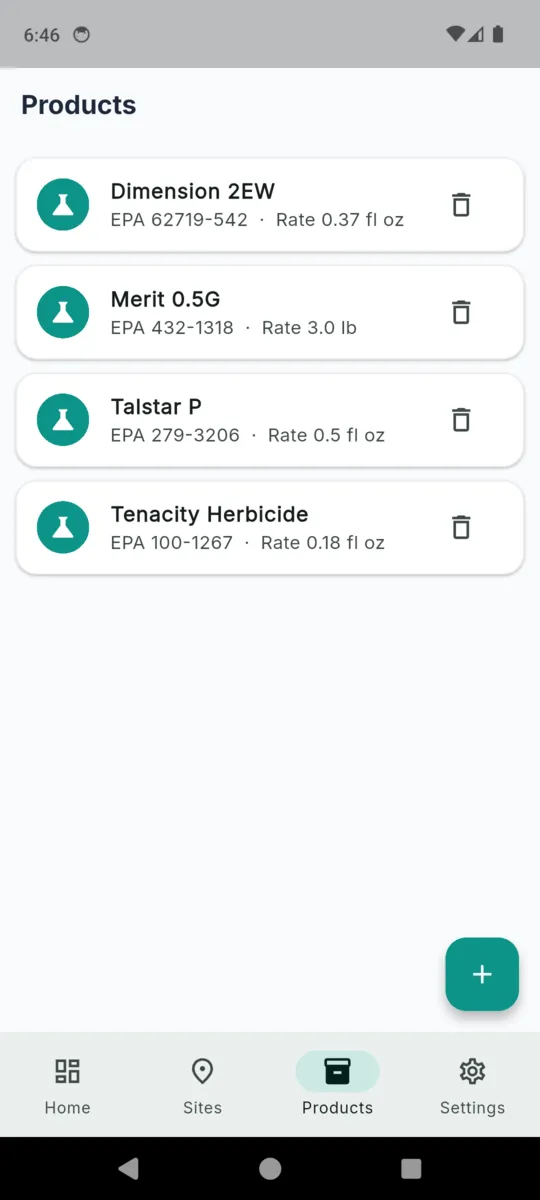
Save a product once with its EPA registration number, rate and unit, and pick it off the list next time instead of copying digits off a jug in the sun.

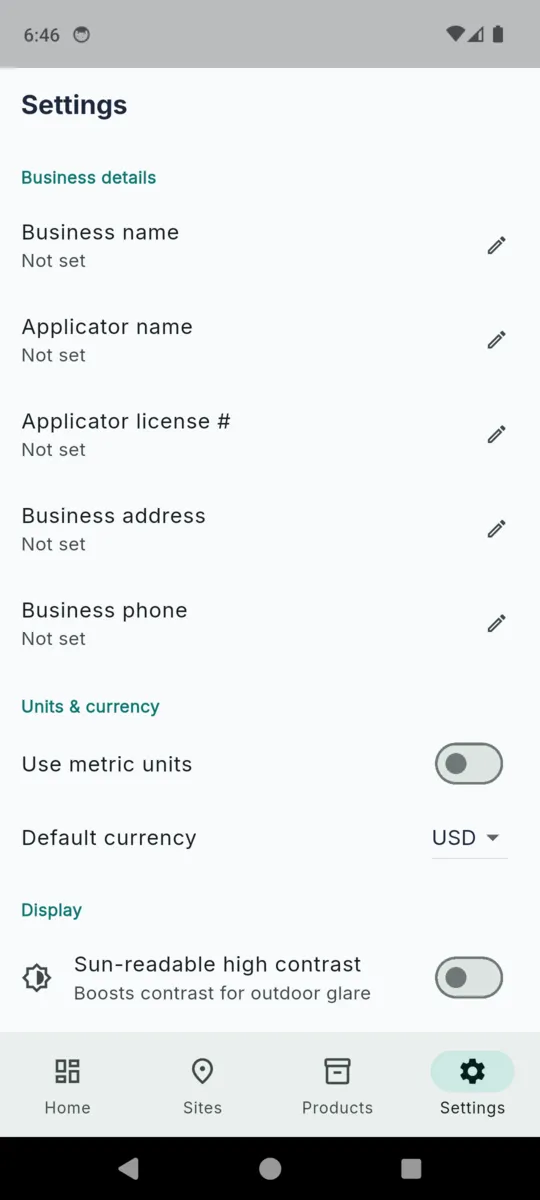
Your licence, carried through

Business name, address, phone, applicator name and licence number are set once in settings and land on every record and every PDF.

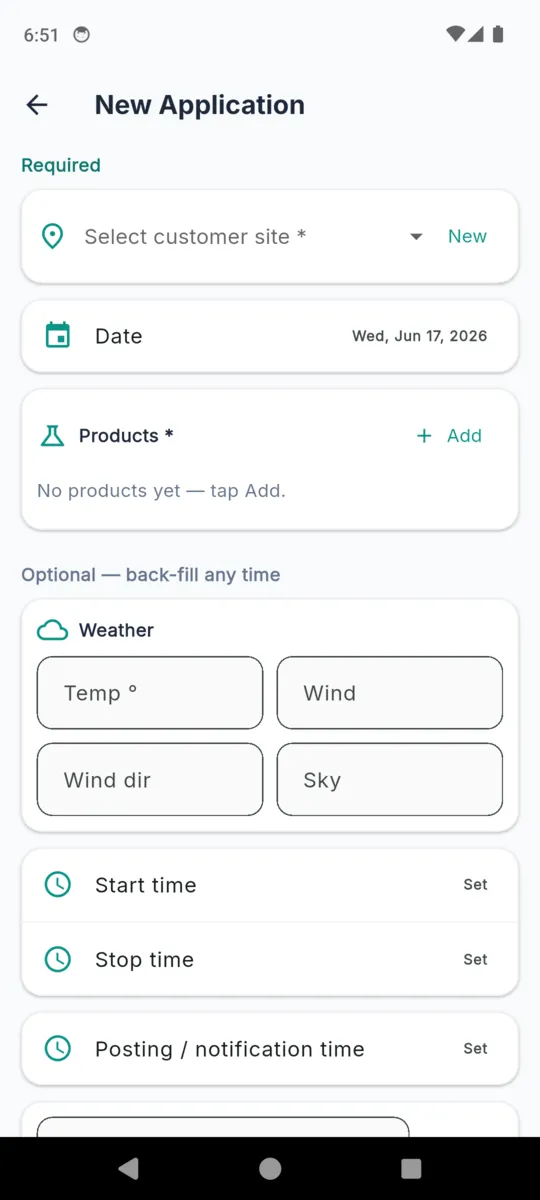
Required first, optional after

Site, date and product are the only things the form insists on. Times, weather, area, target and notes can be back-filled that evening.

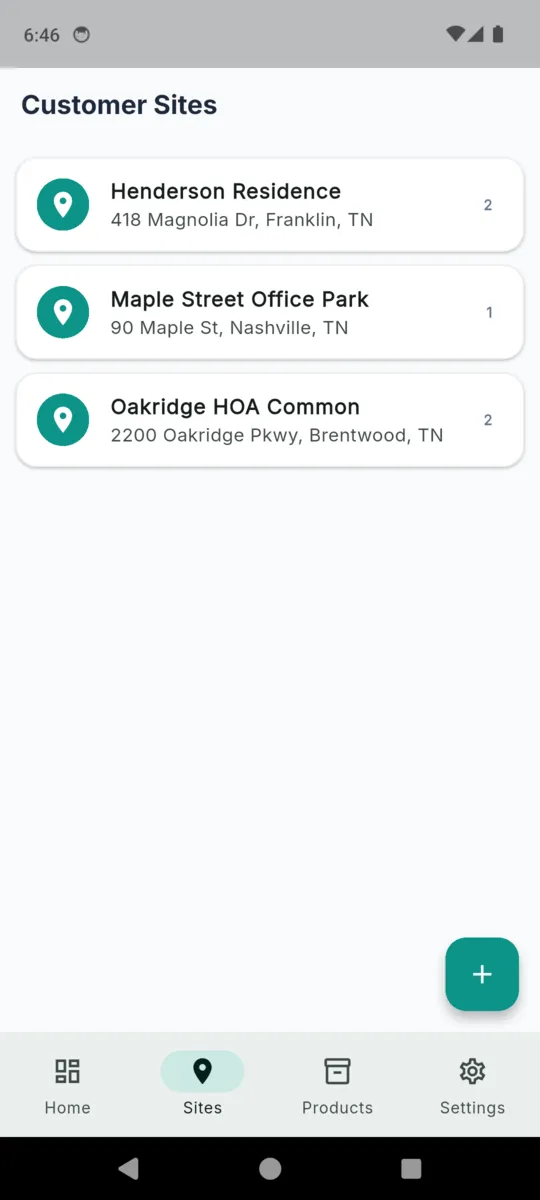
A history per property

Every site keeps its own list of applications, so when the customer asks what went on the back lawn in April you are two taps away from the answer.

Readable in the sun

A high-contrast mode deepens the ink and brightens the surfaces for phones being read outdoors at midday. Tap targets are sized for gloves.

Imperial or metric

Square feet and acres, or square metres and hectares. Fahrenheit and mph, or Celsius and kph. Set the currency for the site while you are there.

The app itself

Scroll sideways, or use the arrow keys

A completed TurfLog application record showing the product with its EPA registration number, target pest, area treated, start and stop times, posting time, applicator, licence and weather
One finished application record
The TurfLog home screen with three applications flagged as needing a customer copy above a list of recent applications
The needs-a-copy queue on the home screen
The TurfLog products list with four saved products, each showing its EPA registration number and saved rate
Saved products with their EPA numbers
The new application form in TurfLog with a required section for site, date and products and an optional section for weather and times
Required first, optional afterwards
The TurfLog customer sites list showing three properties with their addresses and application counts
Customer sites and their history
TurfLog settings with business name, applicator name, applicator licence number, address and phone, plus metric units and a sun-readable high contrast toggle
Details that auto-fill every record

What it will not do

A pesticide application record can be looked at by someone with the authority to ask. That makes it worth being blunt about where this app stops.

  • It does not know your jurisdiction's rules, and does not check a record against them.
  • It does not validate a rate or read a label. The EPA registration number and the rate are text you type.
  • It does not fetch weather, calculate a re-entry interval, or work out a posting requirement.
  • It does not file anything with anyone. The PDFs go where you send them.

This is a private record-keeping tool. It does not provide legal or compliance advice and does not guarantee any record meets any legal standard. You are solely responsible for confirming what your jurisdiction requires.

Pricing

  • Fourteen days, everything on. No card, no sign-up. The trial starts when you install.
  • Free tier keeps working. Three customer sites and twenty-five application records, with ads.
  • Records are never locked. Past the limit you cannot add a new one, but everything already written stays readable, editable and exportable.
  • Paying removes the ads. Any of the three options does it, including the one-time one.

MOST PEOPLE PICK

$9.99a year

Or $1.99 a month if you only spray in season. Or $24.99 once, which never renews and never asks again.

  • Unlimited sites and records
  • No ads
  • Customer copy and annual PDFs
  • Saved products and site history
Get TurfLog

Questions

What goes into one application record?

Date, site, start and stop time, posting time, target pest, area treated, applicator name and licence number, weather, notes, photos, and a line per product with its brand name, EPA registration number, rate, amount and dilution.

Does TurfLog make my records compliant?

No. It is a private record-keeping tool. It holds the fields you type and prints them tidily. Which fields your state, province or country requires, and whether a record satisfies them, is on you to confirm.

Does it check the product label or the rate?

No. There is no product database and no rate validation. The EPA registration number and the rate are free text you enter, so the label in your hand stays the authority.

Does it fetch the weather for me?

No. Temperature, wind speed, wind direction, sky and humidity are typed in on the job. Nothing is guessed and nothing is filled in from a forecast.

Will it work in a yard with no signal?

Yes. Everything is stored on the phone, including the PDFs. The only thing that needs a connection is an ad on the free tier.

What happens to my records if I stop paying?

They stay. Existing records remain readable and editable, and both PDF exports keep working. The free limits only apply to creating new sites and new applications.

Can I get a copy of a whole season out of it?

Yes. The annual record builds a date-range PDF of every application across all your sites, and that export is available whether or not you have paid.


Write it down before you pull off the drive

Site, product, rate, done. The copy for the customer comes off the same record, and the season's file builds itself.