Players and parents
One record per player with the parent who pays attached, plus jersey number, position, medical notes and a photo consent toggle. Searchable, and exportable to CSV.
TEAM FEES & ROSTERS

ClubDues
Club dues, rosters and attendance
ClubDues keeps the roster, takes the register, and turns a player and a price into a card link you send to their parent. Every charge is made on a Stripe account in the club's own name, so the money is the club's from the moment it clears.

30 days free, no card.
$19 a month after that.
ONE PAYMENT, END TO END
Five stages, and the app is only in the room for the first three. After that it is Stripe and the club's own bank, which is the whole point.
Every player carries the parent who pays: name, email, phone. Tap Collect a payment on their record.
One of your saved dues plans — monthly, weekly, yearly or a one-off — or type an amount and say what it is for.
ClubDues mints a Stripe checkout link and opens your share sheet. WhatsApp, text, email, the team group — whatever you already use.
A Stripe card page in their own browser. Nothing to install, no ClubDues login, and the service fee is its own line rather than a surprise.
The charge sits on the club's Stripe account and Stripe pays out to the club's bank. The payment shows up in Money with its status.
A monthly plan becomes a Stripe subscription once that first payment goes through, and renews on its own afterwards. Payout timing is set by Stripe and the club's own account settings, not by ClubDues.
1% plus 30 cents on every payment collected. It is the same on every plan and there is no tier where it goes away. The only choice is who carries it.
| What you charge for | Price | Fee | Parent pays |
|---|---|---|---|
| Registration fee | $45.00 | $0.75 | $45.75 |
| Monthly membership | $89.00 | $1.19 | $90.19 |
| Season fee | $250.00 | $2.80 | $252.80 |
Parent pays is the default, where the fee is added as a visible service fee line. Turn pass-through off in Settings and the parent pays the price in the second column while the fee comes out of the club's share instead. Stripe's own card processing fee is separate and sits under the club's agreement with Stripe.
Six screens, two of which have a page of their own. The other four are described here and nowhere else, because there is not enough to say about them to justify a page.
Payment links, recurring subscriptions, the fee in detail, and what happens when a card fails. The long version of the five stages above.
Collecting club dues onlineA checkbox per player, filtered to one squad, back-fillable for any day in the past year, and exportable as 90 days of CSV.
Team attendance for coachesOne record per player with the parent who pays attached, plus jersey number, position, medical notes and a photo consent toggle. Searchable, and exportable to CSV.
Squads exist to narrow things down. Filter the roster to the U12s, take the register for one team, and see how many are in each.
Your prices, saved once. Monthly, weekly, yearly or one-off. The amount and the billing period are fixed when a plan is created, because Stripe holds the price.
Invite another coach or the treasurer. Billing actions stay with whoever holds that permission, so a coach can take the register without touching money.
Scroll sideways, or use the arrow keys
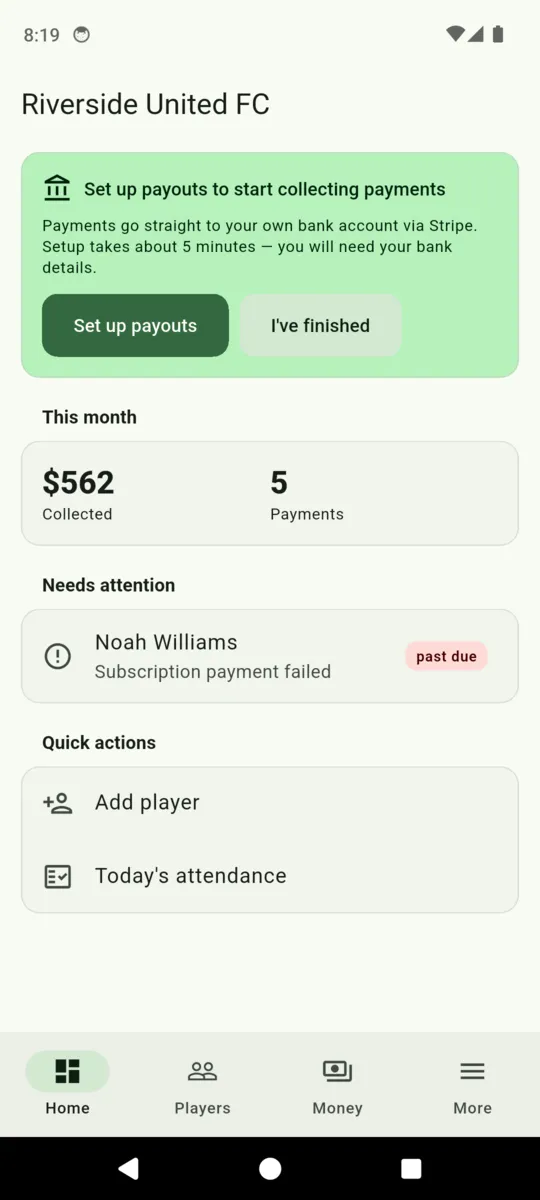
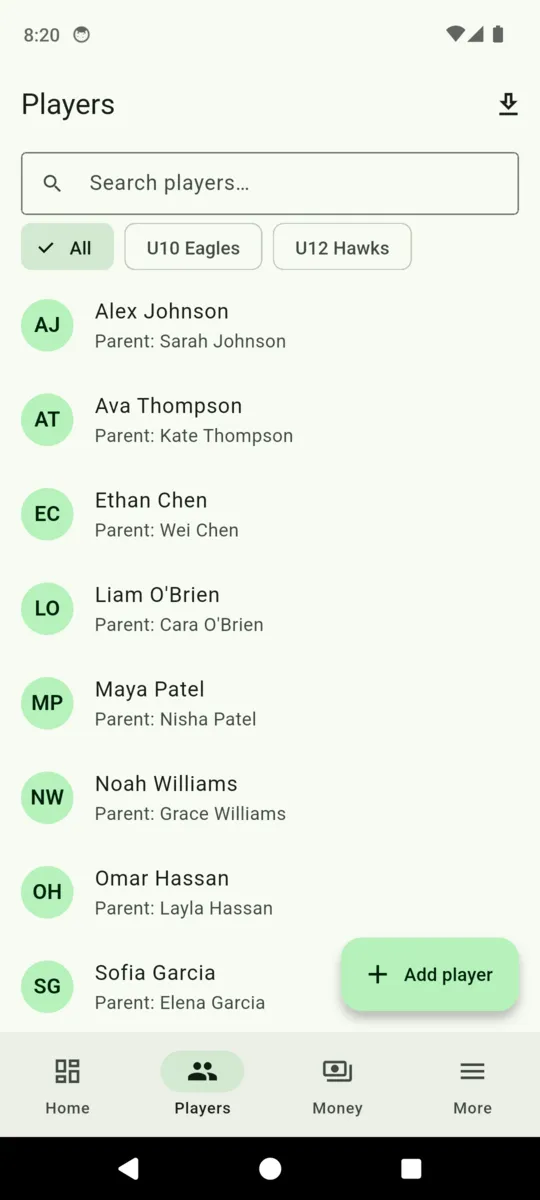
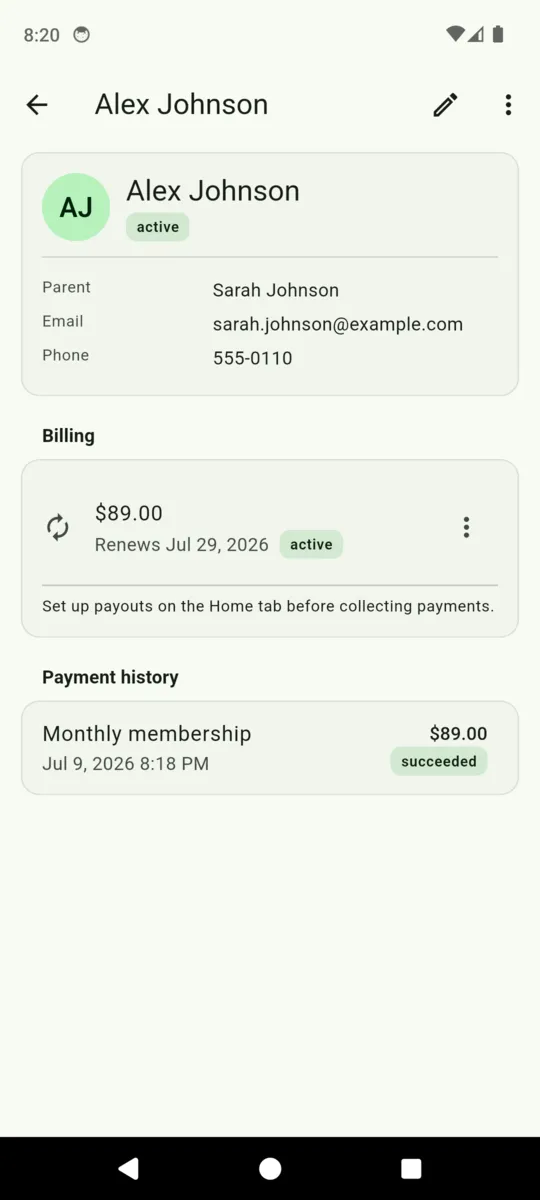
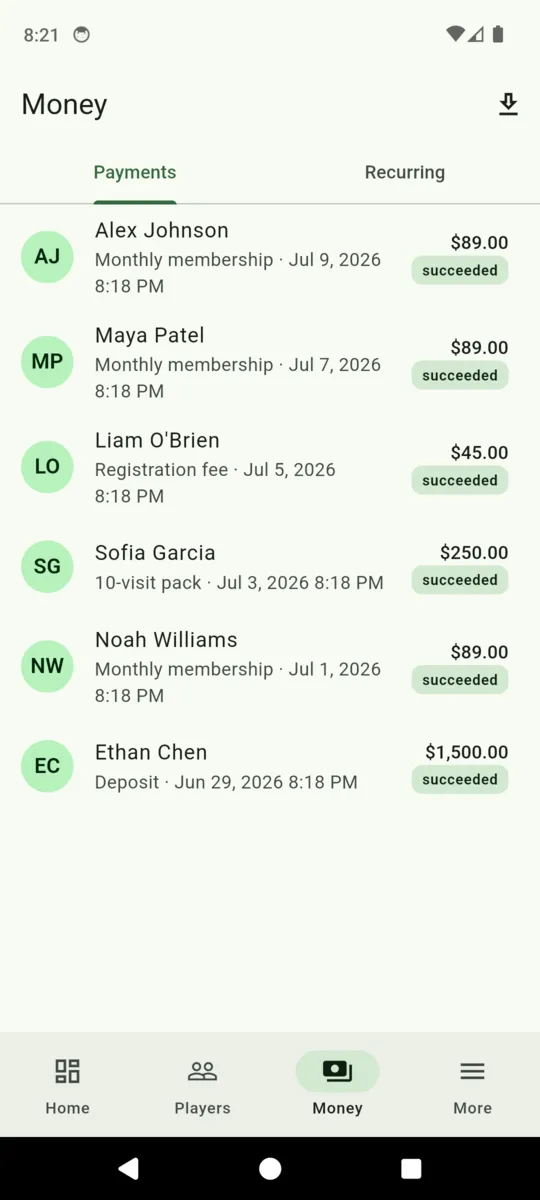
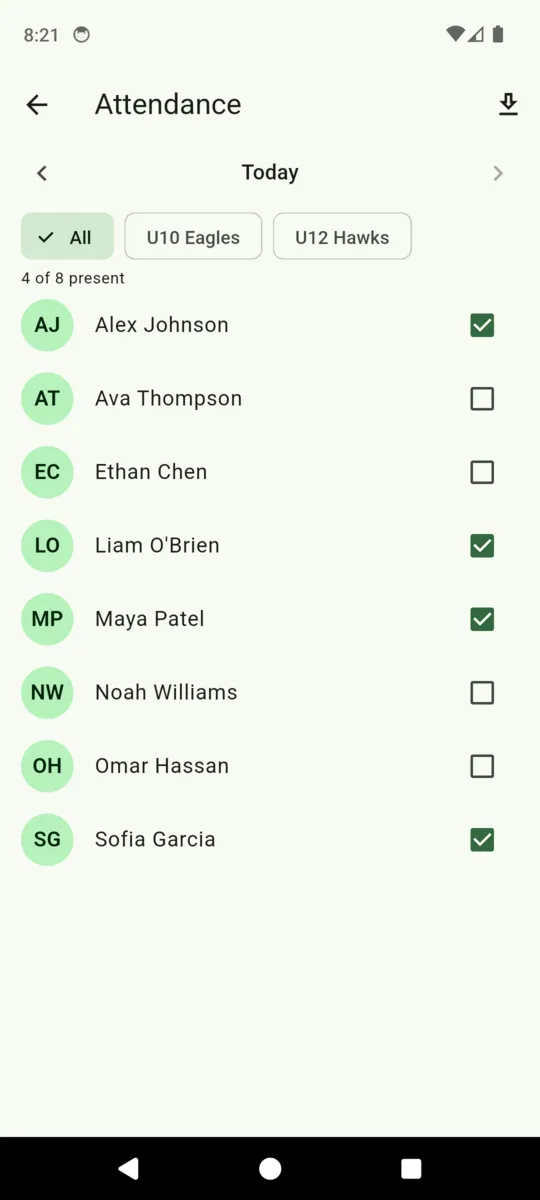
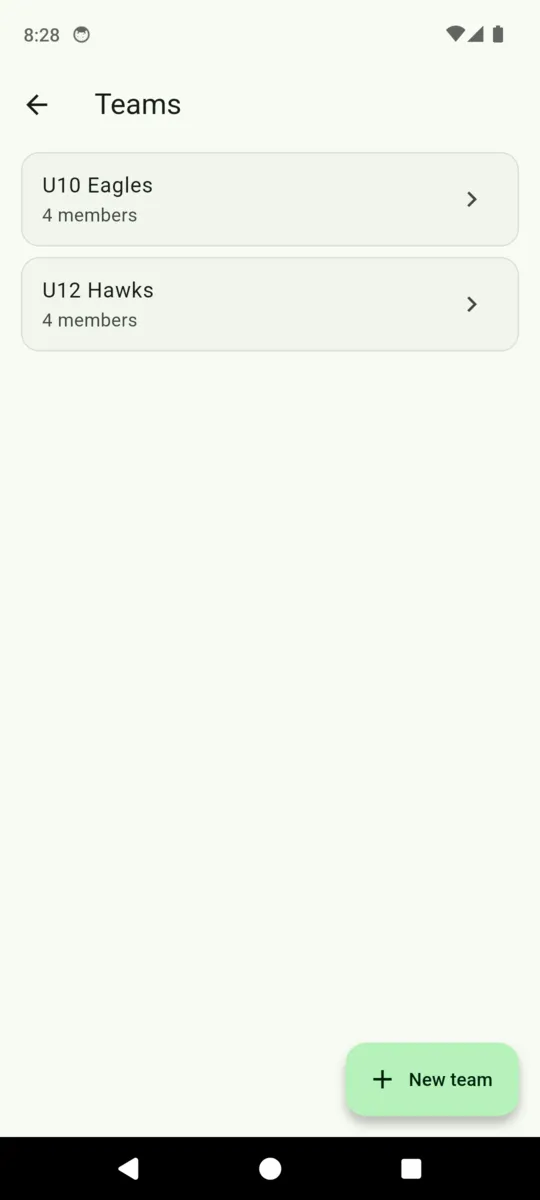
The club, the players and the figures in these captures are demo data loaded for the screenshots. None of it is a real club's takings.
BEFORE YOU SWITCH
Better known now than in week three. None of this is a roadmap promise deferred; it is simply not in the app.
No reminder emails, no dunning sequence, no automatic card retries. A failed payment shows up under Needs attention and waits for you.
The roster and the register live in the cloud so every member of staff sees the same thing. With no signal at the pitch, take the register when you have one.
There is no parent portal and no parent app. They receive a link and see a Stripe page. Everything else stays with the club.
No ClearStack balance, no escrow, no payout from us. Charges are made on the club's own Stripe account, and Stripe pays the club directly.
A plan can be monthly, weekly, yearly or one-off. Prepaid packs that count down as a player attends are not part of ClubDues.
Present or not present, per day. There are no sign-in and sign-out times, and no staff initials against a child's row.
PRICING
$19per month, per club
Thirty days free to begin with, and no card asked for during them. One club per subscription, with as many players, teams and staff as the club has.
Plus1% + $0.30 on each payment collected, which you can pass to the parent or absorb.
Get ClubDuesYou open the player, pick what you are charging for, and ClubDues hands you a link through the share sheet. Send it however you already message parents. It opens a Stripe card page in their browser.
The club's. ClubDues creates a Stripe account in the club's name and every charge is made on it, so the money is the club's from the moment the card clears. ClearStack never holds a balance.
$19 a month for the club after a 30-day trial with no card, plus 1% and 30 cents on each payment. A $250 season fee carries $2.80.
Your choice. Out of the box it is added to the parent's total as a separate service fee line. Switch it off in Settings and it comes out of the club's share instead.
Yes. A monthly plan becomes a Stripe subscription once the parent has completed the first payment, and it renews until one of you cancels it.
No. It does not send reminders, retry cards or email anyone. A failed payment appears under Needs attention on the dashboard, and chasing it is your job.
Neither. A parent never logs in to ClubDues. The only thing they see is a Stripe payment page in their own browser.
The United States, Canada, the United Kingdom, Australia, New Zealand and Ireland — the countries Stripe supports for this kind of account.
Add a squad, connect Stripe, and send one parent a link. Thirty days, no card, and the club's Stripe account stays the club's either way.