01
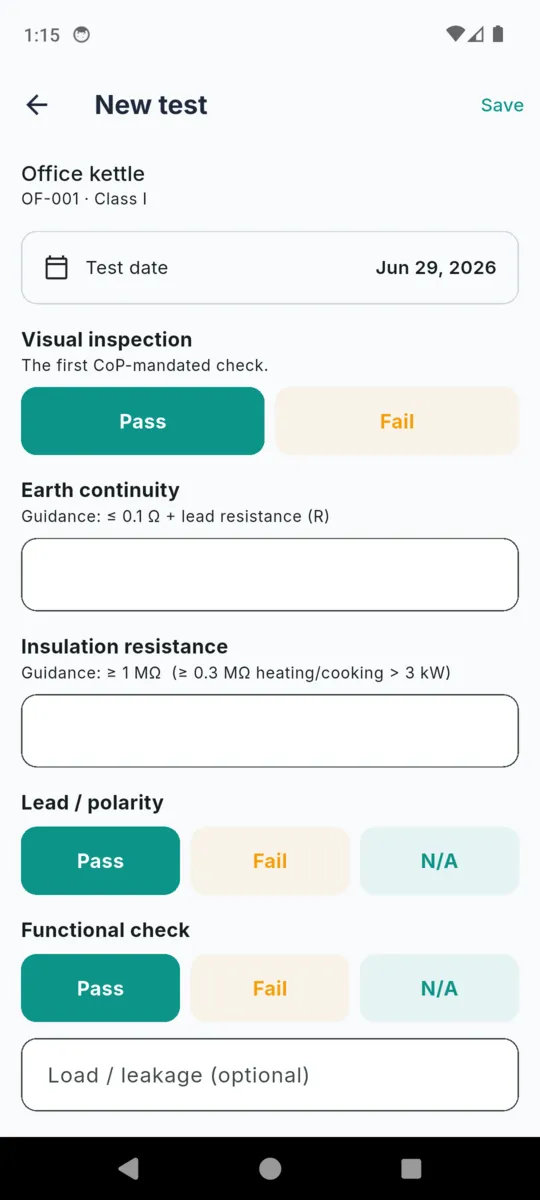
Visual inspection
Pass · Fail · N/A
First, as the Code of Practice has it. Damaged flex, cracked casing, the wrong fuse, a plug that has been got at.
PAT TESTING LOG & CERT

PATBook
PAT Testing Log & Cert
PATBook is where the readings land. Type the earth continuity and the insulation resistance straight off your instrument at the socket, record your own PASS or FAIL, and the certificate and asset register come out of the phone at the end of the job. No laptop back at the office, no account, no signal needed.


£2.99/mo · £29.99/yr · £24.99 once on Android.
An optional 14-day trial on Android, started when you choose, no card.
A portable appliance test comes down to a visual inspection and a couple of meter readings. PATBook lays the form out in that order and prints the Code of Practice guidance figure directly under the fields that take a number, so you are not checking it against a laminated card on the van dashboard.
01
Pass · Fail · N/A
First, as the Code of Practice has it. Damaged flex, cracked casing, the wrong fuse, a plug that has been got at.
02
0.04 Ω
Guidance shown in the app: ≤ 0.1 Ω + lead resistance (R)
Asked for on Class I only. Class II and Class III appliances never see the field.
03
4.2 MΩ
Guidance shown in the app: ≥ 1 MΩ, and ≥ 2 MΩ on Class II
The figure moves with the class, and with heating or cooking loads over 3 kW. The app swaps the line for you.
04
Pass · Fail · N/A
Lead polarity, then the switch-on check, with an optional load or leakage reading in milliamps if you take one.
05
PASS / FAIL
You enter it. PATBook stores it against the appliance and carries it onto the certificate. It never works the result out from the readings, and it is not trying to.
Each test also keeps the appliance class as it stood at the time, the retest interval you chose, the next due date, your name, notes, photos, and a free-text field for the instrument you used.
PATBook has no cable, no Bluetooth pairing and no download step. That is a deliberate limitation, and it is why it works: a twenty-year-old meter, a borrowed one, a hire unit from the wholesaler and next year's replacement all produce the same record, because you are the one reading the display.
It also means the record outlives the instrument. Type the make, model or serial into the test and it appears on the certificate as the instrument used, which is the part an auditor asks about long after the meter has been sold on.
Both are built on the phone and shared straight from it. Neither is a template you fill in afterwards; they are rendered from the tests you logged that day.
One row per appliance, carrying its latest test.
Failed rows are tinted so they are not missed on a printout.
What a PAT test certificate has to carryPDF + CSV
The full inventory for the site, sorted by what falls due first.
On the standard tier both PDFs carry a small “made with PATBook” watermark.
Captures from the shipped build, filled with sample records.
Scroll sideways, or use the arrow keys
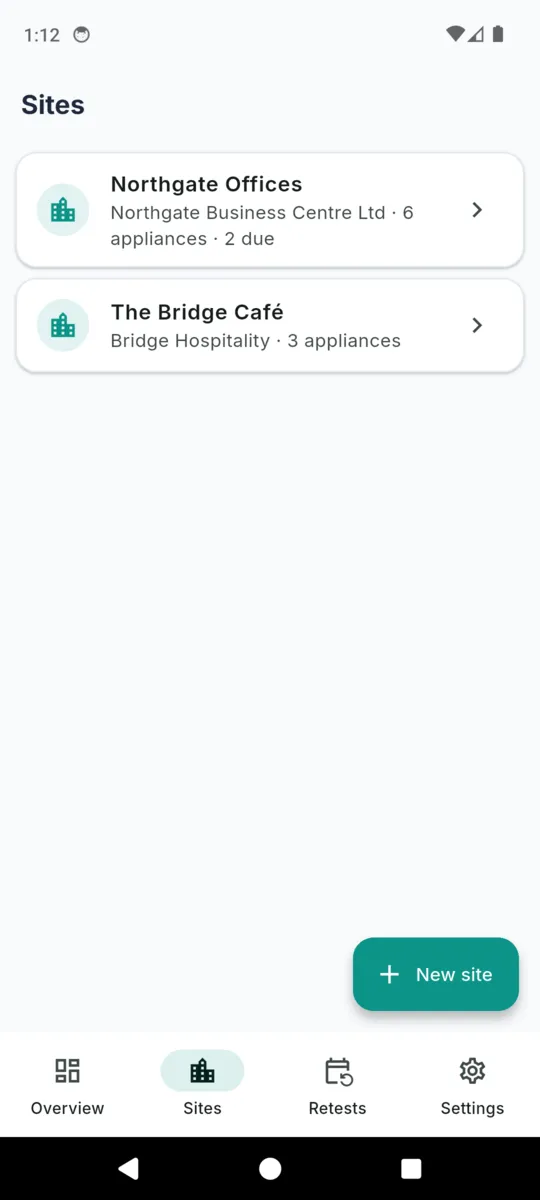
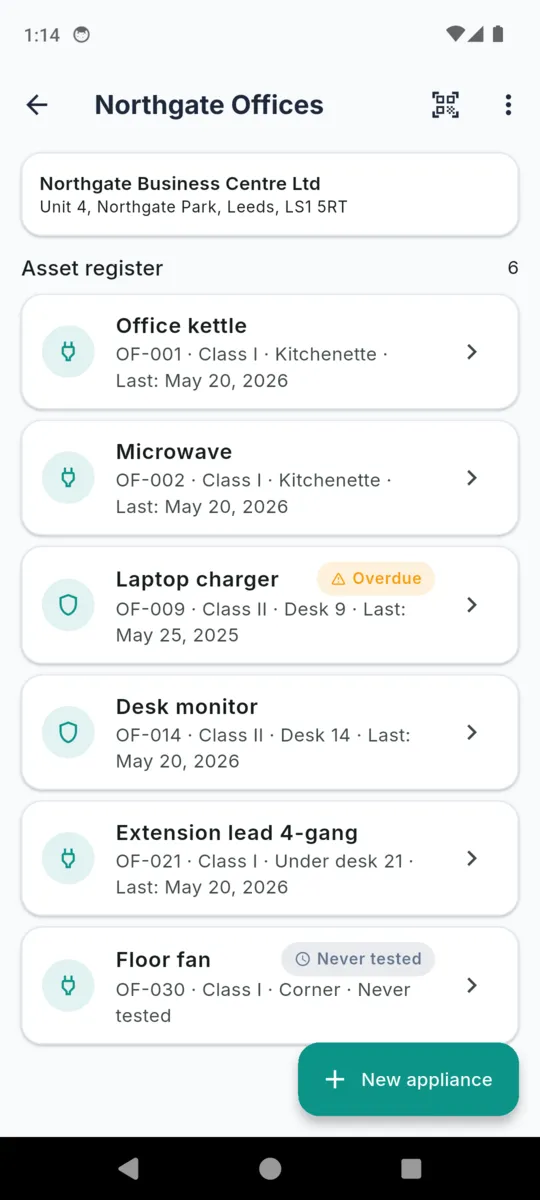
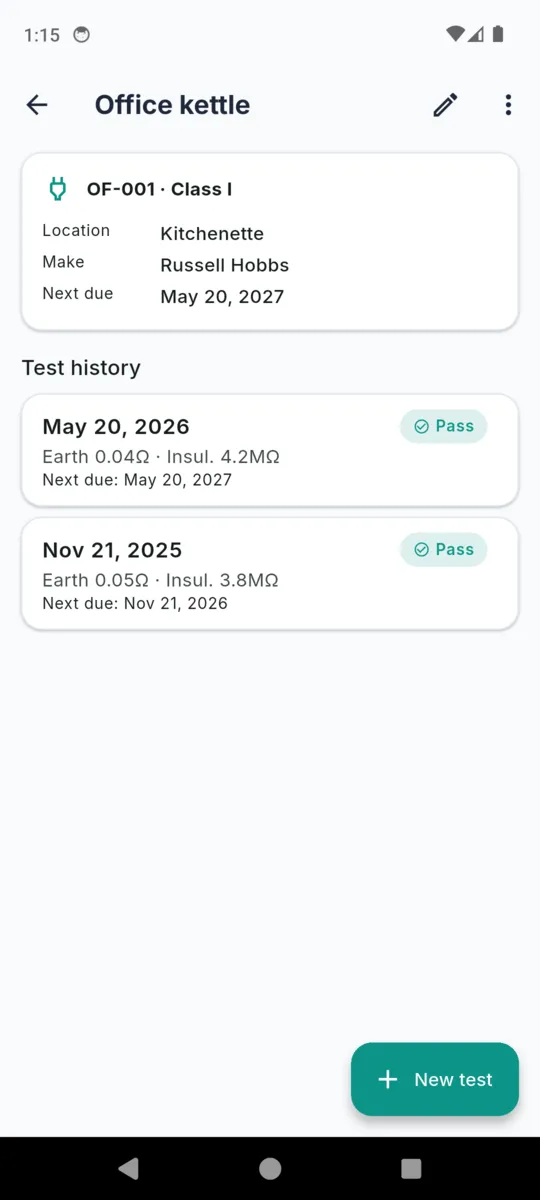
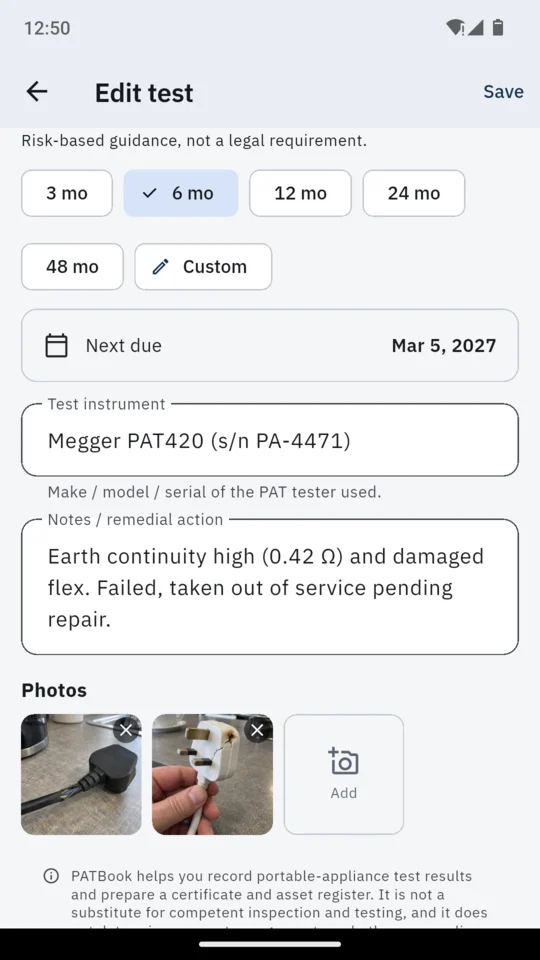
The fifth edition of the Code of Practice dropped the old fixed-frequency table in favour of risk-based intervals. PATBook ships five starting points, and every one of them is a suggestion you change. Pick one on a test and it sets the next due date; edit that date directly when the risk assessment says otherwise.
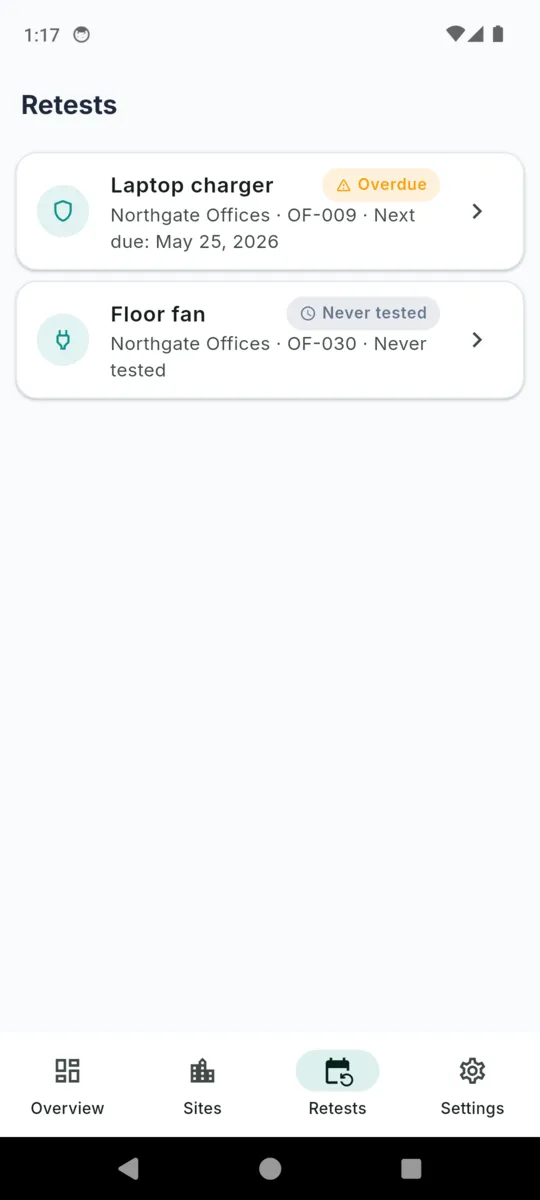
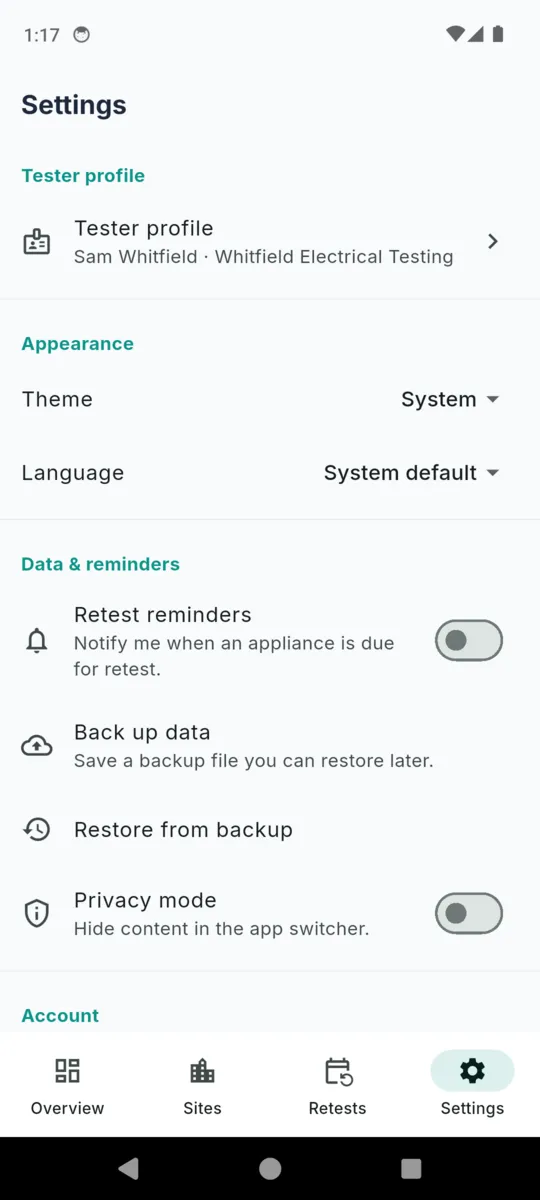
Anything inside thirty days shows as due soon, anything past its date as overdue, both on the overview and on a Retests screen that pulls from every site at once. Turn on retest reminders in Settings and the phone tells you before the customer does.
How PAT testing intervals are decidedPATBook is a record-keeping and certificate-preparation tool. It does not test anything, it does not judge anything, and it cannot make an appliance safe. That work is yours, under the current IET Code of Practice and your own risk assessment.
The same wording sits under every test you record, on the cover of every PDF, in Settings and during onboarding:
PATBook helps you record portable-appliance test results and prepare a certificate and asset register. It is not a substitute for competent inspection and testing, and it does not determine, compute, or guarantee whether any appliance is safe. PASS/FAIL is your professional judgement based on your own visual inspection and instrument readings. Test methods, pass limits, and retest intervals must follow the current IET Code of Practice and your own risk assessment. You are responsible for the accuracy and sufficiency of every record and certificate you produce.
Background reading and the relevant guidance are collected on the PATBook resources page.
STANDARD TIER
Free
Every install starts here, and it keeps going with limits. On Android you can also start a 14-day trial of everything when you choose, with no card. The iPhone version has no trial.
Records you have already made are never hidden, locked or deleted, and you can still export them. The cap only stops new ones.
FULL
£24.99once
or £2.99 a month, or £29.99 a year. On iPhone the one-off price is £74.99.
Removes every limit. The one-off price does not renew, and updates are included.
Retest reminders, backup, restore and privacy mode are not behind this. They work on every tier.
Get PATBookNo, and that is the point. You read earth continuity and insulation resistance off whatever instrument you already use and type them in, so no brand is locked out. Each test has a free-text field for the tester make, model or serial.
No. It prints the IET Code of Practice guidance figure under the earth and insulation fields and records the PASS or FAIL you enter. The determination stays yours.
A header with site, client, address, date of test, tester, company, competency and the instrument used, then one row per appliance carrying class, visual, earth continuity, insulation resistance, polarity, function, result and next due date, then your signature.
Yes. Sites, appliances, tests, photos and both PDFs are produced on the phone. There is no account, no sign-up and no server holding your records.
Nothing you have recorded is hidden or deleted. Everything stays readable and can still be exported. The standard tier holds one site and fifteen appliances and watermarks certificates, and on Android it also shows ads; adding beyond that needs a plan. On Android the 14-day trial is optional and starts only when you choose to start it. The iPhone version has no trial and no ads.
Your choice. £2.99 a month or £29.99 a year on both stores, or a one-off price that does not renew: £24.99 on Android, £74.99 on iPhone.
Add the site, add the first few appliances, and log a test the way you would write it on the sheet. The certificate is one tap from there.