HAPTICS
A tick you can feel
Every increment gives a short selection click and every decrement a lighter one, so you know the count moved without looking away from your hands. It has its own switch in Settings.
KNITTING & CROCHET COUNTER

StitchNest
Knitting & Crochet Counter
A counter is only worth having if it is right at three in the morning after the app was closed by the system. StitchNest writes every single tap to disk before the number on screen even changes — and around that counter it keeps the projects, the stash and the needles, so the app you open on the sofa is also the one you open in the yarn shop.

$1.99/mo · $9.99/yr · $24.99 once.
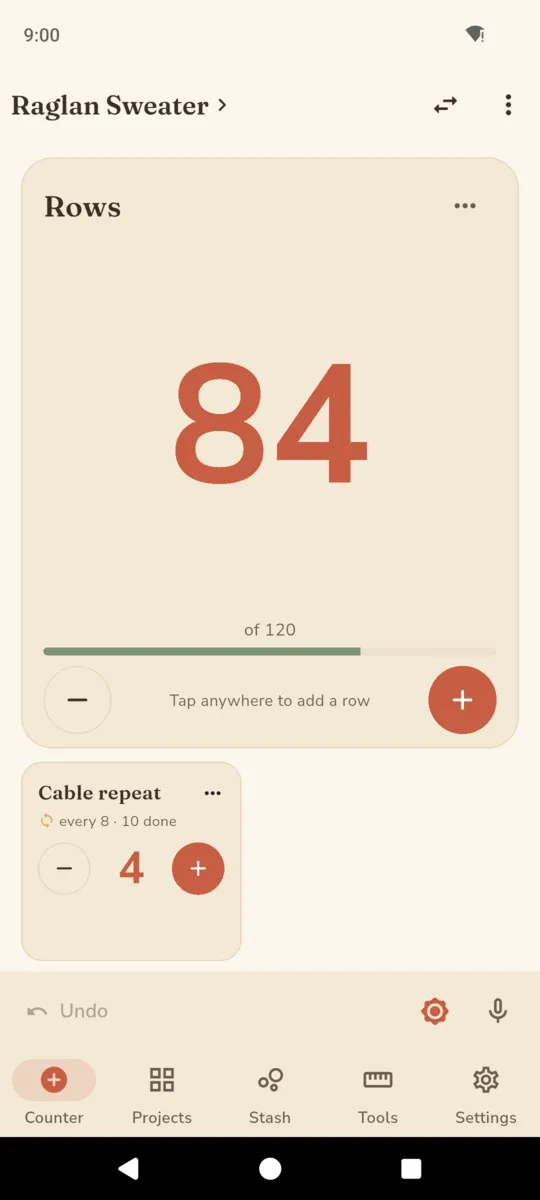
Every row counter looks the same in a screenshot. The difference only shows up on the day the phone dies, the app is swapped out of memory, or a toddler closes it — and the number is either still right or it is not.
StitchNest keeps counters in their own small file, separate from the project data, and writes and flushes that file on every increment, decrement, reset and jump. It is the smallest possible write, which is why it finishes. The project record is only touched once, when you open it.
Rows
84
of 120
Tap anywhere to add a row
Cable repeat
4
Set a second counter to reset every eight rows and it stops being something you have to remember. It advances one to eight as the rows go by, rolls over on the eighth, and keeps its own tally of how many repeats you have finished.
The important part is how it is worked out. The linked counter is re-derived from the parent’s absolute row number each time, not nudged along by a delta — which is why it is still correct after you undo four taps, or long-press and jump from row 84 back to row 61 because a cable crossed the wrong way.
Row
The main one. Give it a step and an optional target.
Pattern repeat
Link it to the rows and give it a reset interval.
Section
Sleeve, body, yoke — whatever you are calling the parts.
Increase / decrease
Its own counter, with a step of two where you need one.
Every counter takes its own label, so the screen says “Cable repeat” and “Raglan decreases” rather than Counter 2 and Counter 3. Extra counters sit in a strip under the big one and switch to a side panel on a tablet.
Four ways to keep counting when putting the work down to pick up a phone is exactly what you do not want to do. All four are optional, all four are switches you control, and none of them replaces tapping.
HAPTICS
Every increment gives a short selection click and every decrement a lighter one, so you know the count moved without looking away from your hands. It has its own switch in Settings.
KEEP AWAKE
A button on the counter bar holds the screen awake for as long as you are counting, and it can default to on. It releases the moment you leave the screen.
VOICE
Turn on voice counting and say next, up, add, plus or one to go forward, and back, down, minus or undo to come back. It asks first, explains that the microphone is only used on the counter screen, and if it is refused it says so and tapping carries on working.
LOCK SCREEN
An ongoing notification carries the counter label, the row you are on and its target, with a −1 and a +1 button. Count from the lock screen and the notification re-renders itself with the new number.
There is also a reduce-motion switch, and it respects the one in your Android settings without being asked.
Seven screens from the shipped build, filled with sample projects and a sample stash. Scroll the strip sideways, or tab to it and use the arrow keys.
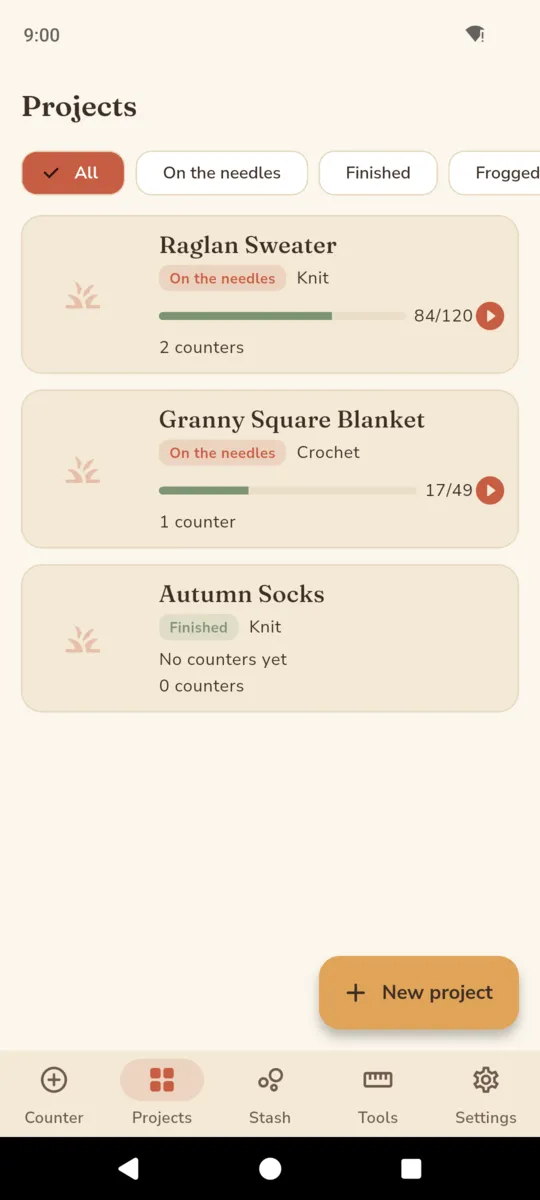
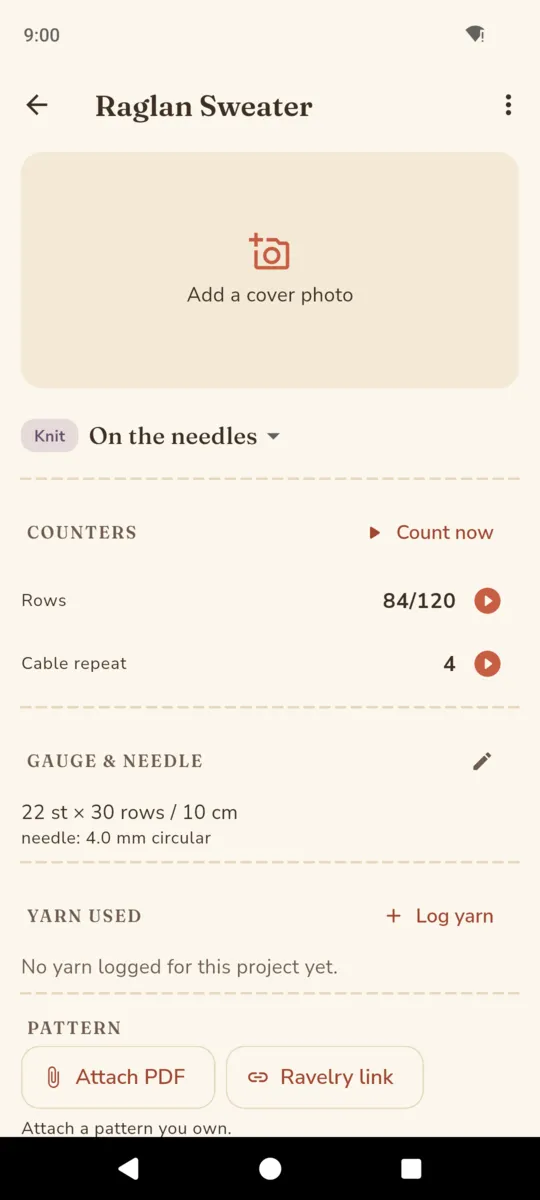
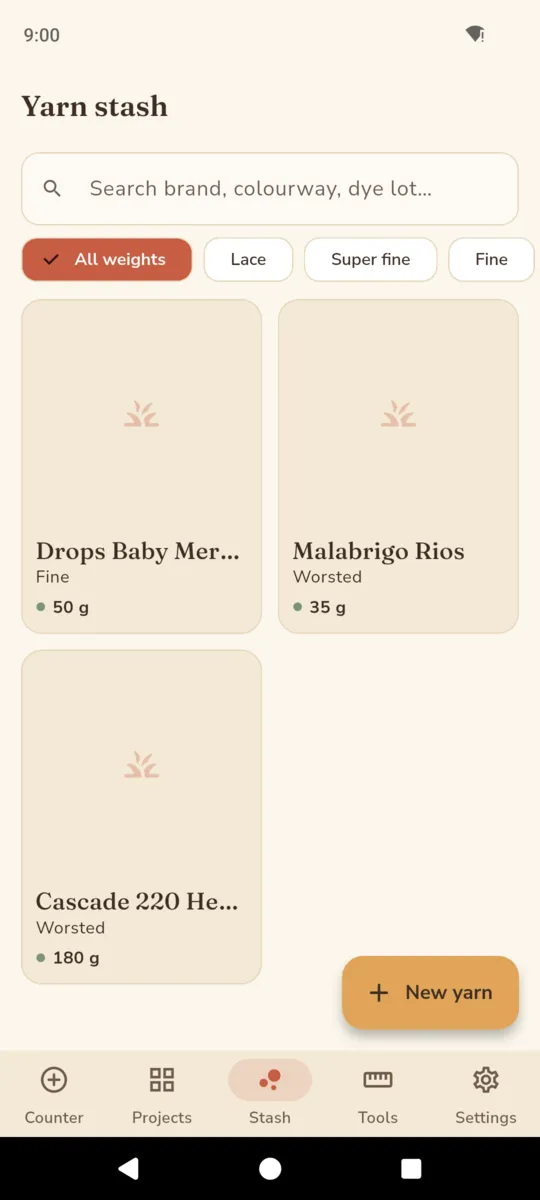
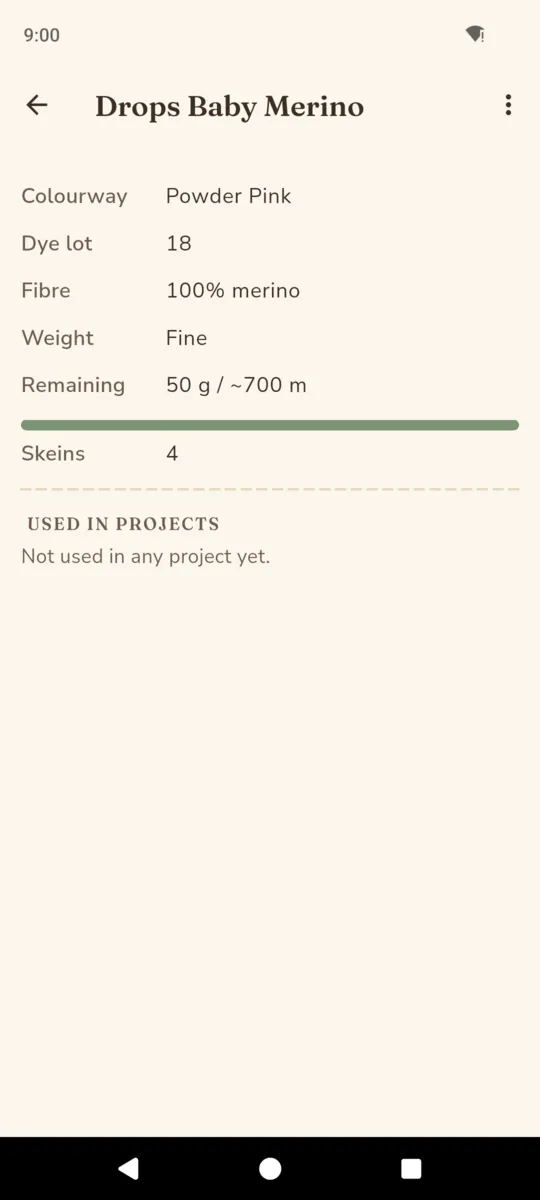
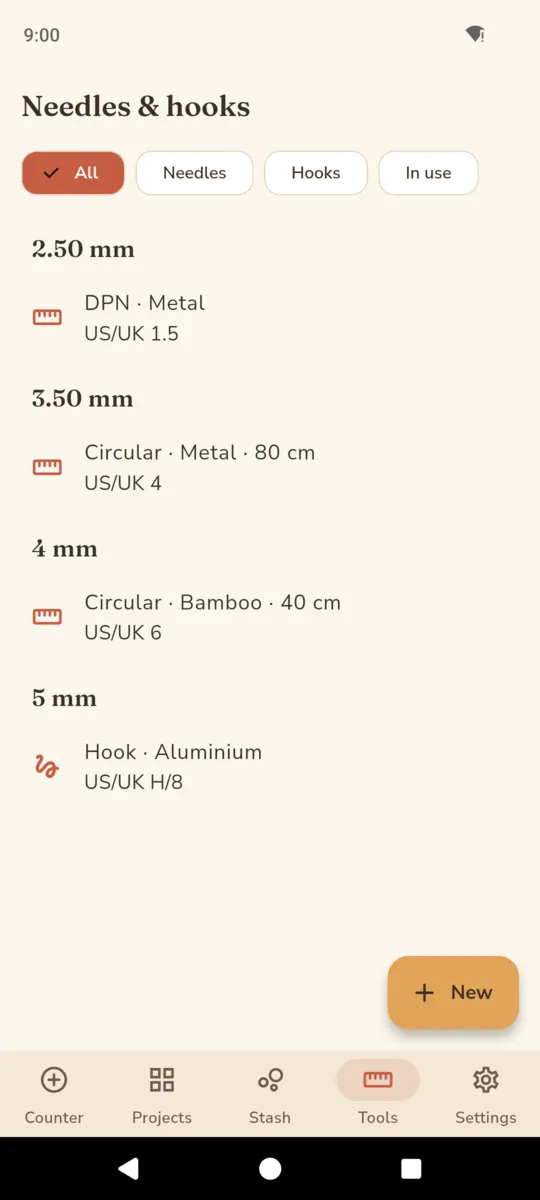
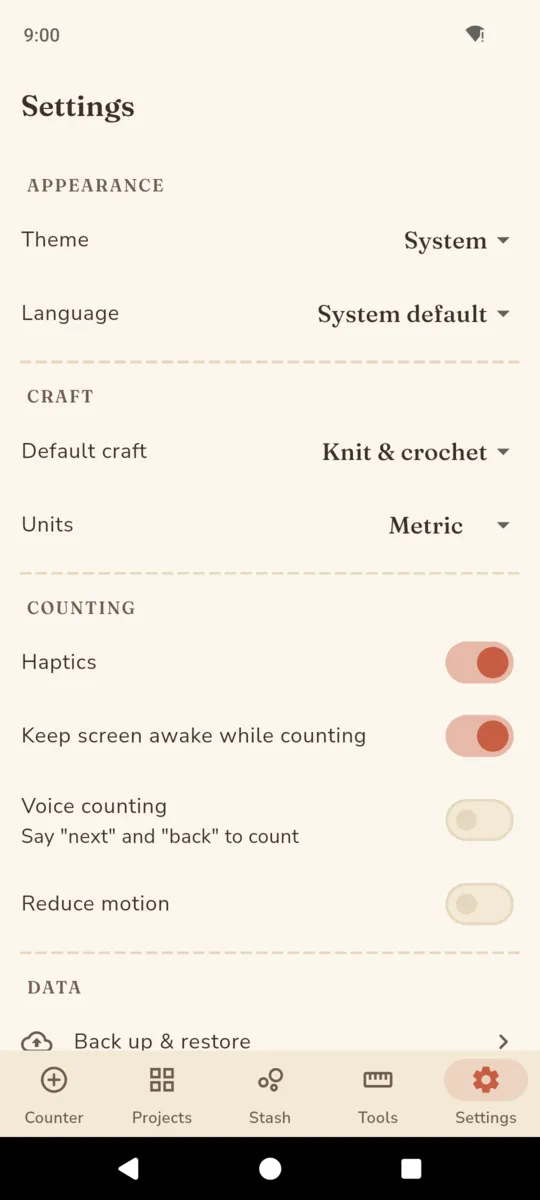
A counter on its own is a widget. What makes it worth opening in April is the year of work sitting behind it — which yarn went into what, which needles are stuck in the hibernating cardigan, and what the sleeve looked like at row 40.
A project is planning, on the needles, finished, hibernating or frogged. Hibernating is not a failure state and frogged is not a deletion — both are things that happen and both stay in the list, with the start date, the finish date and whatever notes you left.
A progress photo records the row number at the moment it was taken, so a timeline of a sleeve reads as a sequence of rows rather than a folder of similar-looking pictures. One of them becomes the project’s cover.
Stitches and rows per 10 cm or per 4 in, plus the needle or hook, kept against the project rather than on a scrap of paper inside the bag.
Brand, name, colourway, dye lot, fibre content, one of eight weight categories from lace to jumbo, skein count, grams total and grams remaining, length per skein, cost, a photo, and notes. Searchable by brand, colourway or dye lot, and filterable by weight.
Straights, circulars, DPNs, interchangeables, hooks and Tunisian hooks, in bamboo, metal, wood, resin, aluminium or plastic, with the millimetre size, the US or UK label, the cable length and a quantity. A tool can be marked as in use on a project, which is how you stop buying a fourth 4 mm circular.
Record the grams a project used from a stash entry and the remaining figure follows. The project PDF prints what went into it alongside the counters and the gauge.
ON PATTERNS
StitchNest does not host or sell patterns. You attach patterns you own or link out to Ravelry. Your projects, yarn and photos stay on your device.
That sentence is the app’s own, shown in About, during onboarding and on the project PDF. Attach a PDF you bought or link the pattern’s Ravelry page, and StitchNest keeps the title, the designer and the reference beside the project. It does not reproduce the pattern, and it has no library of its own to sell you.
ON GETTING YOUR WORK OUT
Backup is free, from day one, on every tier.
Settings writes one .zip holding a JSON manifest of every project, counter, yarn entry, tool and session, plus the actual photo and attached-pattern bytes rather than a list of file paths that would break on a new phone. Restore reads it back. There is no account and no sync, so this is the thing that carries a stash from one handset to the next, and it is never behind the paywall.
Fourteen days of everything on install, no card. After that the free tier keeps two active projects, twenty-five yarn entries and ten tools, and shows a banner ad on the Projects, Stash and Tools lists.
The counter is never touched. No ad has ever appeared on it, nothing on it is gated, and a count in progress is never frozen, not even when a subscription lapses. Everything you have already made stays open, editable and countable; the paywall only ever appears when you add something new above the caps, or reach for the pattern attachment, the progress photos or the project PDF.
Get StitchNestSTITCHNEST PRO
Short answers, including the ones about what it does not do yet.
Nothing. Every tap is written and flushed to disk before the screen updates, and counters live in their own small file rather than inside the project data, so the write is tiny and finishes.
Three ways. Say “next” or “back” with voice counting on, use the −1 and +1 buttons on the lock-screen notification, or leave the screen awake and tap anywhere on the big counter.
Long-press the counter, type the row you are actually on, or nudge it in fives and tens. Anything linked to it recalculates from that number, including how many repeats you have completed.
No, and it never will. It does not host or sell patterns. You attach a PDF you already own, or link the pattern’s Ravelry page, and the app keeps that reference with the project.
No. There is no account and no sync. Projects, counters, yarn, tools and photos are on the phone, and the backup .zip in Settings is free — it holds the real photo bytes, not just file paths.
Unlimited projects, yarn and tools, no ads, and the pattern attachment, progress photos and project PDF. The counter itself is never gated, never ad-supported and never frozen.
Not yet. StitchNest is English only. Choosing another language in Settings changes date formats and the system dialogs, not the app’s own wording.
Guides and reference tables for knitters and crocheters live on the StitchNest resources page, and the ClearStack privacy notice covers what the app stores.
Put tonight’s project in, set the repeat to reset itself, and get your hands back on the yarn.