CarRestore
Project Car Build Log
Snap receipts, log every part, photograph every milestone — and export a multi-page PDF build sheet you can hand a buyer. Phone-first, offline-first, built for the garage.
How It Works
Capture in the garage
Five-button quick-log: Photo, Receipt, Part, Task, Note. Most actions finish in under ten seconds with one greasy thumb.
Receipt OCR reads it for you
On-device OCR extracts vendor, date, and total. Confirm, tag to a part or milestone, save — without leaving the project.
Export the build sheet
Multi-page PDF — cover photo, parts table, receipt log, milestone timeline, cost breakdown. Hand it to a buyer, an appraiser, or an insurer.
CarRestore in Action
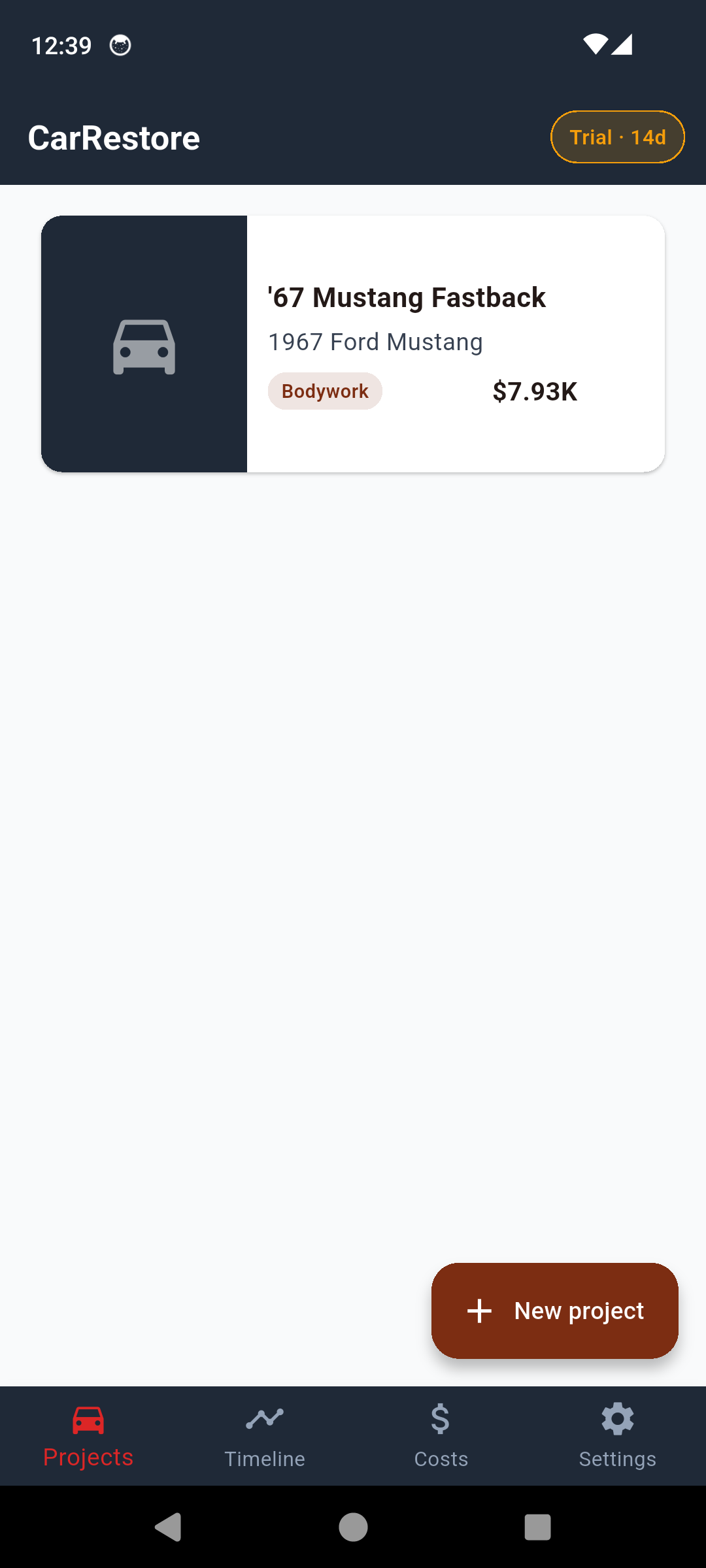
Projects — every build, one place
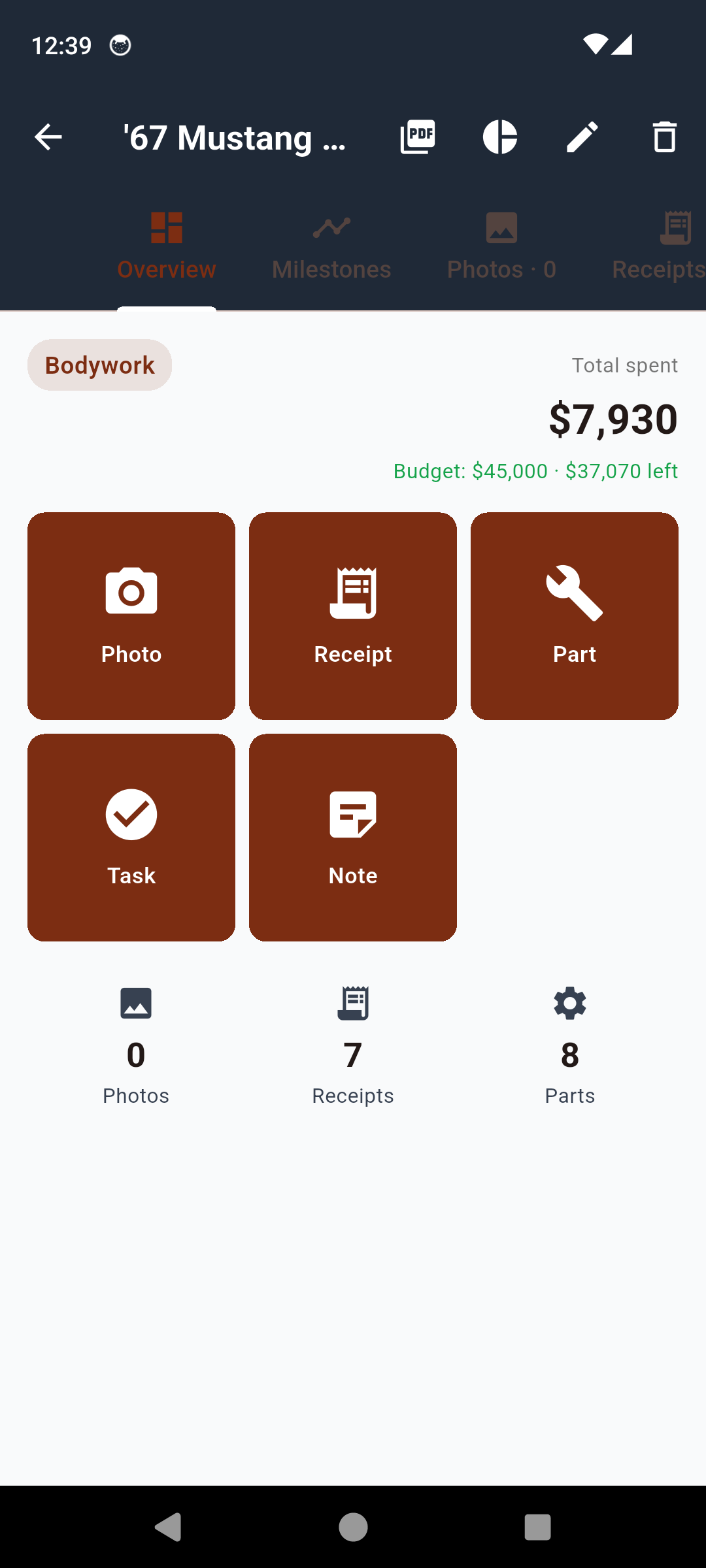
Project detail — quick-log in one tap
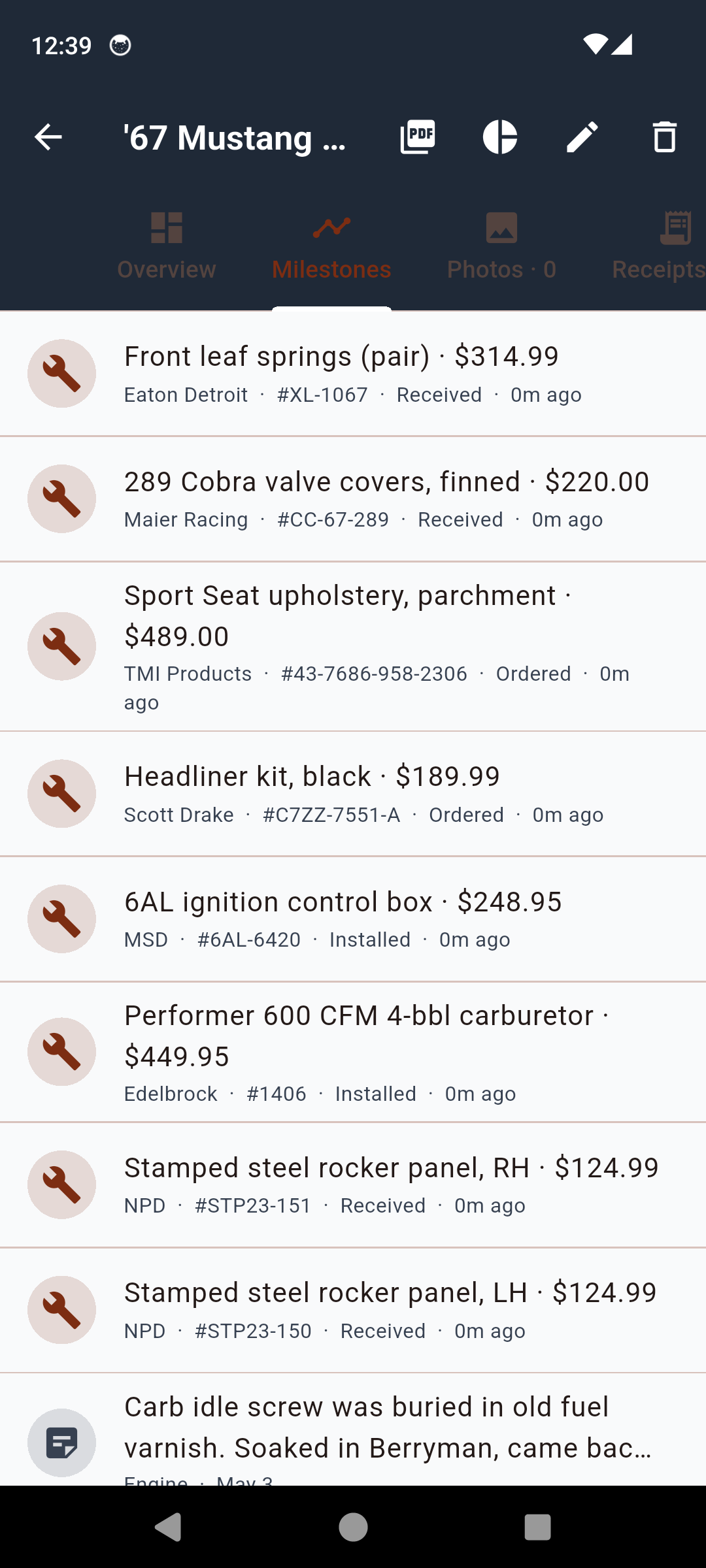
Milestone timeline — the build, in order
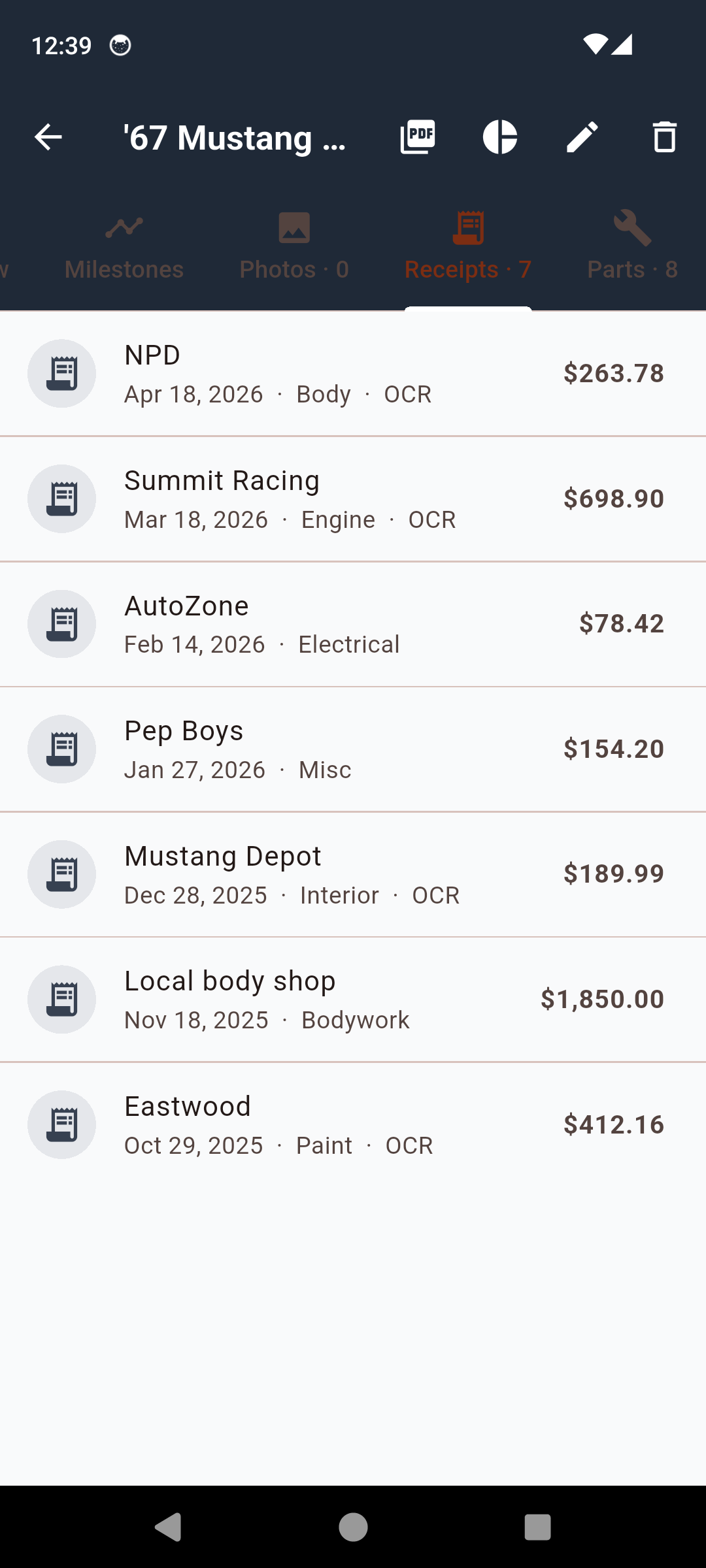
Receipts — OCR scanned in seconds
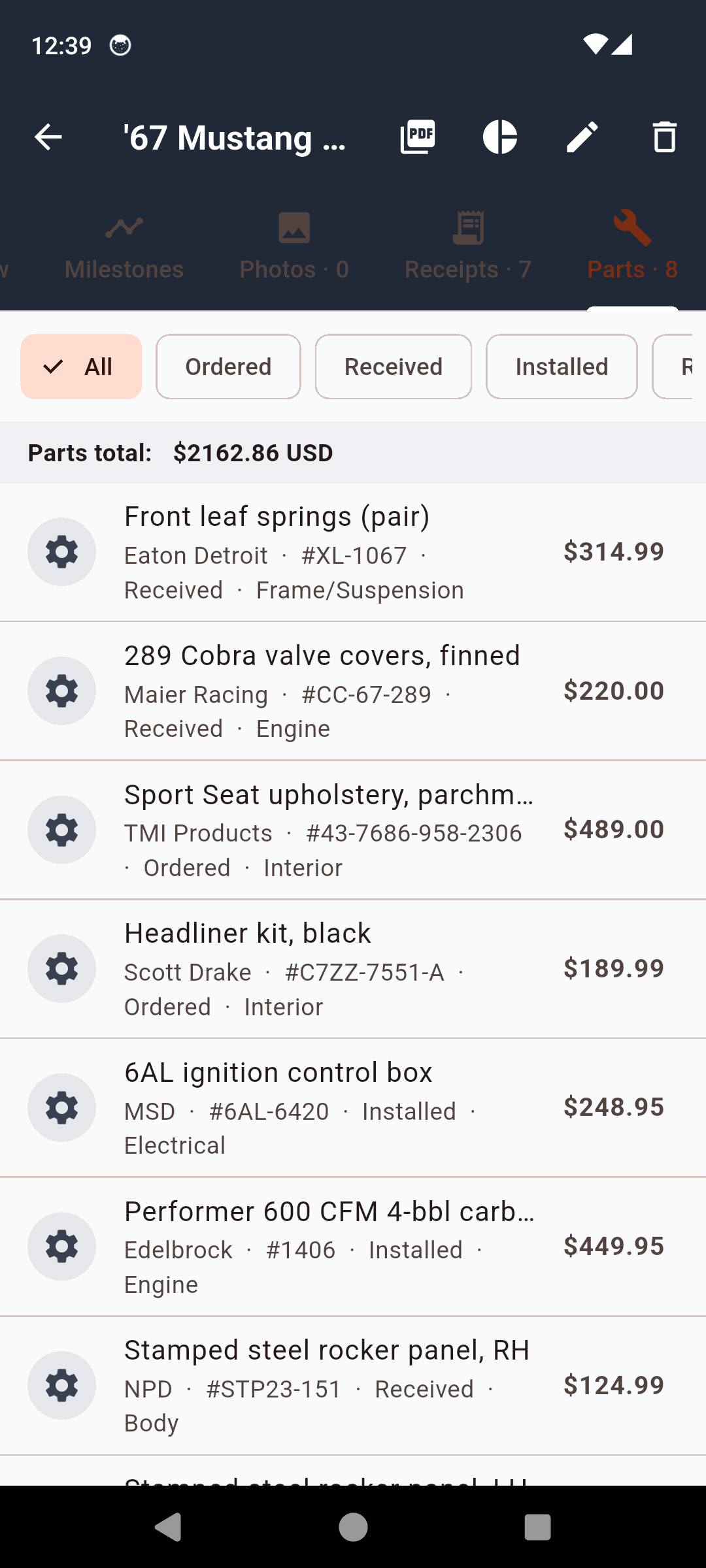
Parts — wishlist to installed
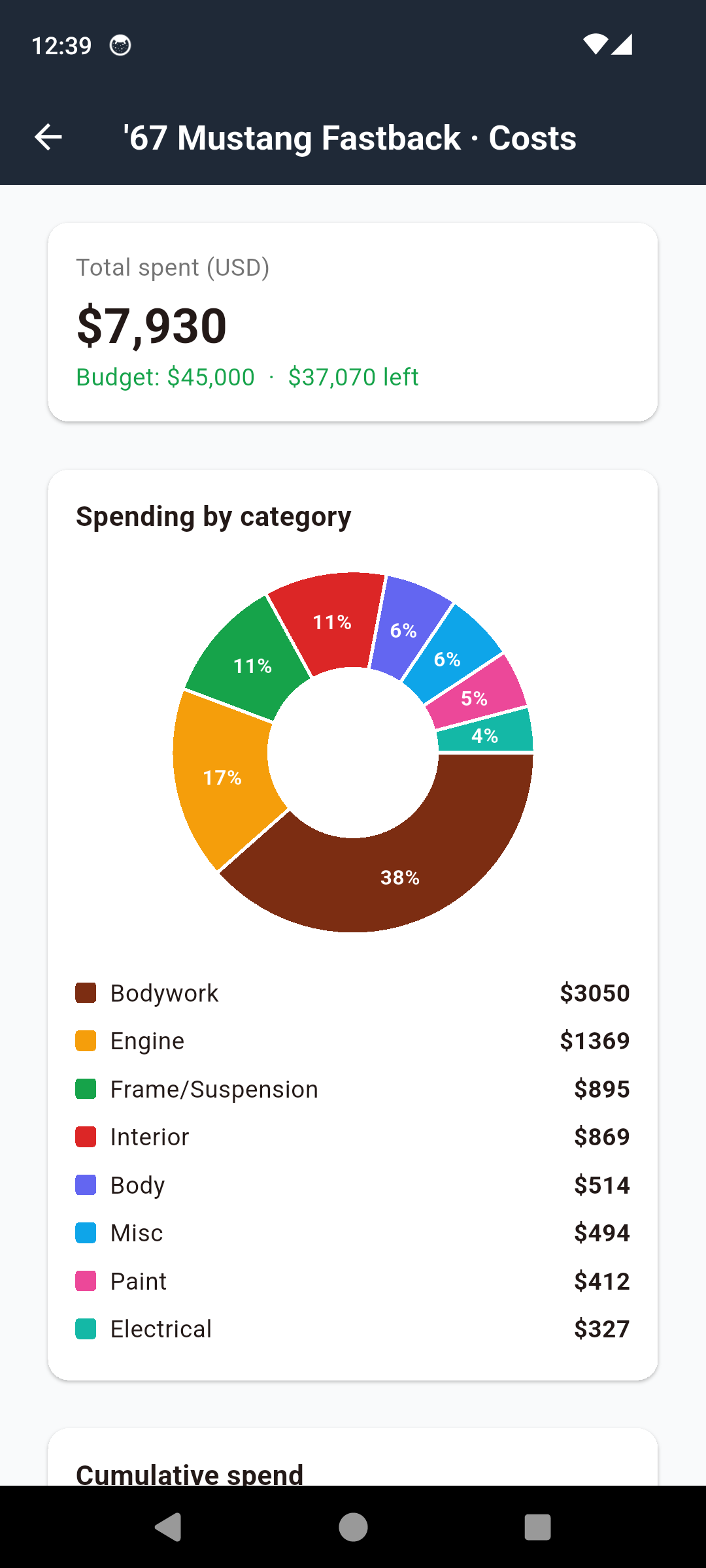
Costs — pie chart by category
Every Build Detail, One Place
Receipt OCR
Point the camera at a receipt — vendor, date, and total extracted on-device in seconds. Locale-aware date and currency parsing for US, UK, and EU.
Parts Catalog
Manufacturer, part number, source, price, currency, status (wishlist → installed), photos. Tap a part to see every receipt and milestone tied to it.
Milestone Photo Timeline
Categorised, scrollable timeline of the whole build. Tear-down, paint, engine, interior, first-start. The visual story of the project.
Per-Project Cost Rollup
Pie chart by category, monthly cumulative spend curve, per-currency subtotals so international parts buys stay accurate instead of misleading.
Multi-Page PDF Build Sheet
Cover photo, parts table, receipt log, photo timeline, cost breakdown. The document you hand a buyer, an appraiser, or an insurance adjuster.
Reminders
Parts-pickup reminders, follow-up reminders, milestone reminders. Survive a phone reboot and fire at the exact time you set, not whenever Android batches them.
Backup & CSV Export
JSON backup of the full project plus CSV export of receipts, parts, and cost entries. Your data, yours to take elsewhere — never locked in.
Multi-Currency
Every receipt and part stores its own currency. USD engine work, GBP British parts, EUR German bushings — all in one project without misleading auto-conversion.
Three Ways to Go Pro
Monthly, yearly, or one-time lifetime — pick the plan that fits how you build.
Standard
14-day Pro trial included
- One project
- Limited photos & receipts
- Receipt OCR
- Parts catalog
- Milestone timeline
- Cost rollup view
- Banner ad
CarRestore Pro
One-time — or $2.99/mo · $14.99/yr
- Everything in Standard, plus:
- Unlimited projects
- Unlimited photos & receipts
- Multi-page PDF build sheet
- CSV export
- JSON backup
- Ad removal
- Priority support
One missed receipt at sale time costs more than Pro Lifetime. A build sheet a buyer can read raises the asking price by more than the app ever charges.
Common Questions
Frequently Asked Questions
What kinds of project cars is CarRestore for?
Anything you're tearing apart and putting back together: classic-car restorations (muscle cars, sports cars, vintage trucks), hot rods and resto-mods, off-road builds (Jeep, Land Rover, Bronco), barn-find resurrections, and vintage motorcycle projects with scope similar to a car restoration. If the build has receipts, parts, and milestones, CarRestore fits. It's not a maintenance log for a daily driver — it's a project log for a build with a beginning, a middle, and a sale or first-drive at the end.
How does the receipt scanner work?
Tap the receipt button, point the camera at the receipt, and on-device OCR reads the vendor name, the date, and the total. You confirm or correct the fields, optionally tag the receipt to a part or milestone, and save. The whole flow takes well under ten seconds with greasy hands. The OCR runs locally — receipts never leave your device. Locale-aware parsing handles US, UK, and EU date and currency formats.
Can I log parts I haven't bought yet?
Yes. Parts have a status — Wishlist, Ordered, Received, Installed, Sold — so you can plan the build before you spend, mark items as you order them, and update the status when they actually land in the garage. Each part holds manufacturer, part number, source, price, currency, a notes field, and as many photos as you want. Tap a part to see the receipts and milestones it's tied to.
What does the PDF build sheet include?
Cover page with the car photo, VIN, year/make/model, build summary. Then a parts table grouped by category, a chronological receipt log with running total, a milestone photo timeline, a category cost breakdown with totals, and a notes appendix. Pro generates the full multi-page sheet — it's the document you hand a buyer, an appraiser, an insurance adjuster, or anyone asking 'where did the money go?'.
Does CarRestore handle multiple currencies?
Yes. Every receipt and every part stores its own currency code, so US dollars for the engine rebuild, GBP for the British parts house, and EUR for the German bushings all sit in the same project without auto-converting to a misleading single number. Per-currency subtotals roll up cleanly in the cost view and the PDF, so you see what you actually spent in each currency rather than a guessed conversion.
Does the app work offline?
Yes — the app is offline-first by design. Garages are signal-dead. Receipts, photos, parts, milestones, and notes all live on your device first. There is no required account and no cloud sync in v1.0. The only network traffic is the banner ad on the standard tier and anonymous crash reporting via Firebase. You can use CarRestore in a sealed barn for weeks and lose nothing.
How much does Pro cost and what are the plans?
Three Pro tiers so you can pick the model that fits how you build: a monthly plan, an annual plan, and a one-time lifetime unlock for restorers who don't want to think about renewal again. A fourteen-day full-Pro trial starts on first launch — no card needed. After the trial, the standard tier keeps working with one project, capped photos and receipts, and a banner ad. Lifetime owners are never paywalled out of a feature they already had.
Will my photos and receipts stay private?
Yes. Photos, receipts, parts, and notes are stored locally on your device. They are not transmitted to ClearStack Apps, they're not sold, and they're not shared with third parties. The only outbound traffic is the banner ad on the standard tier (handled by Google AdMob) and anonymous crash reports via Firebase Crashlytics. Uninstall removes every byte of your project data from the device.
Can I export the data if I stop using the app?
Yes. Pro includes CSV export of every receipt, part, and cost entry, plus JSON backup of the full project — useful if you want to drop the data into a spreadsheet, archive a finished build, or move it to a new phone. The PDF build sheet is also yours to keep, share, email, or post in a forum build thread. You're never locked into the app to access your own data.
Stop Losing Receipts in the Shoebox
Download CarRestore and start the build sheet your future buyer wants to see.
Have questions? Get in touch
The Build Sheet Your Buyer Wants to See
Every long restoration ends with the same conversation: someone — a buyer, an appraiser, a friend who is suddenly very curious — asks where the money went. The honest builder reaches for a shoebox of receipts and a phone full of photos that aren't in any particular order. Hours later, with a spreadsheet half-typed and three receipts already faded, the asking price quietly drops because the story isn't there. CarRestore is the build log that keeps the story straight from the day you drag the car off the trailer to the day you hand someone the keys. Phone-first, offline-first, designed to be used with one greasy thumb in shop lighting.
Receipt OCR That Survives the Garage
Receipts are the part of a restoration that nobody enjoys filing — they fade, they tear, they end up in pockets and tool drawers and on the shop floor. CarRestore's receipt OCR runs entirely on-device, which means it works in the corner of the barn with no signal and your receipts never leave the phone. Point the camera, hold steady for a second, and the vendor name, the date, and the total drop into a confirmation form. Tag the receipt to a part you've already logged or a milestone you're working on, and the cost rolls up into the project automatically. The whole capture takes less time than digging the receipt out of the kitchen drawer two weeks later.
A Parts Catalog That Tracks Status
Parts in a restoration don't exist in two states (bought / installed). They exist in five: wishlist, ordered, received, installed, and — eventually — sold. CarRestore models all of them. The wishlist is where you plan the build before the money goes out: every fastener, every gasket, every chrome trim piece, with a target price and a source. As you order, the parts move to ordered with a date and a receipt link. When the box arrives you mark it received. When it's torqued onto the car, installed. When you change direction and put the take-off carb on eBay, sold — and the money comes back into the cost view. The same data structure that supports the build supports the post-build accounting.
A Milestone Photo Timeline That Tells the Story
Photos of a build live in a phone gallery in chronological order, which sounds useful until you try to find the picture of the floorpan before patch panels went in. CarRestore's milestone timeline is the photo gallery, sorted by build stage rather than by camera roll date — tear-down, body, paint, engine, suspension, interior, electrical, first-start, first-drive, sale. Each milestone holds as many photos as you want, with captions you actually wrote at the time. When the timeline lands in the PDF build sheet, it's the part that closes a sale: the buyer scrolls through years of progress and sees the work.
Cost Rollup You Can Trust at Sale Time
Restorers underestimate cost. It's not a personal failing — it's what happens when receipts trickle in over four years and small expenses compound into something that surprises everyone, including the owner. CarRestore rolls up costs in real time: a pie chart by category (paint, engine, interior, drivetrain, body, electrical, machine work, consumables), a monthly cumulative spend curve so you can see the months where the build accelerated, and per-currency subtotals because a real project car eats parts from three continents. When someone asks "is this worth what you're asking?", the cost view is the answer in three taps.
Multi-Currency, Because Real Builds Cross Borders
Buy a quarter panel from a UK supplier, fasteners from a German hardware house, and an engine rebuild from the shop down the road — and a single-currency cost view starts lying to you the moment you take an exchange-rate snapshot. CarRestore stores every receipt and every part in its native currency: dollars stay dollars, pounds stay pounds, euros stay euros. The cost view shows per-currency subtotals rather than a single misleading total. If you need a one-number summary for a buyer, you convert at sale-time using the rate that actually matters, not a stale rate baked in at receipt time.
Offline-First, Because Garages Are Signal-Dead
Most restoration work happens in places where mobile signal goes to die: a sealed barn, a basement workshop, a friend's pole-barn forty miles from the nearest cell tower. CarRestore is designed so this never matters. Every receipt, every photo, every part, every milestone is stored on your device first. No required account, no mandatory cloud sync, no spinner waiting for a network round-trip. The only outbound traffic is the banner ad on the standard tier and anonymous crash reports — and even those queue up silently and send later. You can work for weeks with the radio off and lose nothing.
Privacy and Data Ownership
The build data is yours. Photos, receipts, parts lists, notes, and milestones live on your device and are not transmitted to ClearStack Apps. They are not sold, they are not shared, they are not used to train a model. Pro adds CSV export of every receipt and part, JSON backup of the full project, and the multi-page PDF build sheet — three different ways to take your data out of the app whenever you want. Uninstall removes every byte from the device. The PDF build sheet you generated yesterday is still yours forever.
Disclaimer — A Log, Not an Appraisal
CarRestore is a record-keeping tool, not a valuation service. The PDF build sheet documents what you spent and when, which is one of the inputs an honest appraiser, buyer, or insurer uses to evaluate a project car — but it is not itself an appraisal, a title document, or a guarantee of value. Always verify VINs, ownership history, and titling separately, and treat any sale value in the cost view as your own running total rather than a market price.