LumberList
Cut List Optimizer & Board Feet Calculator
Phone-first cut-list optimizer for woodworkers. Plywood, 2x4s, board-feet, lumber cost — typed in fractions, optimized with kerf, printed as a cut plan.
How It Works
List what you have
Sheets of plywood, sticks of 2x4, hardwood boards. Type fractions like 23-1/2, decimals, or metric — whatever's on the price tag.
List the parts you need
Cabinet sides, shelves, rails, deck planks. Quantity, dimensions, grain direction. Kerf is applied automatically.
Get the cut plan
Labeled 2D layout per sheet, mark-from-edge dimensions, parts table, printable PDF. Take it to the saw.
LumberList in Action
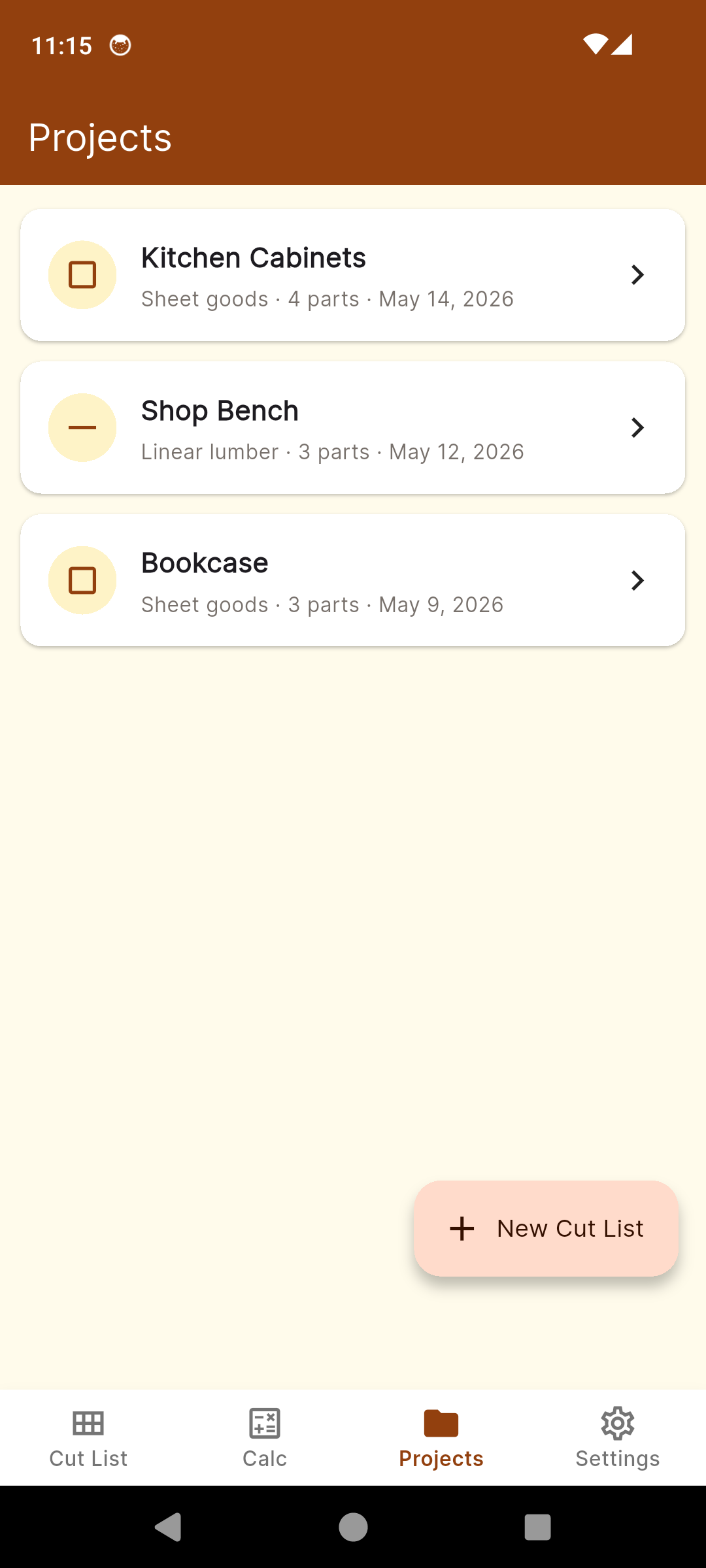
Projects — every cut list at a glance
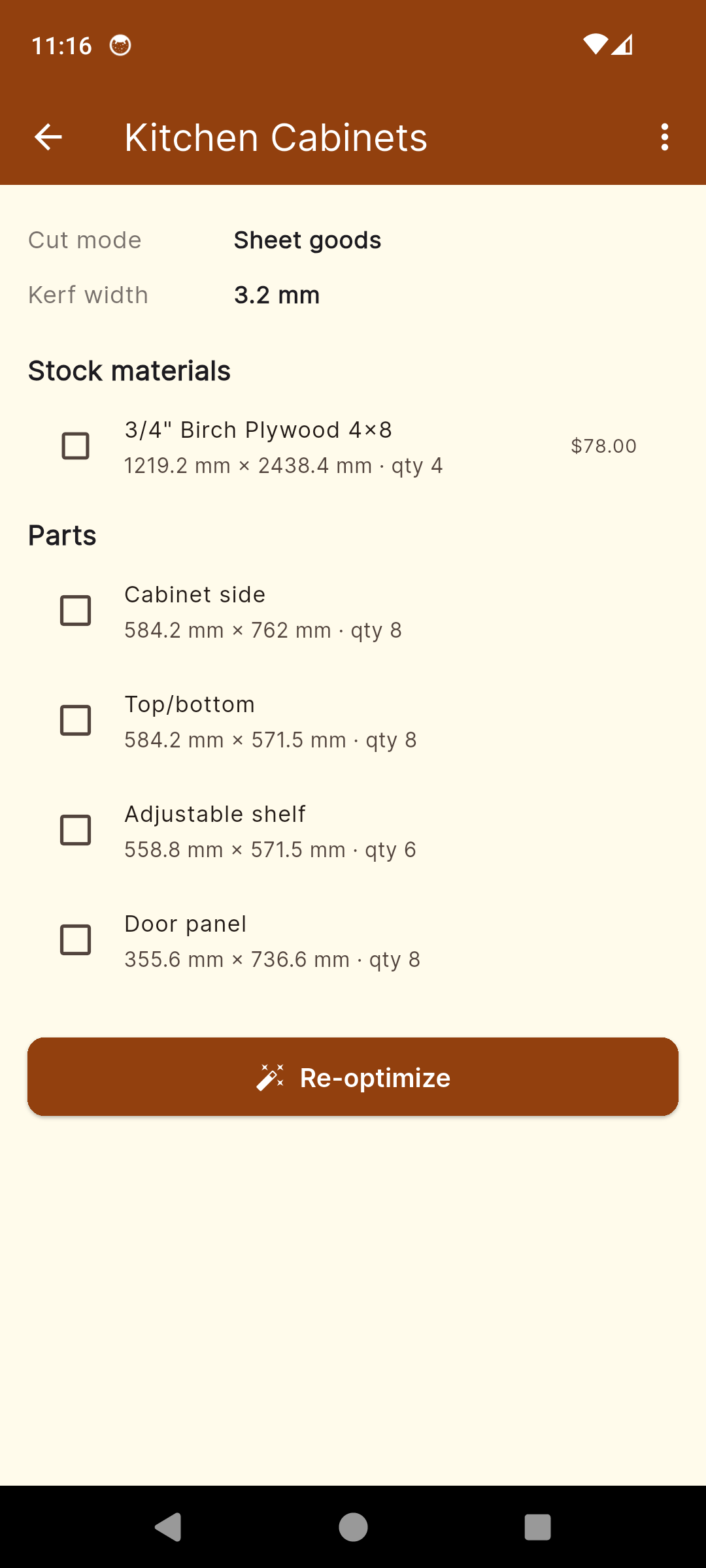
Project detail — boards in, parts out
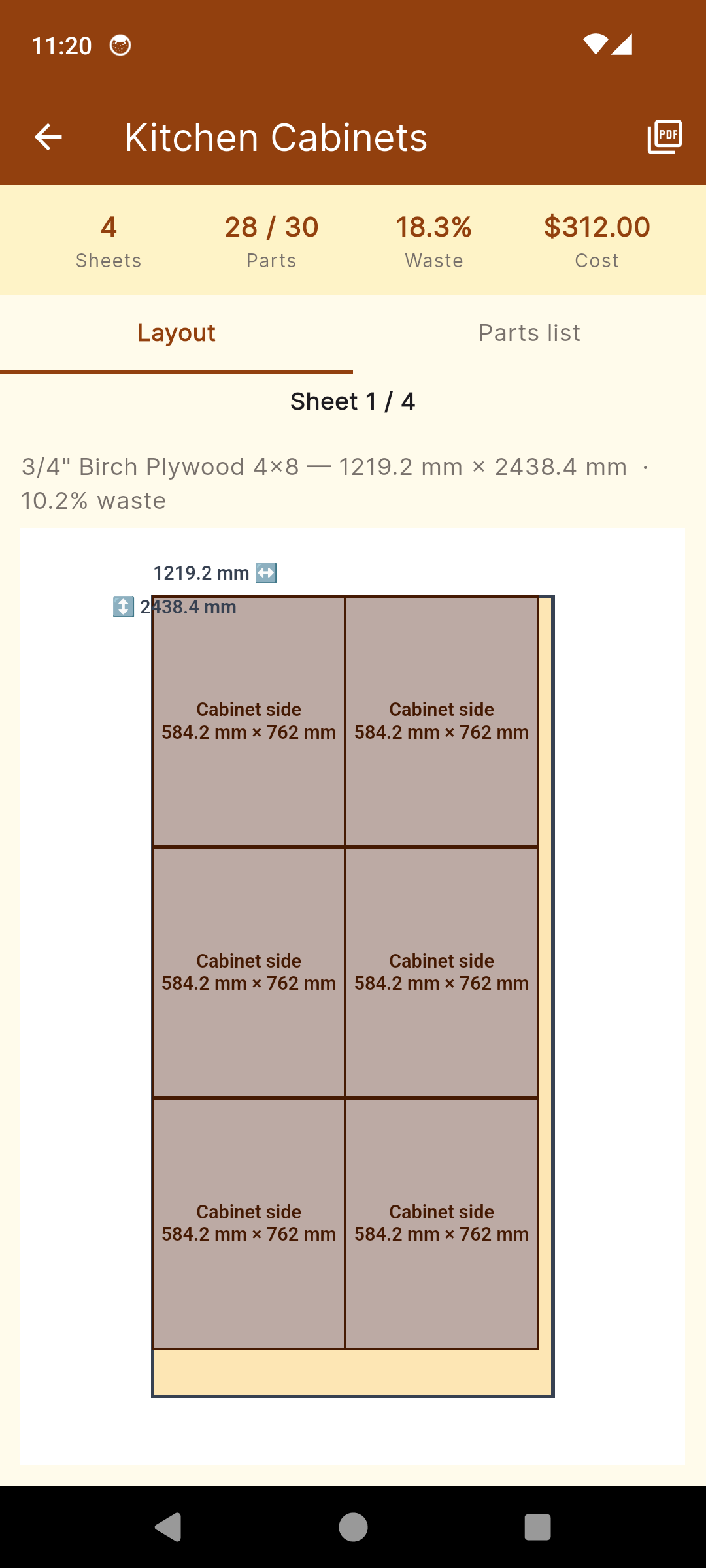
Cut result — labeled 2D layout per sheet
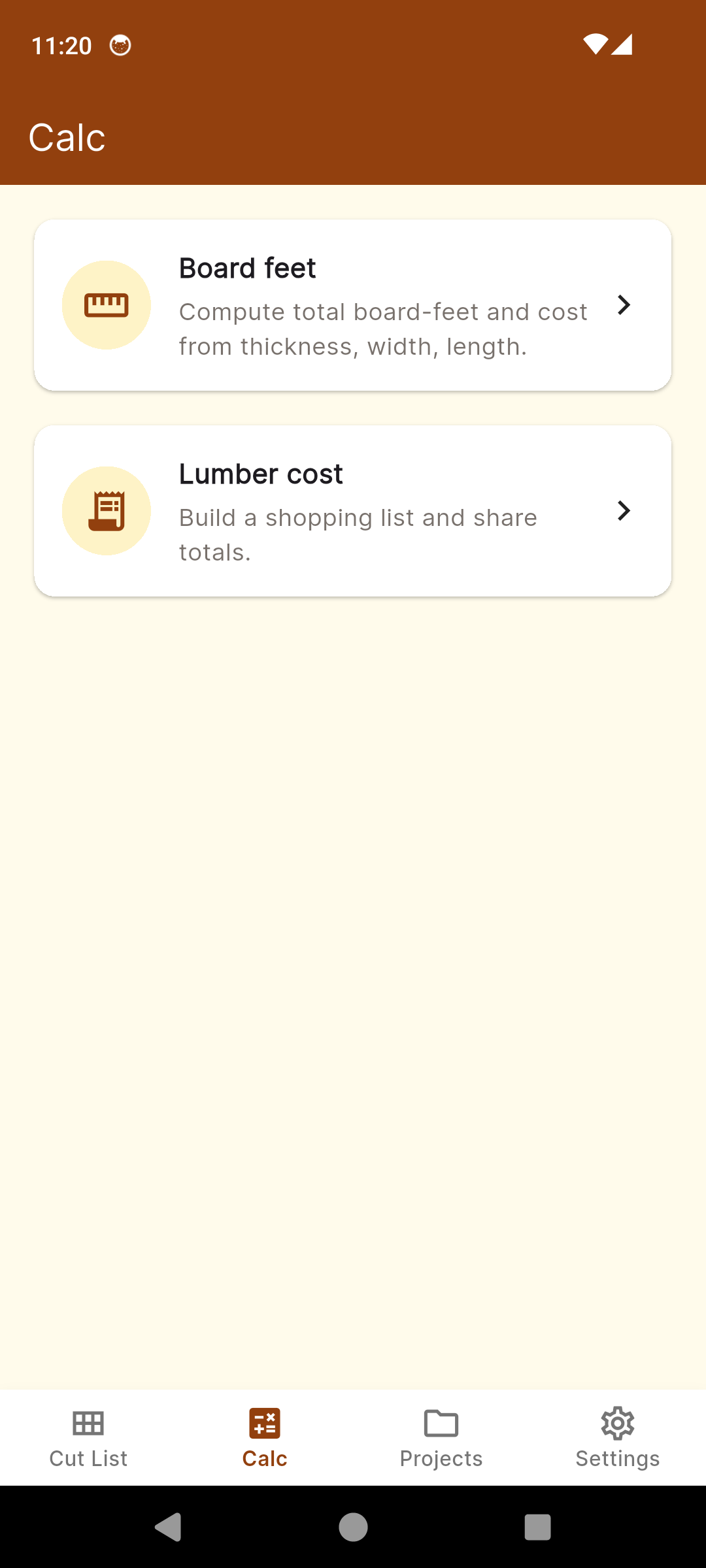
Calculators — board-feet, lumber cost, more
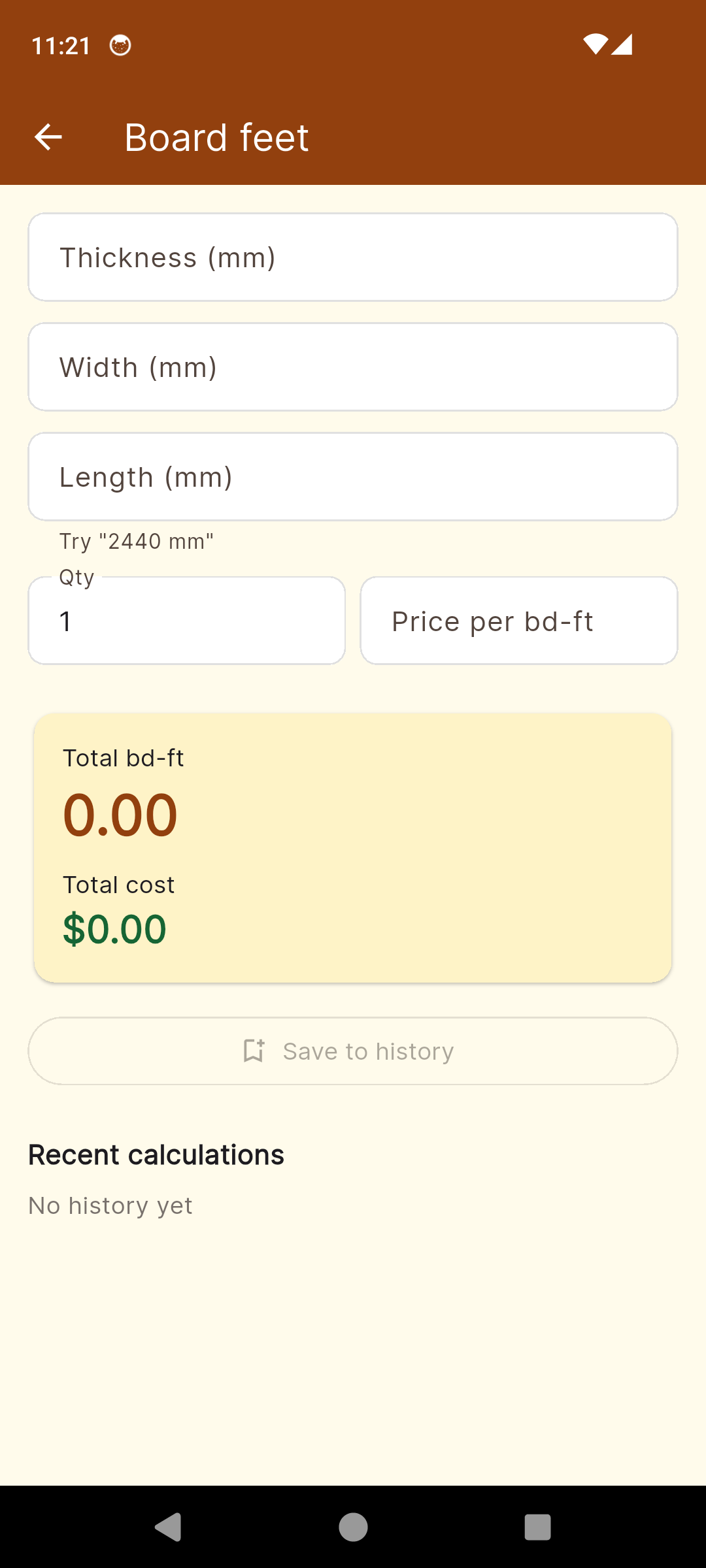
Board feet — hardwood takeoffs in seconds
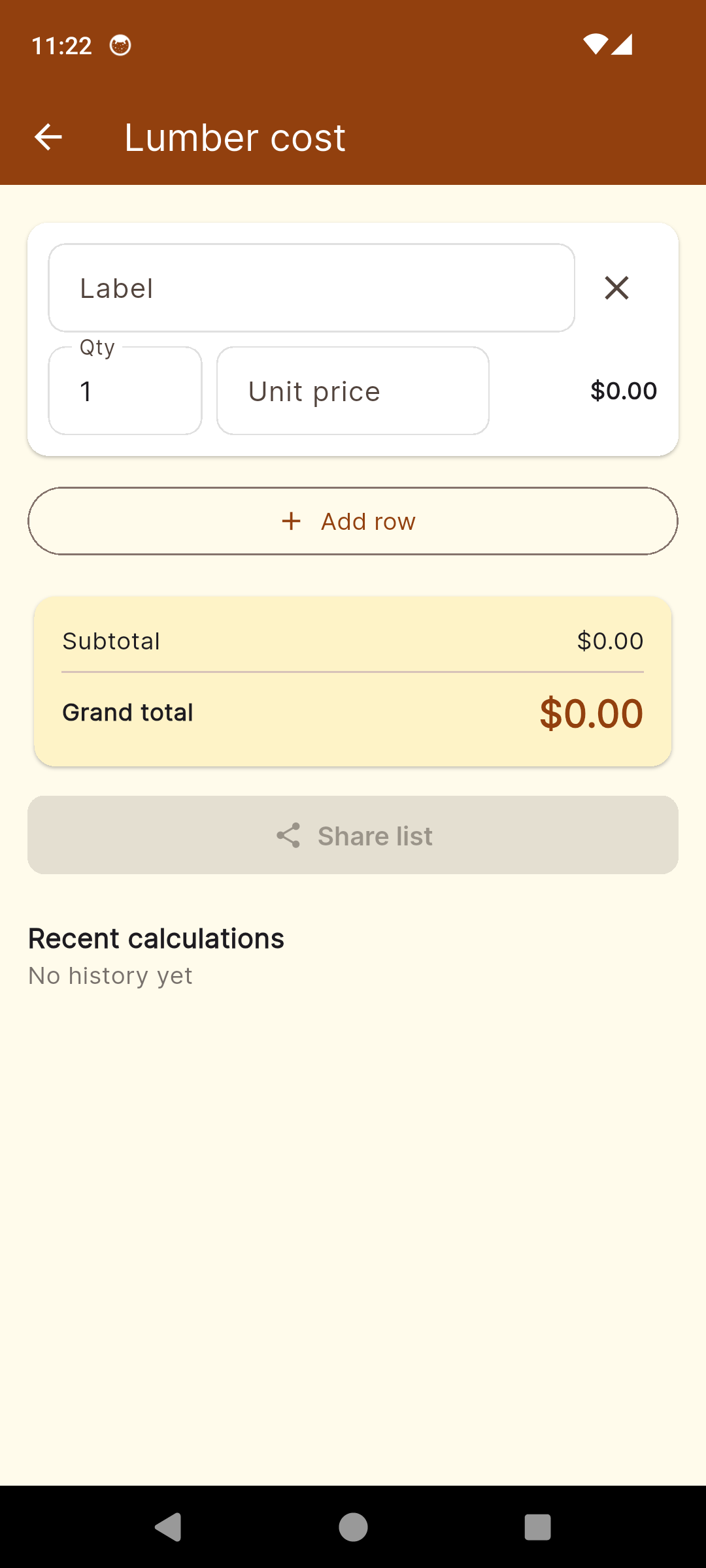
Lumber cost — totals with tax baked in
Everything Between the Lumberyard and the Saw
Sheet Goods Cut List
Plywood, MDF, melamine — 2D rectangle-packing optimizer with grain direction. Lay every part onto the fewest sheets, with kerf math baked in.
Linear Lumber Optimizer
2x4s, 1x6s, hardwood boards — 1D guillotine-cut packing. Fit the most parts into the fewest sticks. Mix sheet goods + lumber in one project.
Board Feet Calculator
(thickness × width × length) ÷ 12 — the hardwood pricing formula. Sum a whole project's board-feet for the lumberyard quote before you load the truck.
Lumber Cost Calculator
Per-board-foot or per-piece pricing, optional tax rate. Total cost per project — handy for client estimates and your own budget sanity-check.
Fraction-Aware Inputs
Type 23, 23.5, 23 1/2, 23-1/2, 1/2 — plus units (in, ft, mm). No decimal conversion in your head before every entry. Just type what's on the tape.
Save Projects
Kitchen build, shop bench, deck. Save and re-open every project. Tweak a part, re-optimize, export a new PDF. Pro unlocks unlimited projects.
Quick Reference
Nominal vs actual dimensional lumber sizes, sheet-goods dimensions, common fastener sizes, wood species hardness — the chart you usually google in the truck.
PDF Cut Plan Export
Cover page, per-sheet diagrams with labeled parts, full parts table. Pro removes the watermark and unlocks multi-page output. Print and take it to the shop.
Simple, Honest Pricing
No subscription. Pay once, own it forever.
Free
Full calculators with ads
- Cut-list optimizer (sheets & lumber)
- Board-feet calculator
- Lumber cost calculator
- Quick-reference tables
- Save up to 3 projects
- 1-page watermarked PDF
- Banner ads
LumberList Pro
One-time purchase — yours forever
- Everything in Free, plus:
- Ad-free
- Unlimited saved projects
- Full multi-page PDF (no watermark)
- Cover page + per-sheet diagrams
- 14-day Pro trial on first install
- Priority support
One miscut sheet of 3/4" birch ply costs more than Pro. LumberList pays for itself the first time it saves you a wasted sheet at the saw.
Common Questions
Frequently Asked Questions
What does the cut-list optimizer actually do?
You enter the boards and sheets you have, then the parts you need. LumberList runs a guillotine-cut packing algorithm to lay every part onto the smallest number of boards or sheets, respecting kerf width and grain direction. The output is a labeled 2D diagram per board or sheet with mark-from-edge dimensions on every part. The goal is the fewest sticks bought, the least offcut left over, and a printable plan you can take to the saw.
Does it handle plywood AND dimensional lumber?
Both. Sheet goods (4x8 plywood, MDF, melamine) get a 2D rectangle-packing layout with grain-aware rotation, so a part marked grain-along-length is never spun 90°. Dimensional lumber (2x4s, 1x6s, hardwood boards) runs a 1D linear cut-list — fit the most parts into the fewest sticks. Mix both in the same project.
How accurate is the board-feet calculator?
Board feet = (thickness in × width in × length ft) ÷ 12. LumberList runs that formula on every board you enter, sums it for the project, multiplies by your per-board-foot price for cost. Inputs accept fractions (23 1/2, 23-1/2), decimals (23.5), and units (in, ft, mm). The result is the same number a sawyer would quote you — useful for hardwood takeoffs at the lumberyard before you load the truck.
Can I type fractions like 23 1/2 directly?
Yes. The fraction parser accepts every format woodworkers actually write: 23, 23.5, 23 1/2, 23-1/2, 1/2, and the same with unit suffixes (23in, 23mm, 1ft). You don't have to convert anything to decimal in your head before typing. The diagram and PDF show whichever format you entered.
What about kerf — does it account for the saw blade?
Configurable kerf width per project. Default 1/8" for a standard table-saw blade; change it to 3/32" for a thin-kerf blade or 1/16" for a track-saw scoring pass. The optimizer subtracts the kerf at every cut so the parts you actually get out of the layout match the dimensions you asked for. Skipping kerf math is the #1 reason DIY cut lists fail at the saw.
Does it work offline at the lumberyard?
Completely offline. Every project, every cut layout, every calculation runs locally on your device. No account, no cloud, no sign-in. The lumberyard has no signal — LumberList doesn't care. Open a project in the truck, add a board you found in the cull pile, re-optimize on the spot.
What's in the PDF cut plan?
Cover page with project name and totals, one page per sheet or board showing the 2D layout with labeled parts and dimensions, and a parts table listing every part with quantity, dimensions, and which board it came from. Free tier exports a 1-page watermarked summary; Pro unlocks the full multi-page PDF with no watermark. Print it, take it to the shop, hand it to the apprentice.
Is there a subscription?
No. Pro is a single $4.99 in-app purchase. Unlocks unlimited saved projects, full multi-page PDF cut plans, and removes ads. One payment, lifetime access. First install includes a 14-day Pro trial with no card required — when the trial ends, your data stays, you just drop to the Free tier limits.
Stop Wasting Plywood
Download LumberList and walk into the lumberyard knowing exactly what you need.
Have questions? Get in touch
Cut-List Math, Off the Graph Paper and Onto Your Phone
Every woodworker has done it at least once: opened a sketchbook on the kitchen table, drawn a rough box on graph paper, and tried to figure out how many sheets of plywood the kitchen island actually needs. Then driven to the lumberyard, bought one too few, driven back home, made a cabinet side an inch too short because the math forgot the saw kerf, and bought one more sheet anyway. LumberList is the app that does that math properly — on your phone, in the cab of the truck, with a printable plan you can take to the saw.
What Cut-List Optimization Actually Does
A cut-list optimizer takes two lists — the stock you have, and the parts you need — and runs a packing algorithm to fit every part onto the fewest pieces of stock with the least waste. LumberList uses a guillotine-cut variant, the same family of algorithms commercial sheet-goods optimizers use, restricted to straight edge-to-edge cuts you can actually make on a table saw or track saw. Every cut subtracts the kerf width (the slice of material the blade removes) so the parts you get out match the dimensions you asked for. The output is a labeled 2D diagram per sheet, dimensions marked from one corner, parts numbered so they match the parts table on the next page.
Why Decimal-Only Apps Fail for Lumber
Most generic calculator apps assume everything is a decimal — type 23.5, press equals, get a number. But nobody writes 23.5 on a piece of plywood with a pencil. Woodworkers write 23-1/2 or 23 1/2 because that's what a tape measure shows. The friction of converting 13/16 to 0.8125 in your head, every time, for every part, is what kills a cut list before it starts. LumberList parses fractions natively: 23 1/2, 23-1/2, 1/2, 23.5, and 23in / 23mm / 1ft all become the same internal length. The diagram and the printed PDF show the format you typed, so the marks you make with the pencil match the marks on the page.
Board-Feet Math for Hardwood Pricing
Hardwood is sold by the board-foot, not by the piece. One board-foot is a piece 12 inches long, 12 inches wide, and 1 inch thick — or any combination that multiplies to 144 cubic inches. The formula is (thickness in × width in × length ft) ÷ 12, and it's the unit every hardwood supplier in the US and Canada quotes prices in. LumberList runs that formula on every board you enter, sums the total board-feet for the project, multiplies by your per-board-foot price for the running cost. For a custom dresser in 4/4 (four-quarter, meaning 1-inch nominal) walnut at $14 a board-foot, that's the difference between a $400 estimate and an $800 estimate. Run it on the phone before you hand the supplier your list.
Planning a Project at the Lumberyard
The single best use of LumberList is in the lumberyard parking lot. You build the project at home — list every part, every dimension, the species, the kerf. The optimizer tells you exactly how many sheets and how many board-feet you need. You drive to the yard with that number. If a sheet has a defect or you find a better stick than you expected, you open the project in the cab, swap the board, re-optimize. You load exactly what you need. No second trip, no leftover sheets stacked in the garage for a year, no wasted gas.
Fractional Input Ergonomics on Phone Keyboards
A phone keyboard is not a calculator keyboard. The decimal point is two taps away from the dash, the slash is on a third screen on most Android keyboards, and the units (in, mm, ft) want letters. LumberList's input fields accept anything that looks like a length: numbers, spaces, dashes, slashes, dots, and the three units. The parser figures out 23-1/2 means twenty-three and a half inches without you switching keyboards. For people coming from spreadsheets, where you typed =23+1/2 and the cell turned into a decimal, the freedom to type the way you measure is the feature that makes the app actually usable on a phone.
DIY vs Production Shop Expectations
LumberList is built for the hobby woodworker and the small-shop pro doing one or two cabinet runs at a time, not for a production shop with a panel saw and a nesting CNC. Production optimizers cost $300 to $2,000 and handle multi-saw kerf chains, grain-matching across panels, and nested CNC tool paths. LumberList does straight guillotine cuts, single-blade kerf, and grain-aware rotation — the realistic scope of a phone app. For a hobby kitchen build, a deck, a shop bench, or a few bookcases, that's enough. The PDF is good enough to hand to a friend with a track saw and have them cut your sheets correctly. Past that scope, you're a production shop and you should buy production software.
Saving Cuts Across Projects
Projects are saved on-device, indefinitely. The kitchen-island project from last spring is still there when you're planning the matching island shelf this fall. Free tier holds three projects at a time; Pro lifts that to unlimited so the entire backlog stays available. Every project keeps the boards you used, the parts you cut, the kerf, the PDF cover-page name. You can duplicate a project (so the bookcase-mark-II inherits all the part dimensions of mark-I and you only tweak the new bits) and re-export a new PDF in seconds.
Working Offline in a Workshop
Workshops are signal dead-zones. Garages, basements, detached shops with metal roofs, lumberyards on the outskirts of town — all places where a cloud-only app stops working at exactly the wrong moment. LumberList is 100% offline. The optimizer runs on the phone. The PDF is generated on the phone. There is no account, no sign-in, no cloud. Crash reports and basic usage analytics are anonymous and only sent when the phone next sees Wi-Fi — your project data never leaves the device. The free tier shows banner ads; Pro removes them. That's the entire transaction.
For Estimation — Verify Before Cutting
LumberList is a planning tool, not a replacement for measuring twice. Sheet goods are not always exactly 48"×96" — many manufacturers ship slightly oversized for trimming, and warehouse storage can swell or shrink panels by 1/16" or more. Verify every sheet's actual dimensions before laying out parts that need to fit edge-to-edge. The diagrams are for planning and ordering; the final cut is the one you measure on the actual board with the actual blade.