SLEEP JOURNAL & CBT-I TOOLS

SleepRight
Sleep journal & wind-down
A sleep diary you fill in yourself, in about ten seconds.
No wristband, no phone under the pillow, no microphone listening all night. You tell SleepRight how the night went, and it keeps the arithmetic: hours against your target, time asleep against time in bed, and how far your bedtime has drifted.

14-day trial, no card.
From $1.99/month. Android.
A personal sleep journal and an educational tool. SleepRight is not a medical device. It does not diagnose or treat any sleep disorder, and it is not a substitute for a clinician-supervised CBT-I programme. If you suspect insomnia, sleep apnea or anything else is wrong, speak to your doctor.
Two taps, then as much detail as you feel like
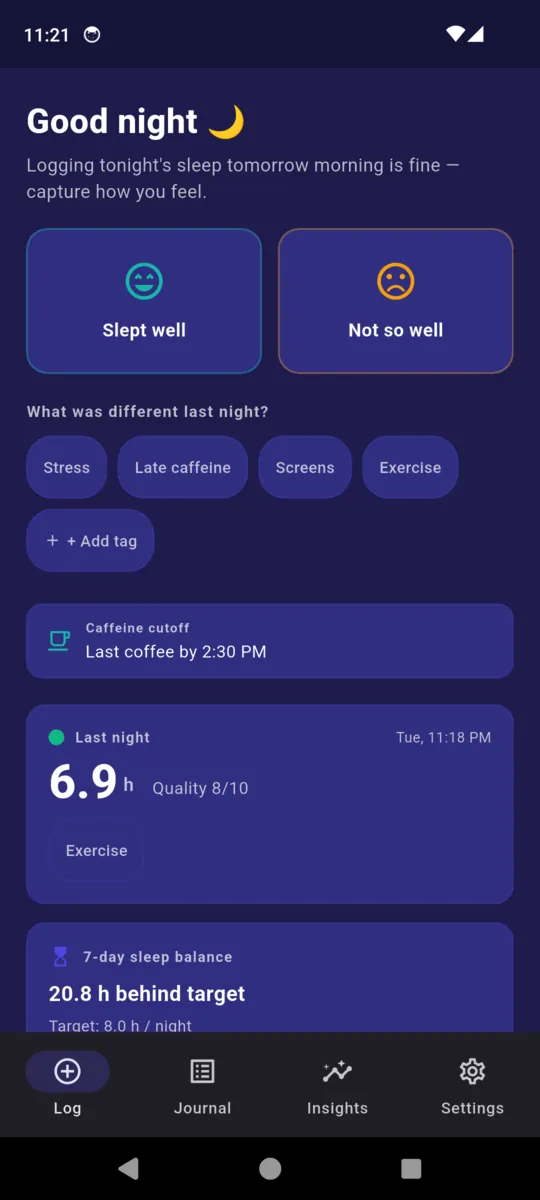
The morning screen opens on one question and two buttons. Answer it and you have logged the night. Everything after that is optional, and the app never nags you for it.
01
Tap one of two
That is a complete entry. It also greets you by time of day, and if you open it in the evening it tells you logging tomorrow morning is fine.
02
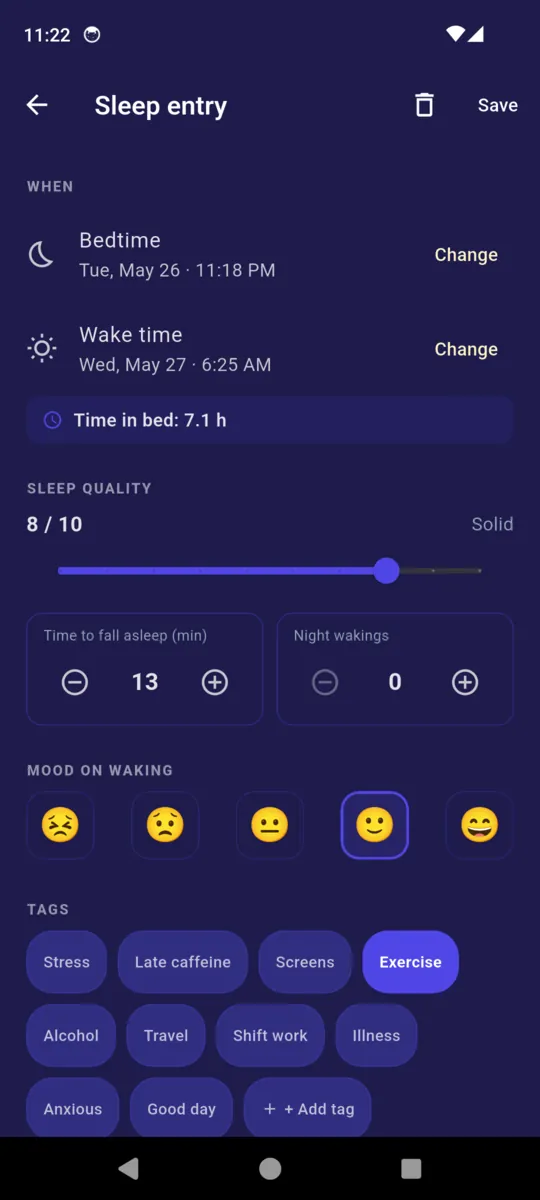
Add what you know
- BedtimeTue, 11:18 PM
- Wake timeWed, 6:25 AM
- Time to fall asleep13 min
- Night wakings0
- Sleep quality8 / 10
- Mood on waking1 to 5
Time in bed and hours asleep are worked out from these, and the difference between the two is your sleep efficiency.
03
Tag what was different
- Stress
- Late caffeine
- Screens
- Exercise
- Alcohol
- Travel
- Shift work
- Illness
- Anxious
- Good day
- + your own
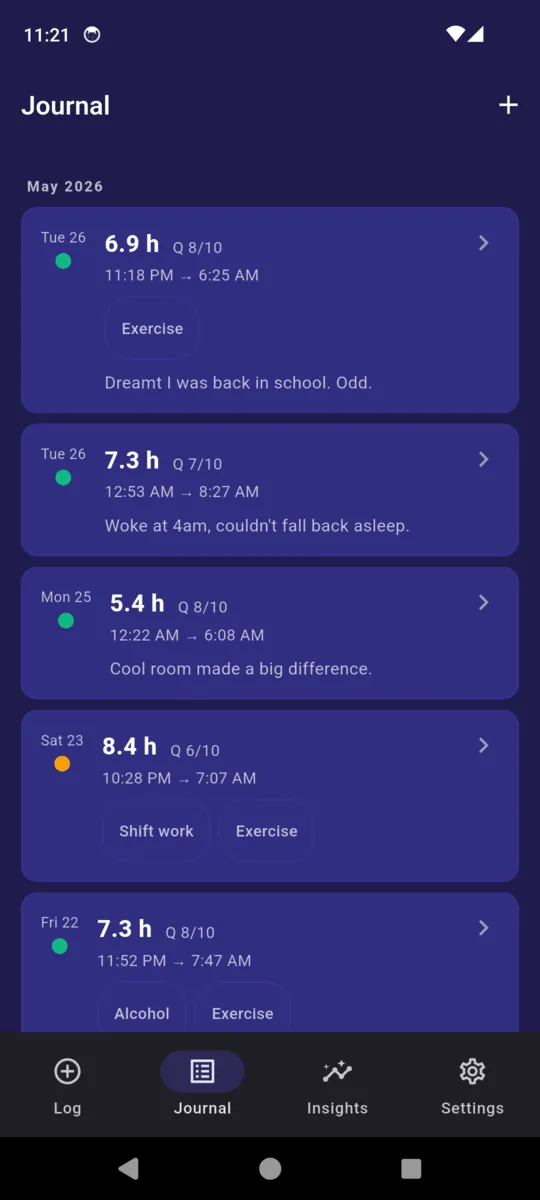
Plus a line about the night itself if you want one. Those notes become the journal, one card per night.
A balance, not a grade
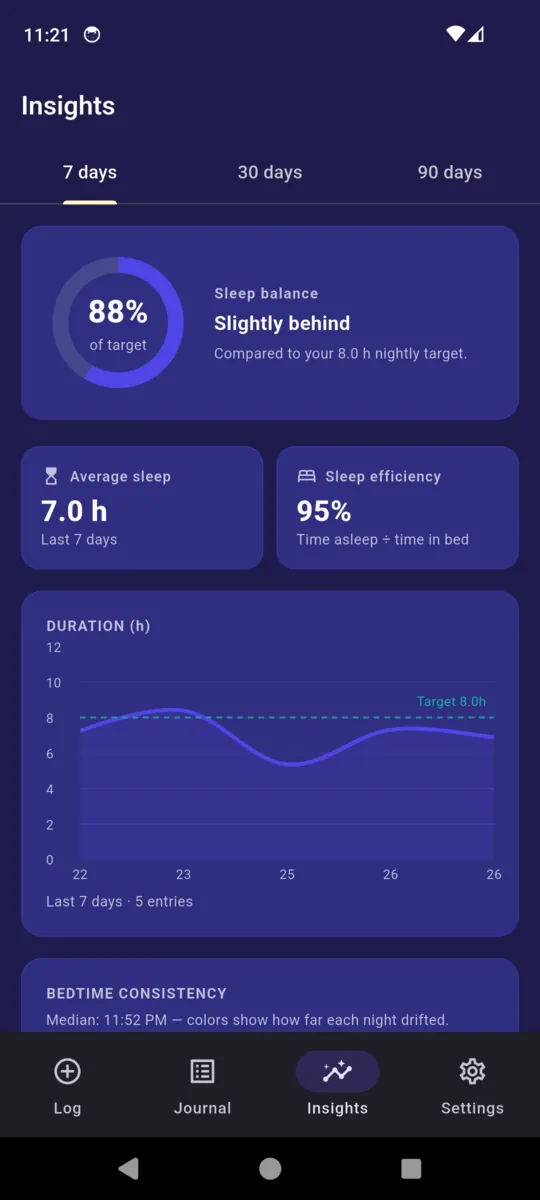
Set a nightly target — eight hours by default. SleepRight adds up the last seven nights, subtracts them from seven times your target, and shows you what is left over. That is the whole calculation, and the app tells you which way you are running in words rather than a verdict: on target, slightly behind, behind, significantly behind.
Alongside it sit three more numbers from the same entries: average hours, sleep efficiency as time asleep over time in bed, and a bedtime consistency chart against your own median, marking any night that drifted more than 90 minutes.
Asked why the balance is never coloured green or red, the app's own help screen answers: green would read as "you're fine to drive", a claim it cannot make.
7-DAY SLEEP BALANCE
8.0 h target × 7 nights
− 35.2 h logged
20.8 h
behind target
Shown in the app's neutral indigo, at whatever size the number happens to be.
Two schedules it works out from your bedtime
Neither of these is a score to chase. They are just times, calculated backwards from when you have said you want to be asleep, and turned into reminders if you want them.
CAFFEINE CUTOFF
Last coffee by 3:00 PM
Your bedtime minus a buffer you choose, eight hours by default. The home screen shows the cutoff before it passes and how long ago it went by after. There is an optional notification on it.
WIND-DOWN ROUTINE
30 minutes, counted back
- 22:30 Dim lights 5 min
- 22:35 Phone away 5 min
- 22:40 Read 20 min
- 23:00 Bed
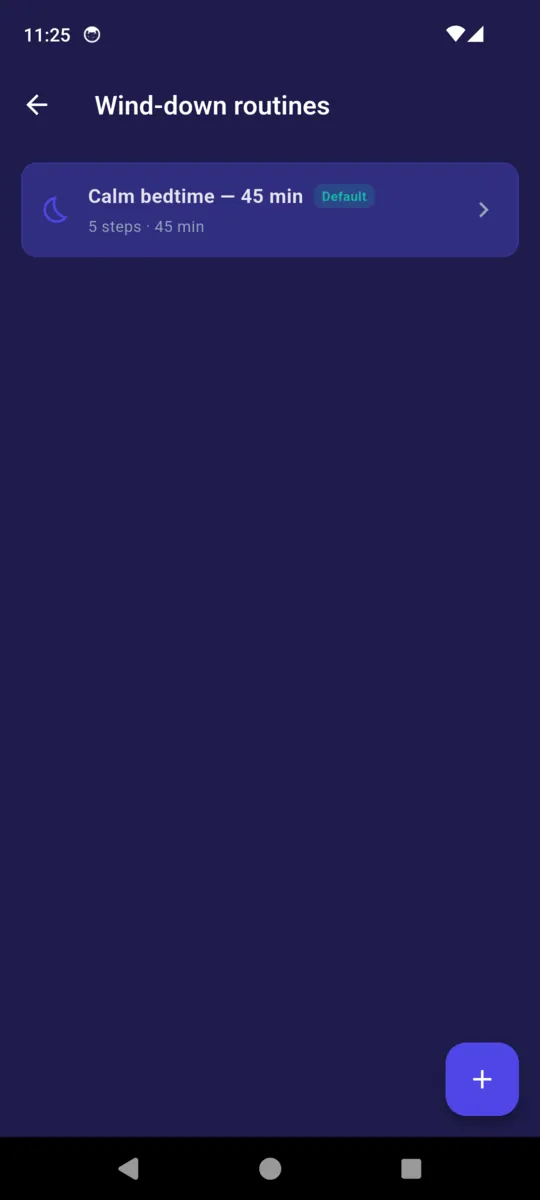
Build your own steps and durations, and the app schedules a nudge at the start of each one. That default routine ships with the app; Pro adds as many more as you want.
The CBT-I-lite tools
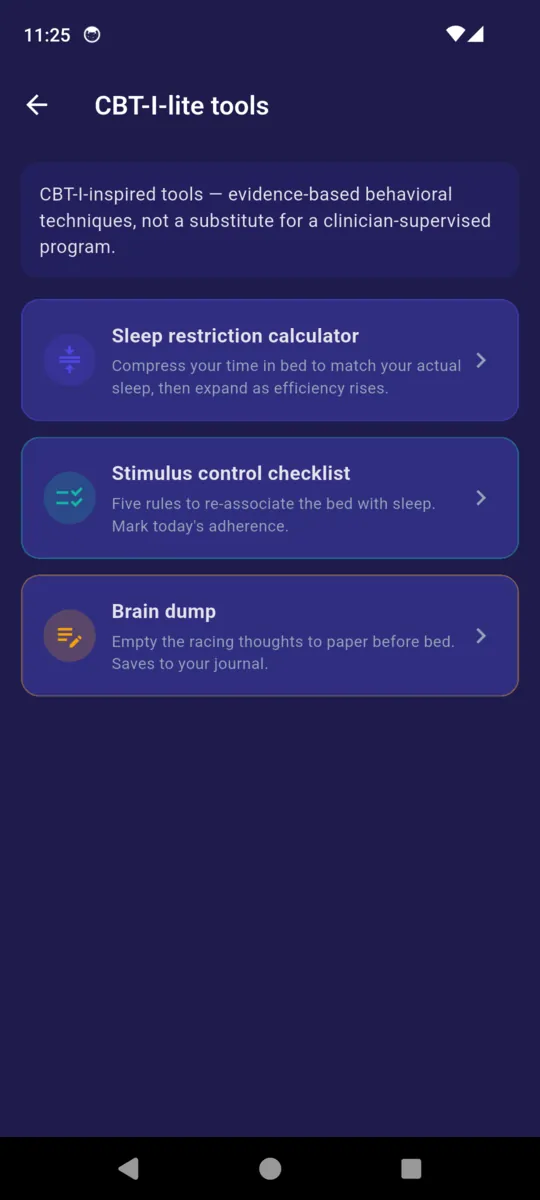
Three behavioural tools, described by the app itself as CBT-I-inspired and, in its own words, not a substitute for a clinician-supervised programme. The stimulus-control checklist is the plainest of the three, so here it is in full.
- 1
Bed = sleep only
No work, scrolling, or TV in bed. Reading is OK if it lulls you. The brain learns: bed, then sleep.
- 2
Lie down only when sleepy
If you are not yawning or drifting, stay up. Going to bed to try to sleep trains the bed as a struggle.
- 3
Up after 20 min awake
Your sense of twenty minutes, no clock-watching. Get up and do something quiet in dim light until sleepy.
- 4
Same wake time, every day
Including weekends. A fixed wake anchor is the single strongest CBT-I lever.
- 5
No daytime napping
Naps reduce sleep pressure for the night. Cut them for two to four weeks while you re-train.
Sleep restriction calculator
Enter your average time in bed and your average actual sleep. It gives you your efficiency, a compressed sleep window and the bedtime that follows from your desired wake time. Re-run it weekly: at 85% or better, widen the window by fifteen minutes.
Brain dump
A blank box for the loop that will not stop. No judgement, no editing, just empty it. Saves into the journal with the rest of your notes.
Shift schedules
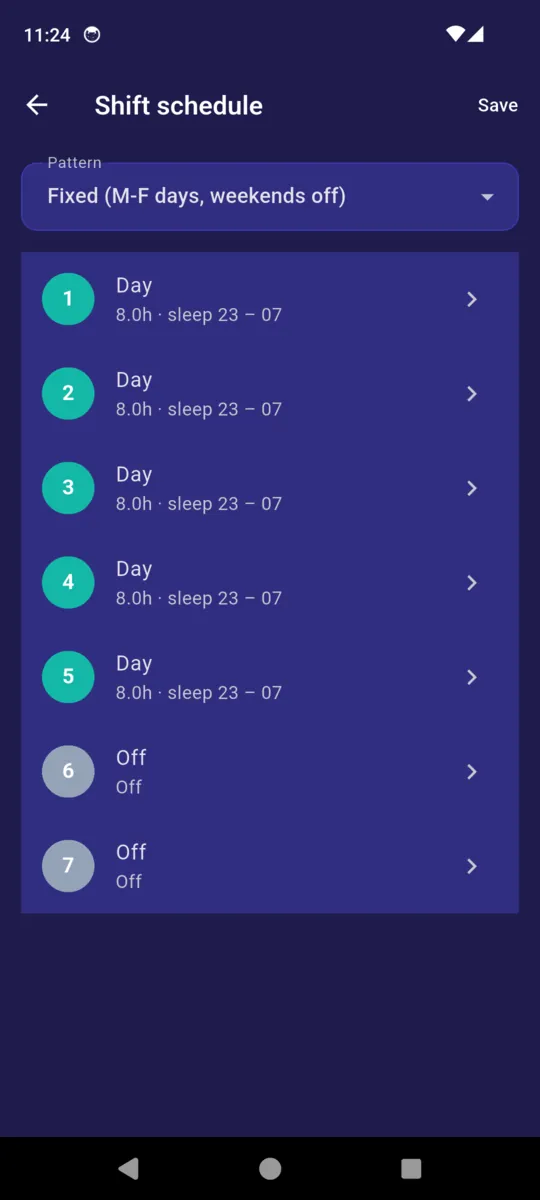
Fixed weekdays, rotating four-on four-off nights, or a custom pattern where every day gets its own bed hour, wake hour and target. Entries can be tagged with the shift they belong to.
What it asks the phone for
A sleep app that measures you needs a microphone, a motion sensor or a wristband. SleepRight measures nothing, so it asks for none of them. This is the complete list from the app's manifest.
- Notifications The bedtime, wind-down and caffeine reminders. Decline it and the app still works.
- Internet and network state Serving the banner ad on the free tier, and crash reporting.
- Run at boot Re-arms your scheduled reminders after the phone restarts.
- Advertising ID The ad on the free tier. Privacy Mode in Settings switches off crash reporting and analytics.
Never requested
- Microphone
- Motion or accelerometer
- Location
- Bluetooth or wearables
- Health Connect
- Contacts
Your entries stay in a database on the phone. There is no account, no sync and no server holding them.
The app itself
Scroll sideways, or use the arrow keys
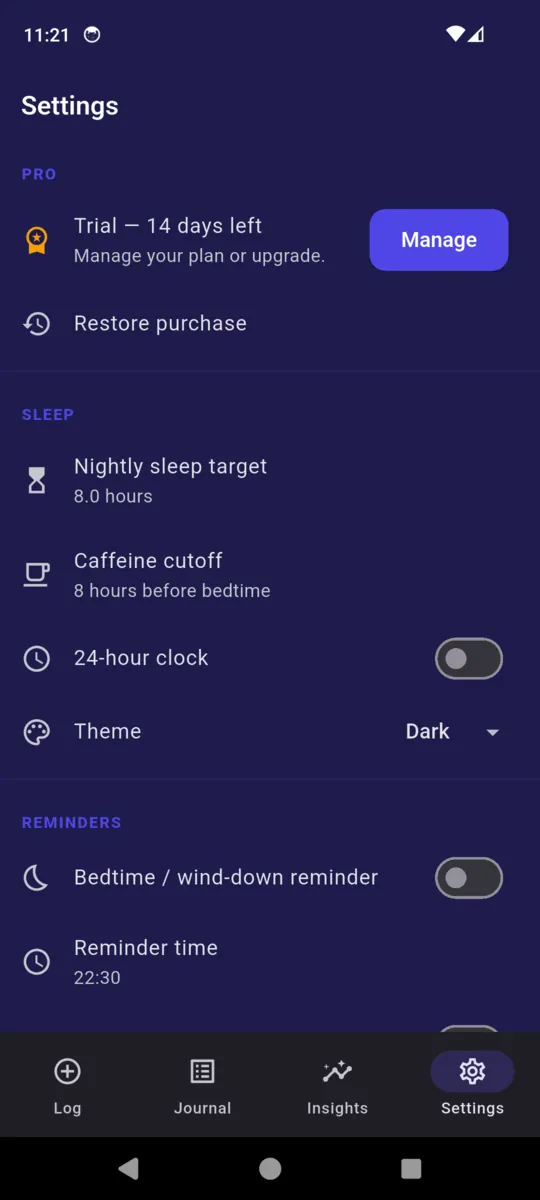
Pricing
Everything is open for fourteen days when you install, with no card and no sign-up. After that the free tier keeps the two-tap log, the journal, the caffeine cutoff, one wind-down routine and a 7-day view, and shows a banner ad on the home and insights screens only.
- Pro adds 30 and 90-day trends, the CBT-I-lite tools, shift mode, PDF export of the journal, unlimited wind-down routines, and no ads anywhere.
- Nothing is taken away Every entry you create during the trial stays readable forever, and you can keep logging.
- Lifetime is a single payment Nothing renews.
Questions
Does SleepRight track me while I sleep?
No. There is no microphone, no accelerometer and no wearable integration. You tell it how you slept in the morning. That is the whole design, and it is why the app asks for so little.
What is the sleep balance number?
Your nightly target multiplied by seven, minus the hours you actually logged over the last seven days. A positive figure means you are behind. It is arithmetic on your own entries, nothing more.
Why is the balance never green or red?
The app says it plainly: green would read as you are fine to drive, and that is a medical claim it cannot make. The number is shown in a neutral colour on purpose.
What are the CBT-I-lite tools?
A sleep-restriction calculator, a five-rule stimulus-control checklist, and a brain dump that saves to your journal. They are CBT-I-inspired and educational. They are not a substitute for a clinician-supervised programme.
Does it handle shift work?
Yes. Pick a fixed weekday pattern, a rotating four-on four-off nights pattern, or edit each day yourself with its own bed hour, wake hour and target. Entries can carry the shift they belong to.
Where is my data, and what happens after the trial?
On the phone, in a local database, with no account and no sync. Nothing is locked or deleted when the trial ends: you keep every entry and keep logging. Pro unlocks the 30 and 90-day trends, the CBT-I tools, shift mode, PDF export and extra wind-down routines, and removes ads.
The app's Help screen also links out to NHS, AASM and CDC sleep guidance. Read how ClearStack handles data in the privacy policy.
Log tomorrow morning
One question, two buttons. A week of that and the balance has something to say.