
WardLog
Court-ready guardianship records
A private, year-round record for a court-appointed guardian or conservator. Log care, decisions and money for your ward — and arrive at your review prepared.
How It Works
Log care & decisions
Record care visits, decisions and condition changes with notes, dates and photos — a clear timeline for your condition-and-care report.
Record & reconcile money
Track every receipt and disbursement, attach a voucher photo, and let WardLog reconcile the period against your bank or investment statement.
Export a court-review PDF
Generate a worksheet PDF — care report plus Schedule A, Schedule B and a reconciliation summary — and transcribe it onto your court's own form.
WardLog in Action
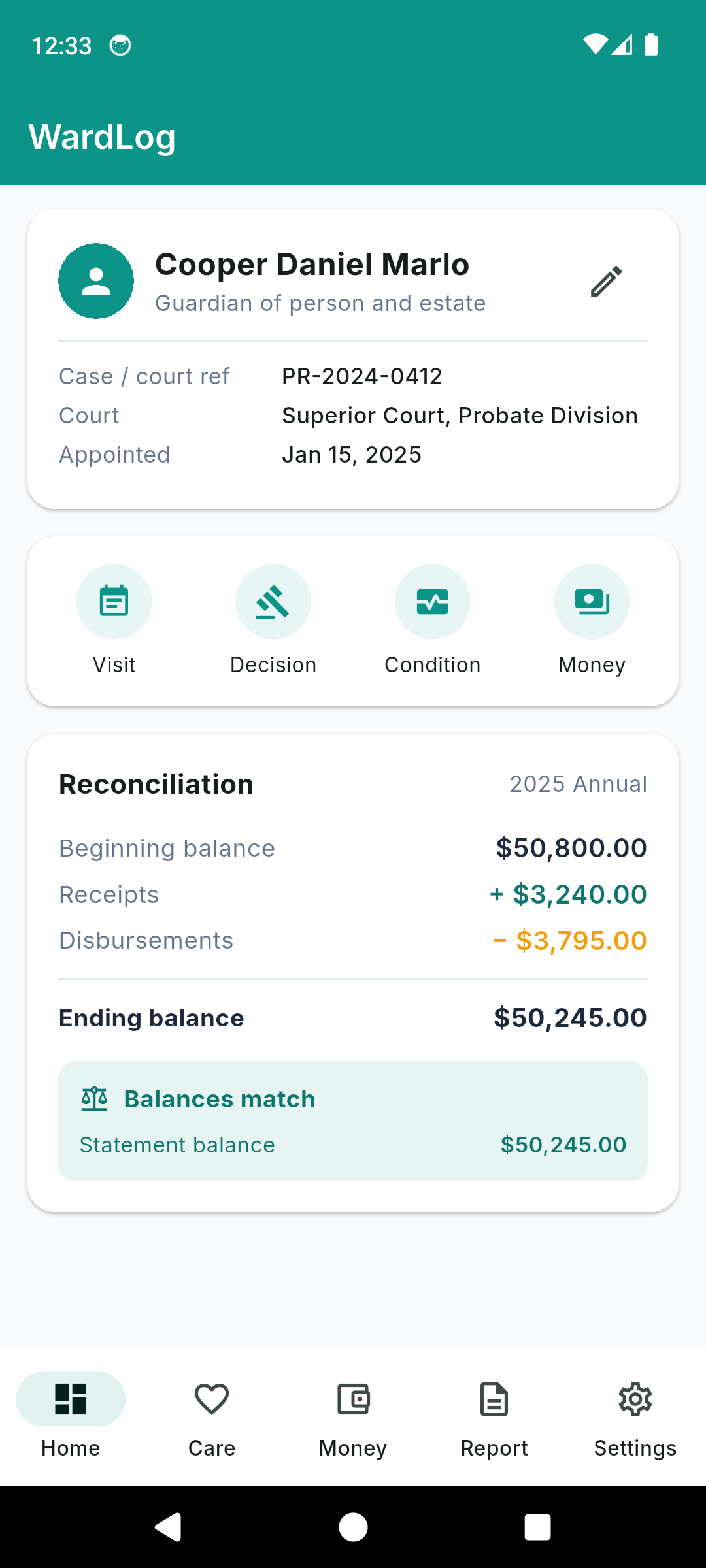
Dashboard — ward + reconciliation at a glance
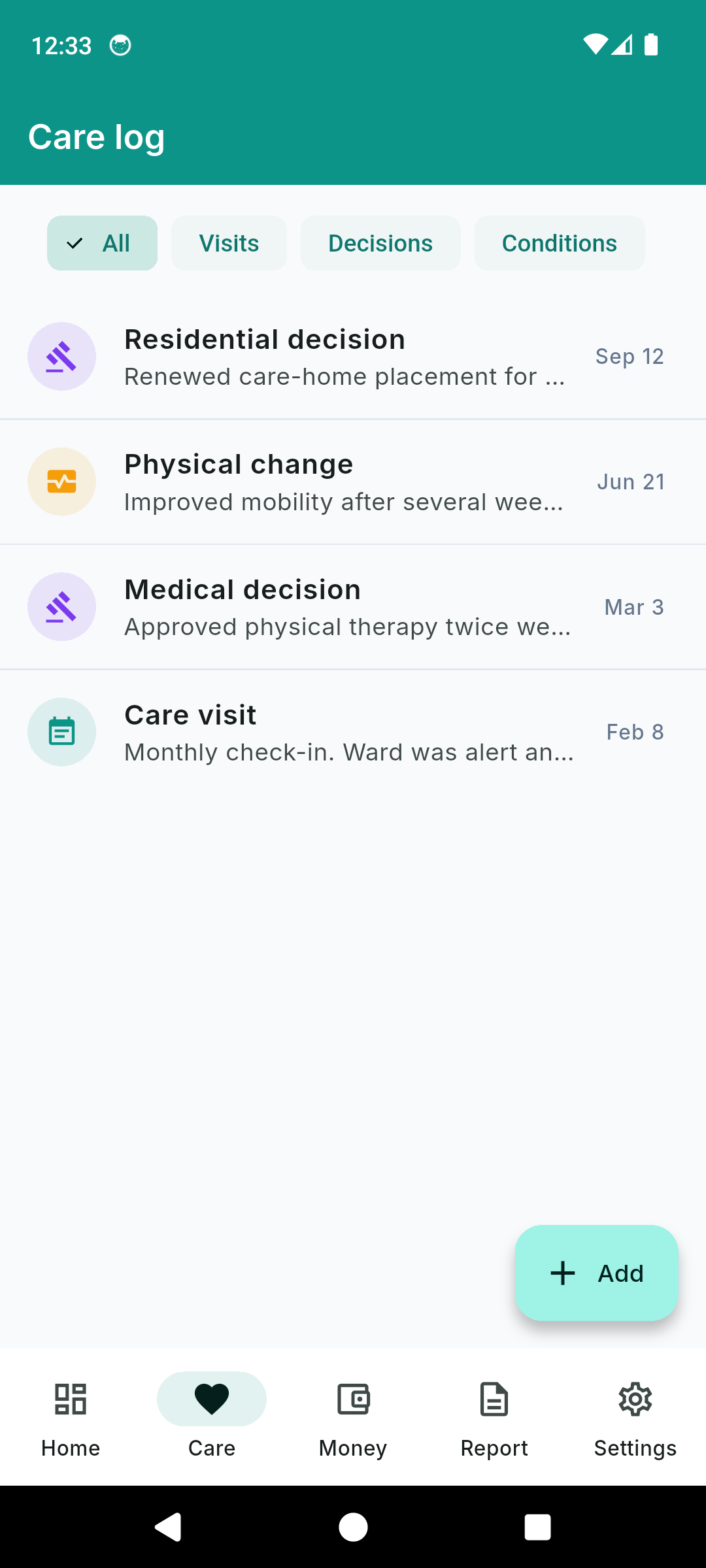
Care log — visits, decisions, conditions
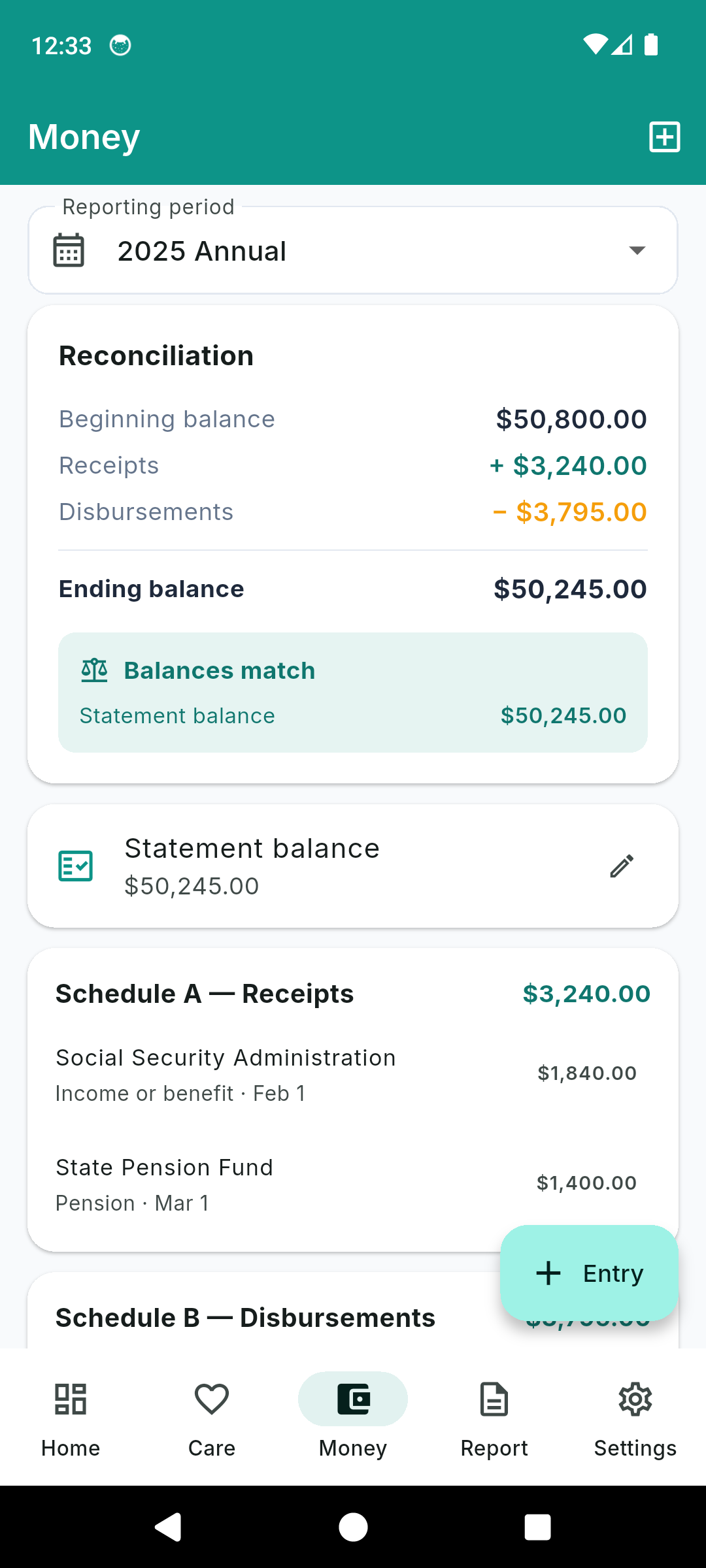
Reconciliation — receipts, disbursements, match
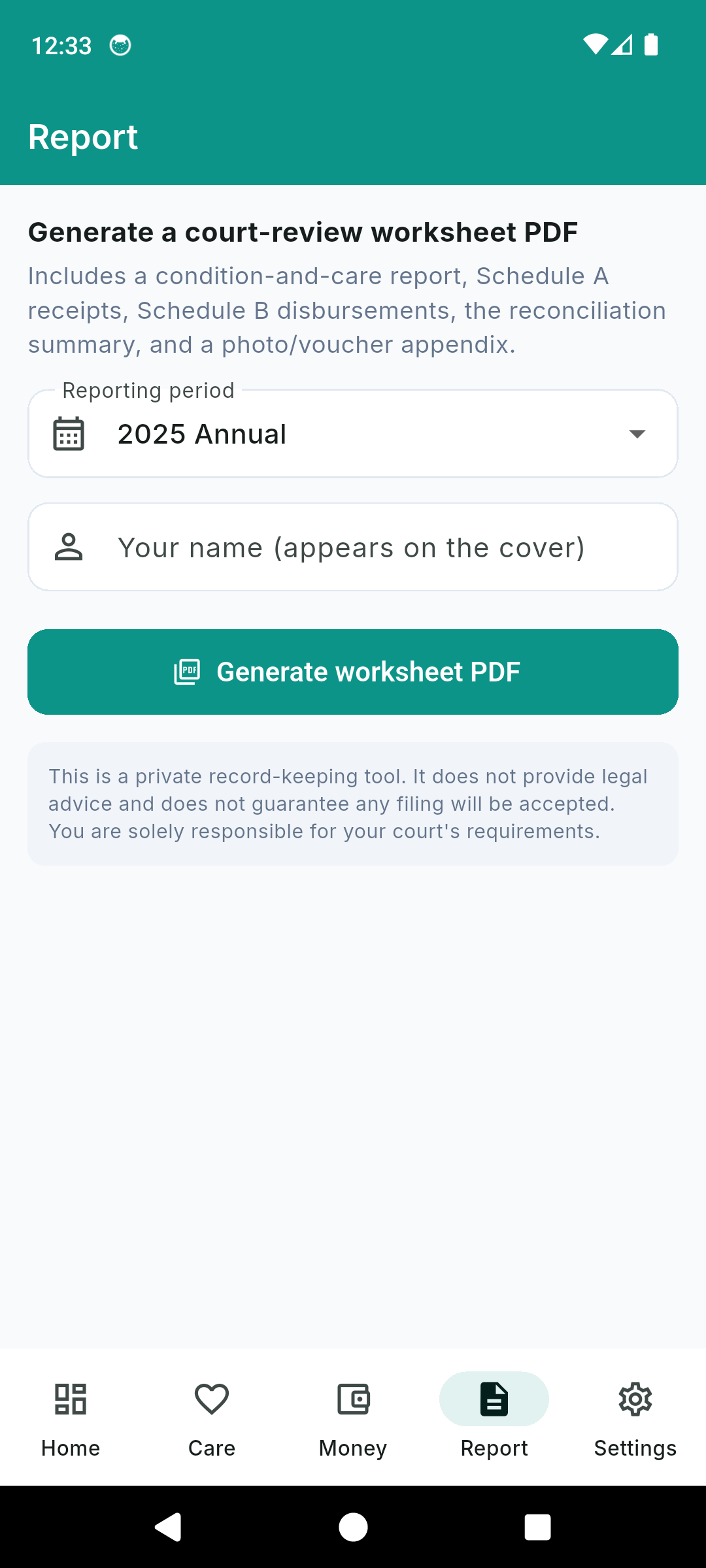
Court-review worksheet PDF
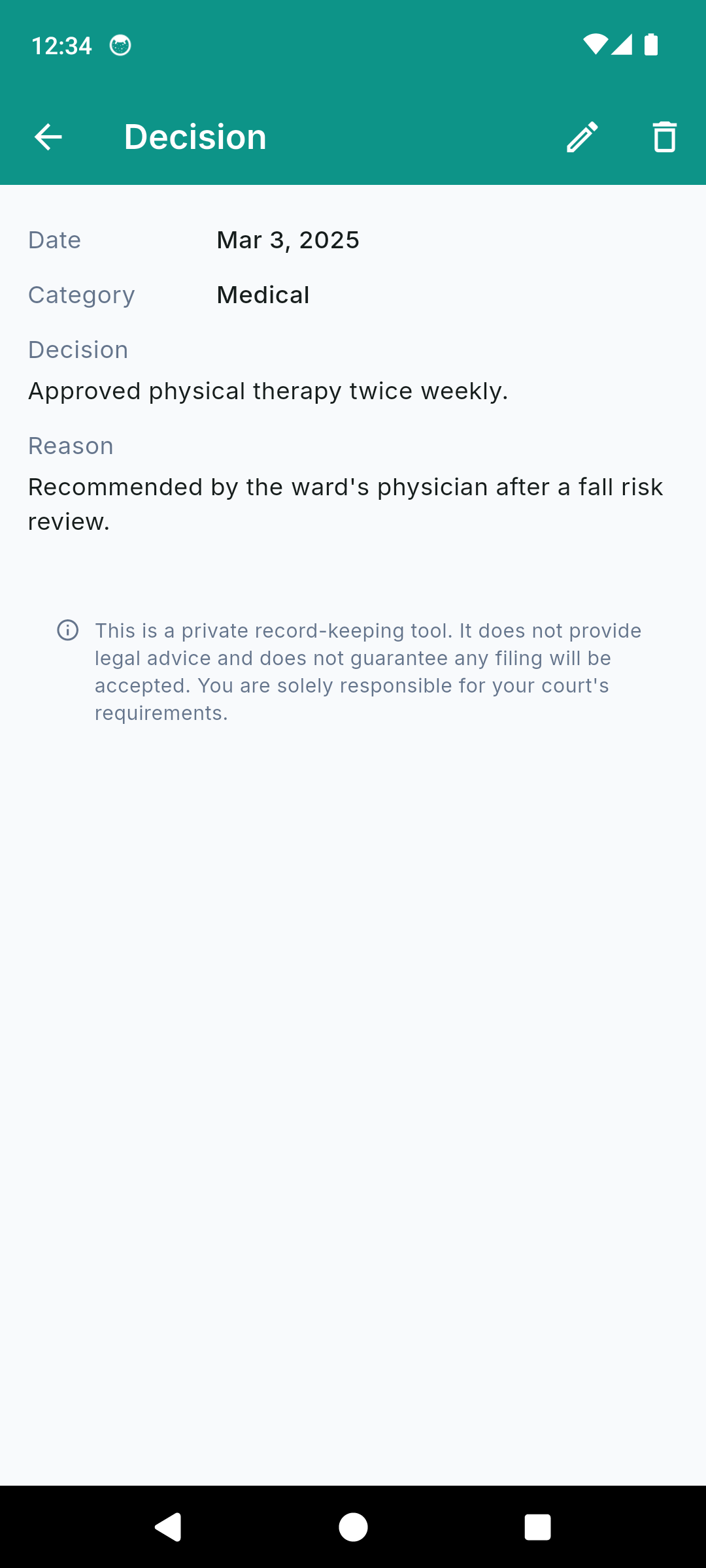
Entry detail with rationale
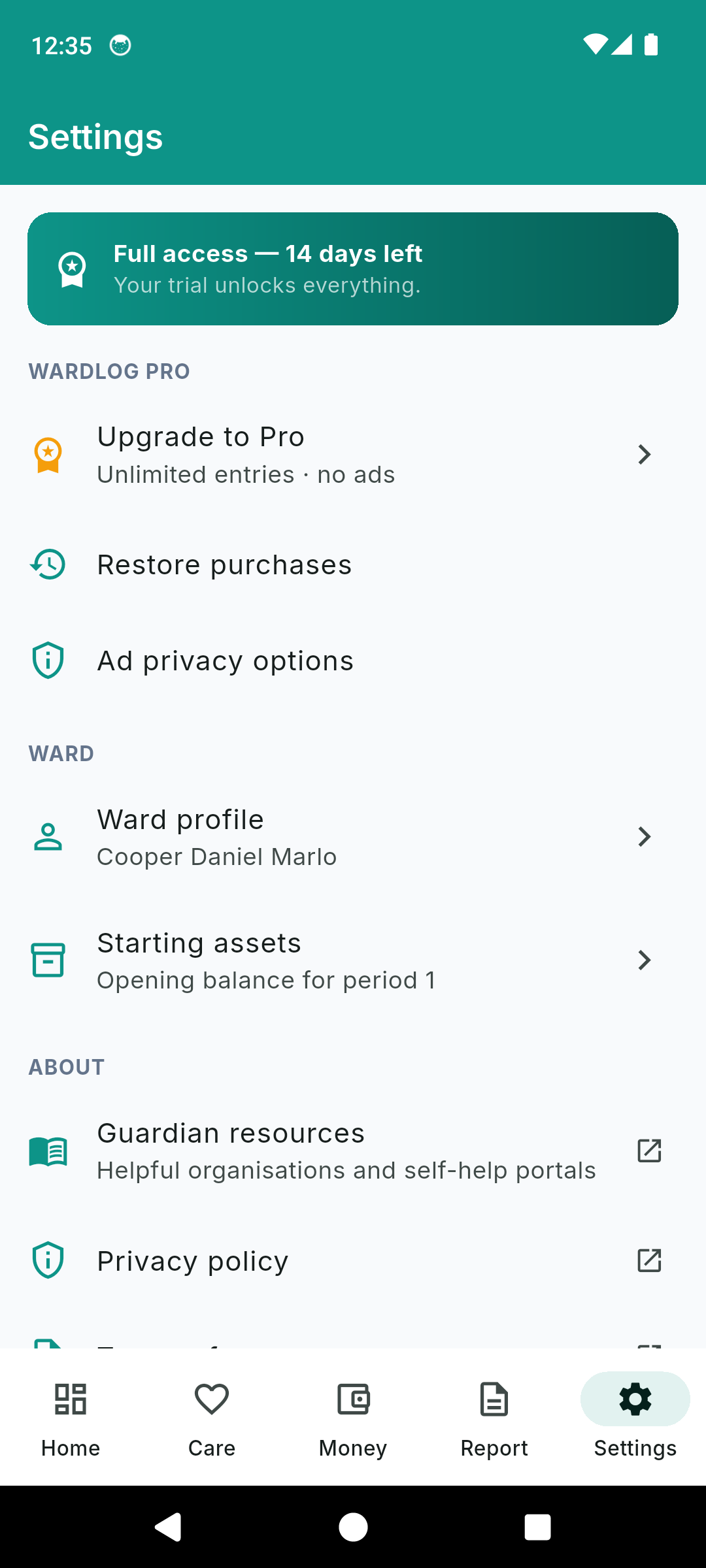
Settings, trial and starting assets
A Guardianship Record That Ties Out
Care & Decision Log
Record care visits with notes, dates and photos; log medical, residential, financial and legal decisions with your rationale; track condition changes over time. A clear, chronological record for your report.
True Period Reconciliation
Not a checkbook — a reconciliation. Beginning balance plus receipts minus disbursements equals a computed ending balance, checked against the statement balance you enter. A mismatch is flagged, never hidden.
Schedule A & Schedule B
Every receipt lands on Schedule A and every disbursement on Schedule B, each subtotaled — the structure courts expect for an annual accounting.
Voucher Photos
Attach a receipt or canceled-check photo to each disbursement. The worksheet marks which lines have a voucher and includes the images in an appendix.
Automatic Carry-Forward
Period one opens from your Inventory of starting assets. Each period's ending balance becomes the next period's opening balance automatically — you never re-key it.
Court-Review Worksheet PDF
Generate a paginated PDF: cover page, condition-and-care report, accounting worksheet with both schedules, reconciliation summary, and a photo and voucher appendix.
Private & Offline
No account, no cloud sync. Every record stays on your device. Only anonymous crash and analytics data is collected to keep the app stable.
Honest Pricing
14-day full trial, no card. Then $1.99/month, $9.99/year, or $29.99 once for lifetime. Existing records always stay viewable and exportable, on any plan.
Simple, Honest Pricing
Every install starts with a 14-day full trial — no card. Pick the plan that fits when it ends.
Monthly
per month — cancel anytime
- Unlimited care & money entries
- Period reconciliation
- Voucher photos
- Court-review worksheet PDF
- Ad-free
Yearly
per year — best value
- Everything in Monthly
- Unlimited entries & periods
- Reconciliation & carry-forward
- PDF worksheet export
- Ad-free
Lifetime
One-time purchase
- Everything, forever
- Unlimited entries & periods
- PDF worksheet export
- Ad-free
- No renewals, no fees
Your records are never held hostage. Viewing, searching and re-exporting everything you have already entered stays free on every plan — the paywall only applies to creating new entries above the free-tier caps after your trial.
Common Questions
Frequently Asked Questions
Is WardLog a court-approved guardianship accounting program?
No. WardLog is a private record-keeping tool, not a compliance or legal-advice app. It does not interpret your court's rules, cite statutes, or guarantee that any filing will be accepted. The worksheet it produces is a data export you transcribe onto your court's own official form. Your court's requirements are your responsibility — always verify them with your court or your attorney.
What is the difference between a guardianship accounting and a checkbook?
A court accounting is a reconciliation, not a running checkbook. It starts from a beginning balance, adds total receipts, subtracts total disbursements, and arrives at an ending balance that must tie out to your actual bank or investment statement. A mismatch is the most common reason filings get rejected. WardLog does this math for you each period and flags whether your computed ending balance matches the statement balance you enter.
How does the reconciliation work?
Period one starts from your Inventory total (the ward's starting assets). WardLog adds every receipt (Schedule A) and subtracts every disbursement (Schedule B) to compute an ending balance, then compares it to the statement balance you enter and shows whether they match. When you create the next period, the ending balance carries forward automatically as the new opening balance — you never re-key it.
Can I attach a voucher to each disbursement?
Yes. Many courts require a voucher — a receipt or canceled check — for each disbursement. WardLog lets you photograph a voucher and attach it to the disbursement, and the worksheet PDF marks which lines have a voucher on file and includes the images in an appendix.
What does the court-review worksheet PDF include?
A cover page with the ward, case reference and reporting period; a condition-and-care report of your visits, decisions and condition changes; an accounting worksheet with the beginning balance, Schedule A receipts, Schedule B disbursements, and a reconciliation summary; and a photo and voucher appendix. It is a worksheet — you transcribe the figures onto your court's own official form.
Is my ward's data private?
Yes. Your records are stored locally on your device — there is no account and no cloud sync. Only anonymous crash and analytics data is collected to keep the app stable. The only time data leaves the app is when you choose to export or share a PDF.
Do my records get locked if I do not subscribe?
Never. These are legally retained records, so viewing, searching and re-exporting everything you have already entered is always free, regardless of your plan. The paywall only applies to creating new entries above the free-tier caps after your 14-day trial — it never locks, hides or deletes a record you already made.
How much does WardLog cost?
Every install starts with a 14-day full trial, no card required. After that you can keep a standard tier (read and export everything, with limits on new entries) or upgrade: $1.99/month, $9.99/year, or $29.99 once for lifetime access. All three unlock unlimited entries and remove ads.
Does it work offline?
Yes. WardLog works completely offline. Every visit, decision, money entry and photo is stored locally on your device, so you can log a care visit at the facility or reconcile at the bank with no signal.
Arrive at Your Review Prepared
Download WardLog and keep a complete, reconciled record — instead of a shoebox.
Have questions? Get in touch
The Guardianship Accounting App Built for One Ward
Courts require a court-appointed guardian or conservator to file a periodic report — usually annual — covering the ward's condition and care, plus a full accounting of every dollar of the ward's property received and disbursed. WardLog is a private, offline record-keeping tool for a solo guardian managing a single ward: it keeps your care log and your money in one place all year, reconciles each reporting period, and exports a worksheet you transcribe onto your court's own form, so you arrive at review with a complete record instead of a shoebox of receipts.
An Accounting Is a Reconciliation, Not a Checkbook
The single most common reason a guardianship accounting gets rejected is that the numbers do not tie out. A court accounting is not a running checkbook register — it is a reconciliation. You start from a beginning balance, add total receipts, subtract total disbursements, and the computed ending balance must equal the actual balance on the ward's bank or investment statement. WardLog performs that calculation for every period and tells you plainly whether your figures match the statement balance you enter, so a discrepancy surfaces at your desk instead of at the courthouse.
Schedule A, Schedule B, and Vouchers
WardLog organizes money exactly the way an annual accounting expects. Every receipt — Social Security, pension, interest, an asset sale — lands on Schedule A. Every disbursement — care-home fees, medical bills, taxes, insurance — lands on Schedule B, each subtotaled. For disbursements, many courts require a voucher: a receipt or a canceled check. You can photograph a voucher and attach it to the line, and the worksheet PDF marks which disbursements have a voucher on file and reproduces the images in an appendix.
The Care and Condition Half
A guardianship report is two filings in one: the accounting and the report on the ward's condition and care. WardLog keeps them as distinct sections. You log care visits with notes, dates and photos; record medical, residential, financial and legal decisions with your rationale; and track condition changes over time across physical, cognitive, behavioral and living-situation domains. At report time, that timeline becomes the condition-and-care section of your worksheet.
Carry-Forward So You Never Re-Key a Balance
Your first reporting period opens from your Inventory — the ward's starting assets at the time of appointment. From then on, each period's ending balance becomes the next period's opening balance automatically. You set up the inventory once and never re-key an opening balance again, which removes a whole class of transcription errors that cause filings to fail.
Private by Design
A ward's financial and medical record is sensitive. WardLog stores everything locally on your device — there is no account, no login, and no cloud sync. The only data that leaves your device is the PDF you choose to export. Because these are legally retained records, viewing and re-exporting everything you have already entered is always free, on any plan; the app never locks, hides or deletes a record you have made.
Honest About What This App Is
WardLog is a private record-keeping and reconciliation tool. It does not provide legal advice, does not interpret your jurisdiction's guardianship statutes, and does not guarantee that any filing will be accepted. It deliberately produces a generic worksheet rather than a facsimile of any court form, because the worksheet is yours to transcribe onto the official form your court provides. You are solely responsible for your court's requirements — WardLog gives you the organized, reconciled record that makes meeting them easier.