CONDUIT BENDING CALCULATOR
BendPro
Conduit bending for electricians
Where to put the mark, before you pull the handle.
Type the depth and pick the angle. BendPro gives the distance between marks, the shrink, the multiplier it used and a diagram of the bend, in inches with fractions or in millimetres. Take-up for four common benders is already in it.

Every calculator is free.
$3.99 removes the ad.
WORKED EXAMPLE
A six inch offset at thirty degrees
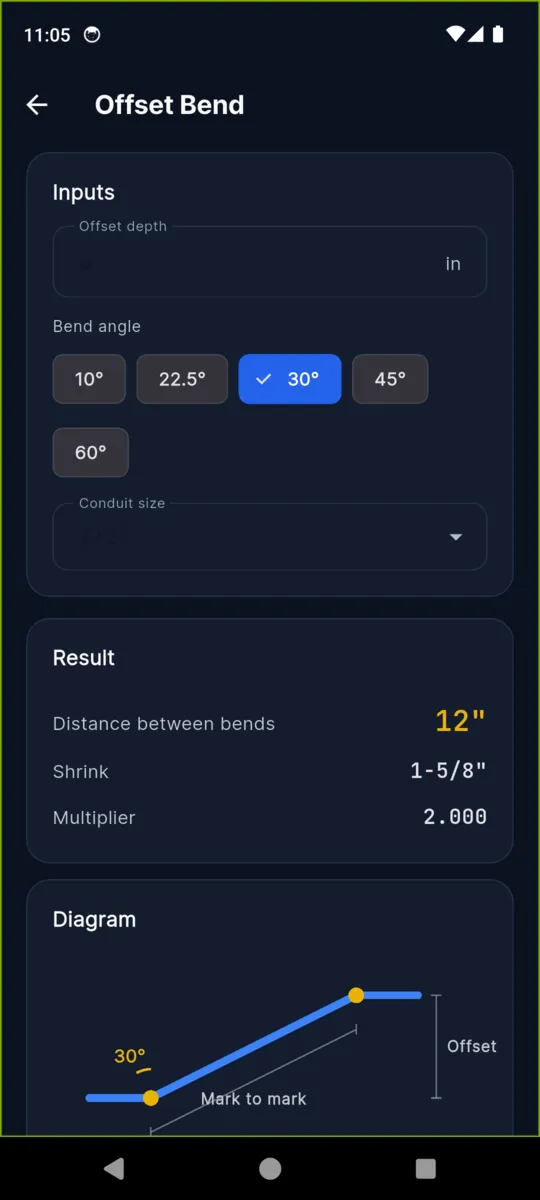
The commonest bend on any job, and the one every apprentice is taught with a chart taped inside a toolbox lid. Here is the whole of it. BendPro does exactly this, in the units you work in, and draws it while you type.
YOU TYPE
Offset depth6″
Bend angle30°
IT ANSWERS
Multiplier2.000
1 ÷ sin 30°
Distance between bends12″
6″ × 2.000
Shrink1-5/8″
6″ × tan 15°
Shrink is what the run loses once the bend is in it. Push your first mark that much further along and the far end still lands where you measured it.
The five angles, and what they cost you
Same table that is inside the app under Quick Reference. A shallow angle is easier to pull and eats less conduit, but the marks land a long way apart. A steep one is tight, and the shrink climbs.
These are the rounded figures you would use in your head. BendPro carries the full trigonometry, which is why the worked example above reads 1-5/8 inches rather than the flat quarter inch this table gives.
| Angle | Multiplier | Shrink per inch |
|---|---|---|
| 10° | 6.0 | 1/16″ |
| 22.5° | 2.6 | 3/16″ |
| 30° | 2.0 | 1/4″ |
| 45° | 1.4 | 3/8″ |
| 60° | 1.2 | 1/2″ |
Five more bends, and a fill check
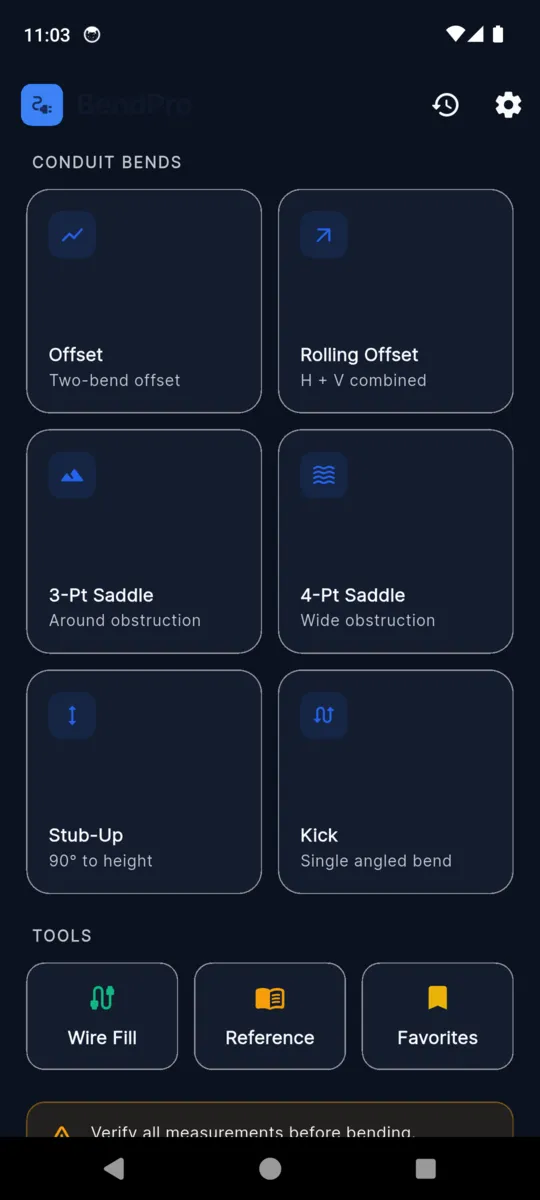
Each one takes what you can actually measure on site and gives back marks and angles. Every result gets its own diagram, and nothing is stored until you tap Save.
-
Rolling offset
Horizontal and vertical travel in, true offset and roll angle out — the one that catches people out when a run has to move sideways and up at once.
-
Three-point saddle
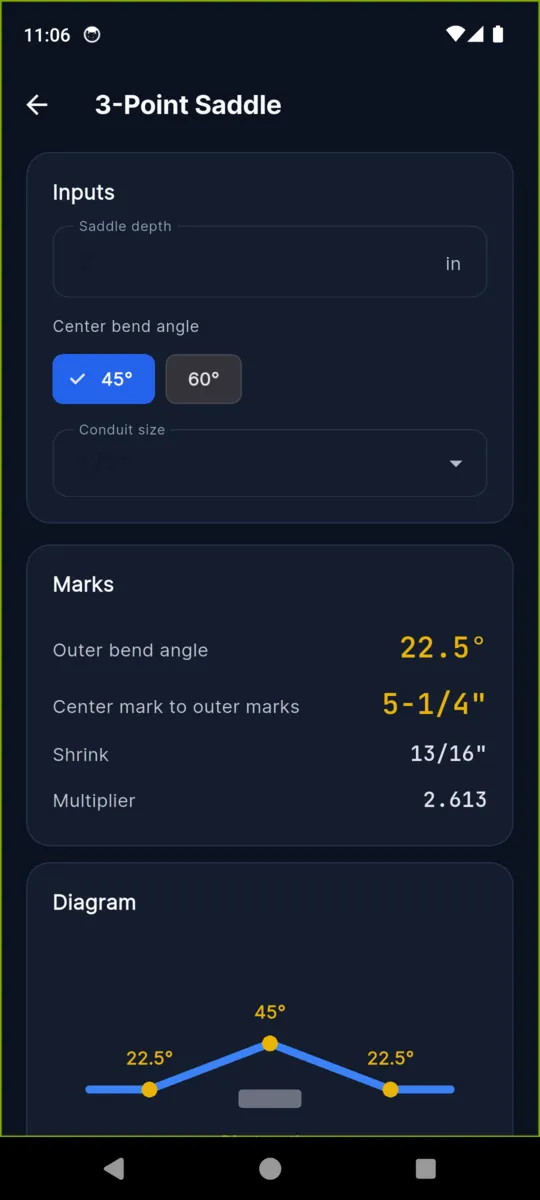
Around an obstruction. Centre bend at 45° or 60°, outers at half that, and the centre-mark to outer-mark distance worked out.
-
Four-point saddle
For a wide obstruction, at 10°, 22.5°, 30° or 45°. Two offsets back to back with the flat run between them measured for you.
-
Stub-up
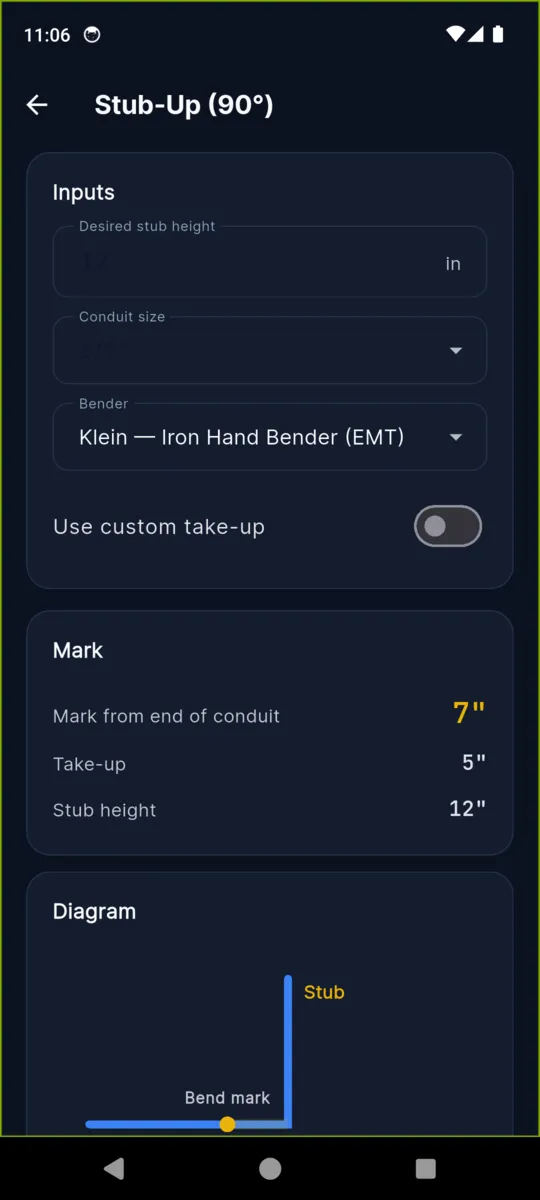
Ninety degrees to a height. Pick your bender and the take-up is deducted; type your own take-up if your shoe is stamped with a different figure.
-
Kick
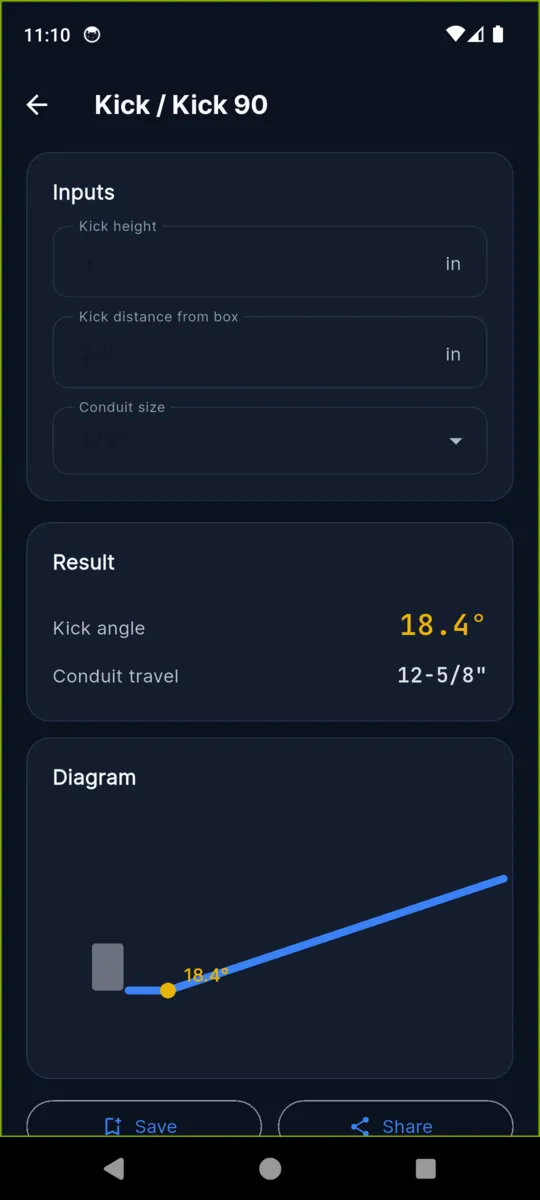
A single angled bend to clear something near the box. Give the height and the distance from the box, get the angle and the travel.
-
Wire fill
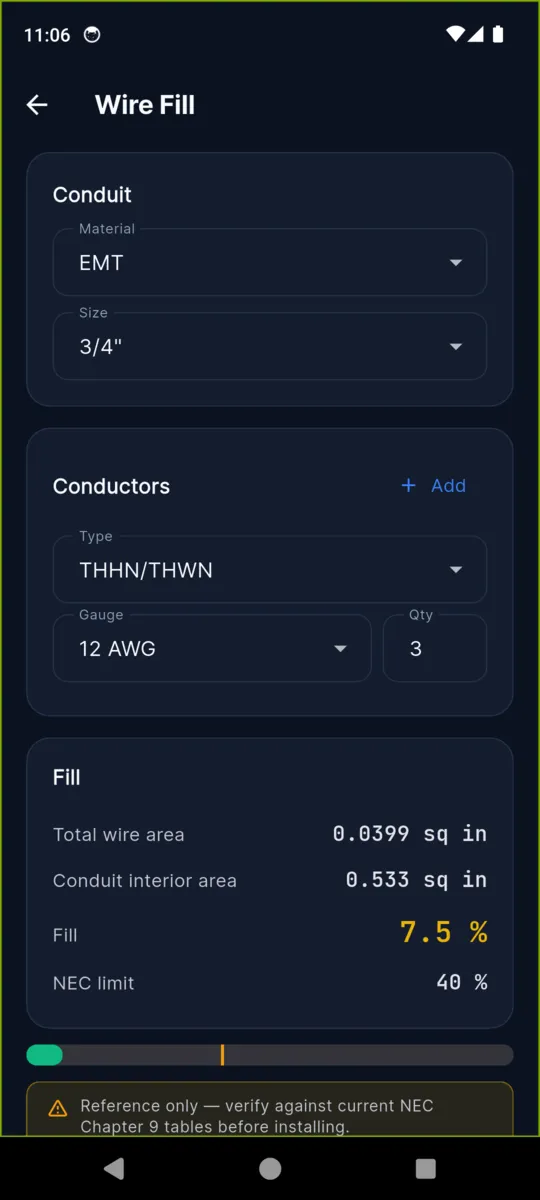
Conduit material and size, conductor type, gauge and count. It totals the wire area and shows the fill against the limit that applies.
On the phone
Scroll sideways, or use the arrow keys
The numbers it already knows
Bender deductions
Five profiles: Klein Iron Hand, Greenlee Hand, Ideal E-Z and Gardner Bender for EMT, plus the Klein bender for rigid and IMC. Choosing one changes every stub-up result.
| Size | Take-up | Gain |
|---|---|---|
| 1/2″ | 5″ | 2-1/2″ |
| 3/4″ | 6″ | 4-1/2″ |
| 1″ | 8″ | 5-3/4″ |
| 1-1/4″ | 11″ | 7″ |
Taken from manufacturer data sheets and cross-checked against Ugly's Electrical References, 2023 edition. Benders vary. Always check the deduction stamped on your own shoe before you bend anything.
Wire fill limits
Conduit interior areas come from NEC 2023 Chapter 9 Table 4, conductor areas from Table 5. The limit BendPro measures you against depends on how many conductors you put in the run.
- 53% One conductor in the conduit
- 31% Exactly two conductors
- 40% Three or more, which is most branch circuits
EMT, IMC, rigid and PVC Schedule 40 from 1/2 inch to 2 inch, and THHN/THWN from 14 AWG upward. The app says it plainly on the screen: reference only, verify against the current NEC tables before installing.
PRICING
$3.99once
Every calculator is free and stays free, including wire fill and the reference tables. The unlock is about the ad and the caps, not about the maths.
Get BendPro- Free A banner sits at the bottom of the calculator screens. History keeps your last 20 results and you can star five of them.
- $3.99 No banner, unlimited history, unlimited favourites, and the bend diagram can be exported and shared.
Questions
What is the offset multiplier for 30 degrees?
Two. Distance between the marks is the offset depth times the multiplier, so a 6 inch offset at 30 degrees puts the marks 12 inches apart. BendPro also gives the shrink, which is 1-5/8 inches on that bend.
Which benders does it know?
Klein Iron Hand, Greenlee Hand, Ideal E-Z and Gardner Bender for EMT, plus the Klein bender for rigid and IMC. You cannot add your own profile, but you can type a custom take-up on the stub-up screen.
What does the wire fill calculator use?
NEC 2023 Chapter 9, Tables 4 and 5. Pick EMT, IMC, rigid or PVC and a size, add conductors, and it shows fill against the right limit: 53 percent for one, 31 percent for two, 40 percent for three or more.
Does it save calculations automatically?
No. Each calculator has a Save button and nothing is kept until you press it. Saved results go to history, and you can star the ones you want to keep to hand.
Does it do millimetres?
Yes. Imperial is the default and reads in fractions, like 12-5/8 inches. Switch on metric in settings and every input, result and bender deduction changes to millimetres.
Does it need a signal?
No. Every calculation, table and saved result is on the phone. A connection is only used to serve the banner ad before you unlock it.
Is $3.99 a subscription?
No. You pay once. It removes the ad, lifts the 20-result history cap and the 5-favourite cap, and later updates are included.
Check it against a bend you already know
Put in a bend you have pulled a hundred times and see whether the marks agree. That is the only test that matters.