SiteProof
Contractor Photo Log
Document work. Prove completion. Get paid.
How It Works
Capture
Take photos on site. Each one is automatically tagged with GPS, date, and time.
Organize
Sort into projects by job site. Add notes, client details, and custom labels.
Report
Generate branded PDF reports and invoices. Share with clients in seconds.
SiteProof in Action
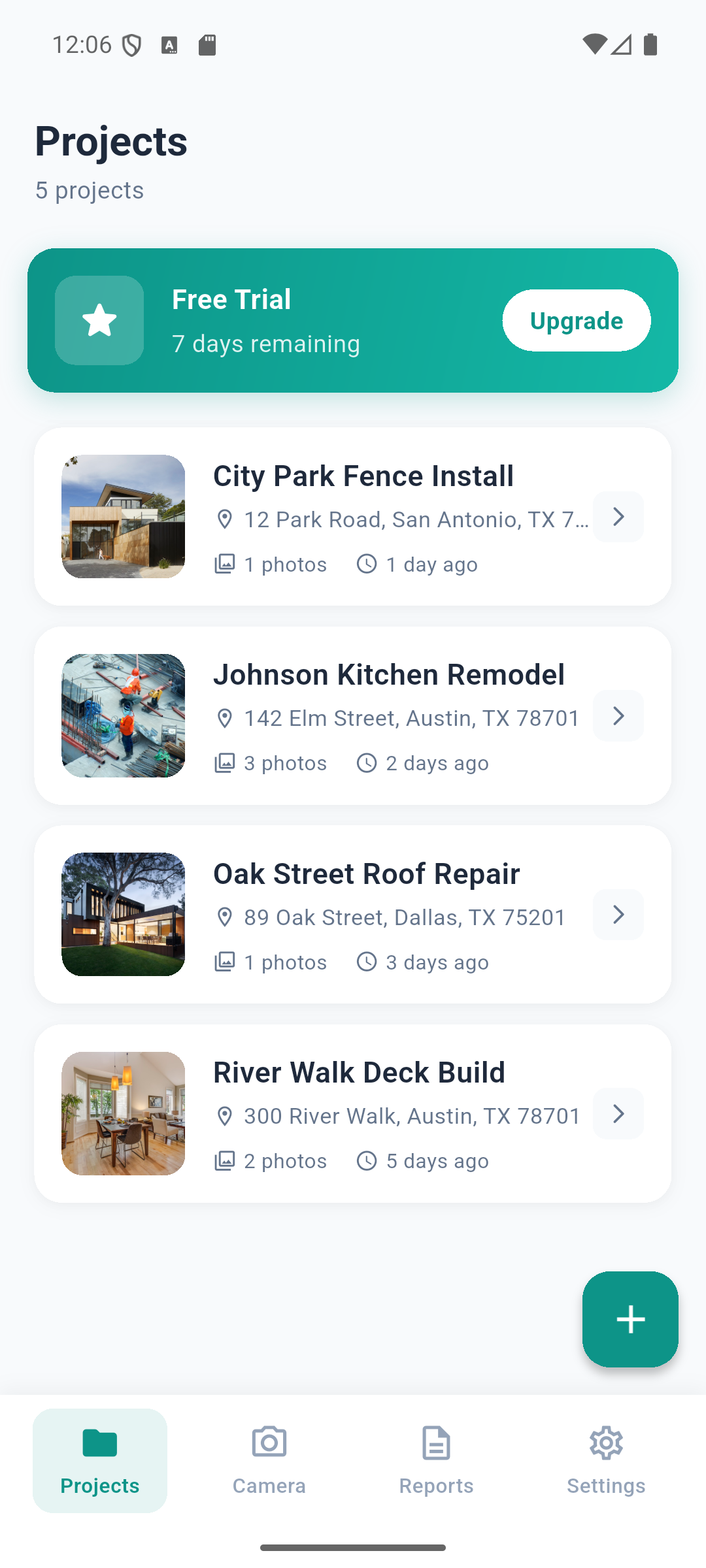
Project dashboard
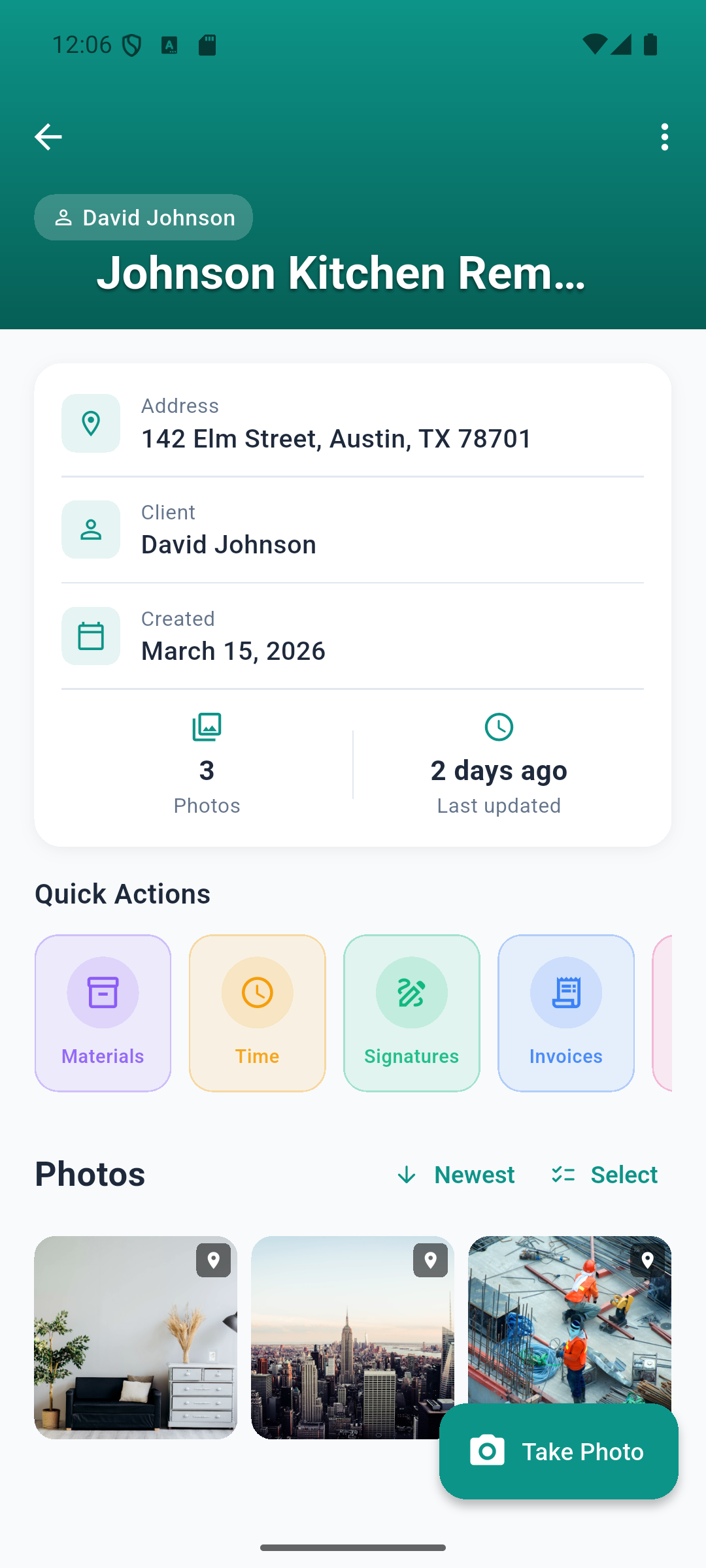
Project photos & details

Photo with GPS & timestamp
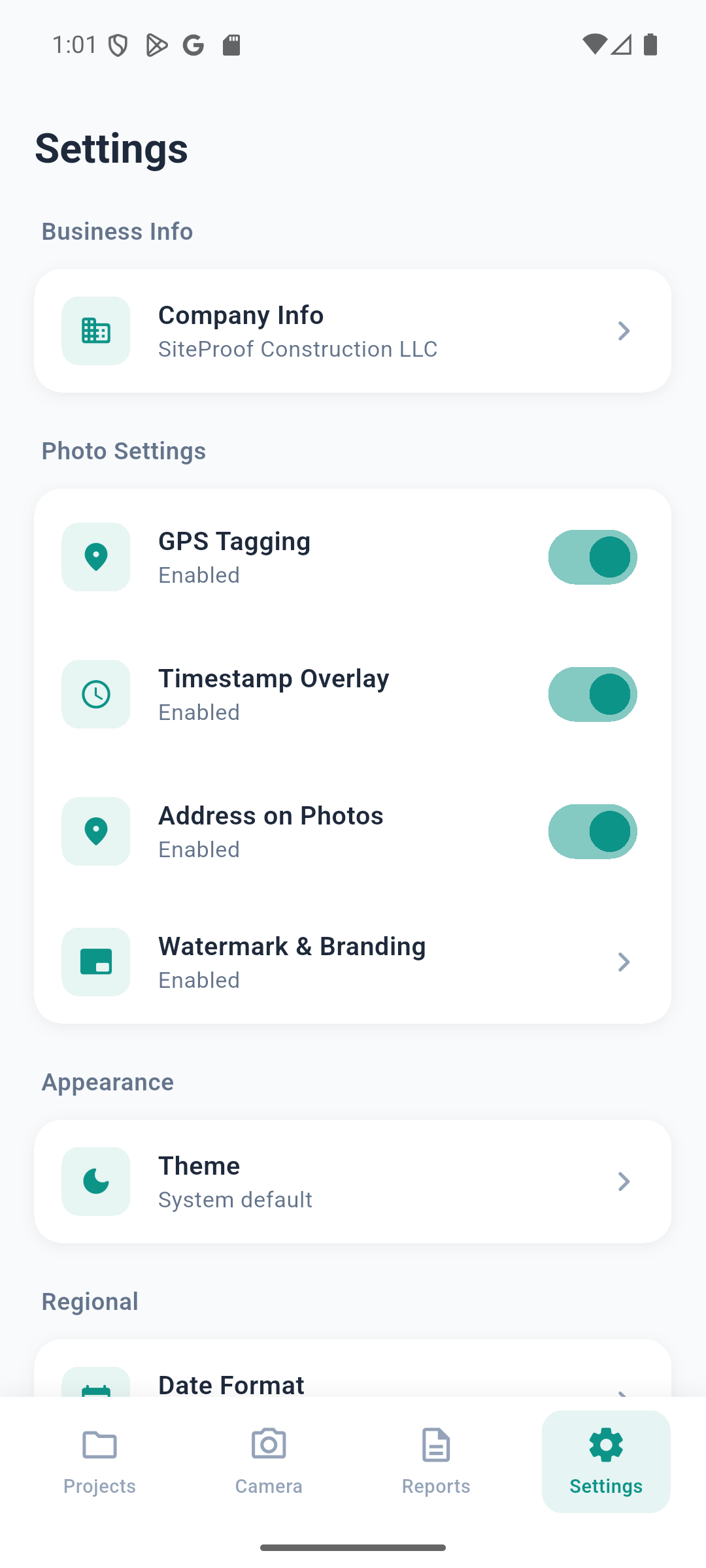
Settings & business info
Everything You Need on Site
Auto Timestamp & GPS
Every photo automatically tagged with date, time, and exact GPS coordinates. Addresses resolved automatically.
Project Organization
Create separate projects for each job site. Add client details, addresses, and notes. Use templates for quick setup.
PDF Reports
Generate professional PDF reports with your business logo, branding, and organized photos. Choose 2 or 4 photos per page.
Invoice Generation
Create and send professional invoices directly from your projects. Track payments and manage your billing.
Time Tracking
Log hours spent on each project. Track start and end times for accurate billing and documentation.
Works Offline
All data stored locally on your device. No internet needed, no account required, no cloud dependency.
10 Languages
Available in English, Spanish, French, German, Portuguese, Chinese, Arabic, Hindi, Japanese, and Russian.
Dark Mode
Full dark theme support. Easy on the eyes during early morning or late evening site visits.
Simple, Honest Pricing
No subscriptions. No hidden fees. Pay once, own it forever.
Simple, Fair Pricing
Start free. Pay once. Use forever.
- All features
- Unlimited projects
- PDF export
- No credit card needed
- All features
- Unlimited projects
- PDF export
- Lifetime access
- All future updates
Common Questions
Frequently Asked Questions
How do I get started?
Download SiteProof, create a project for your job site, and start taking photos. Every photo is automatically tagged with the date, time, and GPS coordinates.
Where are my photos stored?
All photos and data are stored only on your device. We don't have servers or cloud storage. Nothing leaves your phone unless you choose to share or export it.
What happens after the free trial?
After 7 days, you'll be limited to 1 project and won't be able to export PDF reports. All your existing data is preserved. Unlock everything for a one-time payment of $9.99 — no subscription.
How do I restore my purchase on a new device?
Go to Settings > Restore Purchase. Make sure you're using the same Google Play or Apple account that made the original purchase.
Does the app work without internet?
Yes, SiteProof works fully offline. Internet is only needed for the initial purchase verification and sending crash reports to help us improve the app.
How do I generate a PDF report?
Open a project, tap the export button, choose your PDF options (photos per page, include business info), and generate. You can share or save the PDF directly.
Can I add my business logo to reports?
Yes! Go to Settings > Business Info to add your logo, business name, phone number, and email. These appear on all your PDF reports and invoices.
How do I delete all my data?
You can delete individual projects or photos within the app. To remove everything, uninstall the app — all data is permanently deleted since nothing is stored externally.
Ready to Document Your Work?
Download SiteProof and stop losing proof of completed work.
Have questions? Get in touch
Why Contractors Need a Photo Documentation App
Disputes over completed work cost contractors thousands of dollars every year. A client claims a section wasn't painted, a tile wasn't replaced, or a fixture wasn't installed — and without proof, the contractor loses. SiteProof eliminates these disputes by automatically documenting every photo with the exact date, time, GPS coordinates, and street address. This timestamped, geotagged evidence is admissible proof that the work was done, where it was done, and when it was done.
GPS Photo Tagging for Construction Sites
Every photo taken with SiteProof is automatically tagged with precise GPS coordinates. The app then converts those coordinates into a readable street address using reverse geocoding. This means your photo records show not just "a bathroom renovation" but "the master bathroom at 742 Evergreen Terrace, Springfield, at 2:34 PM on March 15th." This level of detail is invaluable for insurance claims, client disputes, warranty work, and building inspections.
Professional PDF Reports for Contractors
SiteProof generates clean, branded PDF reports directly from your phone. Add your business logo, company name, phone number, and email to create reports that look professional and build client confidence. Choose between 2 or 4 photos per page, include project notes and client details, and share the finished report via email, text, or any sharing app. No computer needed — everything happens on your mobile device, even without internet.
Invoice Generation for Field Workers
Beyond photo documentation, SiteProof includes built-in invoice generation. Create and send professional invoices directly from your project. Track which invoices have been sent and which are outstanding. Link your photo documentation directly to your billing so clients can see exactly what work was completed alongside the charge. This transparency reduces payment disputes and speeds up collections.
Time Tracking for Job Sites
Accurate time tracking is essential for billing hourly clients and estimating future jobs. SiteProof logs hours spent on each project, tracking start and end times so you know exactly how long each job takes. This data helps you create more accurate quotes, identify which types of jobs are most profitable, and justify your billing to clients who question labor charges.
Offline-First: Works Without Internet
Construction sites, rural properties, and basement renovations often have poor or no cellular signal. SiteProof works completely offline. All photos, projects, and data are stored locally on your device. No account to create, no cloud uploads, no subscription fees. Your data stays on your phone and works everywhere — even in dead zones where other apps fail. Internet is only needed for the initial purchase verification.
Privacy-First Architecture
Unlike cloud-based photo apps, SiteProof never uploads your photos or business data to external servers. Your client information, project details, and GPS-tagged photos remain on your device until you choose to share them. This local-first approach means your sensitive business data is never exposed to third-party servers, data breaches, or subscription lockouts. Uninstall the app and everything is permanently deleted.
Who Uses SiteProof?
SiteProof is built for anyone who needs to document field work with verified photos. General contractors use it to prove job completion. Electricians and plumbers document rough-in inspections before walls are closed. Roofers photograph damage assessments for insurance adjusters. Property managers record move-in and move-out conditions. Home inspectors build detailed photo reports for buyers. Landscapers document before-and-after transformations. Restoration companies photograph water and fire damage for insurance claims. Whether you work alone or manage a crew, SiteProof gives you the documentation you need to protect your business.
Multi-Language Support
SiteProof is available in 10 languages: English, Spanish, French, German, Portuguese, Chinese, Arabic, Hindi, Japanese, and Russian. The app also supports 10 currencies for invoicing, making it suitable for contractors and field workers worldwide. All text, labels, and PDF reports are fully translated.