01
Weights
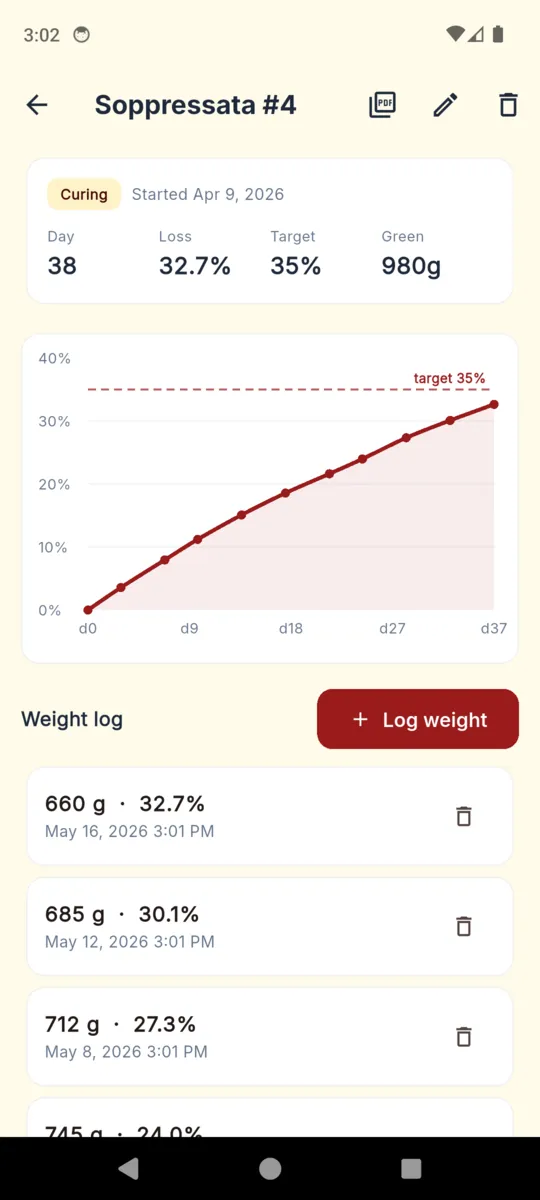
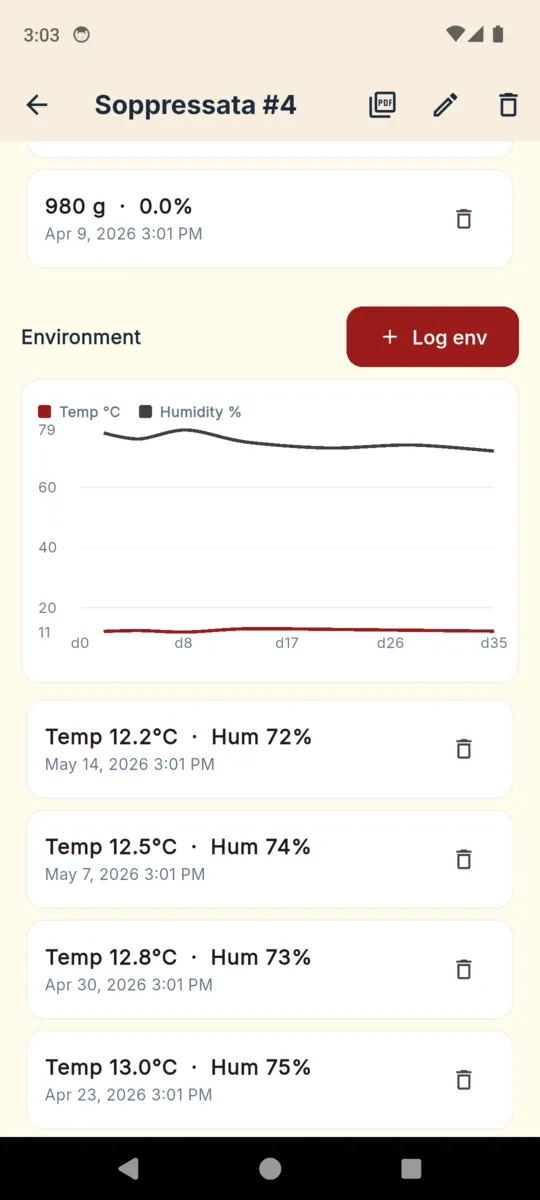
Green weight at the start, then a reading whenever you take the batch down. Each one is stored with its date and an optional note, and the list runs newest first so the last few weeks are always on screen.
HOME CURE & AGING LOG

CharcuterieLog
Home Cure & Aging Log
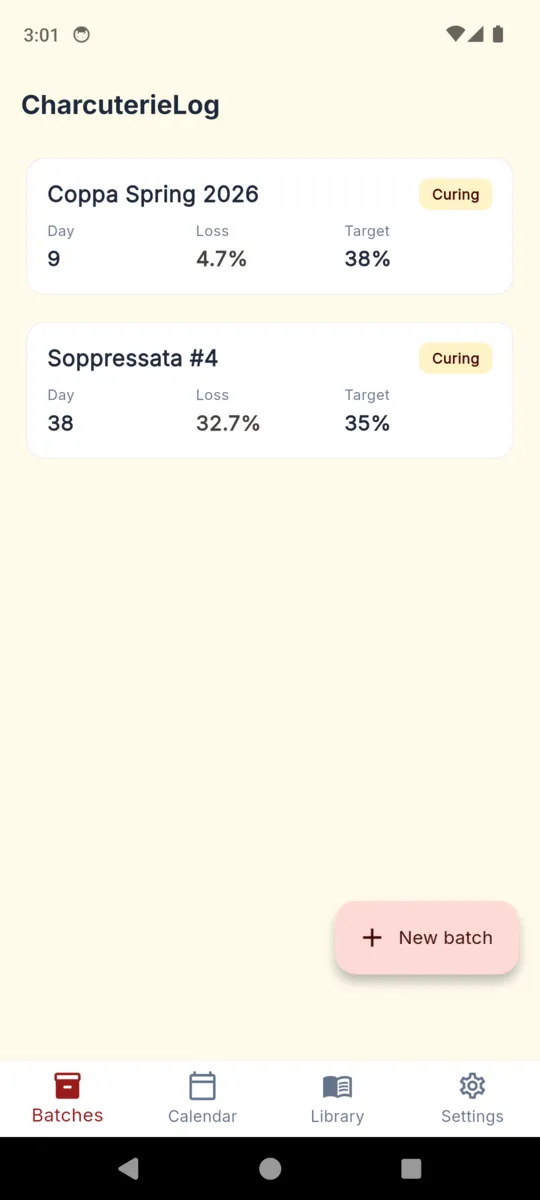
Weigh the coppa, tap it in, and CharcuterieLog works the loss out against the weight it went in at and draws it against the target you set. Temperature and humidity sit on the same page, the photos build a timeline, and the whole batch comes out as a PDF.
CharcuterieLog is a record of what you logged. It reduces the guesswork of tracking a cure. It does not remove the risk of one, and it is not a food-safety authority.

14 days of Pro on install.
$1.99/mo · $9.99/yr · $19.99
lifetime. Android.
ONE BATCH, THIRTY-EIGHT DAYS IN
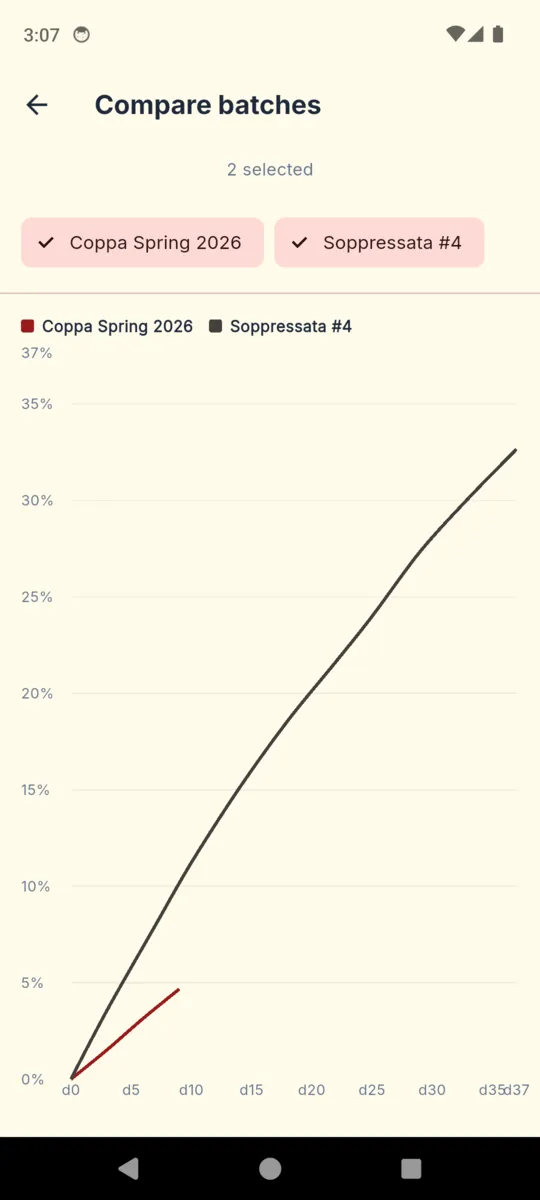
Everything the app calculates comes from the first and the latest weight. It stores the green weight when you create the batch, then every weigh-in becomes a percentage of it, so the curve climbs from zero towards the line you drew. The target is a dashed rule across the chart, not a verdict — you take it from your own recipe or a source you trust, and the app never invents one.
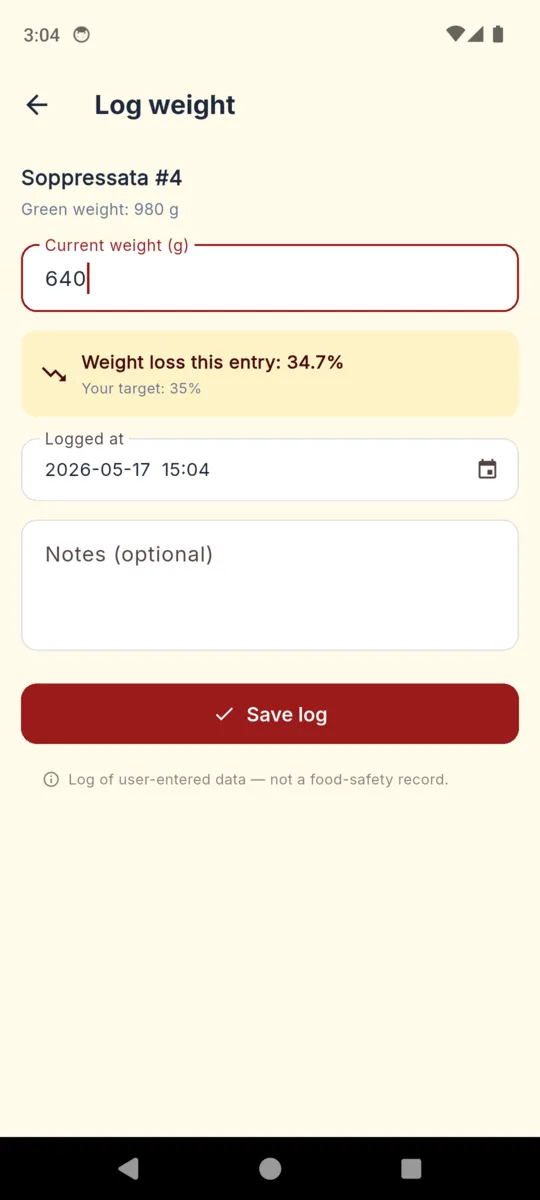
Log weight, and the entry screen tells you what that reading works out to before you save it, with the target repeated underneath. When a batch moves from curing to equilibrating, you say so.
On every log entry, in the app:
Log of user-entered data — not a food-safety record.
01
Green weight at the start, then a reading whenever you take the batch down. Each one is stored with its date and an optional note, and the list runs newest first so the last few weeks are always on screen.
02
Temperature and humidity readings, charted together over the life of the batch. You can set the band you are aiming for when you create it, so a drift is visible rather than remembered.
03
Each photo is stamped with the weight-loss percentage at the moment it was taken, so the timeline reads as a shrinking sequence rather than a folder. Pro exports it as a stop-motion GIF you can share.
04
A free-text source line for the book and page you followed, plus salt and cure percentages. Those two are fields you fill in, recorded exactly as typed. The app never calculates them and never checks them.
05
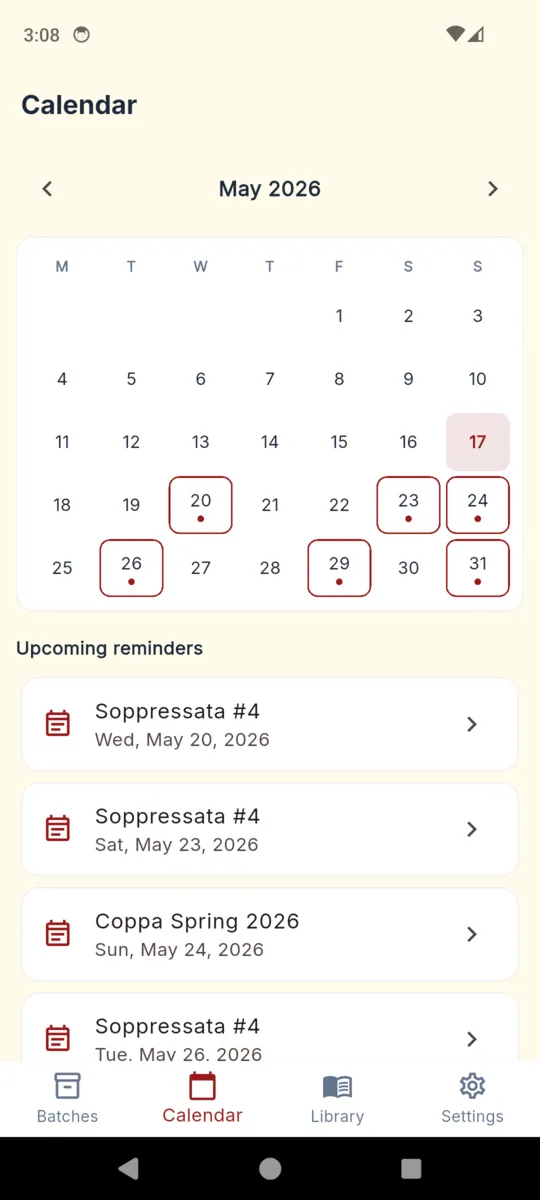
Give a batch a cadence in days and it will nudge you to weigh it. The calendar tab marks the days that have something on them and lists what is coming.
06
A PDF with a cover page carrying the type, green weight, target and disclaimer, then the weight table, the environment table, your notes and the photo timeline. Useful when someone asks how you did it.
WHERE THE APP STOPS
Dry curing is one of the few kitchen crafts where getting it wrong can put someone in hospital. CharcuterieLog will not tell you a batch is safe, will not check your salt or cure numbers, and does not stand in for a pH meter, a water-activity reading, or a recipe that has actually been tested. It holds your figures and shows them back to you clearly, which is a different and smaller job.
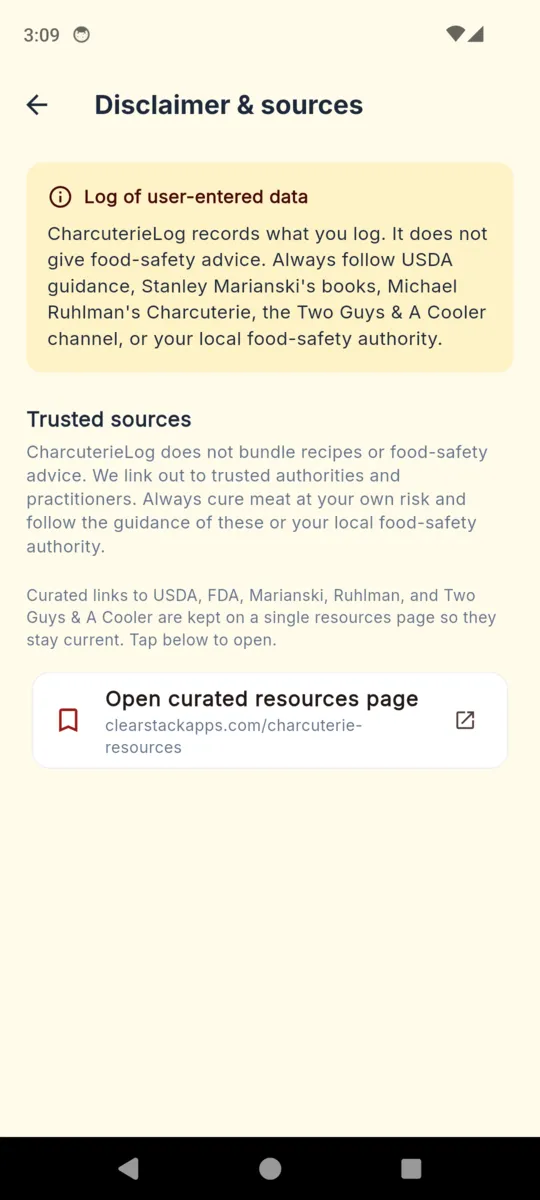
CharcuterieLog records what you log. It does not give food-safety advice. Always follow USDA guidance, Stanley Marianski's books, Michael Ruhlman's Charcuterie, the Two Guys & A Cooler channel, or your local food-safety authority.
— the disclaimer the app itself shows, word for word
The app deliberately bundles no recipes and no curing advice. It keeps a single resources page of links to USDA, FDA, Marianski, Ruhlman and Two Guys & A Cooler so they stay current, and points you at those instead. One more deliberate choice: hitting your target weight is never coloured as a success. Reaching a number is not the same as being done.
Scroll sideways, or focus the row and use the arrow keys.
Every install opens with fourteen days of Pro, no card. After that the free tier keeps one batch going with ads and a summary PDF, and Pro lifts the batch limit.
MONTHLY
$1.99/mo
Cancel in Google Play whenever.
YEARLY
$9.99/yr
Roughly two batches' worth of a season.
LIFETIME
$19.99once
One payment. Nothing renews.
PRO OPENS
It keeps the record. Weigh a batch, and it works the loss out against the green weight and plots it against the target you set. It does not judge whether a cure is safe, and it does not replace a tested recipe, a pH reading or a water-activity measurement.
No. You enter the target weight loss yourself, from your own recipe or a source you trust. The app shows where the batch sits against that target and nothing more.
A cover page with the batch type, green weight, target loss, recipe source and the disclaimer, then the full weight log, the environment log, your recipe notes and the photo timeline. The free version exports the cover and a summary.
No sign-up and no email address. Cloud backup is optional and uses an anonymous ID, which means clearing the app data resets that ID and orphans the old backup.
Yes. Batches, weights, environment readings, photos and notes are stored on the phone. A connection is only needed for ads on the free tier and for cloud backup if you switch it on.
One batch at a time, with ads and a summary PDF. Every install starts with fourteen days of Pro so you can run a real cure through it before deciding.
Weigh it going in, and every number after that has something to be a percentage of.