HomeschoolBook
Hours, Attendance & Annual Records
A clean personal record-keeper for homeschool parents — daily hours, attendance, curriculum, work samples, and an annual PDF you can print and file.
How It Works
Log in 10 seconds
Tap a subject card, tap a 15 / 30 / 45 / 60 minute chip, save. Defaults remember your last child and subject for fast repeats.
Track per child
Calendar attendance per child, weekly & monthly hour charts per subject, curriculum notes, photo work-sample portfolio.
Generate annual PDF
One school year of data into one parent-formatted document — cover, attendance, hours per subject, curriculum, field trips, work samples, signature line.
HomeschoolBook in Action
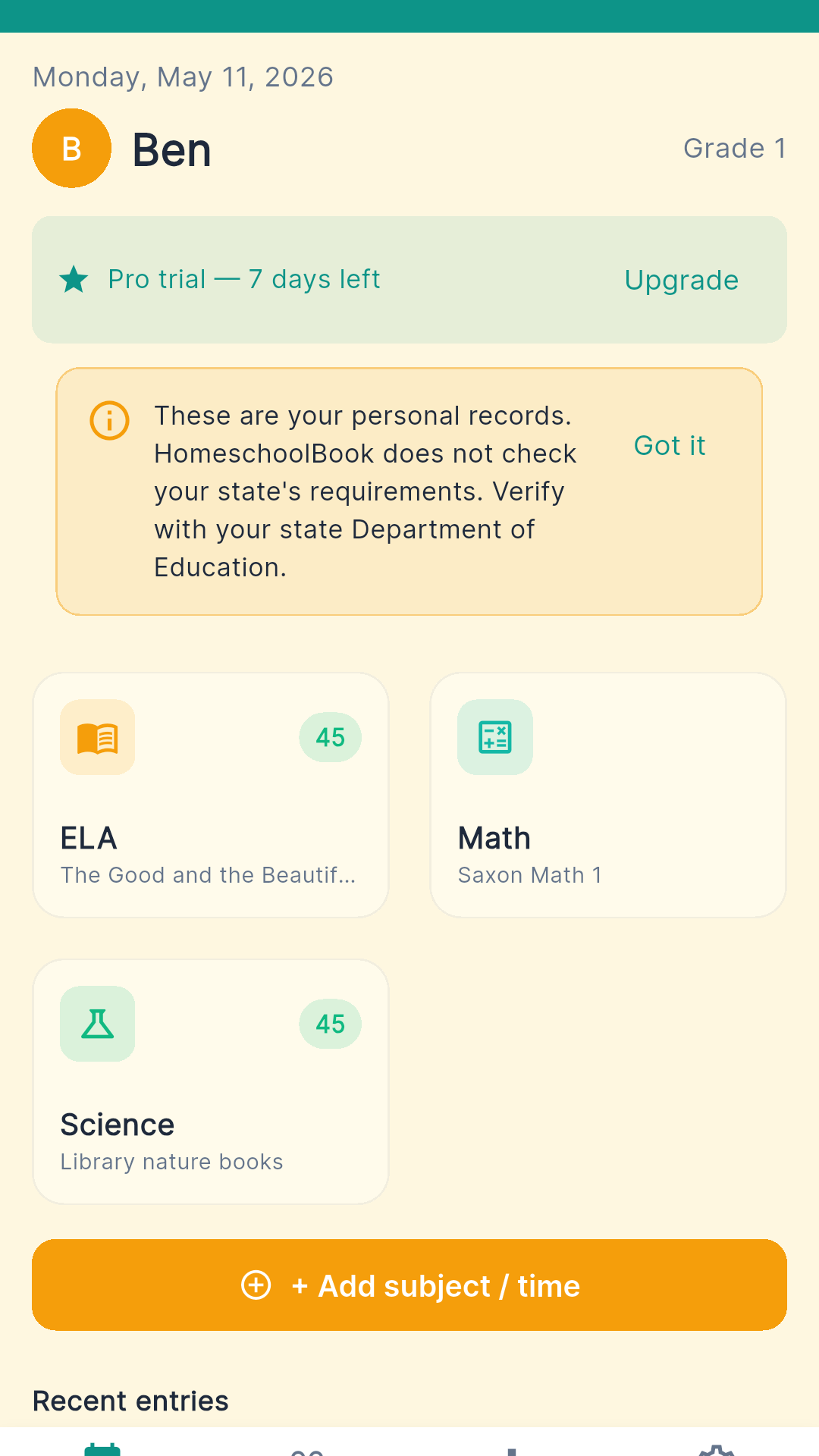
Today — quick-add chips per subject
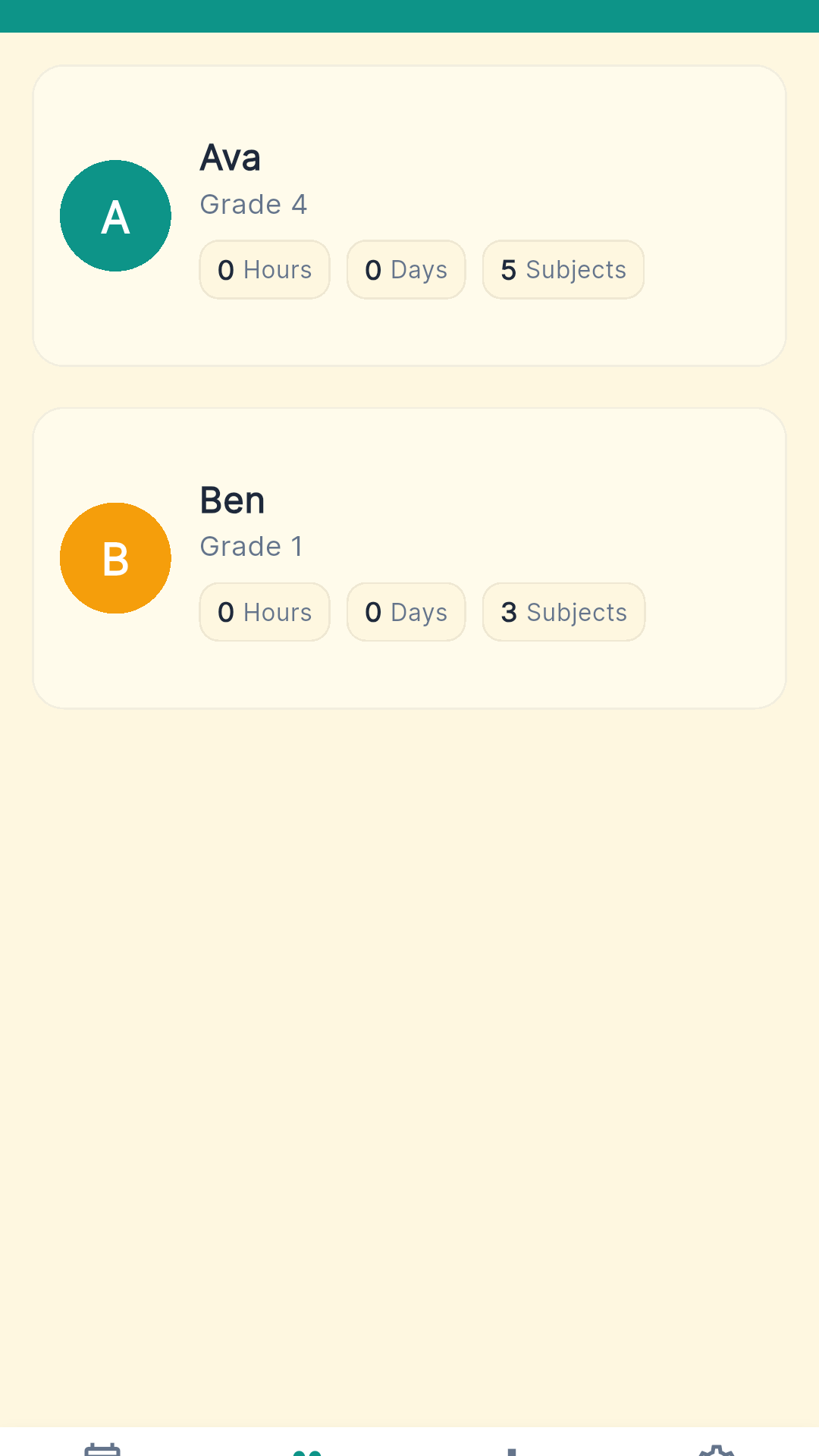
Children — manage every learner
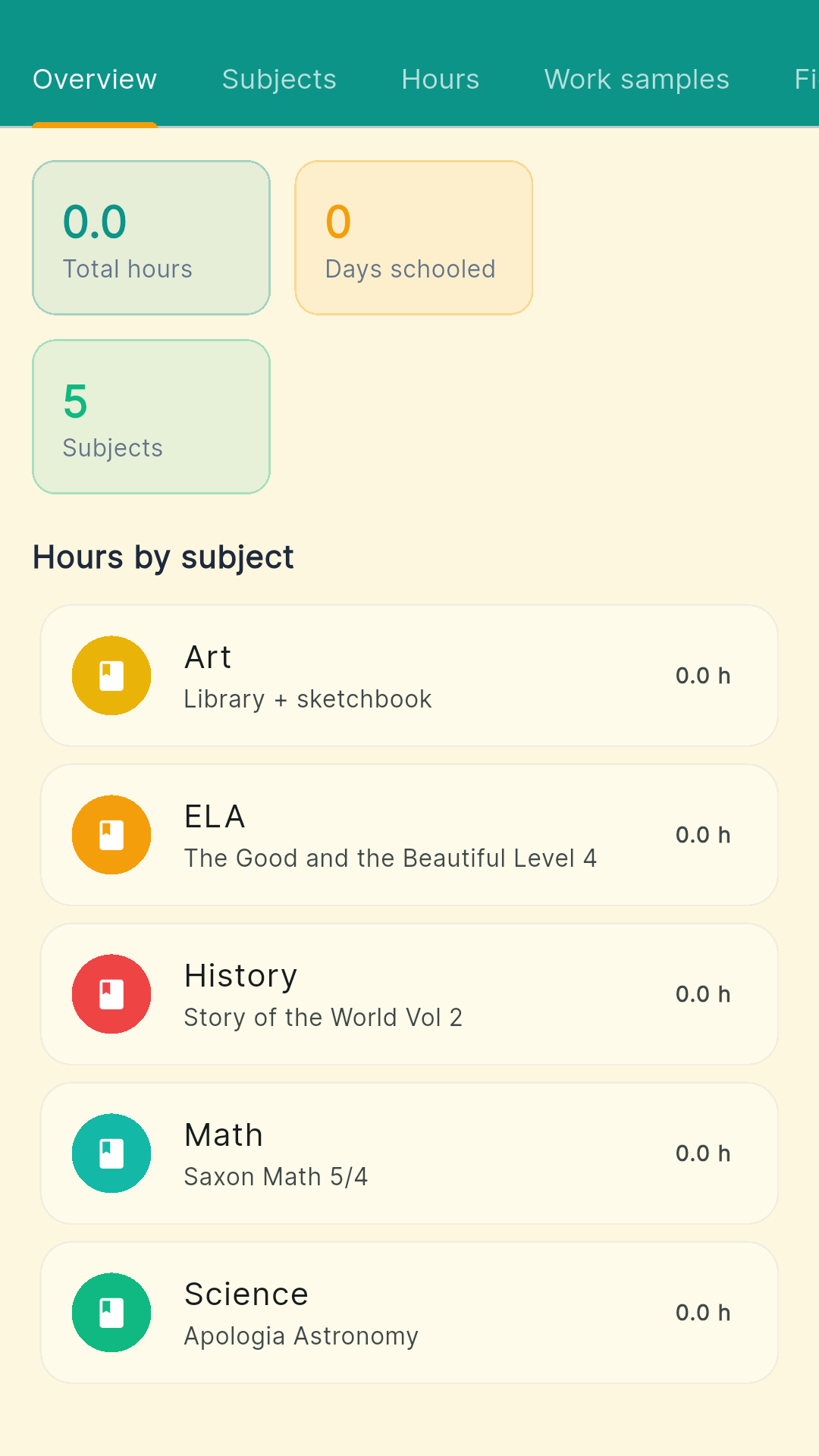
Child detail with curriculum notes
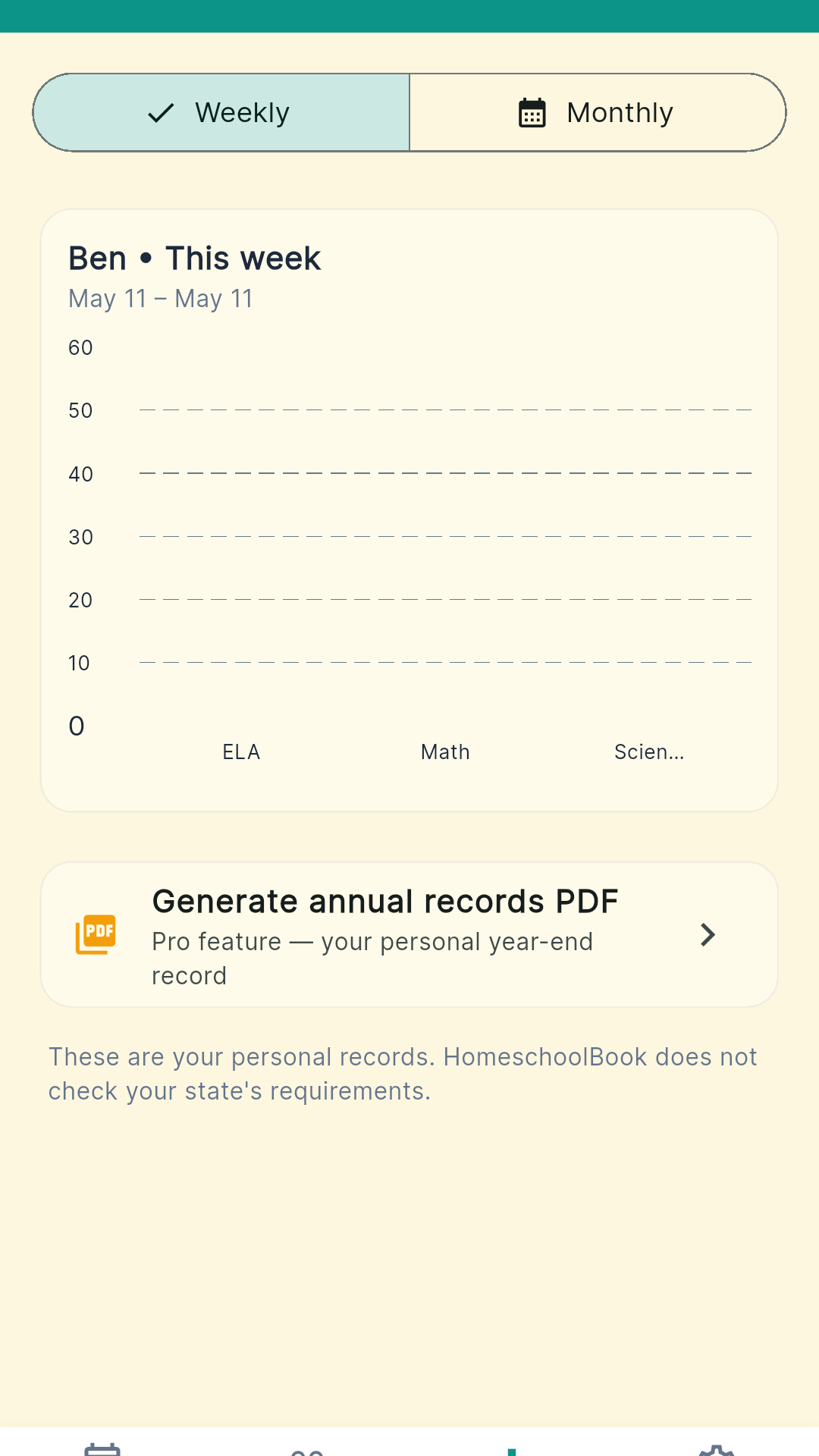
Reports — hours per subject
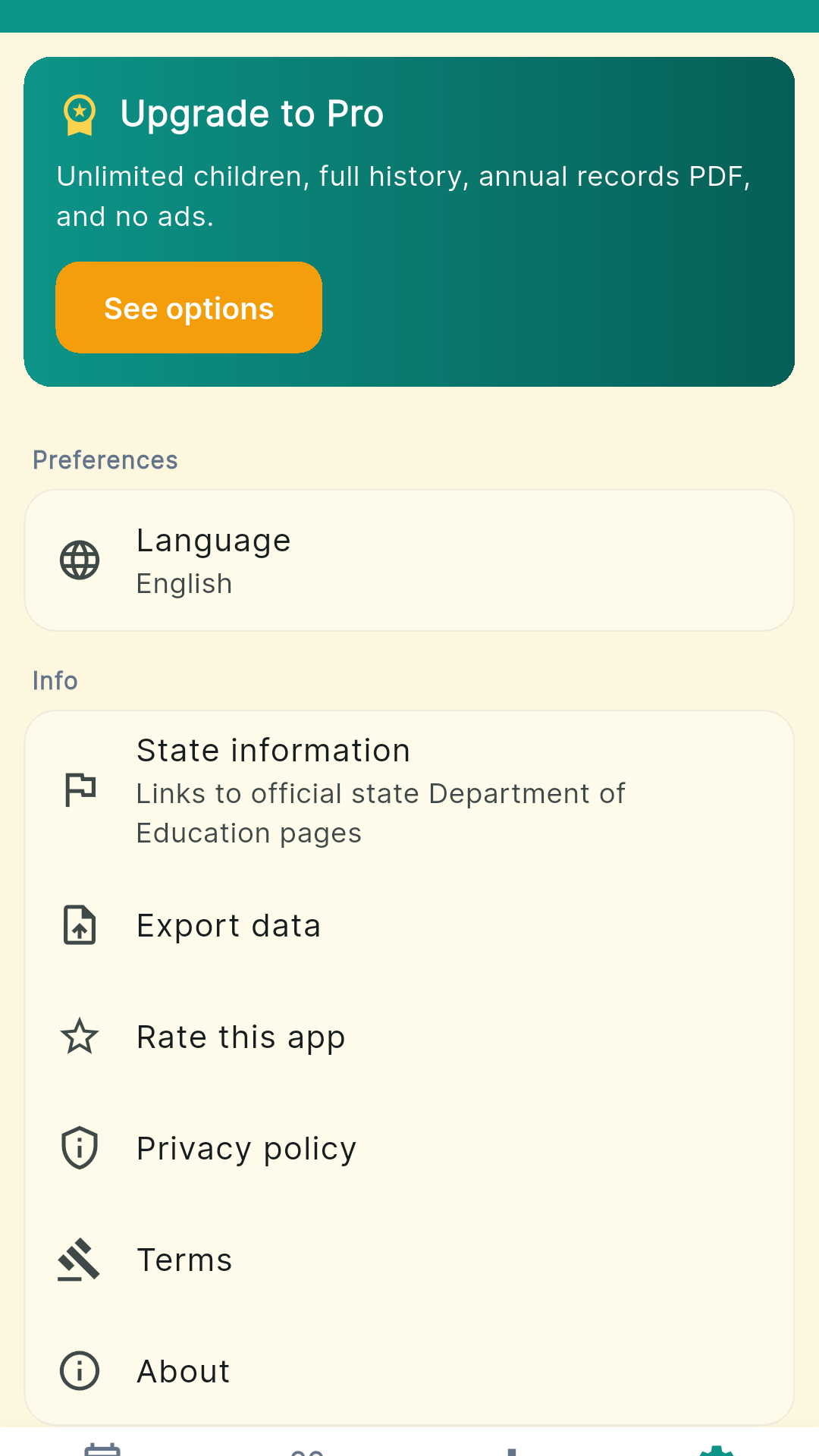
Settings & state info links
Built for Homeschool Parents Who Want a Clean Record
10-Second Daily Logging
Quick-add chips for 15, 30, 45, 60 minutes per subject. Defaults to your last-used child and subject. Custom minutes and per-entry notes when you need them.
Multi-Child Profiles
Unlimited children on Pro. Grade level, school-year dates, and color per child. The dashboard switches between learners with one tap.
Curriculum Notes
Free-text curriculum field per subject — Saxon Math 5/4, Sonlight, library books, online courses, whatever you actually use. No forced taxonomies.
Work Sample Portfolio
Pro adds a photo portfolio per subject. Math worksheets, science experiments, art projects, history essays — attached as photos, shown as thumbnails in the annual PDF.
Field Trip Log
Date, location, hours, optional photo, and the subjects it covered. Museum trips count toward History and Art; nature walks toward Science and PE. Hours roll into per-subject totals.
Calendar Attendance
Per-child calendar view with running day and hour totals. See attendance at a glance for the week, the month, or the school year.
Annual Records PDF
One school year per child into one parent-formatted document — cover, attendance summary, hours per subject, curriculum list, field trips, work sample thumbnails, signature line.
CSV Per-Child Export
Export per-child data as CSV for spreadsheets, accountants, year-over-year comparisons, or migration to another app.
Simple, Honest Pricing
Free to try with one child. Pay once for the family — or month-to-month around year-end.
Free
1 child, 30 days of history
- 1 child profile
- Daily logging with chips
- Subjects & curriculum notes
- 30 days of history
- Basic reports
- Banner ad
Pro Monthly
per month — cancel anytime
- Unlimited children
- Full history
- Annual records PDF
- Work sample photos
- Field trip log
- Ad-free
Pro Unlock
One-time purchase — yours forever
- Everything in Pro Monthly
- Unlimited children, forever
- Full history, forever
- Annual records PDF, every year
- Work sample photos
- Ad-free
- 7-day Pro trial on first install
Two months of subscription pays for the lifetime unlock. If you homeschool more than two months a year, get the lifetime — and never see another renewal email.
Common Questions
Frequently Asked Questions
Is HomeschoolBook a state-compliant submission tool?
No. HomeschoolBook is a personal record-keeper. It does not interpret state homeschool laws, does not store state hour minimums, and does not generate state-compliant submissions. You are responsible for understanding and meeting your state's requirements. Settings → State information links out to every U.S. state Department of Education page so you can verify your state's rules yourself.
How fast is daily logging?
Under 10 seconds per entry. Tap a subject card on the Today tab, tap a quick-add chip (15 / 30 / 45 / 60 minutes), and save. The app defaults to your last-used child and subject so repeat entries are even faster. Custom minutes and per-entry notes are available when you need them.
Does it support multiple children?
Yes. Pro supports unlimited children, each with their own grade level, school-year dates, color, and subject list. The dashboard switches between children with one tap. Free tier is limited to one child.
What's in the annual records PDF?
A parent-formatted document covering one school year per child: cover page, attendance summary, total hours per subject, curriculum list (with the free-text descriptions you've added — Saxon Math 5/4, Sonlight, library books, anything), field trip log, work sample thumbnails, and a parent signature line. Every page carries a clear disclaimer that this is your personal record, not a state submission.
Can I attach photos of my child's work?
Yes (Pro). The work sample portfolio attaches photos to any subject — math worksheets, science experiments, art projects, history essays. Photos are stored in the app sandbox so we never request permission to write to your gallery, and they appear as thumbnails in the annual records PDF.
Does it track field trips?
Yes. Log a field trip with date, location, hours, optional photo, and the subjects it covered (a museum trip might count toward History and Art; a nature walk toward Science and PE). Field trip hours roll into the per-subject totals on the annual records PDF.
Does it work offline?
Yes. HomeschoolBook works completely offline. Children's data, hours, photos, and the annual PDF generation all run on your device — no account, no cloud sync. The free tier shows a banner ad on the Today and Children tabs; Pro removes it.
Why pay $9.99 once instead of $4.99 monthly?
If you homeschool year after year, $9.99 once is way cheaper than $59.88/year for a subscription. The monthly option is for parents who only want Pro around year-end portfolio review — pay $4.99 for one month, generate the PDF, cancel. Both unlock identical features.
Keep a Record You'll Actually Use
Download HomeschoolBook and log today's first lesson in under 10 seconds.
Have questions? Get in touch
A Personal Record-Keeper for Homeschool Parents
If you homeschool, you've probably tried at least one of the following: a paper planner that stops getting filled out by November, a Google Sheet that nobody updates after Christmas break, an all-in-one homeschool curriculum platform that costs $20/month and does ten things you don't need before it gets to the one you do, or a state-compliance app that promises to "submit your portfolio for you" and then makes you fill out forms in five different places. HomeschoolBook is the simplest possible thing that solves the actual problem: a clean daily log and an annual PDF you can print and file.
Why "Personal Record-Keeper" and Not "State-Compliant Tracker"
State homeschool laws change. Hour minimums vary from 0 in some states to 1,000 in others. Portfolio review requirements vary by district within the same state. Some states want notarized affidavits; others want you to do nothing at all. An app that claimed to be "state-compliant" would have to maintain accurate, up-to-date interpretations of all 50 state laws plus whatever your local district adds — and the moment one of them changed and we missed it, you'd be the one in trouble. HomeschoolBook is honest about its scope: it gives you a clean record. You bring the knowledge of what your state requires. Settings → State information links out to every U.S. state Department of Education page so you can check the rules yourself.
The 10-Second Daily Log
The biggest reason homeschool tracking apps get abandoned is that logging takes too long. By Wednesday afternoon, when you've done math, reading, science, an art project, a field trip, and lunch, the last thing you want to do is open an app and fill out forms. HomeschoolBook's Today tab shows your child's subjects as cards with quick-add chips for 15, 30, 45, and 60 minutes. Tap a subject card, tap a chip, save. The app defaults to your last-used child and subject. Repeat entries are even faster than the first one. If you need custom minutes or a note, those are one tap away — but the common case is the fast path.
Multi-Child, Without the Tax
Many homeschool families have two, three, or four children at different grade levels with different curricula. Pro supports unlimited children — each with their own grade level, school-year dates (some families run year-round, some follow public school calendars, some do something in between), color tag, and subject list. The dashboard switches between children with one tap. Free tier is limited to one child, which is enough to test whether the app fits your workflow before you pay for the family plan.
Curriculum the Way You Actually Use It
Most homeschool apps make you pick from a fixed taxonomy of curricula — Saxon, Sonlight, Abeka, Charlotte Mason, eclectic. Real homeschool families use a mix: Saxon for math, library books for history, online courses for foreign language, a co-op for science, mom's idea for art. HomeschoolBook's curriculum field is free-text. Type whatever you actually use. The annual PDF prints what you wrote, not what we forced into a dropdown.
The Annual Records PDF
At the end of every school year, Pro generates a parent-formatted PDF covering one school year per child: a cover page with child name and dates, an attendance summary, total hours per subject, the curriculum list with your free-text notes, a field trip log, work sample photo thumbnails, and a parent signature line. It's the kind of document a thoughtful parent would have produced if they had a weekend to spare and Microsoft Word skills they don't actually have. Every page carries a clear disclaimer that this is your personal record — not a state submission. If your state requires you to file something, this PDF gives you the data; you're responsible for whatever wrapper your state actually wants.
Work Samples Without the Permission Dance
Photos of your child's work — math worksheets, science fair posters, art projects, history essays — are the most compelling part of any portfolio. HomeschoolBook stores work sample photos in the app sandbox, which means we never request permission to write to your phone's gallery. Photos appear as thumbnails attached to subjects, and they show up in the annual records PDF at the end of the year. Privacy by design: nobody else's app sees your kid's worksheets.
Field Trips Count Too
Most state portfolios let you count field trip hours toward instructional time. Most apps make logging field trips harder than logging a regular subject. HomeschoolBook's field trip log takes date, location, hours, optional photo, and the subjects it covered — a museum trip might count toward History and Art, a nature walk toward Science and PE — and the hours roll into the per-subject totals on the annual records PDF.
Why $9.99 Once Instead of $9.99 a Month
The homeschool app market is dominated by SaaS pricing — $9.99 to $19.99 a month, every month, forever. If you homeschool for ten years (a single elementary-through-high-school journey), that's $1,200 to $2,400 for an app that should cost the same as a coffee. Pro Unlock is $9.99 once. Pay it the year you commit to homeschool, never see a renewal email. The monthly option exists for parents who only want Pro around year-end portfolio review — pay $4.99 for one month, generate the PDF, cancel. Both options unlock identical features.
Privacy and Offline Use
HomeschoolBook stores every child's data, every hour, every photo locally on your device on the free tier. The app works completely offline. There's no account, no cloud sync, no analytics on what your child is studying. The annual PDF generation happens on your phone — your child's records never leave it.
Phone and Tablet
HomeschoolBook is phone-first because that's what's in your hand at the kitchen table during math. But the app also has full tablet layouts for 7" and 10" screens — useful for the household tablet that lives in the school room, or for parents who prefer a bigger screen for the annual portfolio review. Touch targets are sized for one-handed use.