


















































































































































































How to Calculate 3D Printing Cost, One Print Worked Out
A two-colour PLA print costed line by line: price per gram, the filament lost to colour changes, measured printer watts, kWh prices and failed prints.
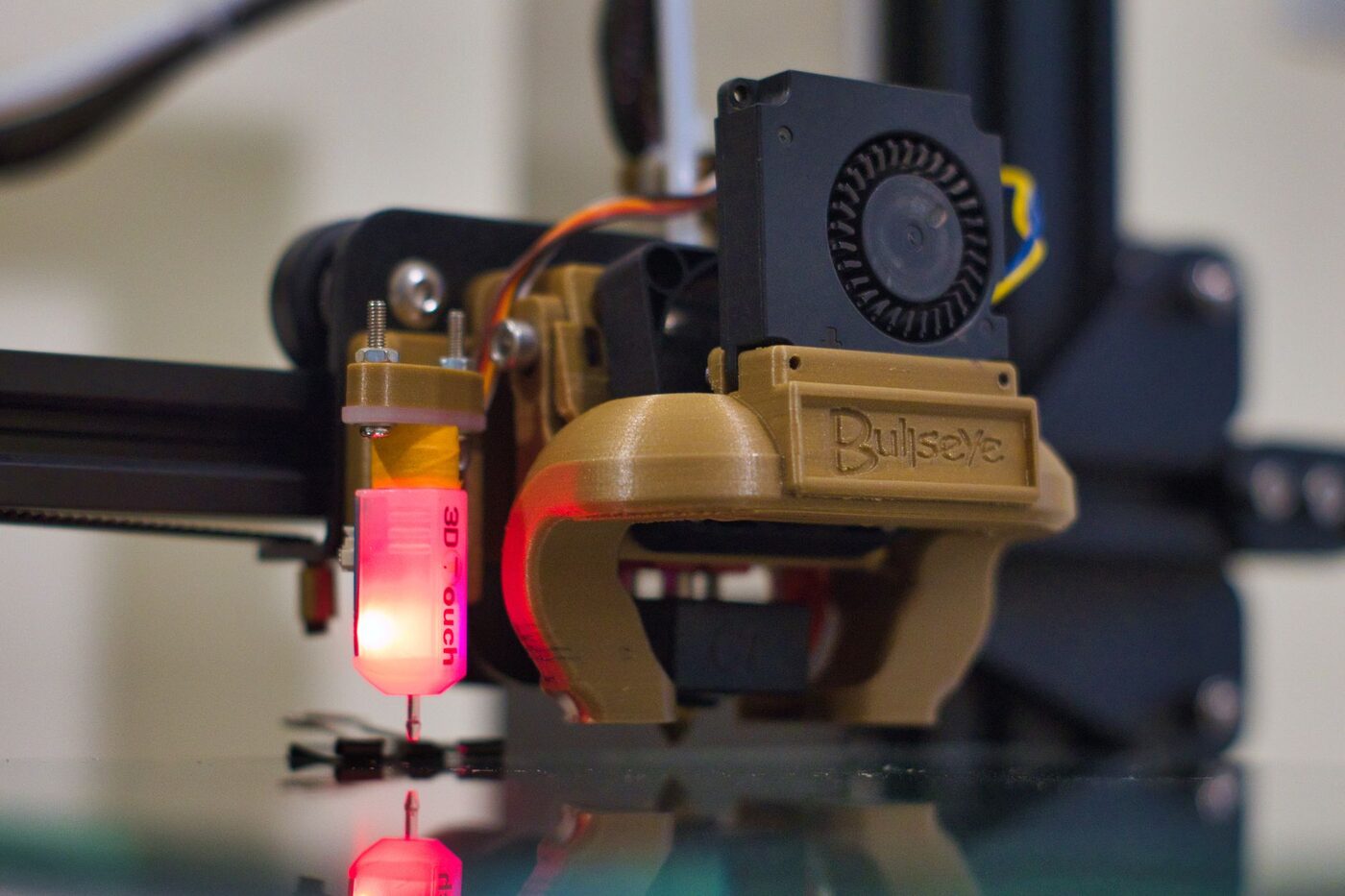
Someone at work wants a two-colour desk sign and asks what they owe you. For the job on this page, a 139 gram black and white PLA sign that takes six and a half hours on a Bambu Lab P1S with its AMS filament feeder, the cost is $4.10 in filament and power. Count the prints that fail and it is $4.47 per good one. Filament makes up $3.97 of the $4.10, and about a quarter of that filament never reaches the sign. Electricity, which sounds like the big unknown, comes to 13 cents at the August 2026 US average.
Every number below is shown, so you can swap in your own.
The sign, the spools and the printer
The job is illustrative, built to be ordinary: a black plate with white lettering on its upper few millimetres, so the printer switches colour on every one of those layers.
The slicer says the finished part holds 118 grams of black and 21 grams of white. The run time is six and a half hours, longer than a one-colour version because every colour change pauses to swap filaments.
Two spools, both 1 kilogram. The black one cost $20 and the white one $26, also illustrative prices, and the gap between them matters later.
The printer is a P1S with the AMS, chosen because the manufacturer publishes measured power figures for both.
Price per gram comes straight off the receipt
Prusa Research gives the filament formula in its article on calculating printing costs: filament price divided by filament weight, times the model weight. Do the division once and write it on the spool.
Black: $20 ÷ 1,000 g = 2.0 cents a gram. White: $26 ÷ 1,000 g = 2.6 cents a gram.
For the part alone that gives 118 g × $0.020 = $2.36 of black and 21 g × $0.026 = $0.55 of white. Total, $2.91.
A slicer’s grams are a calculation, not a weighing: millimetres pushed, turned into grams with the diameter and density in your profile. Prusa sells its own filament at ±0.02 mm, and a strand that runs 1.77 mm instead of 1.75 mm carries (1.77 ÷ 1.75)² = 2.3 percent more plastic per metre, so the slicer undercounts by that much with nothing wrong in the print. Weigh a finished part now and then. If scale and slicer disagree by more than a few percent across several prints, fix the density or diameter in the profile.
A quarter of the filament goes in the bin
Each colour change has to push the old colour out of the hotend before the new one prints cleanly. Bambu Lab’s guide to reducing waste during filament changes says darker colours need a higher volume flush to switch to lighter colours, and lighter colours need less to go darker. With white letters on a black plate, about half of the lettered layers include a dark-to-light change, the expensive direction.
Say the slicer’s total comes to 185 grams while the part on the scale weighs 139. The other 46 grams left as purged strands. Split them 23 and 23 between the spools. The even split keeps the sum simple; in practice the white spool supplies more of the purge, since each switch is flushed with the incoming colour and the dark-to-light switches use more. Costed the simple way:
- black flush, 23 g × $0.020 = $0.46
- white flush, 23 g × $0.026 = $0.60
That is $1.06, or 27 percent of a filament bill of $3.97.
The same guide gives the two levers. The flush multiplier defaults to 1.00 and the defaults “tend to be slightly higher than necessary”, so try 0.8 or 0.9 on a test print. And flushing into the part’s own infill, or into supports (on by default), puts some of that plastic inside the model instead of the bin. Light and translucent filaments show the muddy infill through the walls, so the trick suits a dark outer colour better than a white one. Whatever you change, cost the job from total grams, purge included. Costing only what ends up in the part is how a multi-colour quote loses money.
Watts: read the measurement, not the label
Energy is watts times hours, divided by 1,000 to get kilowatt-hours. The hard part is the watts.
The label on a P1S power supply is no help. Bambu Lab’s printer and AMS power parameters list the P1S maximum at 1,000 W on 220 V and 350 W on 110 V. The same page gives the measured average while printing: 105 W for PLA, 140 W for ABS, 135 W for PC. The feeder adds 5.78 W while working.
A printer pulls hard while the bed and nozzle heat up, then holds temperature in short bursts, so the average sits far below the peak. Prusa’s knowledge base FAQ gives 80 W for generic PLA and 120 W for generic ABS on an MK-series printer in a 26 °C room.
So, for the sign:
- printer, 105 W × 6.5 h ÷ 1,000 = 0.683 kWh
- feeder, 5.78 W × 6.5 h ÷ 1,000 = 0.038 kWh
- total, 0.72 kWh
Run the same job with the 350 W label instead and you get 2.28 kWh, a bit over three times too high. On a 220 V supply the 1,000 W figure overstates it about nine times. If your printer’s maker publishes no measured figure, a plug-in power meter left in line for one long print gives you one in a day.
Where the heat goes
A team at the University of Central Lancashire metered desktop printers once a second and wrote it up in a 2021 study of desktop printer energy use. On their baseline PLA print, over half of the energy went to the heated bed, and the controller and motion system used 19 percent. Their conclusion: most of the energy goes into heating the build surface, even for PLA, which runs one of the coolest beds.
Two things follow for costing. First, the material you choose moves the power bill. The P1S draws a third more on ABS than PLA, 140 W against 105 W, and the difference is heat. Second, warm-up is a fixed cost per job. The same study found that longer, fuller prints spent a lower share of their time on that first bed heat. Printing six signs on one plate pays for one warm-up, not six.
What a kilowatt-hour costs where you live
The US Energy Information Administration’s Table 5.6.A of average electricity prices by state puts the US residential average for August 2026 at 18.16 cents per kWh, up from 17.57 a year earlier. The same 0.72 kWh costs:
- 11.5 cents in Texas, at 15.91 cents per kWh
- 13.1 cents at the US average
- 21.4 cents in California, at 29.75
- 34.0 cents in Hawaii, at 47.18
In Great Britain, Ofgem’s energy price cap unit rates put electricity at 26.32 pence per kWh for October to December 2026, the average for Direct Debit customers. The sign costs 19p to power.
Your own bill beats any average; the unit rate is printed on it. Leave the standing charge out, since you pay it whether the printer runs or not.
Idle draw is the bit no print gets charged for. A P1S on Wi-Fi sits at 5.8 to 6 W doing nothing, about 1 kWh, or 18 cents, over a week left on between jobs.
The sign on one line
The sign at the US average rate, with the failure allowance explained below.
| Line | Working | Amount |
|---|---|---|
| Black PLA in the part | 118 g × $0.020 | $2.36 |
| White PLA in the part | 21 g × $0.026 | $0.55 |
| Flush, both colours | 23 g × $0.020 + 23 g × $0.026 | $1.06 |
| Printer electricity | 0.683 kWh × $0.1816 | $0.12 |
| Feeder electricity | 0.038 kWh × $0.1816 | $0.01 |
| Cost of the print | $4.10 | |
| Failed-print allowance | $4.10 ÷ 0.917 | $0.37 |
| Cost per good print | $4.47 |
Read down the right-hand column. Electricity is 13 cents out of $4.47, under 3 percent. The flush is eight times that. To cut the cost of colour prints, work on the purge and the colour order, not the thermostat.
Failed prints belong in the price
Spaghetti at hour four has already used filament and power, and the sign still has to be printed again.
Prusa’s article suggests watching what share of prints fail over a long period rather than guessing. The plain version: divide the cost of one print by your success rate. Say your last 12 prints show 11 good and one failure, 91.7 percent. Then $4.10 ÷ 0.917 = $4.47, and the failure has been shared across the good ones.
This is the cautious version, since it charges every failure as if it ran to the end, and a failure caught on the first layer costs a few grams. For a price you will quote, cautious is right. For a hobby budget, halve the allowance if you usually catch failures early.
Look at why prints fail, too, since a fix can be cheaper than the allowance. If the failures keep coming from one spool that has sat open for months, the guide to filament storage, moisture and drying covers that end of it.
Machine time, nozzles and the price you quote
If the sign is a favour, $4.47 is the answer. If you are selling it, two more lines belong on the quote.
Machine time first. Prusa’s article spreads the printer’s price over the hours it should take to pay for itself: printer price ÷ payback hours × print hours. Its example uses six months, which it gives as 4,392 hours of printing. With an illustrative $700 printer that is $700 ÷ 4,392 = about 16 cents an hour, or $1.04 for the sign. A hobby printer runs nowhere near round the clock, so your payback hours are fewer and the hourly figure bigger. Pick one and keep it fixed.
Then wear. On plain PLA it barely registers. In E3D’s abrasive filament test, the nozzle maker cut test nozzles in half and found no observable wear on one that had printed only standard materials for months. A brass nozzle was wrecked after only 250 grams of carbon fibre filament, a quarter of a 1 kg spool, and stainless steel wore at about 30 percent of brass’s rate. If you sell carbon fibre parts printed through brass, part of a nozzle belongs in every quote.
Last, margin. Prusa’s worked example starts at 30 percent of the material price, which for this sign is 0.30 × $3.97 = $1.19. Add it up and the sign is $4.47 + $1.04 + $1.19 = $6.70 before your own time, design work and postage.
Keeping the figure right across a year of prints
Doing the sum once is easy. Doing it for every print is where it falls apart.
PrintVault, a 3D print cost tracker for your spools and printers, runs the filament and electricity part of this sum on every print you log. Each spool carries what you paid and its weight, which gives the cost per gram. You set your electricity rate per kWh once in Settings, and each printer gets its own average watts (120 W unless you change it, so a P1S owner would enter 105). Log a print with its grams, hours, spools and printer, and PrintVault saves the filament cost and the electricity cost onto that print at that moment. Correct a spool’s price next month and last month’s prints keep the cost they had. The grams also come off each spool’s remaining weight.
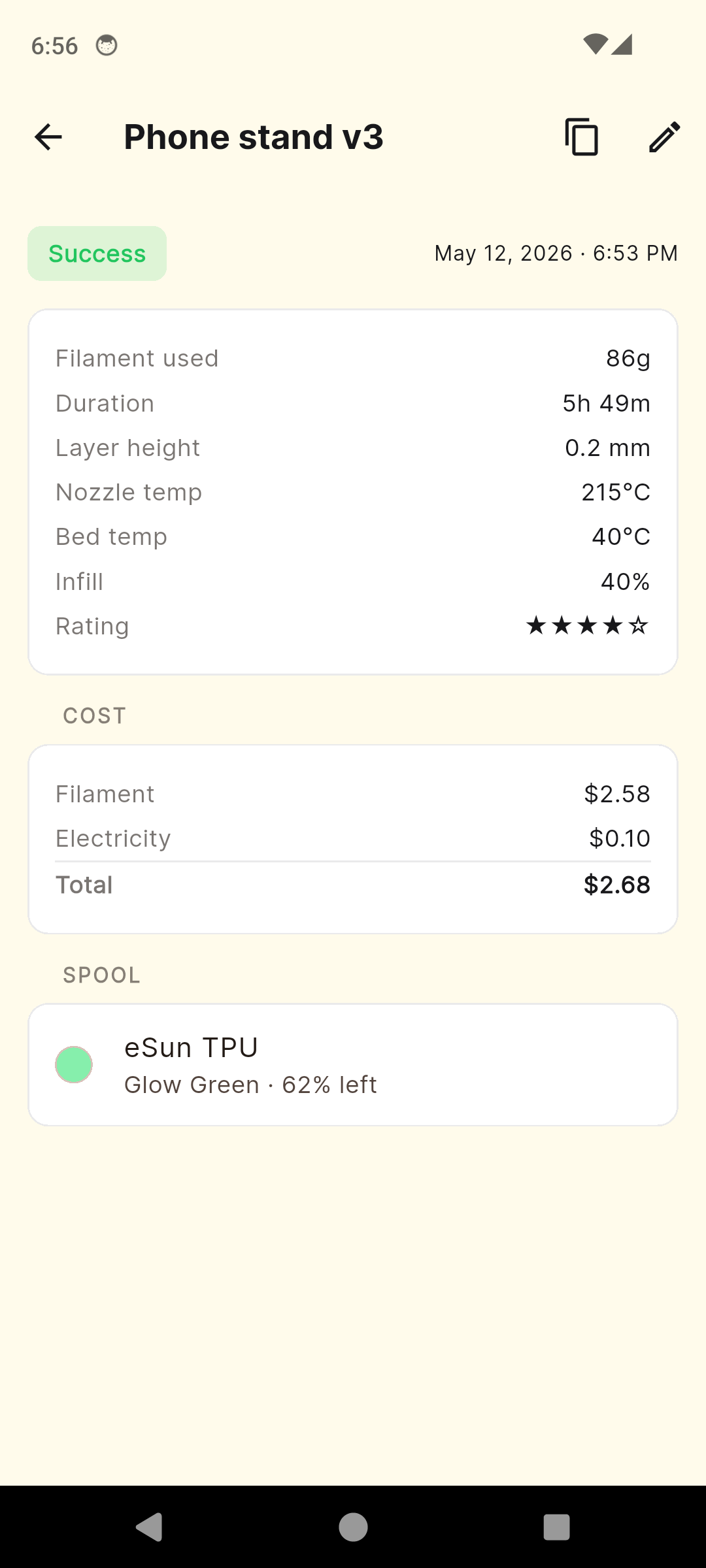
A print that uses several spools has its grams split evenly between them, so a job where one colour does most of the work is costed a little toward the dearer spool: logged as 185 grams across both, the sign’s filament comes out at about $4.25 instead of $3.97. And the failure allowance is yours to apply. The Statistics screen shows your success rate beside your average cost per print, for 7, 30 or 90 days or all time. Without the paid unlock the app holds 10 spools and 20 prints, so a year of history behind that average needs the unlock.
Before the next quote
Find two numbers today: the unit rate on your electricity bill and the measured watts for your printer, from its maker or a plug-in meter. Then weigh the next print that comes off the bed and compare it with the slicer’s total. Those three readings, plus the price on each spool, are all the sum needs. If you would rather not redo it by hand for every job, set them up once in PrintVault and log the sign as your first print.
The electricity prices above are published averages for the periods named, and the selling figures are illustrative. This is general information, not financial or tax advice; your own tariff and your local tax authority are the ones that count.
Common questions
How much does it cost to 3D print something?
Mostly the filament. Multiply the grams the job uses, purge included, by what you paid for the spool divided by its weight. At an illustrative $20 to $26 a kilogram that is $2.00 to $2.60 per 100 grams, while electricity on a printer averaging 105 W adds about 2 cents an hour at the August 2026 US average of 18.16 cents per kWh.
How much electricity does a 3D printer use per hour?
Far less than the label suggests. Bambu Lab measures its P1S at an average of 105 W printing PLA and 140 W printing ABS, about 0.1 to 0.14 kWh an hour, against a 350 W maximum on 110 V. Prusa measured its MK-series printers at 80 W on PLA and 120 W on ABS.
Should failed prints be included in the cost per print?
Yes, if you want a figure you can quote. Divide the cost of one print by your success rate measured over a long run of prints. At 11 good prints out of 12, every successful print carries about 9 percent extra.
How do I work out what to charge for a 3D print?
Start from the cost per good print, add machine time (printer price divided by the hours you want it to pay for itself over, times the print hours) and a margin. Prusa's own worked example sets the margin at 30 percent of the material price. Your own time, postage and any tax are separate and depend on where you live.
Photos: Kuba Grzybek / Pexels , Connor Scott McManus / Pexels